

- HOME
- Taxes & compliance
- UAE eInvoicing onboarding through EmaraTax: steps and identifiers
UAE eInvoicing onboarding through EmaraTax: steps and identifiers
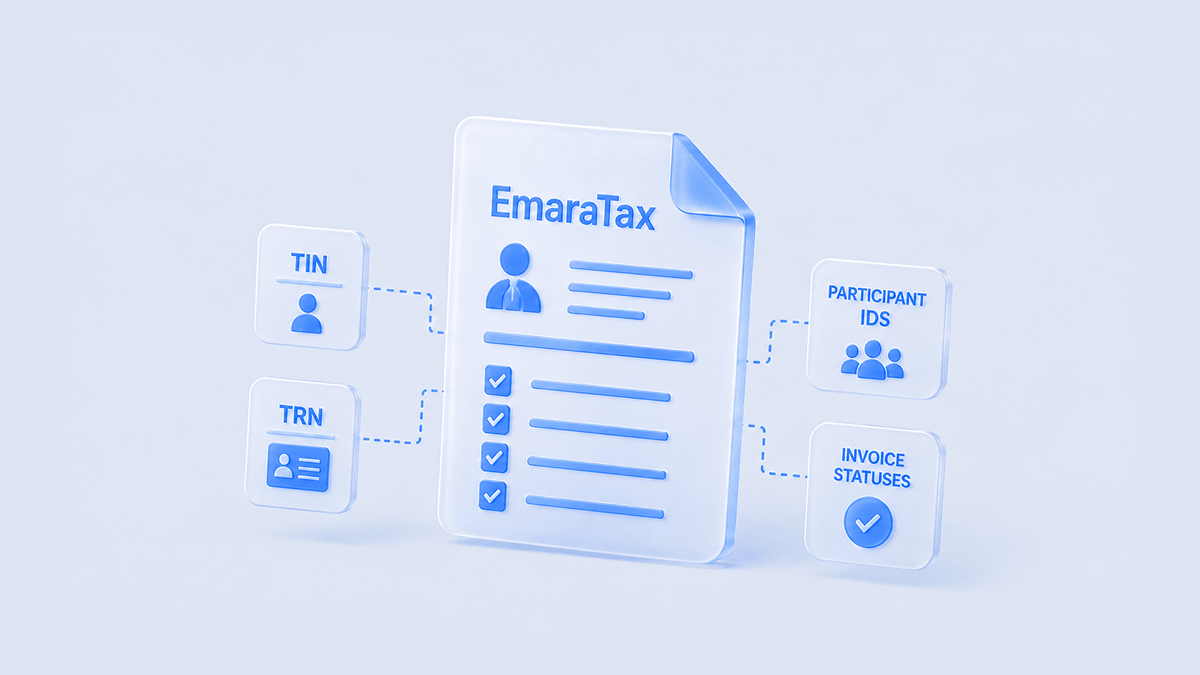
An eInvoice is an invoice sent as structured data that another accounting system can read and process directly, rather than as a PDF a person has to open. To send and receive them in the UAE, you first need to be set up on the exchange network, and that setup starts in EmaraTax, the Federal Tax Authority's (FTA) online tax-services platform.
Three identifiers are involved, and their names are close enough that they get mixed up: the Tax Registration Number (TRN), the Tax Identification Number (TIN), and the Peppol participant identifier, which is your address on the invoice exchange network.
This guide explains what each identifier is, walks through the onboarding steps in the Ministry of Finance's (MoF) Guidelines v1.1, and covers the confirmations to check once invoices start moving.
What's the difference between the TIN, TRN and Peppol participant identifier?
Each of these numbers belongs to the same business. A different party issues each one, at a different point in the onboarding process.
Identifier | What it identifies | Who issues it | Format | When it exists |
TRN (Tax Registration Number) | The business's registration for a specific FTA tax type (VAT, Corporate Tax, Excise Tax, or another) | The FTA, at tax registration | 15 digits | Already exists for any business registered with the FTA for any tax type, independent of eInvoicing |
TIN (Tax Identification Number) | The business itself, specifically for eInvoicing purposes | The FTA, via EmaraTax | 10 digits: the first 10 digits of an existing TRN, or a new number generated directly | Automatic if a TRN already exists; generated during EmaraTax onboarding if not |
Participant Identifier (Peppol endpoint ID) | The business's address on the Peppol network, where invoices route to and from | The business's chosen ASP | Scheme 0235 plus the 10-digit TIN | Created once EmaraTax has redirected the business to the ASP's own portal |
For a business already registered with the FTA for any tax type, the TIN isn't a new number to apply for. It's simply the first 10 digits of the TRN it already has. A business with no FTA tax registration at all generates a TIN directly through EmaraTax, as part of onboarding itself. Either way, the TIN alone doesn't connect the business to the Peppol network yet. That happens one step later, when the chosen ASP creates the Participant Identifier from it.
EmaraTax handles TIN generation and lookup, and it's where the onboarding process starts and is supervised throughout. The Participant Identifier that invoices route to and from is different: the Peppol network address the ASP creates, once EmaraTax has redirected the business to the ASP's own portal. EmaraTax doesn't issue the Participant Identifier directly.
Your Peppol address and your tax registration numbers do different jobs on the invoice, and there is no single rule that swaps one for the other. PINT AE treats the VAT identifier, other tax identifiers and legal registration identifiers as separate fields, each with its own rule, and the two mandatory-field lists use different fields in the same positions. Ask your ASP to confirm how your TIN and your registration details map to each field. UAE eInvoice format: PINT AE mandatory fields and XML structure sets out the field lists.
How does the EmaraTax onboarding process work?
Onboarding is something a business does itself; the ASP doesn't start it. The Ministry of Finance's Electronic Invoicing Guidelines (version 1.1) are explicit about this: the process starts with the Person or Government Entity, through EmaraTax, which is reached through the FTA's website. In practice, that's four steps:
Select and contract with an ASP. Choose a provider from the Ministry's published list of Accredited Service Providers and complete the commercial agreement and any other contractual requirements. Do this before you open EmaraTax: the later steps assume a provider is already contracted.
Open eInvoicing in EmaraTax. Your EmaraTax account administrator signs in and selects the eInvoicing tile in the left-hand menu, which shows the list of available ASPs.
Continue to your ASP. Select your contracted provider and click "Proceed to ASP" to open its portal. The rest of onboarding: creating a profile, connecting systems, agreeing on testing, happens there.
Finish onboarding with your ASP. Confirm your TIN, complete the provider's setup requirements, and get your Peppol participant identifier from them.
Use one ASP for all of your entity's eInvoicing. You don't choose a different provider per transaction type or product line.
Tax Groups complicate this slightly, in one specific way. A VAT or Corporate Tax Group registers as a single Taxable Person for filing purposes, and the group's representative holds the TRN used on group returns. eInvoicing doesn't follow that grouping. Guidelines v1.1 is explicit about this. Even where a business is part of a Tax Group, its TIN is the first 10 digits of its own TRN, not the first 10 digits of the Tax Group representative's TRN. Each Tax Group member generates its own TIN and its own Participant Identifier, and can even onboard with a different ASP than the rest of the group. Every member runs its own onboarding separately, regardless of how the group files its returns. You can coordinate the work centrally, but track each member's TIN, participant identifier, ASP and readiness separately.
Once inside the ASP's own portal, onboarding moves from account setup to agreeing on the mechanics of exchange itself. That covers:
● How invoice data will be transmitted to and from the ASP.
● How confirmation messages about exchange and reporting outcomes will be delivered back.
● What data-hosting and security standards apply.
The Ministry's own readiness checklist treats this as a genuine testing phase, separate from account setup. A business and its ASP are expected to test the actual exchange and reporting flow before going live, not just confirm that accounts exist on both sides.
What does “invoice status” mean for a UAE eInvoice?
Part of onboarding is agreeing with the chosen ASP on how confirmation messages will reach the business. That covers two distinct things: whether an Electronic Invoice exchange with a counterparty succeeded or failed, and, separately, whether the Tax Data reporting for that invoice to the FTA succeeded or failed.
Guidelines v1.1's Appendix 4 states the second of these directly. An ASP must ensure a Person is informed, on an event-driven basis and without undue delay, once an Electronic Invoice or its associated Tax Data has been successfully transmitted to the Authority. Agreeing on how both of these confirmations will reach the business is one of the items on the Ministry's own readiness checklist, not just confirming that accounts exist on both sides.
The Guidelines themselves don't define a set of status codes. Peppol does. Its Message Level Status specification defines three response codes that describe what happened to a document in transit:
AP - delivery to the buyer's system succeeded, with confirmation.
AB - the document was forwarded towards the buyer, but delivery is not confirmed.
RE - the document was rejected, or delivery failed.
These describe delivery between service providers. They do not tell you whether the buyer has approved the invoice for payment, and they are separate from confirmation that your tax data reached the FTA. Ask your ASP how its portal shows each of the two, and agree who investigates a failure before you go live.
What causes a specific rejection, and how to fix it, is its own subject.This page covers the mechanism itself: what a confirmation is, and where in the process it comes from.
What are the most common mistakes with these identifiers?
TIN and TRN get entered into the wrong field more often than the difference would suggest. That's because one is literally a truncated version of the other: a 10-digit number and a 15-digit number that share their first ten digits. That similarity invites the same copy-paste error into a system that expects one number or the other, not either.
A second mistake is assuming the Participant Identifier exists the moment EmaraTax generates or confirms a TIN. It doesn't. It's created afterward, by the ASP, once onboarding has reached that stage. Configuring an ERP or accounting system with a Participant Identifier before the ASP has created one means configuring it with a number that doesn't exist yet.
The third mistake is specific to Tax Groups. It's assuming that because the group shares a representative TRN for filing purposes, one member completing onboarding covers the rest. It doesn't: each member's onboarding, TIN, Participant Identifier, and even ASP choice are independent. Treating eInvoicing readiness as one project for the whole group, rather than one project per member, is where groups fall behind.
Is EmaraTax onboarding a one-time task or an ongoing obligation?
Identifiers and onboarding aren't the end of the relationship with EmaraTax and the chosen ASP. Guidelines v1.1 includes an explicit ongoing step: a business must keep its ASP informed of any change in circumstances that affects its eInvoicing setup. That includes joining or leaving a Tax Group, deregistering from a tax type, or closing the business entirely. Tell your ASP promptly when this happens, and use the applicable reverification or offboarding process in EmaraTax.
Getting the identifier sequence right the first time is what determines whether testing starts on schedule: a TRN or direct FTA registration first, EmaraTax onboarding second, and the ASP's own Participant Identifier creation third. Keeping the ASP and EmaraTax updated afterward is what keeps that setup valid as circumstances change.
Zoho Software Trading LLC is an Accredited Service Provider for UAE eInvoicing.
See how Zoho Books supports UAE eInvoicing.
Frequently asked questions
What is EmaraTax's role in UAE eInvoicing?
EmaraTax is the Federal Tax Authority's general tax-services platform. It isn't built specifically for eInvoicing. What it does host is the entry point for eInvoicing onboarding: a dedicated eInvoicing tile. A business's account admin uses that tile to select an Accredited Service Provider and get redirected to that provider's own portal to finish onboarding.
What's the difference between a TIN and a TRN?
A TRN is the 15-digit Tax Registration Number the FTA issues when a business registers for a tax type it administers, such as VAT, Corporate Tax or Excise Tax. The TIN is shorter: 10 digits. If a business is already registered with the FTA for any tax type, its TIN is simply the first 10 digits of that TRN. Otherwise, with no FTA tax registration at all, EmaraTax generates a TIN for it directly. eInvoicing onboarding is built around the TIN, not the full TRN.
Who creates a business's Peppol participant identifier?
The business's chosen ASP creates it, using the business's TIN with the 0235 scheme prefix, once EmaraTax has redirected the business to the ASP's own portal. EmaraTax itself doesn't issue the Participant Identifier directly.
Can each member of a Tax Group use a different ASP?
Yes. eInvoicing onboarding runs per Tax Group member, not per group. Each member has its own TIN, based on its own TRN rather than the group representative's, and it can onboard with a different ASP, even though the group files VAT or Corporate Tax returns under one representative TRN.
What do the status codes AP, AB and RE mean?
They are Peppol Message Level Status codes, which describe delivery between service providers. AP means delivery to the buyer's system is confirmed. AB means the document was forwarded but delivery is not confirmed. RE means it was rejected or could not be delivered. The Ministry's Guidelines do not define their own status codes; they describe a confirmation mechanism covering both invoice exchange and tax data reporting. Check the FTA reporting confirmation separately from the delivery status.
Does onboarding end once a business starts exchanging invoices?
No. Guidelines v1.1 requires a business to keep its ASP and EmaraTax details updated whenever its circumstances change, such as joining or leaving a Tax Group, deregistering from a tax type, or closing the business. It isn't a one-time setup step.