Invite Technician
During an ongoing remote session, a technician can collaborate or get help troubleshooting complex issues by inviting an external or internal technician using the Invite Technician feature.
Internal Technician
An internal technician is a technician or user who is already a part of the Zoho Assist organization to which the technician belongs.
How to add an internal technician as a secondary technician
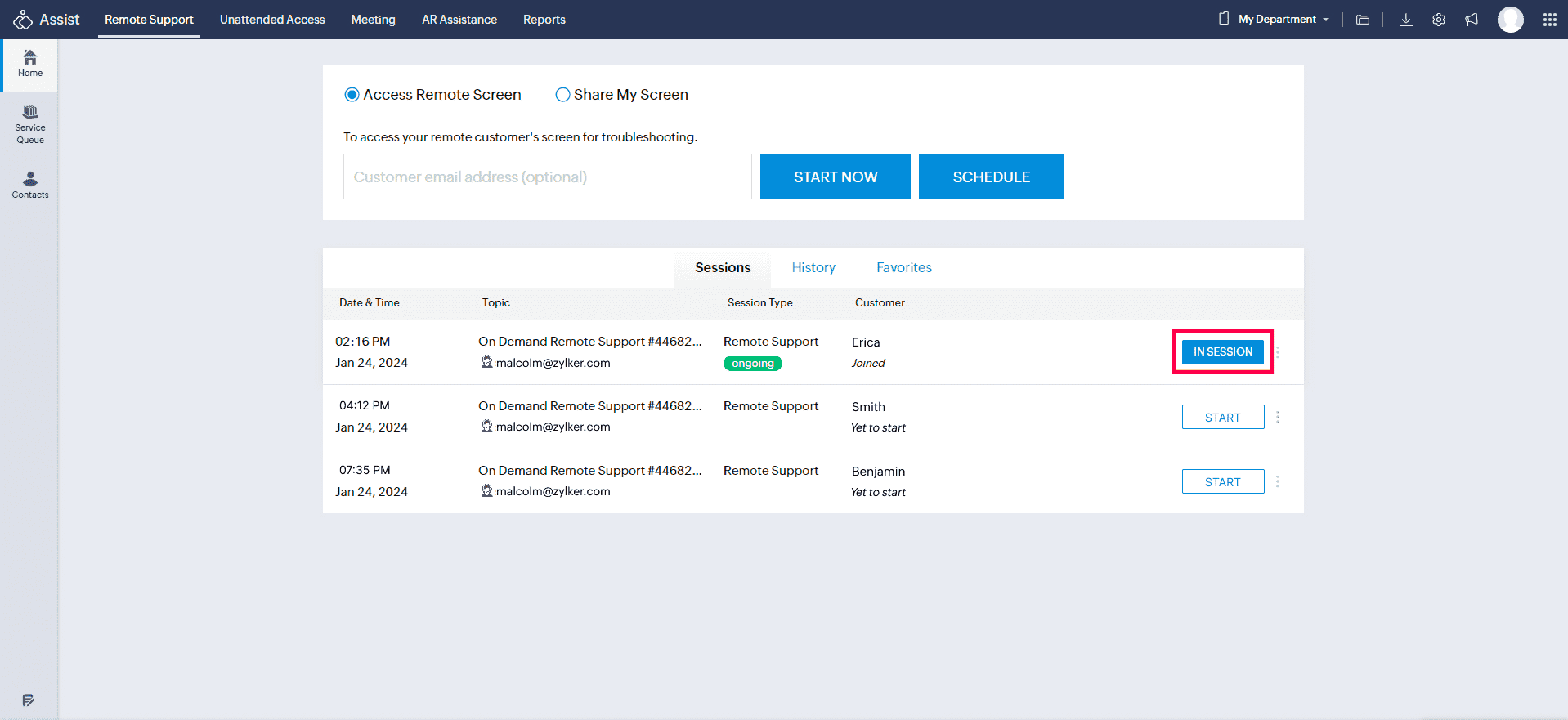
- An internal technician (who belongs to the same department) can join the ongoing remote session by clicking the IN SESSION button corresponding to the session.
How to invite an internal technician
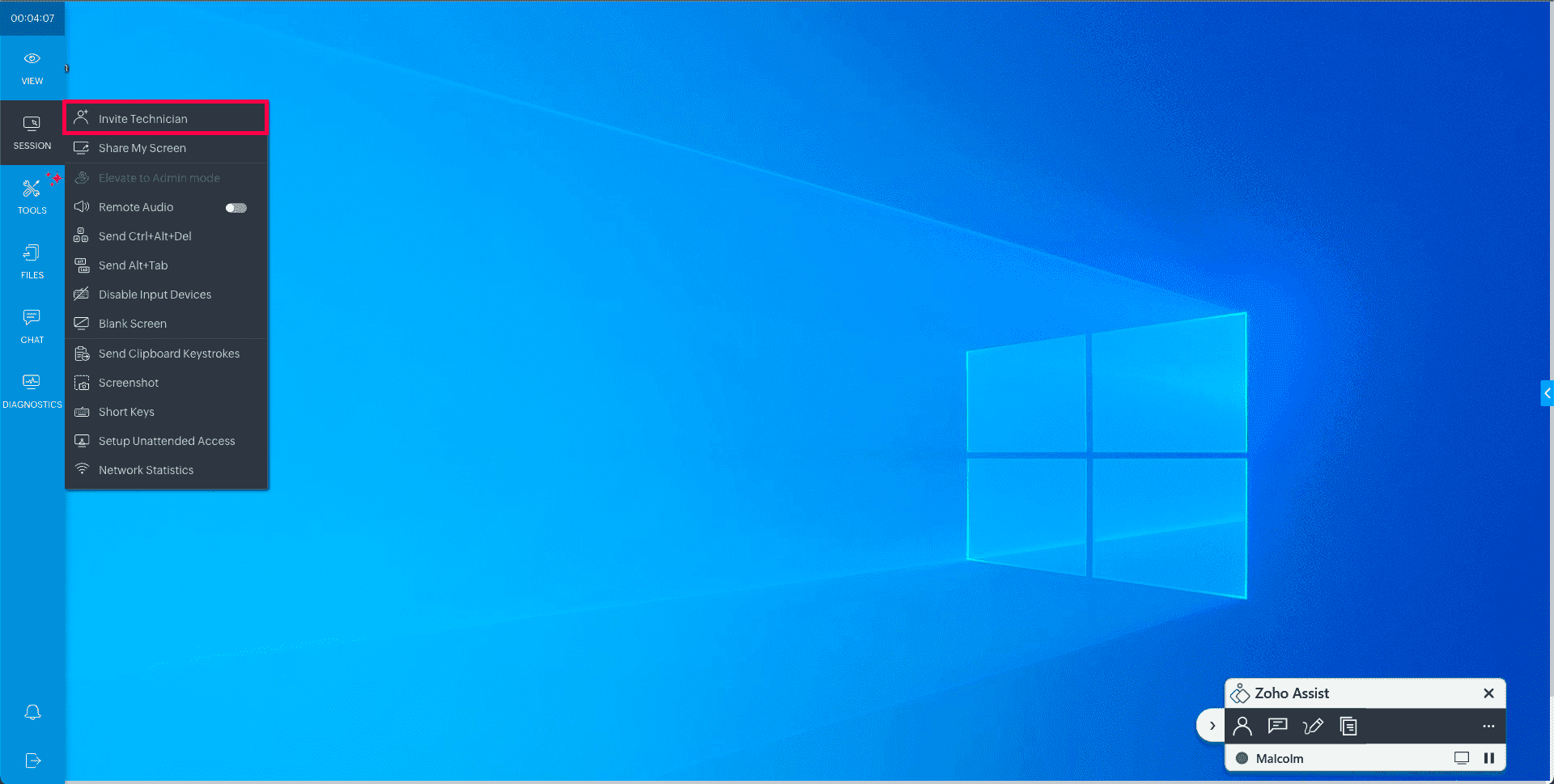
To invite an internal technician from within the active session, the primary technician can click on SESSION and select Invite Technician.
Choose Internal, enter the internal technician's email address, and click Invite. You can also choose to copy and share the link to the technician to join the session.
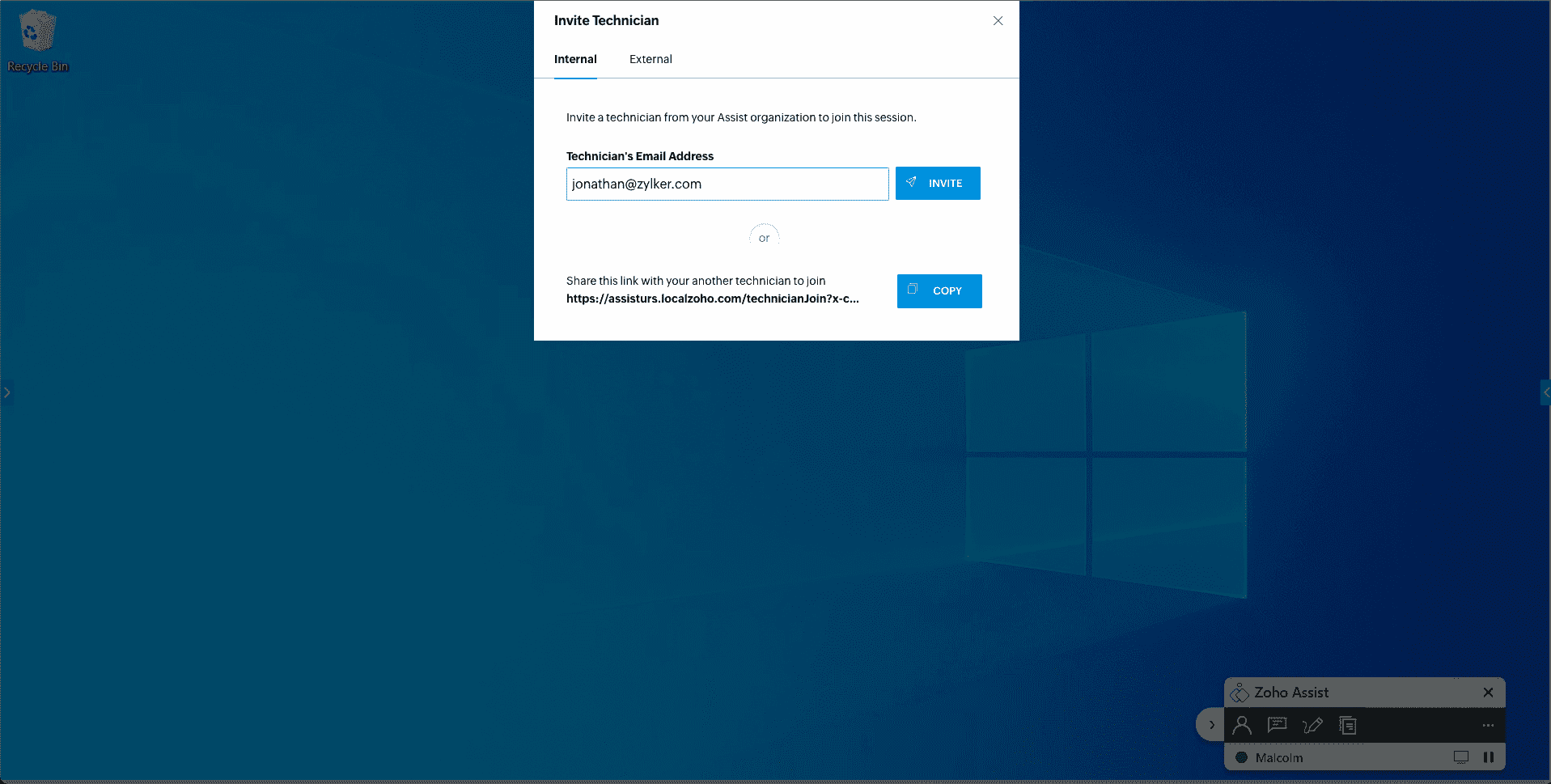
- An invitation link will be sent via email to the internal technician.
The internal technician can join the session by clicking JOIN SESSION in the email.


External Technician
An external technician is a user or technician who is not a part of your Zoho Assist organization account. They can join a session once using the invite link sent by the primary technician.
How to invite an external technician
- During an active remote session, click on SESSION in the sidebar and select Invite Technician.
Choose External, enter the external technician's email address, and click Invite.
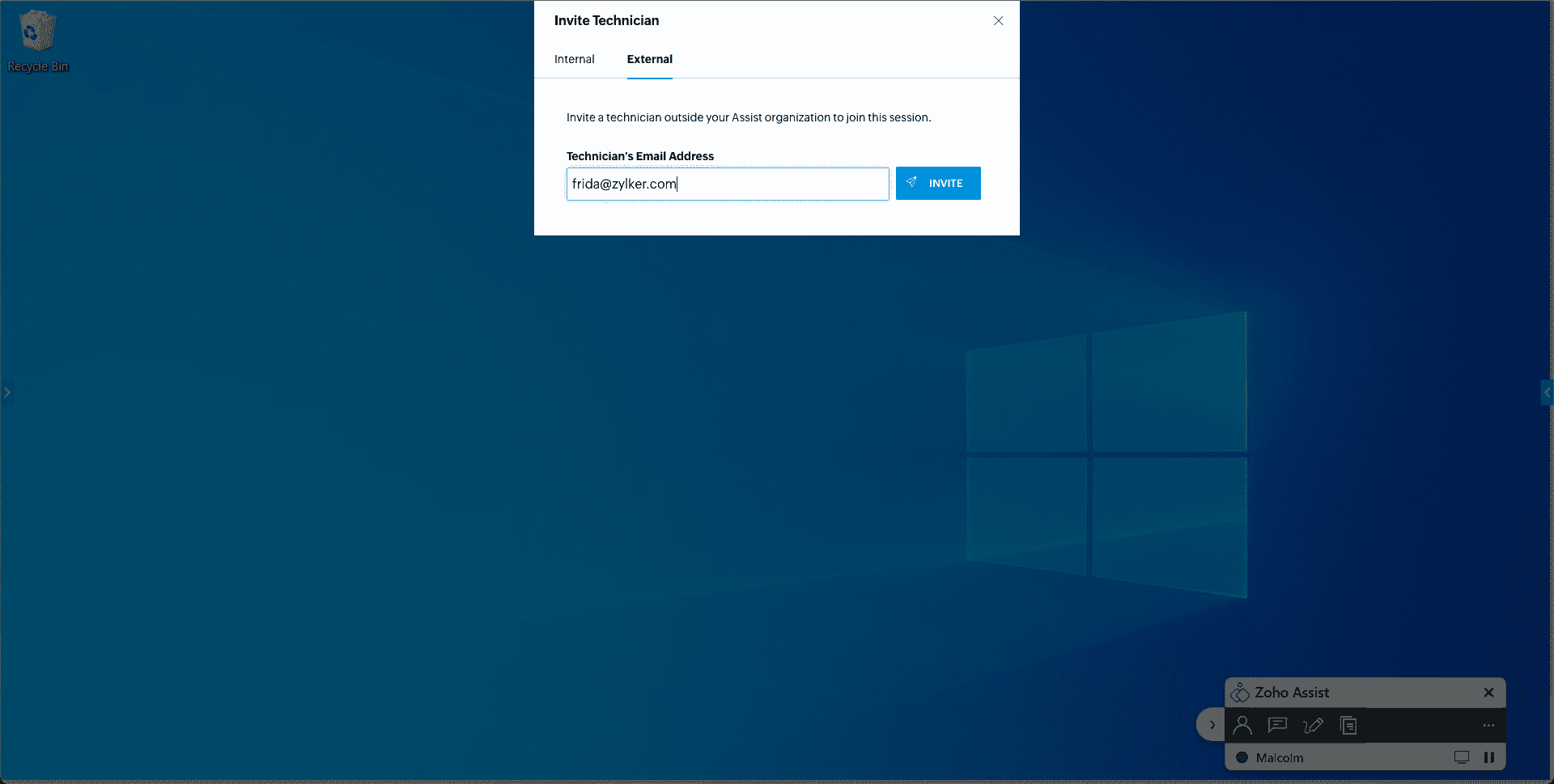
- An invitation link will be sent via email to the external technician.
- The external technician can join the session by clicking JOIN SESSION in the email.
Note: If the primary technician leaves the session, the internal/external technician can still continue the session while retaining access to the same permissions as the primary technician.