EXHIBITION MANAGEMENT

Expo management software that delivers results

From the floor plan to the final lead report, make it easy for exhibitors to secure a booth, showcase their brand, schedule meetings, capture leads, and leave with results they can act on.

Sign up for free

Trusted by event organizers worldwide

    Help exhibitors connect,

    Give exhibitors dedicated booth spaces, built-in meeting scheduling, lead capture, and performance reporting so they can see exactly what they gained from participating.

    Bring the right exhibitors on board

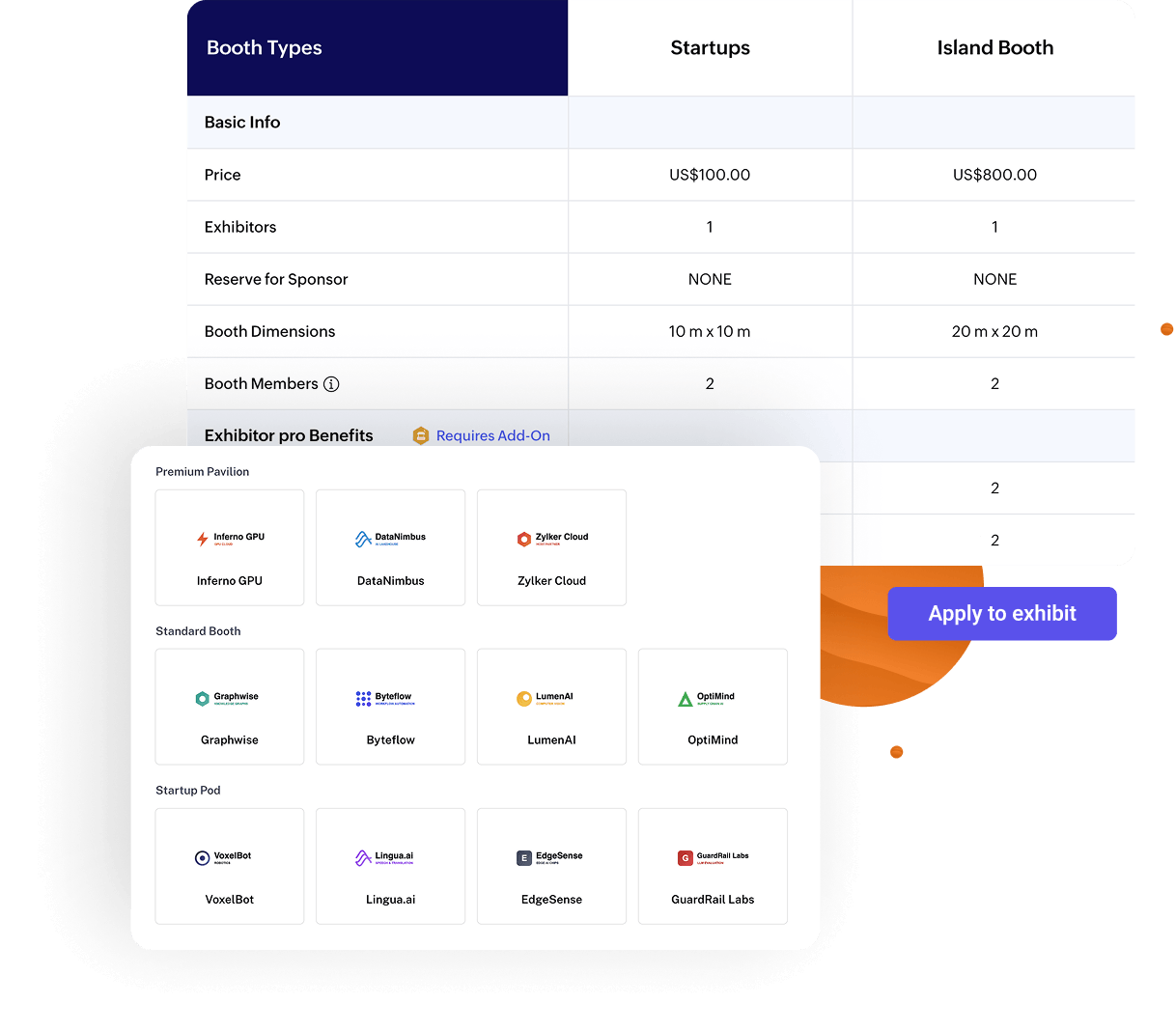
    Help prospective sponsors and exhibitors understand exactly what's included, compare opportunities, and submit their applications without back-and-forth conversations.

    • Create exhibitor categories with clear pricing, booth sizes, and included benefits.
    • Add an “Apply to Exhibit” button with custom forms so interested companies can submit applications instantly.
    • Review, approve, or decline exhibitor requests from a centralized queue with automated notifications.
    Move booth planning beyond spreadsheets

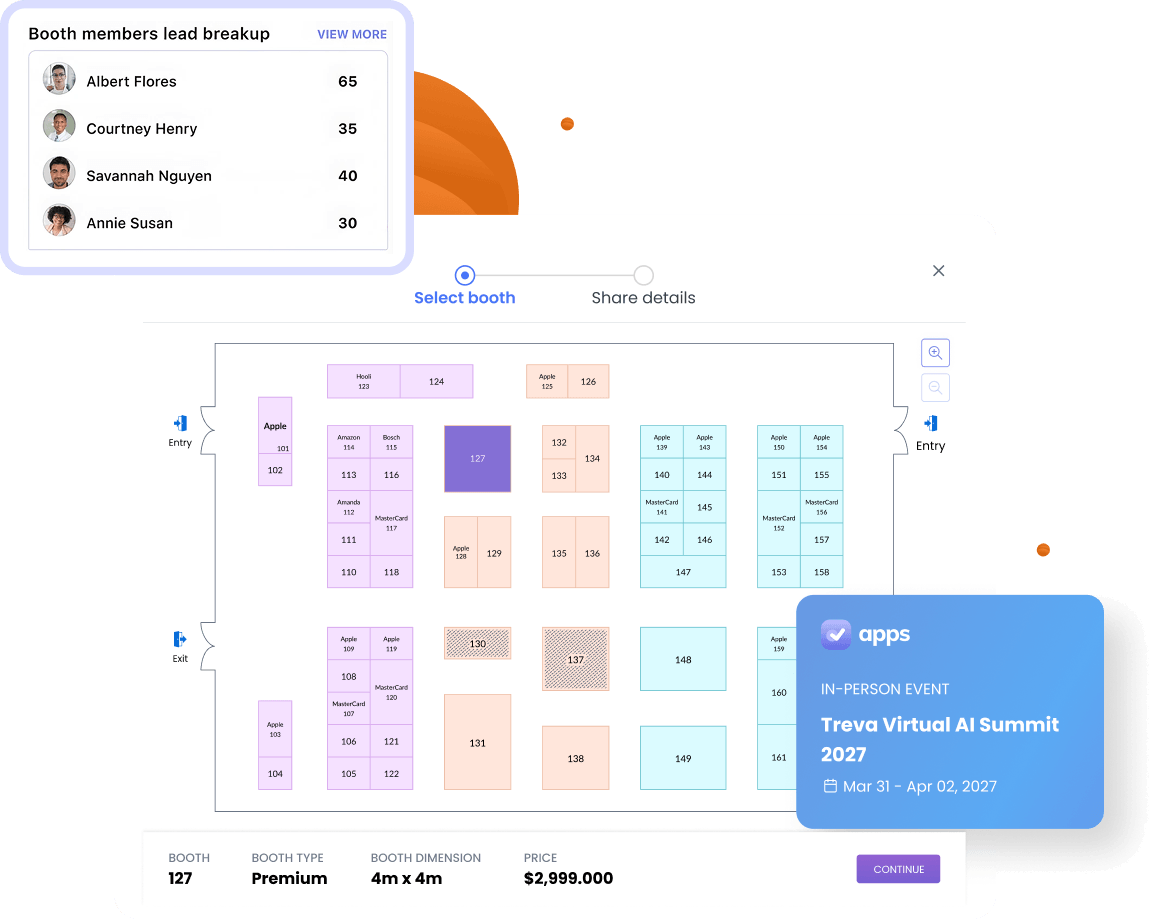
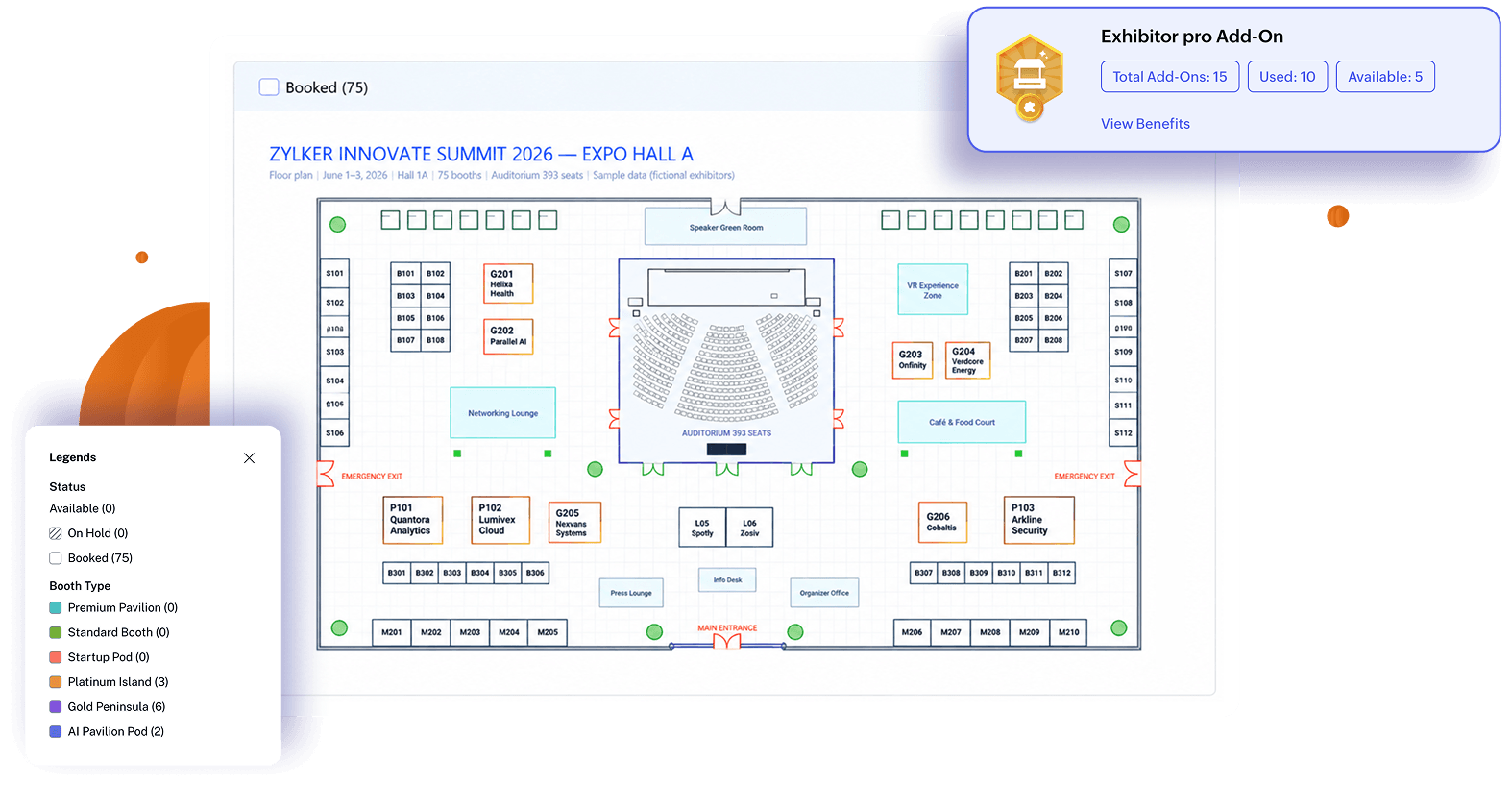
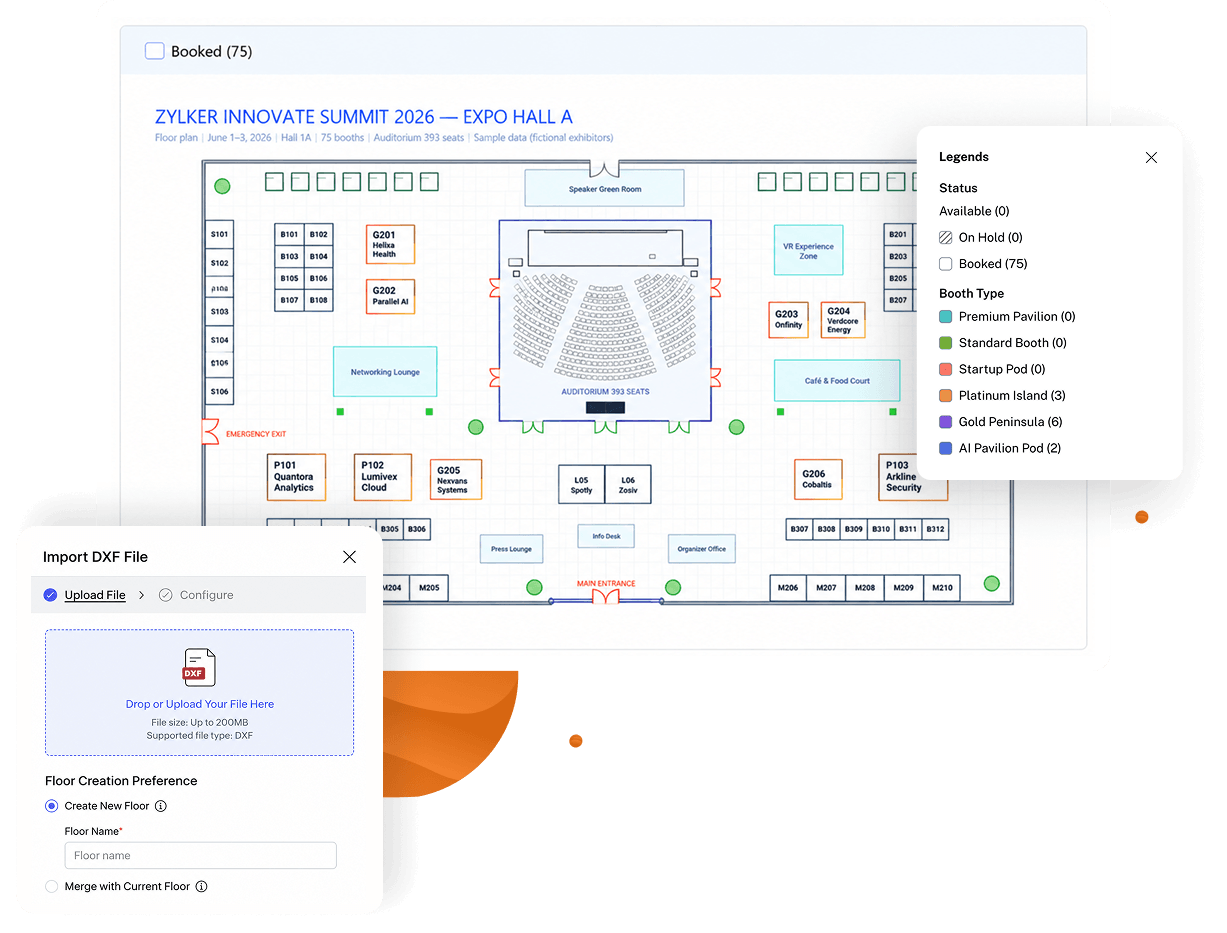
    Give exhibitors a visual map to explore available booths and choose where they want to exhibit. Import the layout you already have, plan across multiple floors, and keep booth assignments organized as the expo floor fills up.

    • Import DXF floor plans or build from scratch with the drag-and-drop designer.
    • Show available, booked, and on-hold booths with color-coded status indicators.
    • Let exhibitors request and book open booths directly from the floor plan.

    Sell booth space exhibitors can picture in 3D

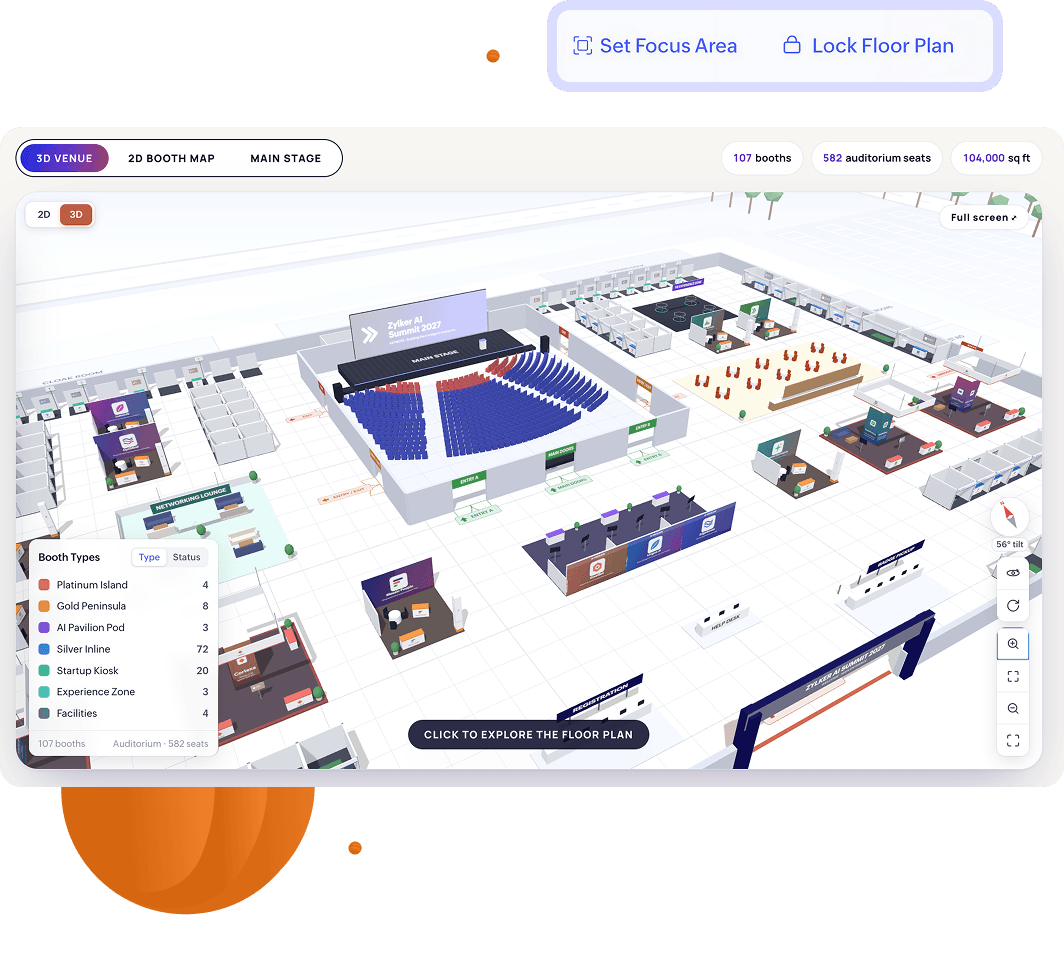
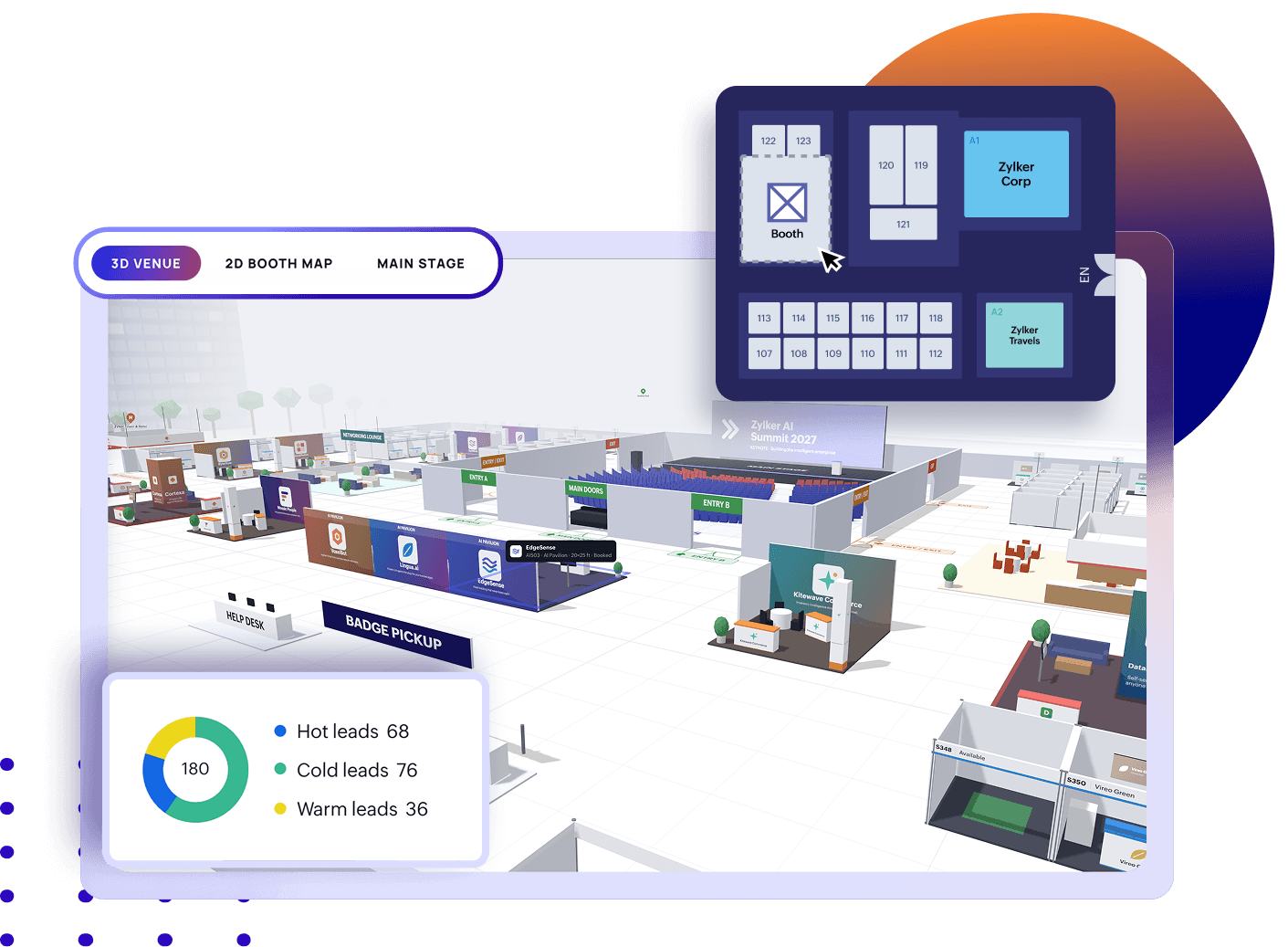
    Exhibitors decide faster when they can see what they're paying for. Show them the event floor plan in 3D, set prices that reflect how you sell space, and keep the layout protected while sales are open.

    • Preview the exhibition floor in 3D so exhibitors can pick the best spots early.
    • Lock the layout to prevent accidental structural changes while you keep selling.
    • Reassign booths and manage availability without rebuilding your floor layout.

    Help exhibitors show up prepared

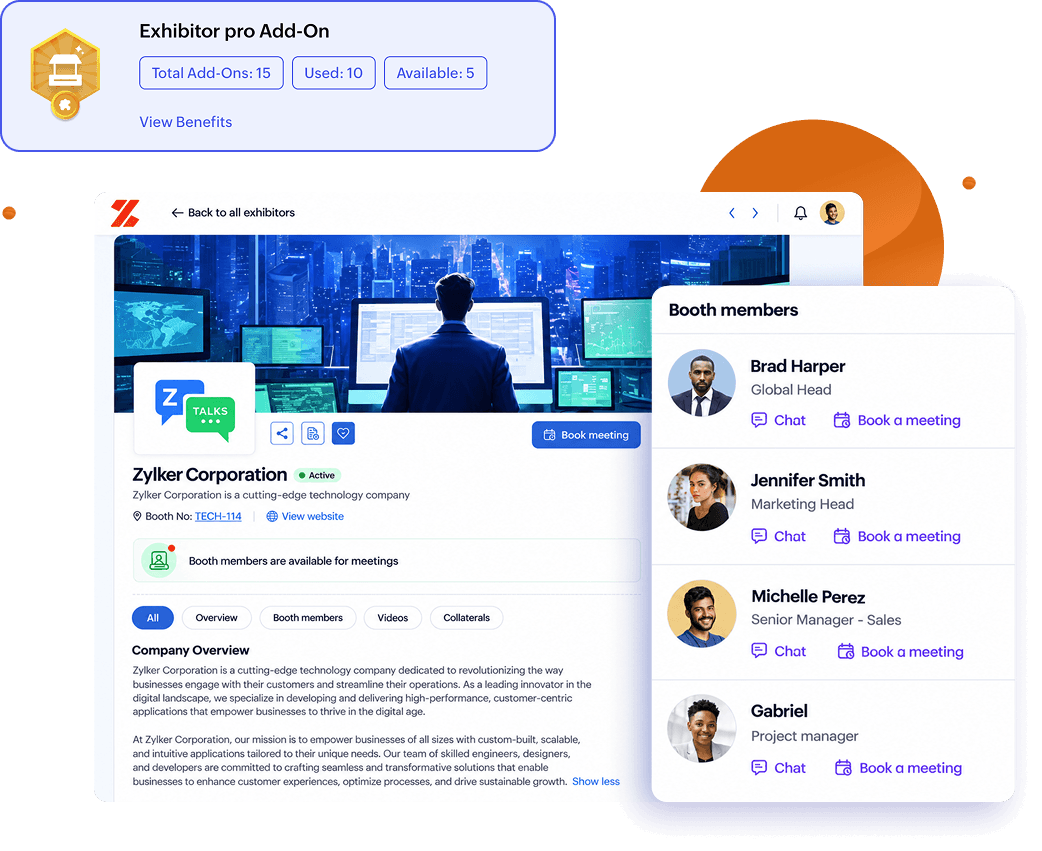
    Once exhibitors are approved, Exhibitor Pro gives them a dedicated space to set up their booth, add their team, upload content, and manage their presence through the event. Enable them to:

    • Invite booth staff, assign roles, and manage their team profile.
    • Customize booth profiles with company information, logos, banners, and social links.
    • Upload videos, brochures, and other collateral that attendees can explore at any time.

    Make exhibitors easy to find and easier to contact

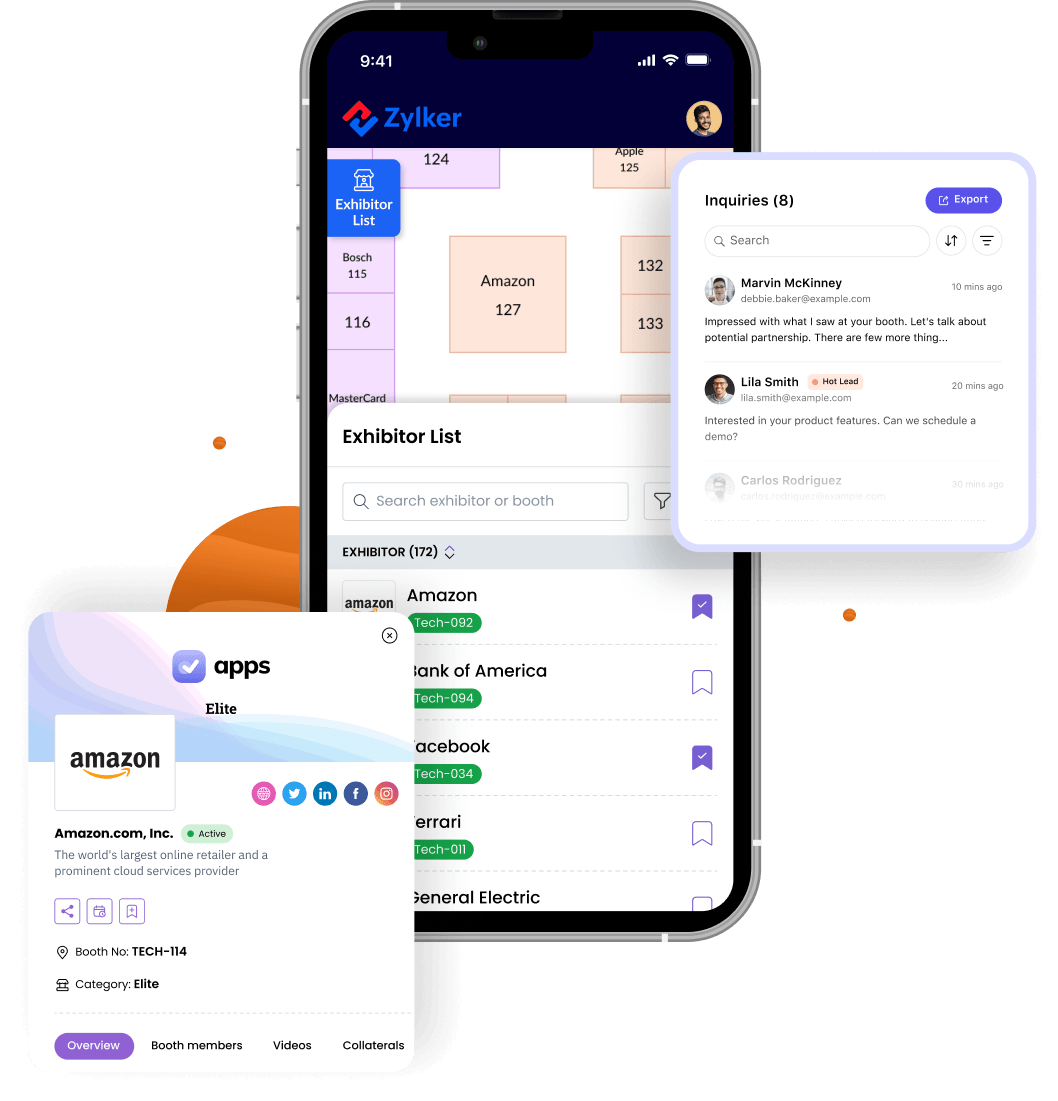
    Help attendees discover relevant exhibitors, reach out with questions, and book time with the people they want to meet. The easier it is to start a conversation, the more value exhibitors get from participating. Exhibitors can:

    • Create booth profiles with tags that help attendees discover relevant exhibitors.
    • Receive and manage attendee inquiries from a dedicated exhibitor inbox.
    • Invite attendees to book meetings directly from the exhibitor profile.

    Make lead capture part of the process

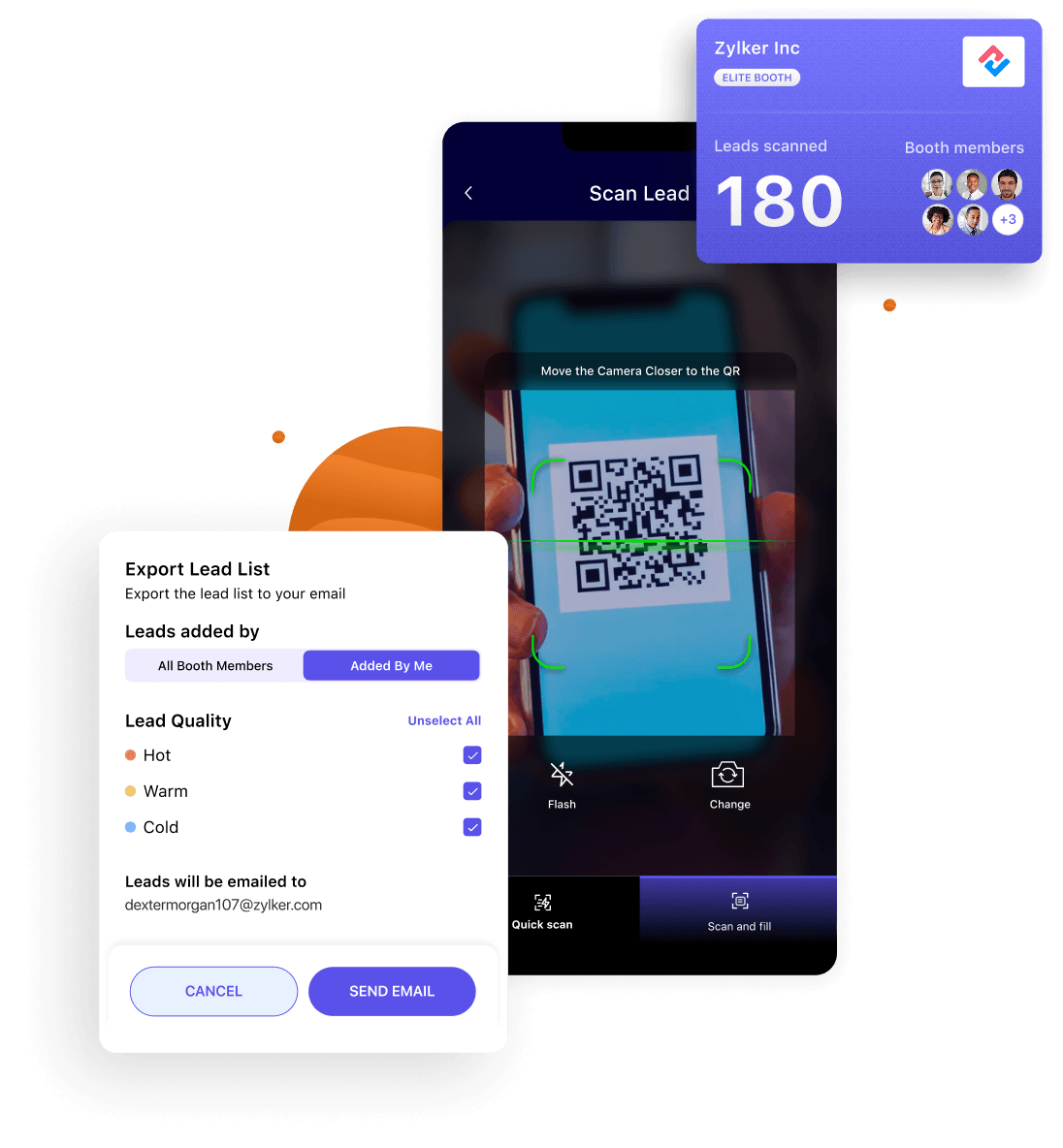
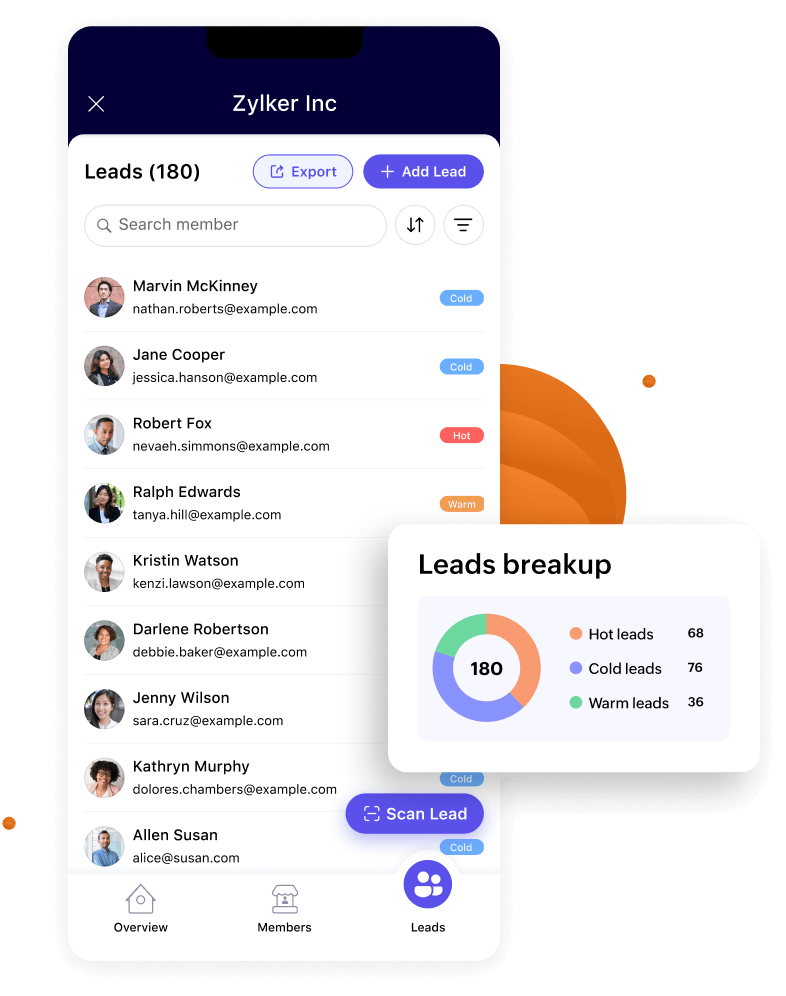
    Replace business cards and manual spreadsheets with a structured lead capture process. With Exhibitor View in the mobile app, booth staff can capture and qualify every lead without leaving the booth.

    • Scan attendee badges in Exhibitor View to capture lead details instantly.
    • Rate each lead as Hot, Warm, or Cold based on the conversation.
    • Add notes and context to every lead for easier follow-up after the event.

    Let exhibitors run their booth from their phone

    Exhibitors spend event day on the floor, not at a laptop. Exhibitor View puts booth management in the mobile app, so they can keep their presence up to date and see how the booth is doing while the event is still underway.

    • Update booth details from the floor when something changes.
    • Add and manage booth members without waiting on the organizer.
    • Check lead analytics on the go and plan follow-ups before the event ends.

    Back every booth investment with results

    Show exhibitors a clear view of how their booth performed. Track visitors, meetings, leads, and revenue in one place, then share the results with the people who need them.

    • Track booth visitors, meetings, leads, and team members in a dedicated Exhibitor Summary.
    • Compare revenue and performance across exhibitors from a single dashboard.
    • Send captured leads directly to exhibitors over email from the summary report.
    Setting up the exhibitor page was really easy —I'm not the best at building websites. Really simple to add their key features, give them logins, and they could build their own stage and put extra features on as well.
    Craig Jackson
    Craig Jackson UK Partnerships Director, ActionCOACH UK
    One of the key features of Zoho Backstage was lead scanning. We could give this solution to our exhibitors—they were very excited . They were asking for any solution to capture leads instead of exchanging business cards.
    Pradeep Prakash
    Pradeep Prakash Deputy Director, Sales & Marketing,
    India Mobile Congress
    All-in-one event management platform

    One event, not disconnected workflows

    See how Zoho Backstage brings exhibitors, attendees, registrations, networking, engagement, and reporting together in a single event platform.

    voluptate

    Event Website Builder

    Build and publish a professional event website without code. Customize, update, and go live in minutes.

    Learn more

    Ticketing and Registration

    Multi-tier pricing, online payments, and registration approval flows — all from one place.

    Learn more
    labore

    Event Check-in

    QR-based check-in with onsite badge printing. Fast entry, no queues, full attendee visibility.

    Learn more
    anim

    Custom Mobile App

    A fully branded attendee app for agendas, networking, push notifications, and gamification.

    Learn more
    exhibition management

    Frequently asked questions

    Once you enable the Apply to Exhibit button, interested companies can submit applications directly from your event website. Their requests appear in your Exhibitor Requests queue, where you can review, approve, or decline them. If you're inviting exhibitors yourself, you can also add them directly from the Exhibitors tab.