Why do salons need a scheduling software?
Running a salon isn't just about having skilled, professional stylists. It's a balancing act between brushes, bookings, and business. Without a solid system in place, managing walk-ins, online appointments, reschedules, and no-shows can quickly become messy. Here's what can usually go wrong without a scheduling app:
- Clients can't book easily, so you will lose them to your competitor.
- No-shows cost you both time and revenue.
- Managing resources becomes a logistical nightmare.
- Handling online bookings across multiple channels becomes challenging.
- Manual follow-ups and payment collection can be exhausting.
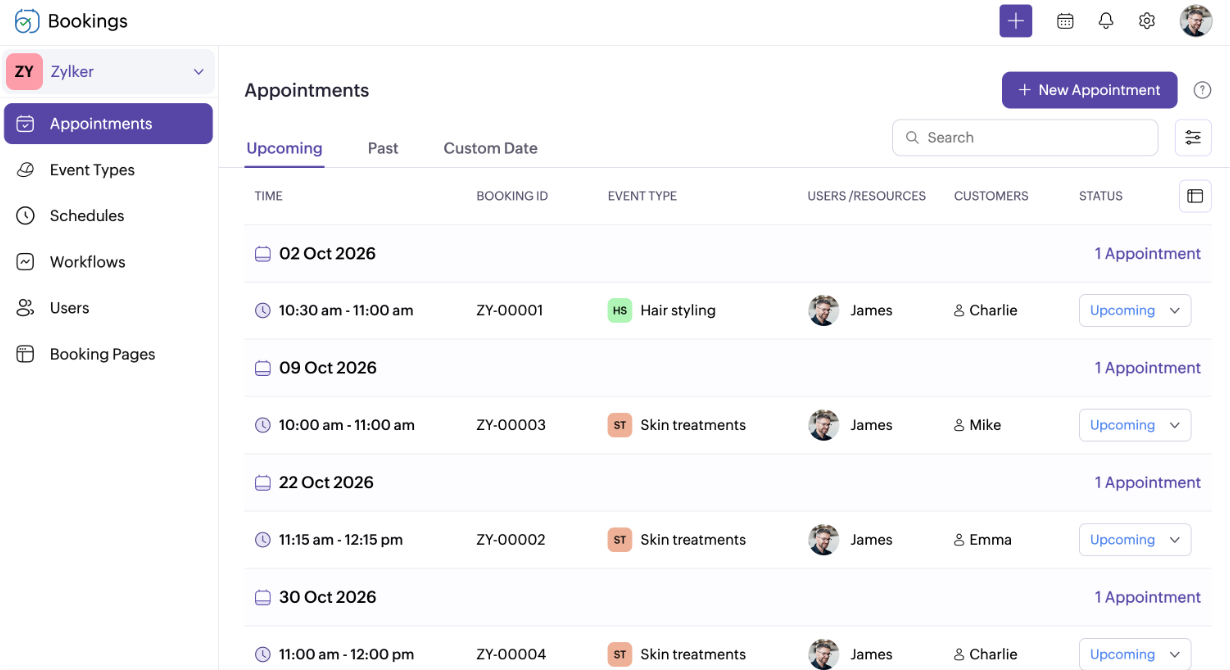
You bring the fashion; we'll bring the guests
- Manicures & pedicures
- Facials & skin treatments
- Massage therapy
- Hair styling
- Keratin & smoothing treatments
- Scalp treatments
- Waxing & hair removal



Collecting appointments manually? Let's cut that out.
Anytime booking
Clients can book their appointments anytime, anywhere—24/7. Just embed your booking page on your website or send them the link (drop it on Instagram or WhatsApp) and let them handle the booking without your help.
Brandable booking pages
Make your booking page an integral part of your salon's website. Add your logo, brand colors, and a custom URL so clients feel your unique touch from the very first click.
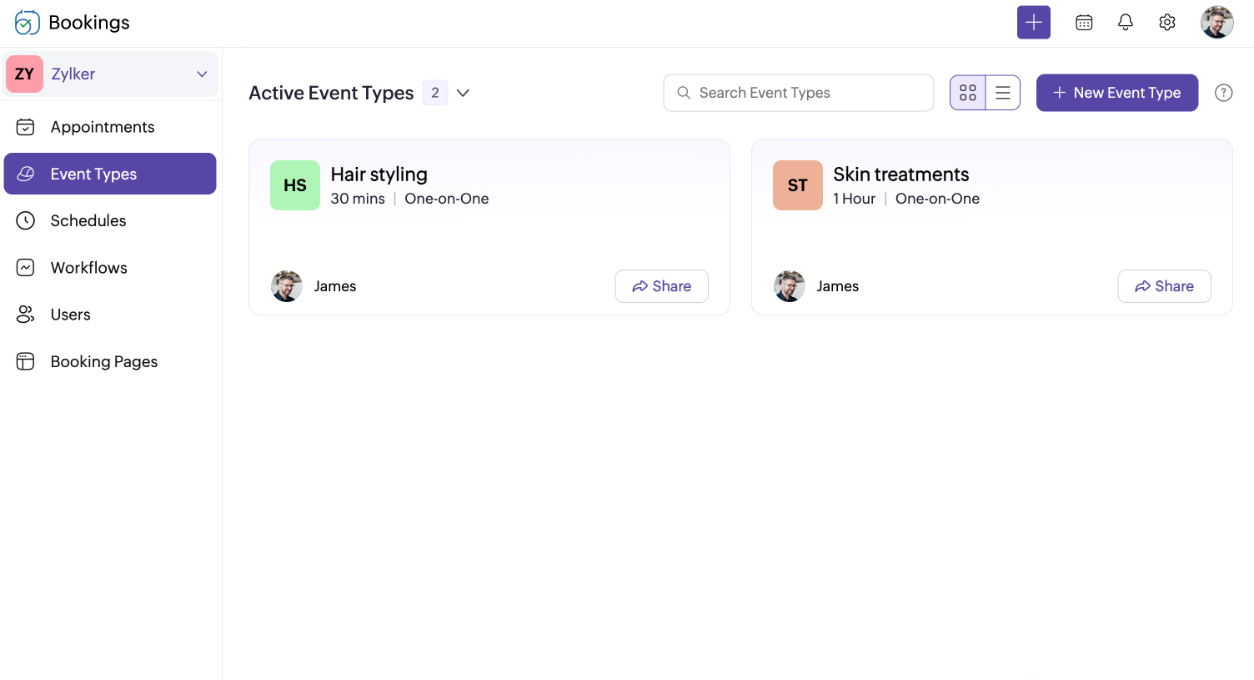
Perfect salon management software for your beauty salon
Zoho Bookings is built to work with your existing tools
It's not just us saying it

"The simplicity of Zoho Bookings is one of its best qualities, making it simple for our team and clients to navigate."

"It's all done with one link, from scheduling appointments to receiving payments."
Try Zoho Bookings for your beauty salon today!
Start your 15-day free trial and get hands-on with the premium features.
Sign up nowFrequently Asked Questions
1. Can I let clients book different services with different stylists?
Absolutely. Assign services to specific staff members and let your clients book appointments with the stylist they prefer directly from the staff booking page. Plus, you can collect additional payments based on the stylist's expertise and experience.
2. Does Zoho Bookings provide multi-location support?
Zoho Bookings lets you collect appointments across your branches or salons and oversee all your branches from one dashboard, with separate services and staff for each location.
3. Can I collect prepayments or deposits for appointments?
Of course. You can request full or partial payments when clients book to avoid no-shows and last-minute cancellations.
4. Can I allow walk-ins and online appointments together?
Yes—you can manually add walk-ins while still letting regulars book online. Your dashboard stays updated either way.
5. Will Zoho Bookings work with social media pages?
Yes! You can embed your booking page into your website or share your booking link across Instagram, Facebook, WhatsApp, and more just like sharing your website link.