Fitness scheduling software that meets your booking needs
Whether you're a solo instructor, a personal trainer, a gym owner, or a boutique fitness studio operator, you work hard to get clients and gain their trust. Your business is growing and the results speak for themselves. But as demand increases, scheduling becomes complicated and manual booking systems hit a wall.
You end up juggling appointment scheduling, workout routine planning, and client sessions together. Let Zoho Bookings be the scheduling buddy for your business while you focus on being the fitness buddy for your clients.
TRY ZOHO BOOKINGS
Why Zoho Bookings?
Working in the fitness industry demands attention, dedication, and commitment every day. You can't afford to spend hours answering "Are you available at 5 PM on Friday?" calls and "When can I book the next appointment?" emails. You need fitness booking software that takes care of the administrative work for you.
That's where Zoho Bookings comes in. Offer one-on-one sessions or group classes, collect payments upfront, and let clients book appointments online based on your real-time availability to cut down on the back-and-forth. With the scheduling taken care of, you can focus on your clients.
Who stands to gain from our fitness studio scheduling software?
Gym and club managers
Your gym is popular, your clients trust your trainers, but your current scheduling system can't bear the weight of additional bookings. Let Zoho Bookings do the heavy lifting for you by being your appointment scheduling partner while you focus on running your business.
Personal trainers
Whether you specialize in strength training, HIIT, mobility training, calisthenics, or another fitness discipline, the client requests don't stop. Even with a full day of sessions scheduled, you attend to calls, emails, and messages asking to book the next set of sessions. And you can't afford to prioritize one over the other. Zoho Bookings handles the scheduling while you help your clients achieve their fitness goals.
Zoho Bookings features
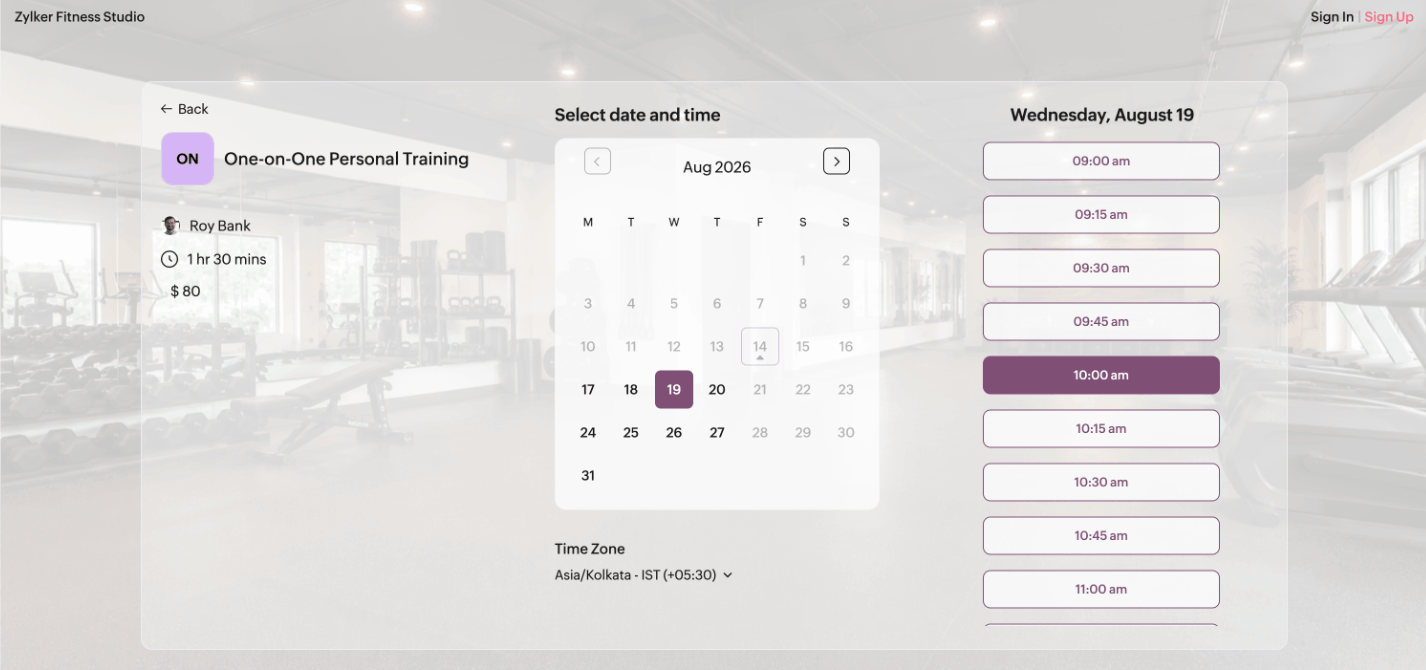
A customizable booking page for your brand
Customize the booking page with your logo, official colors, and social media details to reflect your brand. Ask extra questions on the intake form so you're prepared before a session. Add the booking page to your social media profiles or embed it into your website.
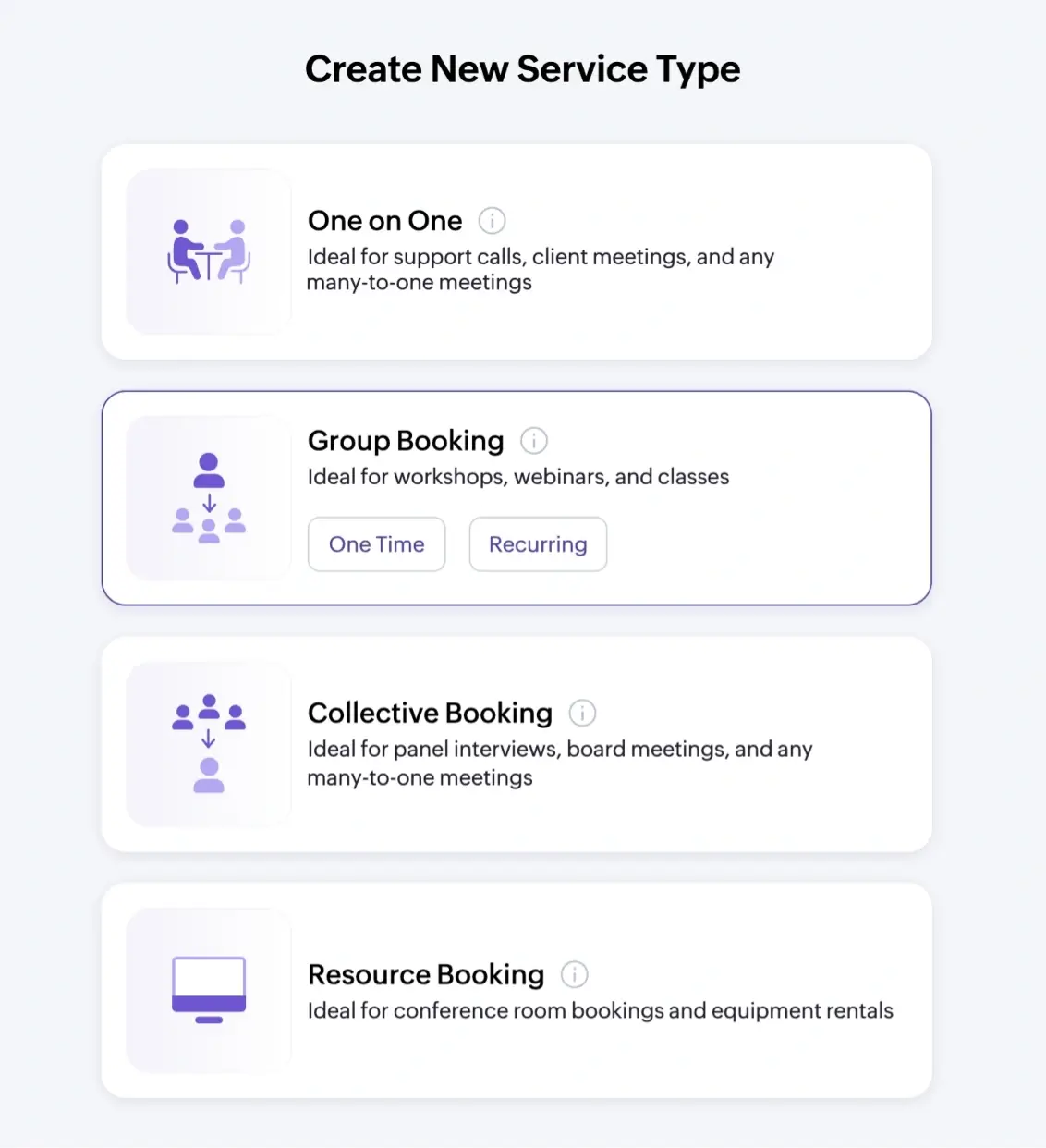
Meeting types tailored to your business operations
Choose from conducting one-on-one personal training sessions, group fitness classes, recurring class schedules, and resource-based bookings for gym equipment or studio rooms.
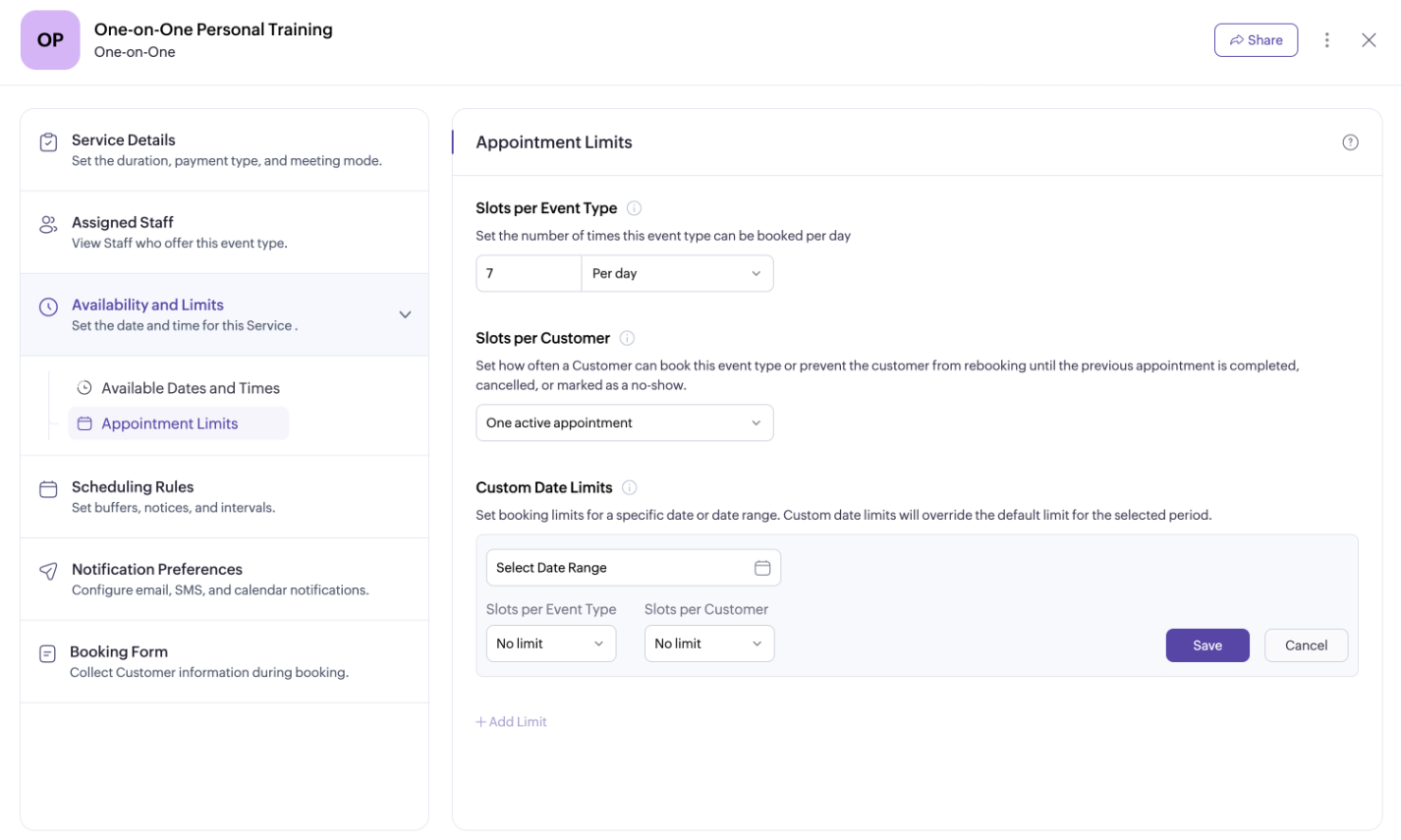
Session settings personalized to your requirements
Set up capacity limits, booking notice windows, buffer times, and cancellation and rescheduling windows, so your business functions smoothly with minimal last-minute changes to your schedule.
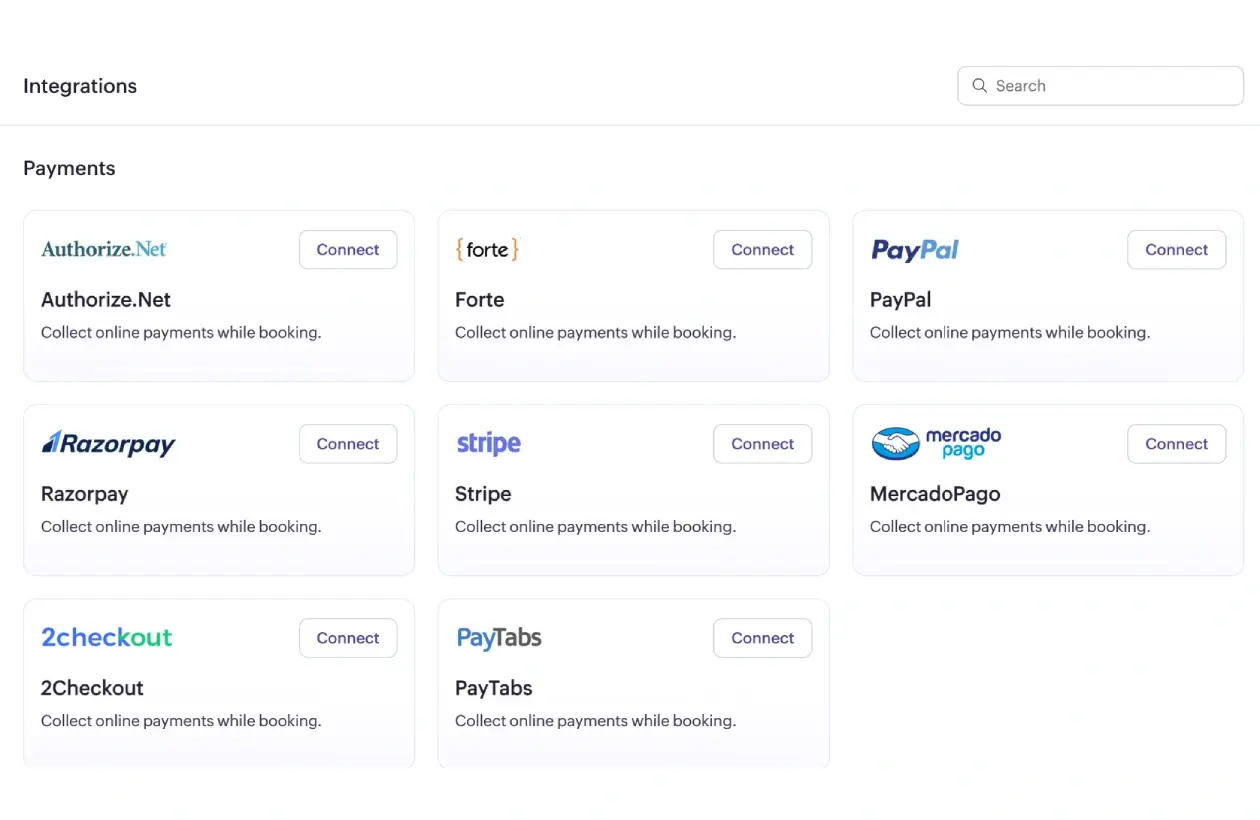
Collect payments at the time of booking
Get paid upfront with partial deposits or the full amount at the time of booking. Zoho Bookings confirms the appointment once the payment goes through. Your Bookings account connects with payment gateways like Stripe, PayPal, Razorpay, and more via Zoho Checkout.
Multi-location support
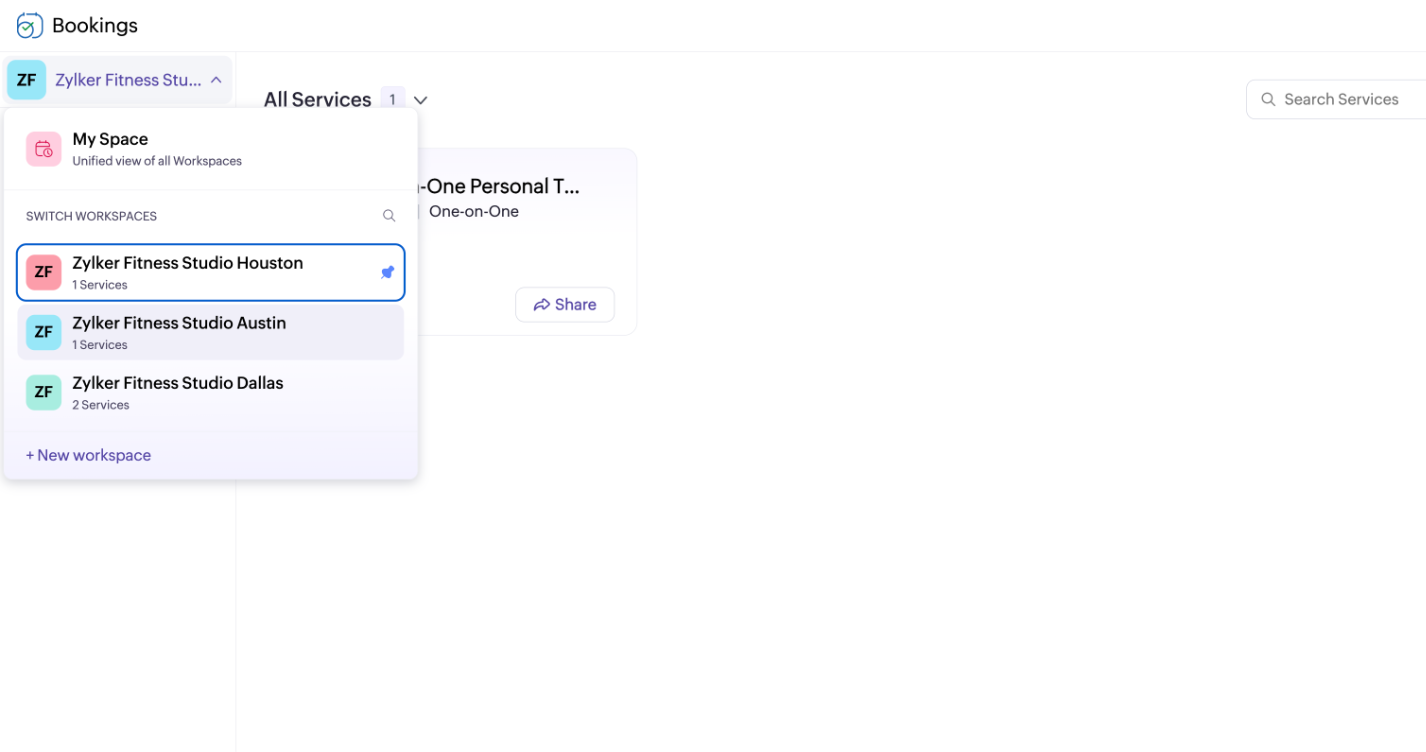
Running a franchise with multiple locations? Manage it all using workspaces. Each workspace functions independently with its own manager, trainers, essential staff, and training sessions.
Link with external calendars and video conferencing tools
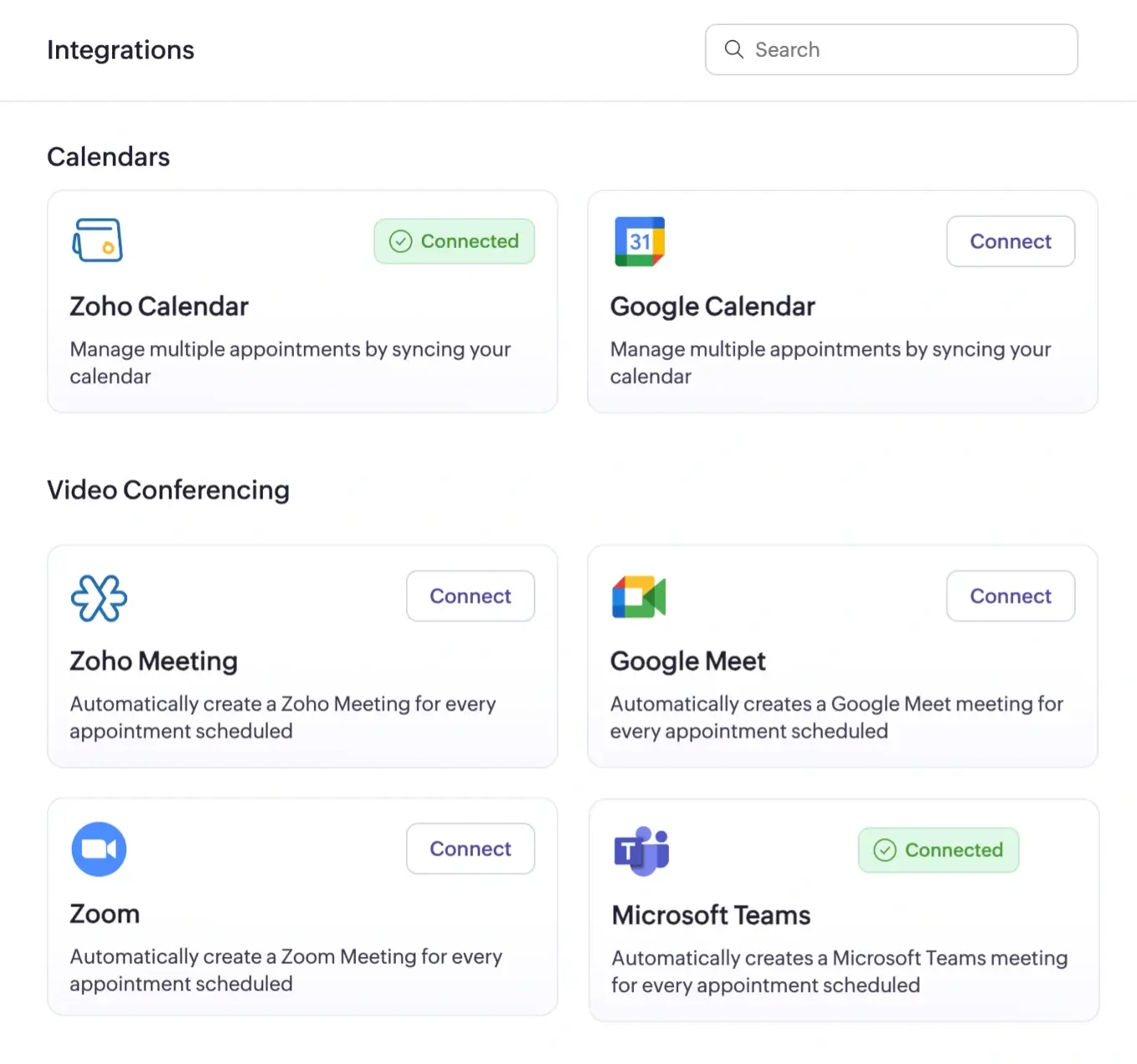
Connect your calendar accounts with Zoho Bookings to enable two-way sync. Slots occupied by existing events are automatically blocked, and new bookings are reflected in your calendar in real time.
Calendars: Zoho Calendar, Google Calendar, Outlook Calendar
Integrate with video conferencing tools to conduct online sessions. Zoho Bookings sends the meeting link to the client as soon as the booking is confirmed.
Meeting tools: Zoho Meeting, Google Meet, Microsoft Teams, Zoom
Keep trainers and customers informed
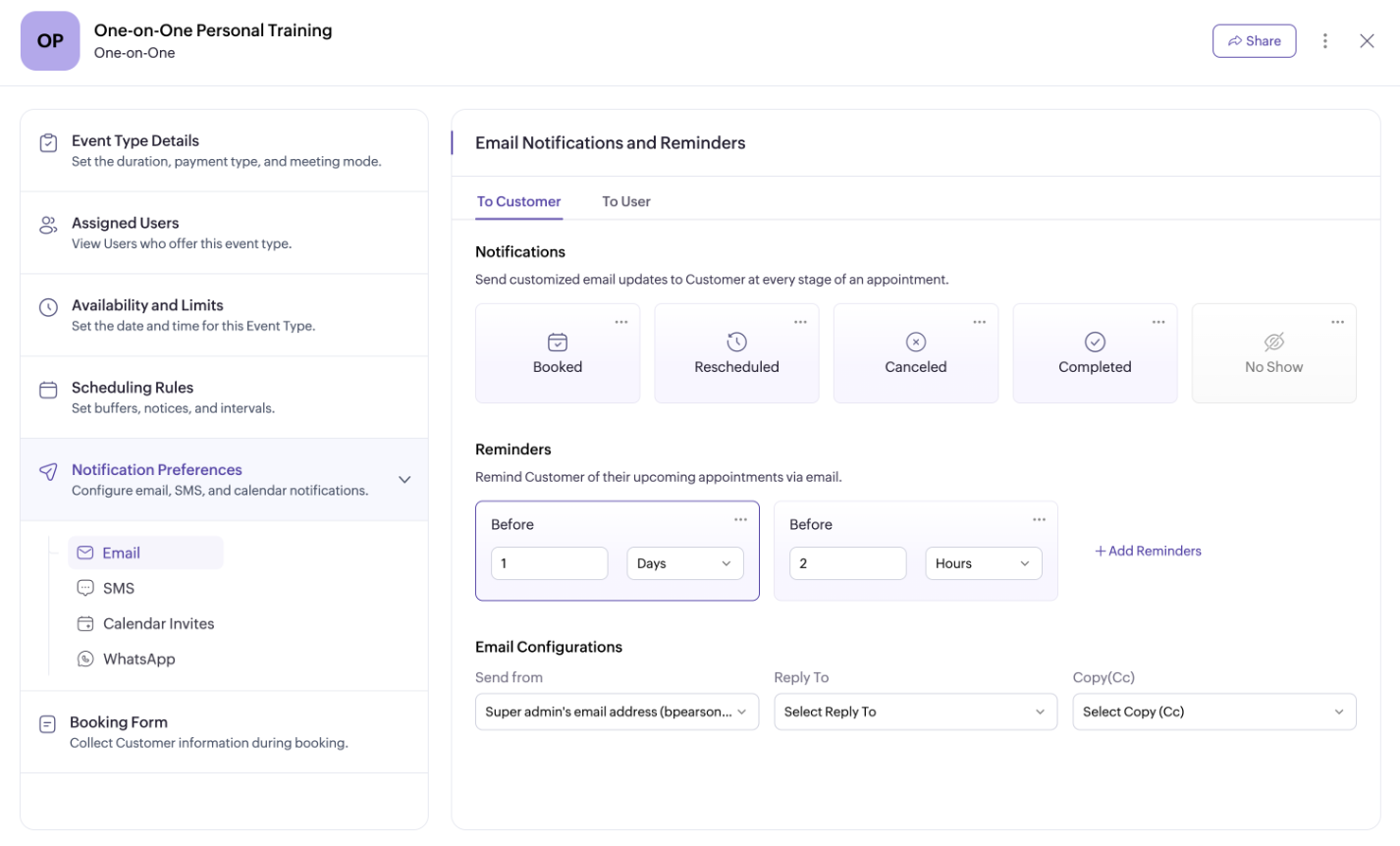
Set up notifications to alert trainers and clients when a booking is confirmed, rescheduled, canceled, marked as completed, or marked as a no-show. Zoho Bookings also lets you send up to three reminders before an upcoming appointment, helping reduce no-shows. Notifications and reminders are sent via email, SMS, and WhatsApp.
Zoho Bookings works with your existing tool stack
A word from our customers

John Daddow, Constantech
"We no longer miss appointments or deal with duplicate bookings. Zoho Bookings is an excellent modern and efficient product. The meetings booked via our website enter directly into our shared Zoho Calendar for our team."

Dr. Purushothaman, LivingInWellbeing
"Our company's efficiency and customer experience have significantly increased since we began using Zoho Bookings."
Schedule training sessions without breaking a sweat
Sign up for our 15-day free Premium trial.
TRY ZOHO BOOKINGS NOWFrequently Asked Questions
1. Can I manage personal training, group classes, and multiple trainers in one system?
Yes. Zoho Bookings supports one-on-one, group, and recurring meeting types, so you can run personal training sessions, group classes, and manage multiple trainers on staff, all from a single dashboard. Staff members can be assigned to specific services, and workspaces let you organize different locations, departments, or trainer teams separately if needed.
2. Can clients book, reschedule, or cancel sessions themselves?
Yes, with your booking page link, clients can book appointments at their own convenience. They can also reschedule or cancel a training session directly from the link in their booking confirmation email, or through their client portal, as long as it falls within the rescheduling and cancellation window you've configured. Zoho Bookings automatically notifies both the client and the trainer as soon as the change is made.
3. Can trainers manage their own schedules, availability, and pricing?
Yes. Trainers can set their own working hours, add breaks, block time off for unavailability, and add extra hours for additional availability. Pricing can also be set per staff member for a given service, so different trainers can charge different rates for the same session type.
4. What happens after the 15-day free Premium trial is over?
You can continue with the forever free plan or upgrade to a paid one. Check out our pricing page to compare plans and find the one that best fits your gym or studio's needs.
5. Is it easy to set up Zoho Bookings?
Yes, configuring Zoho Bookings is straightforward. Most users are up and running in under 10 minutes. The basic setup involves adding staff members and services, connecting your calendars, customizing the booking page, and adding your availability.