

How WhatsApp Credits Work

WhatsApp credits are prepaid units used to pay for sending WhatsApp messages through a WhatsApp Business Account. They are purchased and then consumed when messages are sent. The cost depends on the type of message, the recipient’s country, and the applicable pricing rules.
This means the amount deducted from your balance is not fixed for every message. It can vary based on the message category, the destination country, and the billing tier applied by Meta.
Conversation Categories
You can send three types of messages through your WhatsApp Business Account:
Utility Messages
- Utility messages are used for follow-ups and confirmations, such as invoice reminders and payment acknowledgements.
- To send a utility message, create a WhatsApp template in Zoho Books and select Utility as the Template Category.
- The charge for utility messages depends on the volume tier assigned to your WhatsApp Business Account for the recipient’s country, as defined by Meta.
Marketing Messages
- Marketing messages are used to promote products, services, or offers.
- To send a marketing message, create a WhatsApp template in Zoho Books and select Marketing as the Template Category.
- Marketing messages are charged on a per-message basis. The cost is fixed for each message sent to a contact, based on the recipient’s country.
Service Messages
- Service messages are sent outside predefined templates and are used for ongoing conversations.
- These messages are used when the customer or vendor has already initiated the conversation.
- Service messages are charged according to the applicable WhatsApp pricing rules.
Note:The category you select while creating a WhatsApp template determines how Meta calculates the message cost. Choose the correct category so that the pricing is applied correctly.
Cost Deduction Factors
Currency Associated with the WhatsApp Business Account
The cost deducted for your messages depends on the currency associated with your WhatsApp Business Account.
To view the currency:
- Log in to Meta Business Suite.
- Go to Settings.
- Navigate to Accounts and select WhatsApp accounts.
- Select the WhatsApp account connected to Zoho Books.
You can view the currency in the Business Information section.
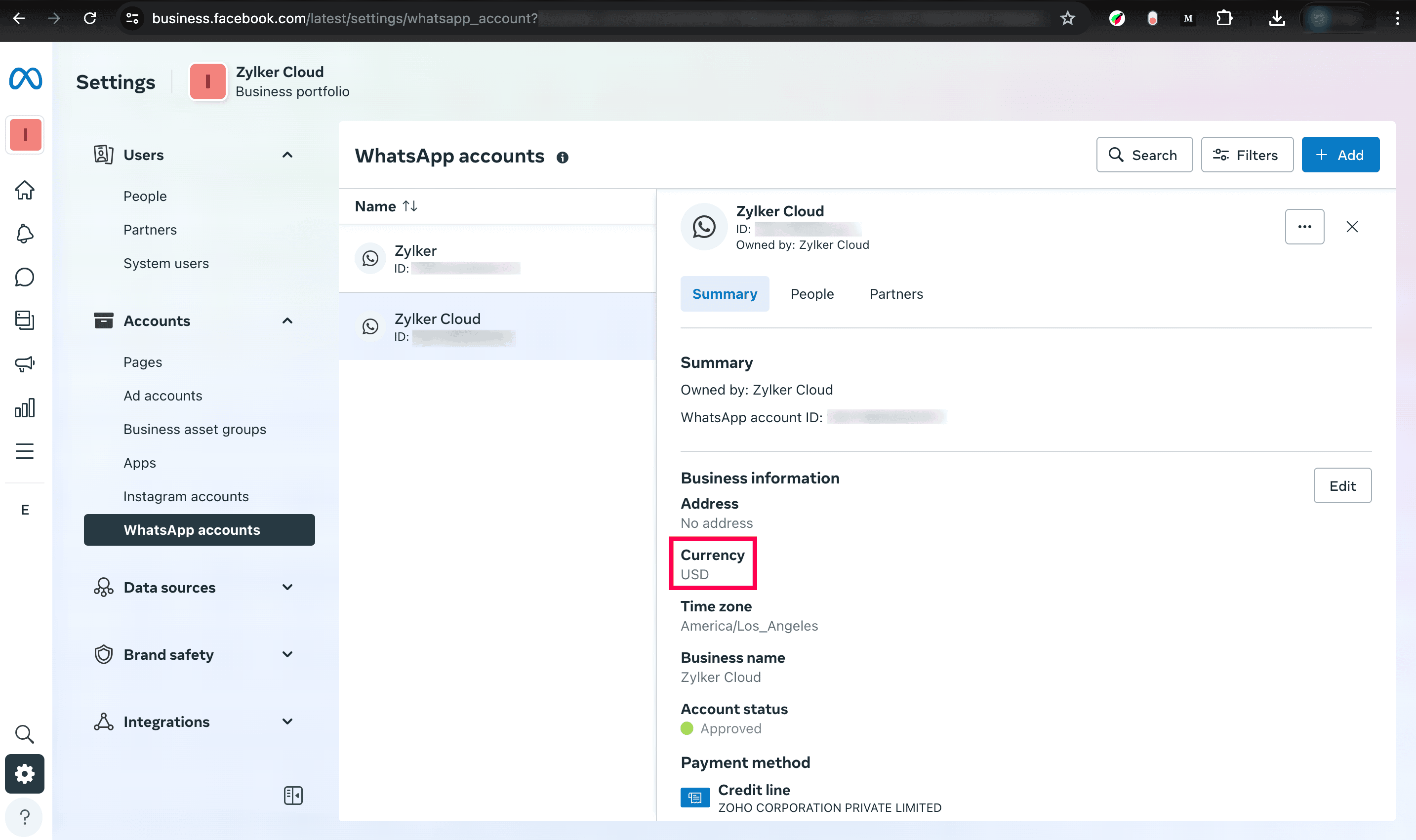
Meta provides different rate cards based on the WhatsApp Business Account’s base currency. You can check the latest pricing updates and download the relevant rate card for your WhatsApp Business Account’s currency.
Note:Zoho Books supports INR and USD pricing for WhatsApp Business Accounts. If your WhatsApp Business Account currency is INR, download the INR rate card. If the configured currency is anything other than INR, download the USD rate card.
Message Category
The cost deducted also varies based on the message category.
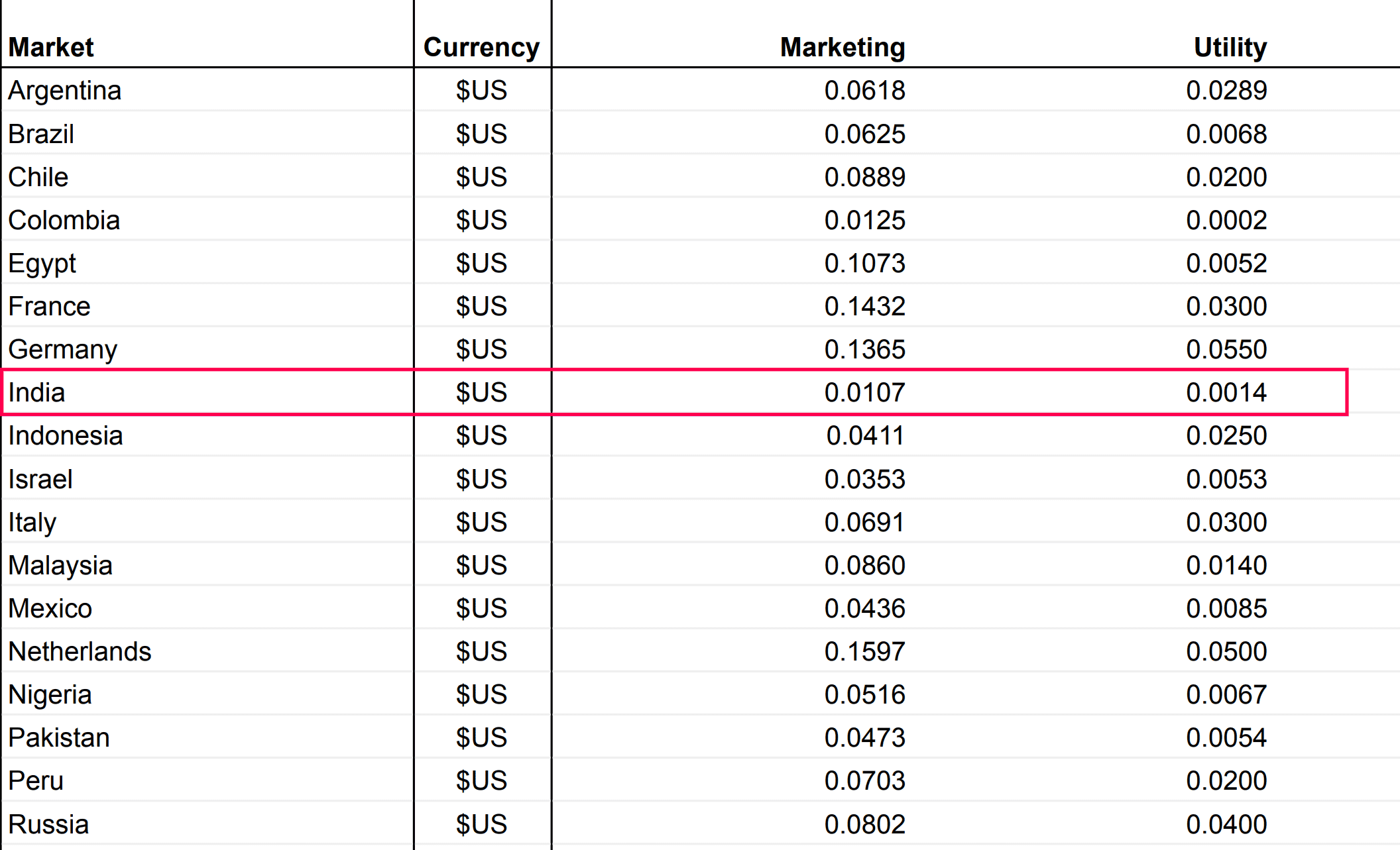
In the Meta rate card:
- The Marketing column shows the rate for a single marketing message sent to a contact.
- The Utility column shows the list rate, which is the standard rate applied to the first range of utility messages.
Recipient’s Country
The cost of a WhatsApp message also depends on the country of the recipient’s phone number.
Example: If you send a marketing message to a contact in India, the cost deducted is $0.0107 per message.
In Zoho Books, your credits are reduced based on the rate charged. For example, if one credit costs $2.06 and sending a WhatsApp marketing message to an Indian customer costs $0.0107, you can send approximately 192 messages to that contact using one credit.
Number of messages that can be sent = Cost per credit ÷ Message cost
Volume Tier
A volume tier is a pricing structure defined by Meta for WhatsApp Business Accounts. It determines the rate applied to each message based on the total number of messages sent in a month for a given market and category.
As the message volume increases, the applicable rate may change according to the tier. This pricing structure applies across message categories and is based on the total volume for each country. At the beginning of every month, the message count for each country resets to 0.
 Yes
Yes