



Back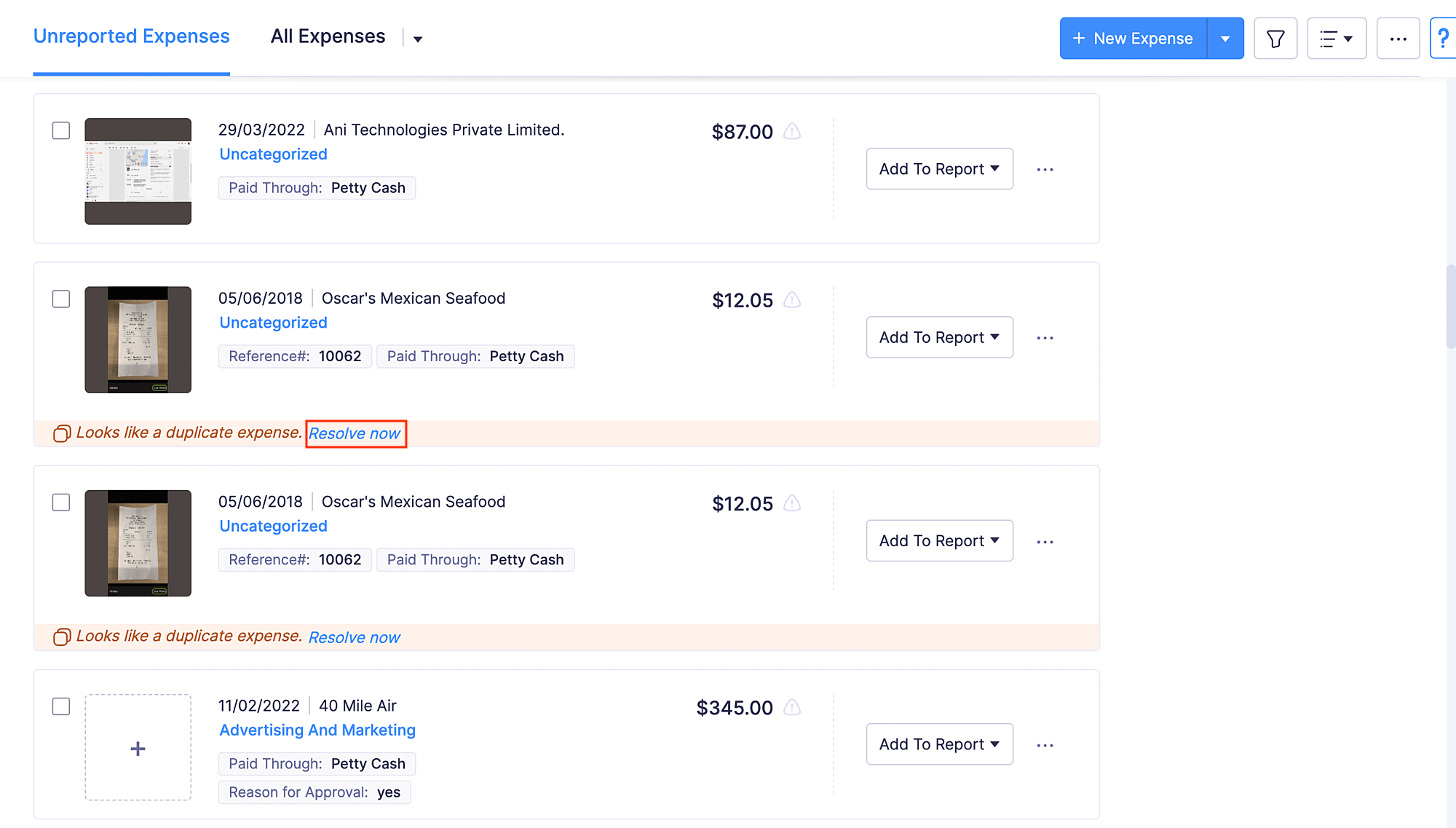
 Yes
No
Yes
No
Does Zoho Expense detect duplicate expenses?
Yes, Zoho Expense detects duplicate expenses automatically. Let’s say you have uploaded the same receipt twice, and as a result, duplicate expenses have been created. With the help of Duplicate Detection in Zoho Expense, you can find all the possible duplicates with ease. The duplicates are detected based on Date, Amount, and Currency. You can either choose to mark the expense as not a duplicate or delete it.
To do this:
- Go to Expenses on the left sidebar.
- If an expense is detected as a duplicate, it will be marked as Looks like a duplicate expense. Click Resolve now.
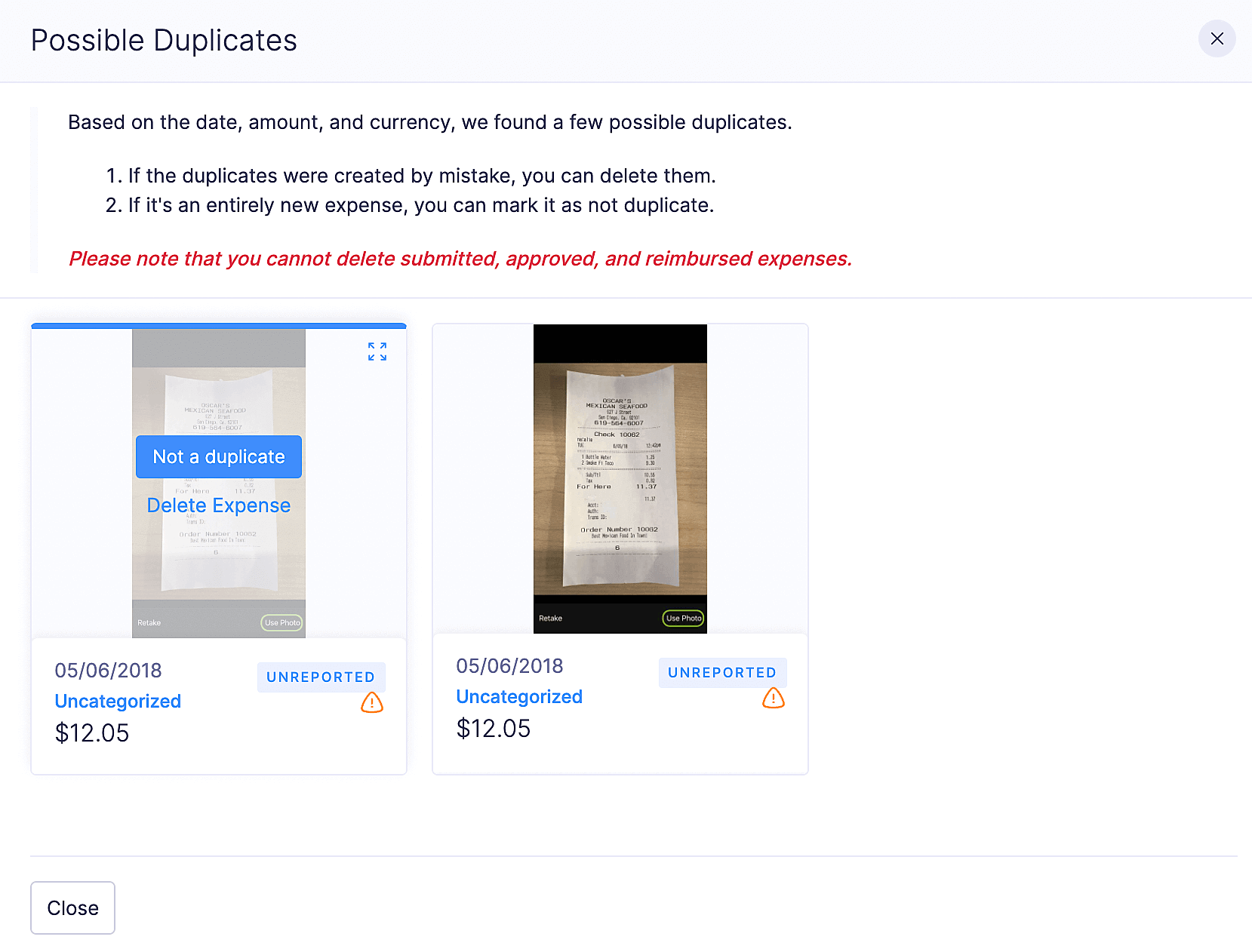
- If the expense isn’t duplicate, click Not a duplicate or click Delete Expense to delete an expense created by mistake.
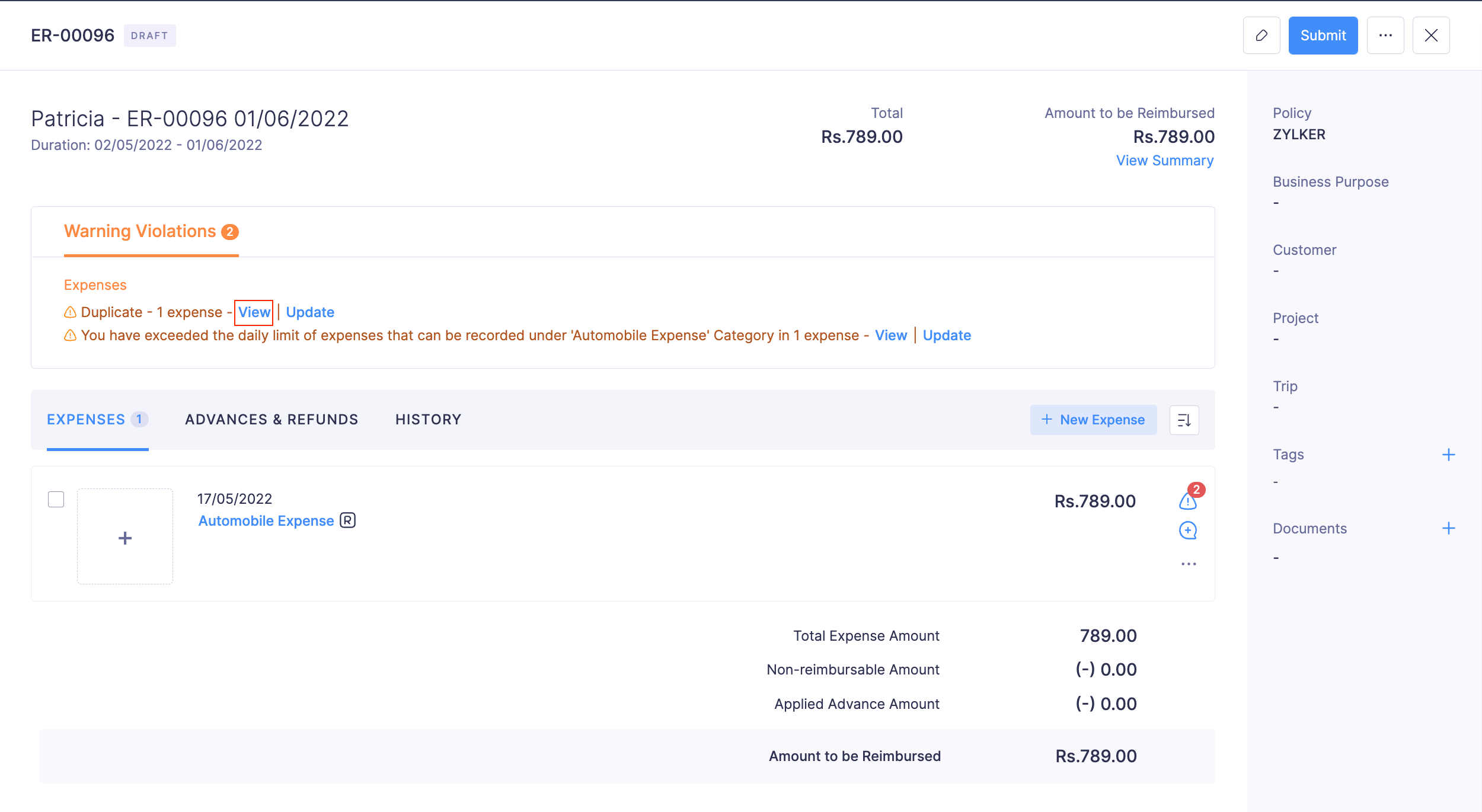
Protip: You can also remove the duplicate expenses from inside a report. The duplicate expenses will be marked as a Warning Violation in a report. Click View and resolve the violation.
Yes
NoThank you for your feedback!