



Test Extensions

You can test an extension by installing a specific version in your Zoho Commerce organization. Here’s how:
- Go to Zoho Commerce Developer Portal.
- Switch to the Publish section at the top. The Publish tab will open by default.
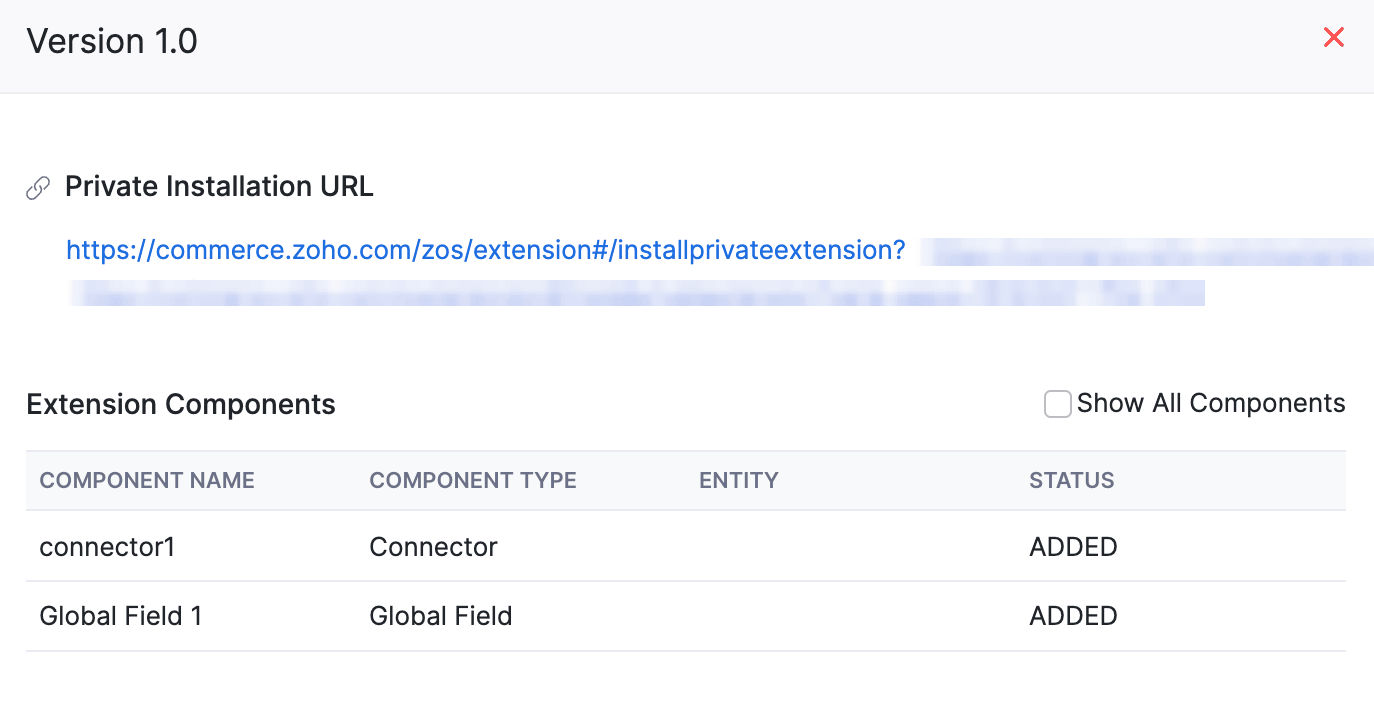
- In the Version History section, click the version number of the version that you want to test.

- In the pop-up that appears, click the URL below Private Installation URL. You’ll be redirected to the Extension Installation page.
- On the Extension Installation page:
- Select the organization for which you want to install the extension from the dropdown below the Select Organization field.
- Read and agree to the terms and conditions specified.
- Click Next.
- In the following page, authorize the connections required for the extension and click Install Extension.
The specific version of the extension will be installed in the Zoho Commerce organization that you chose previously. You can test this version of the extension in your organization.