Content retention
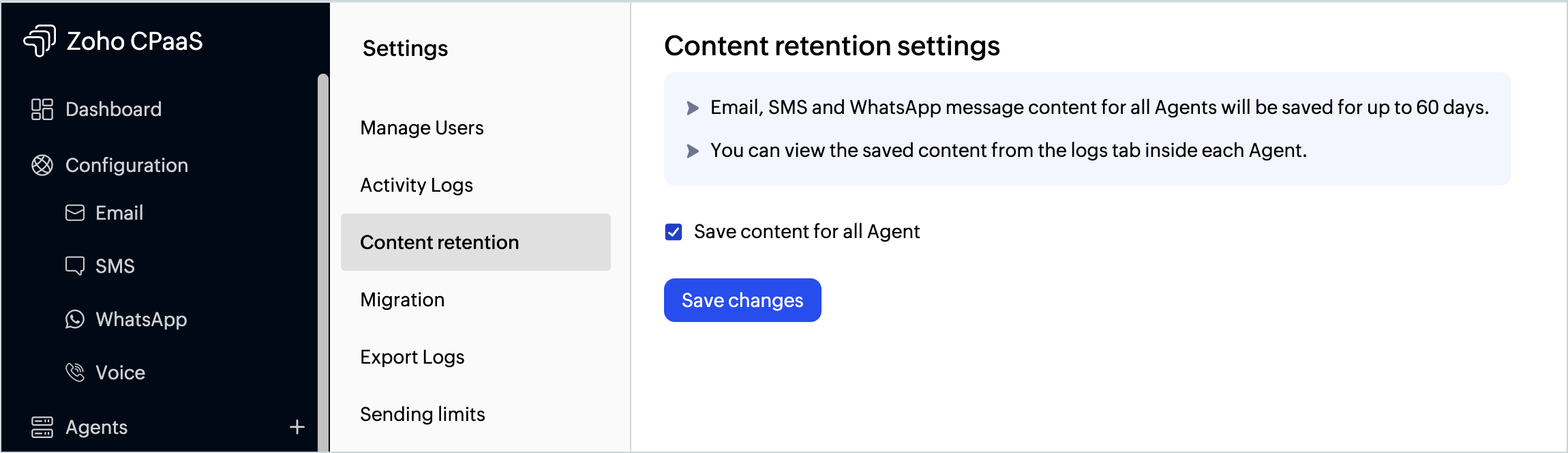
You can save the contents of your emails, SMS and WhatsApp message you send in the Content retention section in the Settings menu. Once enabled, the content for all Agents will be saved for up to 60 days.You can view the saved content from the logs tab inside each Agent
To save the contents of the emails :
- Go to the Settings menu from the left panel.
- Navigate to the Content retention tab.
- Choose the Save content for all Agents checkbox to save your email contents.
- The content will be saved only after enabling this setting.
- Click Save Changes when done.
Note
Before you get started it is important to know that Zoho CPaaS supports transactional communications only. We do not support sending of bulk emails or promotional emails like newsletters or marketing campaign emails. If you are looking for a bulk email provider, you can visit Zoho Campaigns.