CraftCMS integration
CraftCMS is a content management system that helps users manage their content in websites and applications. Applications and websites built using Craft can integrate with Zoho CPaaS to send transactional emails.
Installing Zoho CPaaS plugin for CraftCMS
- You can download the plugin from the plugin store.
- Alternatively, you can paste the following command in your application's root folder.
composer require "zoho-mail/craft-zoho-zepto-mail:^1.0" -w && php craft plugin/install zoho-zepto-mail
- Once installed, the plugin will be listed on the left pane of the Admin section.
Configuring the Zoho CPaaS plugin
Follow the steps below to connect your Zoho CPaaS application with the Craft application.
- Login to the CraftCMS admin section and select the Zoho CPaaS plugin from the left pane.
- Copy paste the Send Mail Token from desired Agent of your Zoho CPaaS account.
- Enter the From name and address. Click Save.
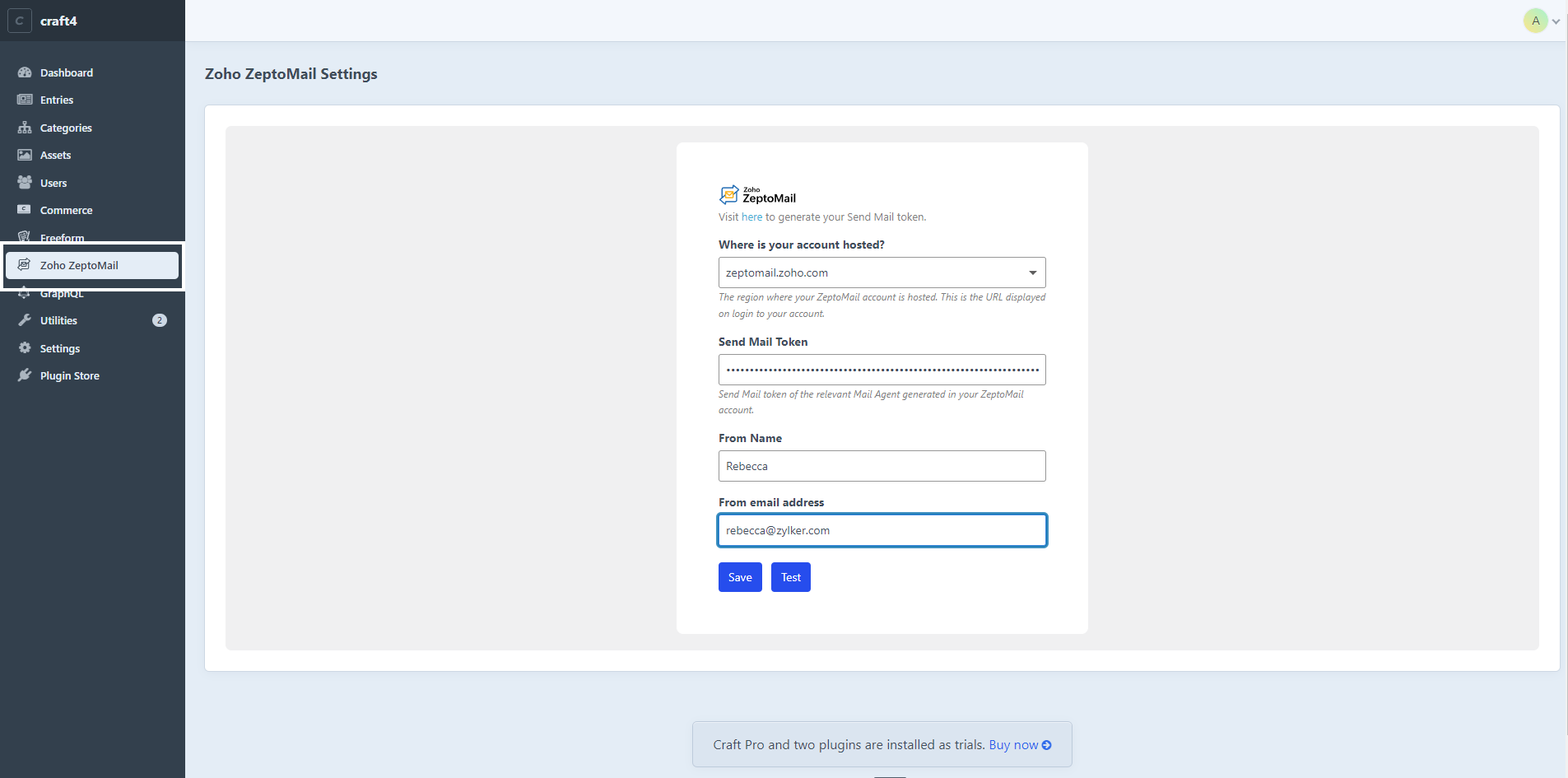
To route your transactional emails via Zoho CPaaS,
- Navigate to the Settings section on the left pane.
- Select Email under the System option.
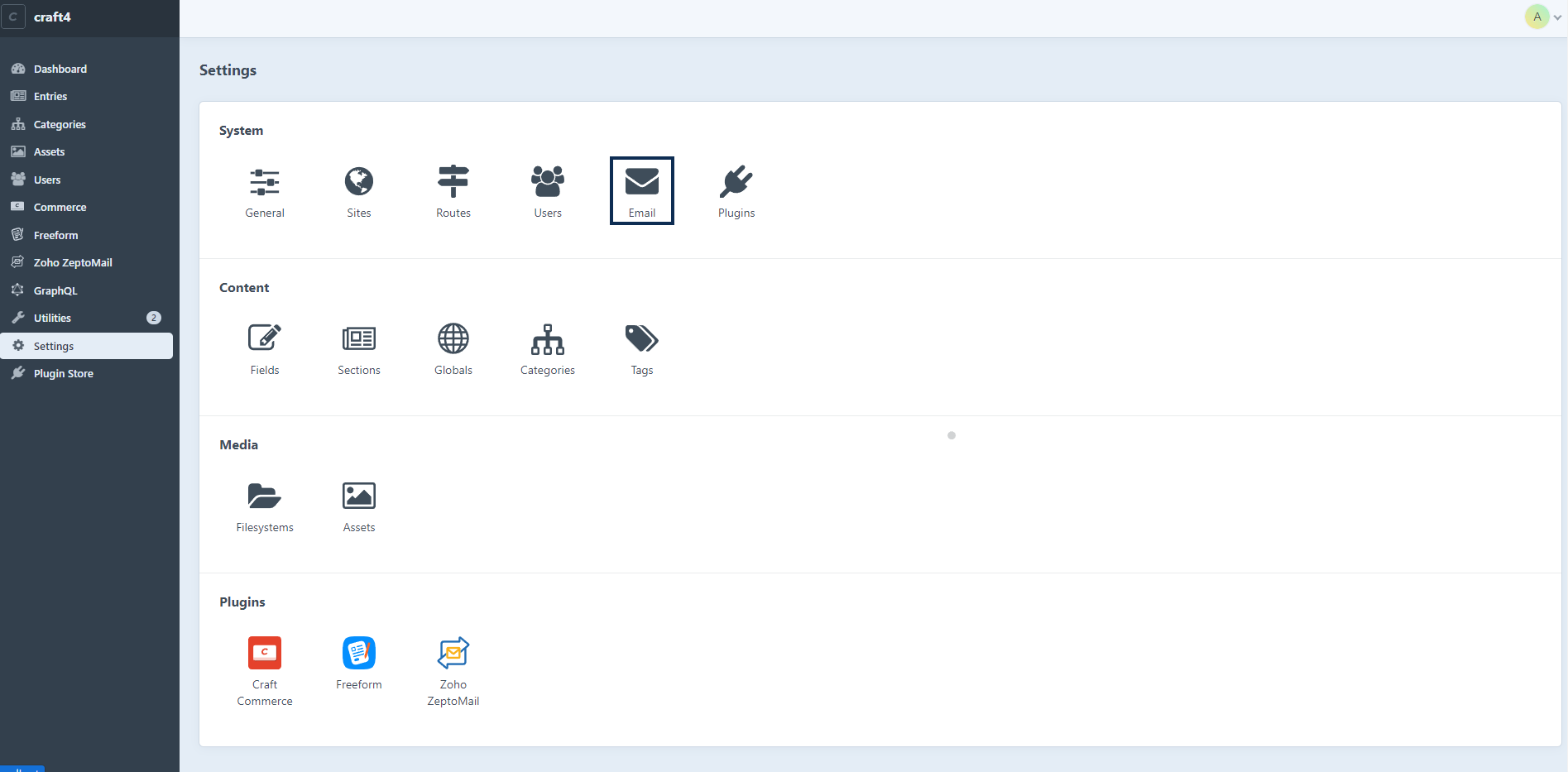
- Enter a suitable System email address and Sender name. This configured address will be used while sending emails from Zoho CPaaS.
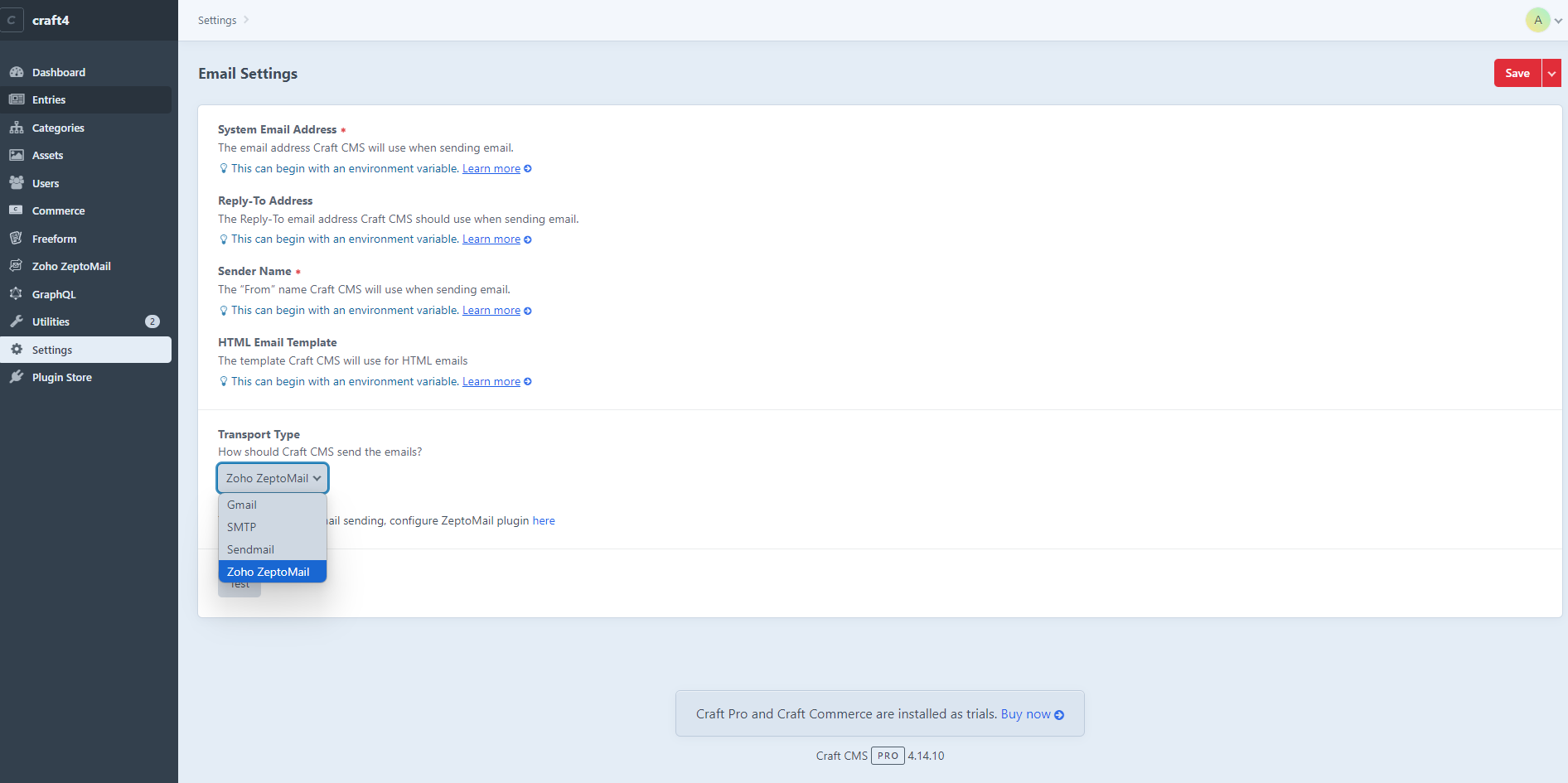
- Choose Zoho CPaaS from the Transport type drop-down.
- Click save on the top right corner.
Sending test email
You can check the configuration by sending a test email. To send a test email:
- Navigate to the Email option in the Settings section.
- Click the Test button.
- You can check the status of the email from the Processed email section of the configured Agent.