Wix DNS configuration
If your domain is hosted with Wix, you can follow the below steps to configure DKIM and CNAME records for Zoho CPaaS. It may take 24-48 hours for the records to be published in the DNS. So your domain will not be verified until that time and you will not be able to send any emails using your domain.
Add DKIM record
- Login to your Wix account and go to the Domains page.
- Click on the Show More icon and choose Manage DNS records.
- Click Add Record in the TXT section.
- In the Host field, enter <selector>._domainkey*.
- In the TXT Value field, enter the TXT Record value* generated in your Zoho CPaaS account.
- Click Save.
*Get the exact DKIM values from the Domains section.
Add CNAME Record
CNAME records are added for both the email-sending domain as well as the email tracking domain added in Zoho CPaaS. If your DNS Manager is hosted with Wix, follow the steps below to add CNAME in Wix DNS for verification.
- Login to your Wix account and go to the Domains page.
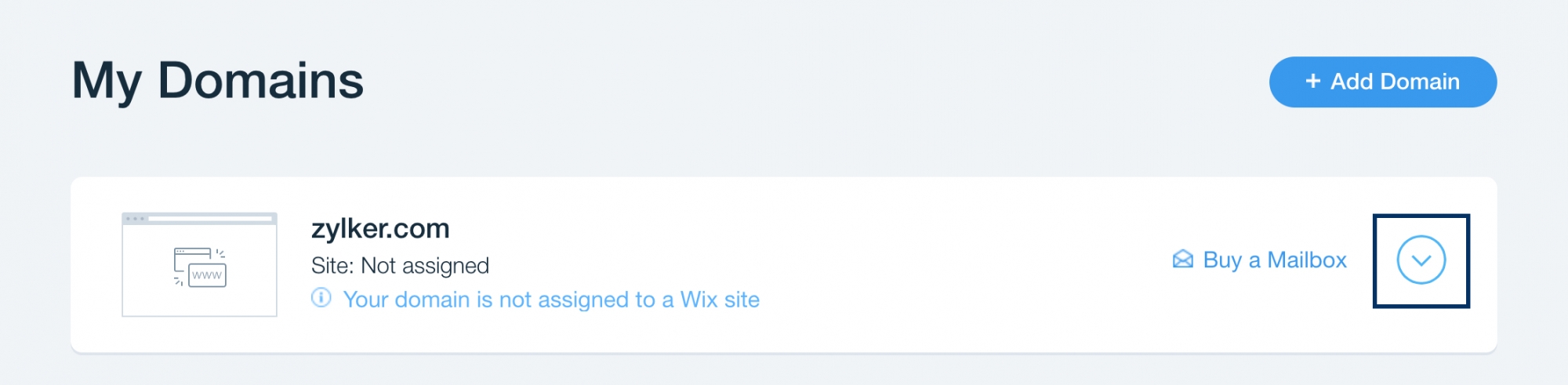
- In My Domains, navigate to the domain you want to verify and click the drop-down arrow.
- Click Advanced and then click Edit DNS.
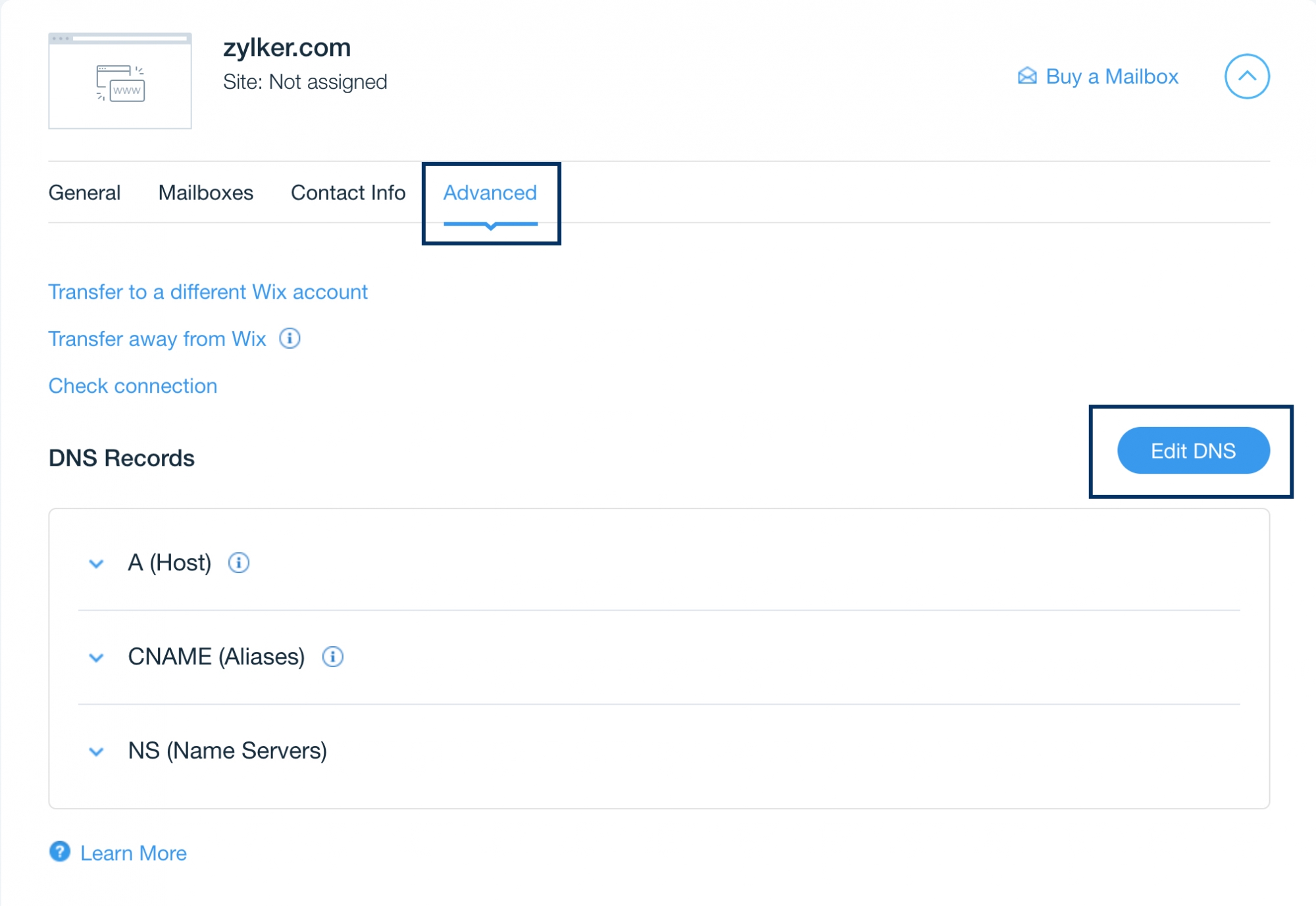
- In DNS Records, navigate to CNAME (Alias) and click Add another.
- In the Host field, enter the subdomain name of your domain. (For example, if subdomain is bounce.zylker.com, enter bounce).
Specify Points to as the value generated in Zoho CPaaS for this domain:
Host Name Points to Subdomain name
(Eg., bounce is subdomain is bounce.zylker.com)- To configure bounce address, get the CNAME value from the Domains section.
- To configure Email Tracking, get the CNAME value from the Email tracking tab under the respective Agent.
- Once done, click Save DNS at the top.
- After an hour or two, log in to your Zoho CPaaS account and click Verify (usually it takes 24-48 hours for the records to be published in the DNS).
- If the DNS information is correctly propagated, the subdomain will be verified.
