

How do I enable API access?

You need to enable API access from your account in the GSTN portal to connect Zoho Books with the GSTN portal securely.
To enable API access:
- Log in to GSTN portal at www.gst.gov.in.
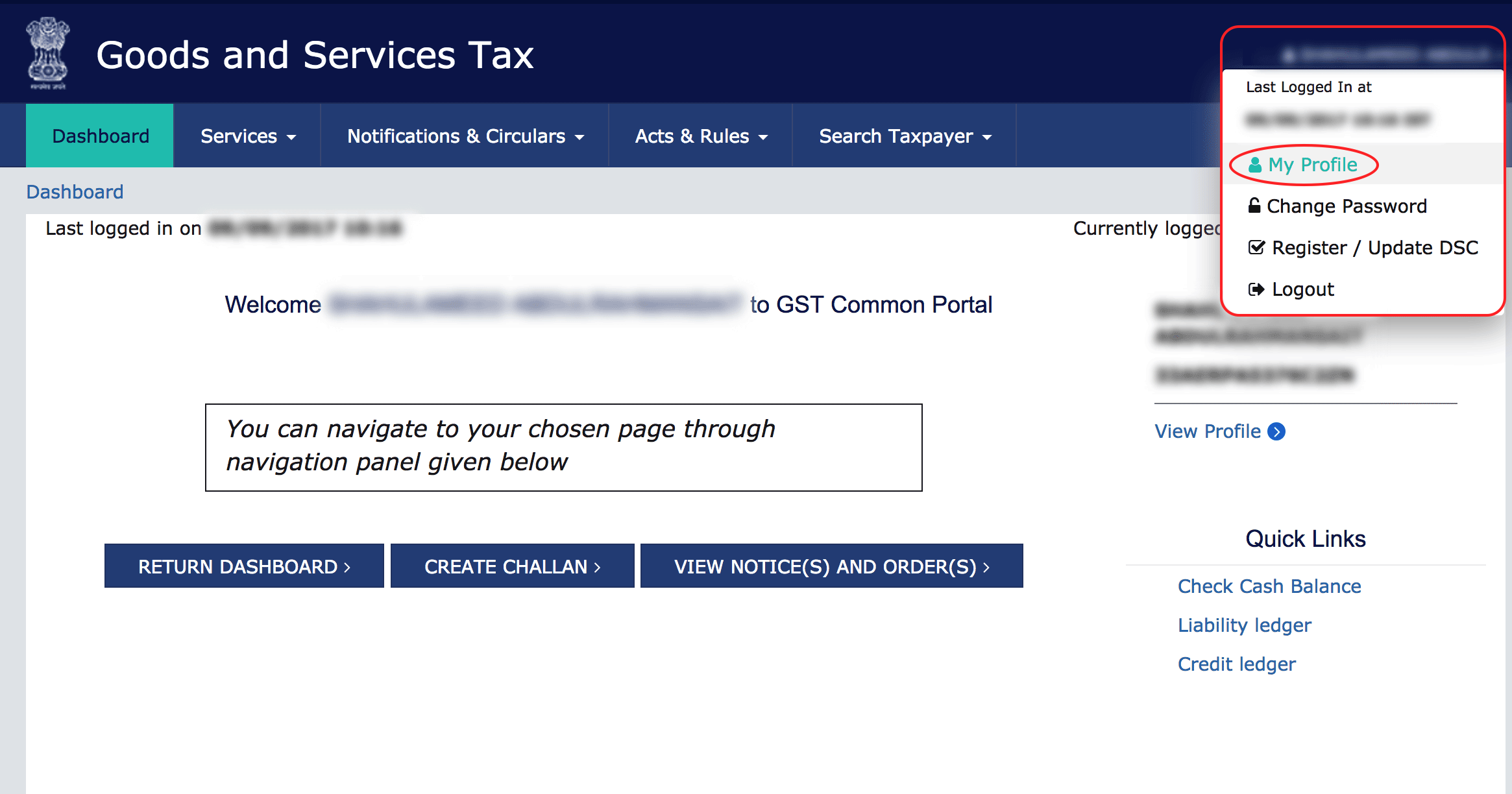
- Click your name in the top right corner of the page and select My Profile.
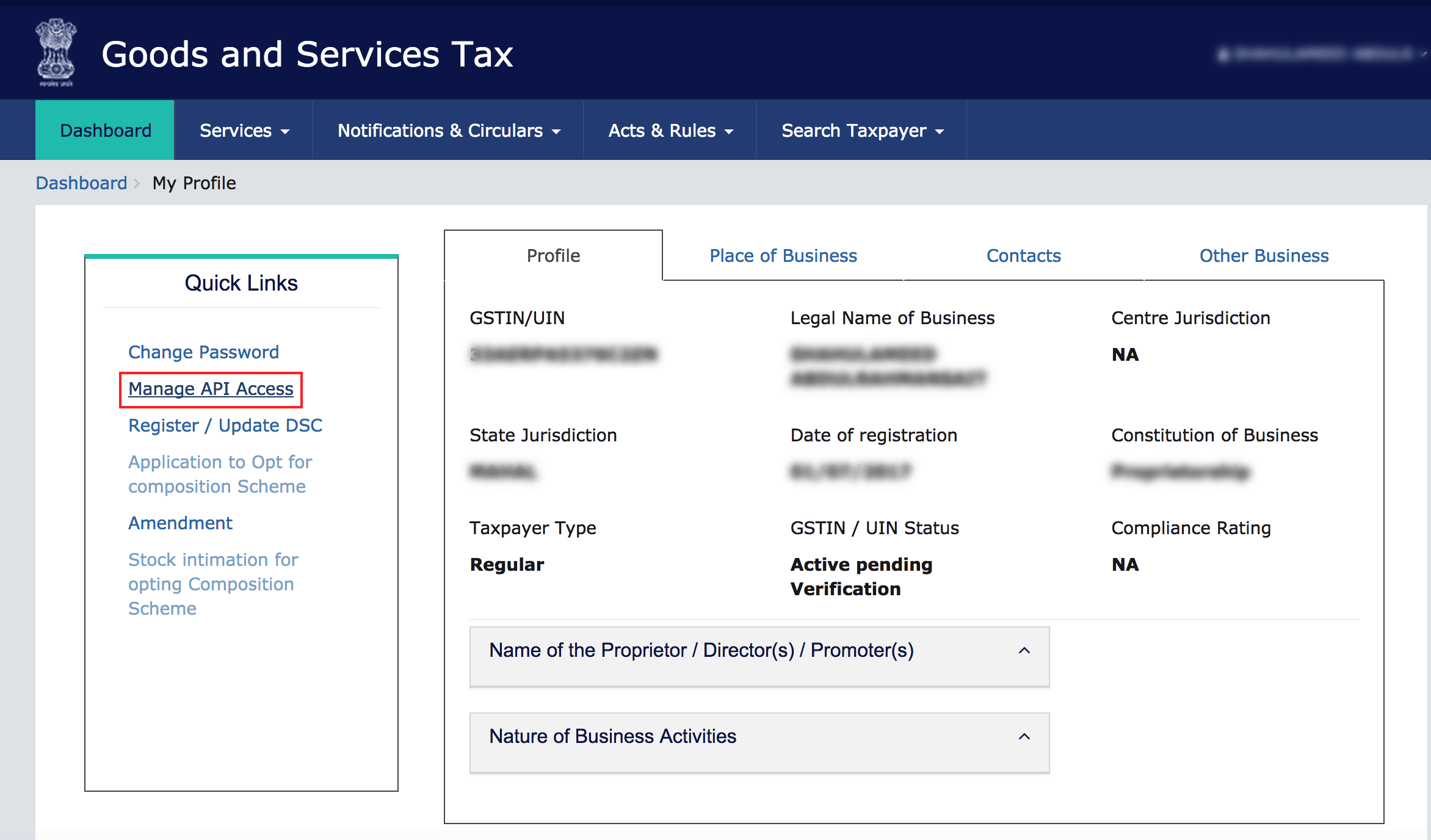
- Click the Manage API Access from the Quick Links.
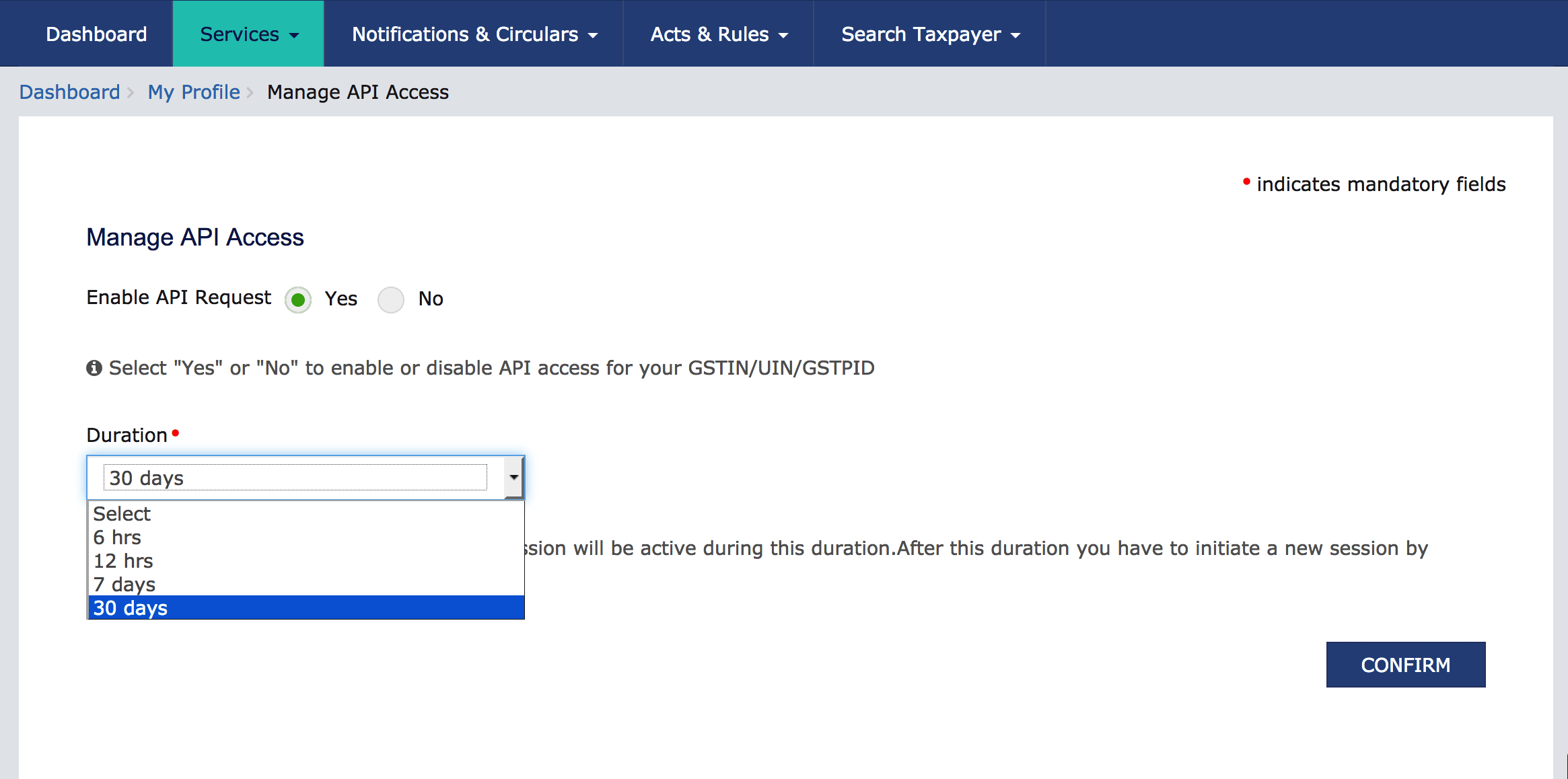
- Click Yes and select a duration from the dropdown.
- Click CONFIRM.
The GST portal may display additional fields such as GSP and ASP. You can leave these fields empty.
 Yes
Yes