

What happens to my data if I cancel my subscription?

Cancelling your paid plan does not delete your Zoho Invoice organization or its data. Your organization moves to read-only mode, so you can continue to access and view your existing data.
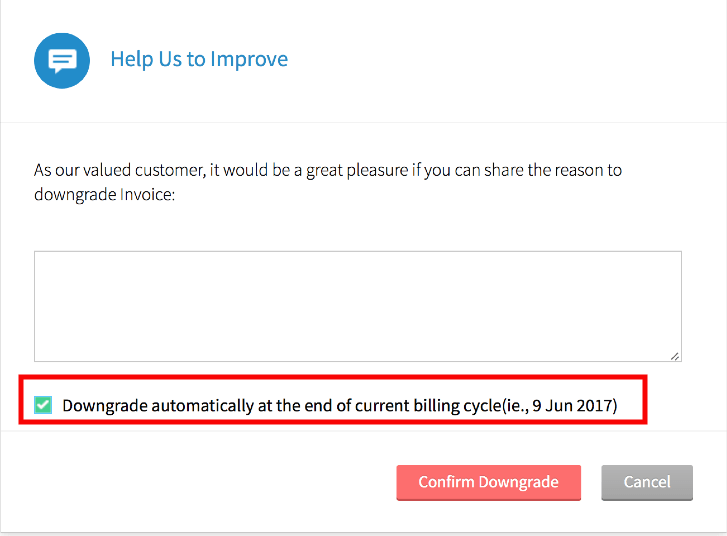
If you wish to downgrade from your PAID subscription, you will have two options :
* The cancellation will come into effect immediately.
						OR
* At the end of the ongoing billing cycle.
If Downgrade automatically at the end of current billing cycle(ie., Date) is selected, your account would be downgraded only at the end of the billing cycle. If not, it would be cancelled immediately.
Can I continue using Zoho Invoice after cancelling?
Yes. Zoho Invoice now offers a forever free version, so you can continue using essential invoicing features without a paid subscription.
To switch to the forever free version:
- Log in to your Zoho Invoice organization.
- Go to Settings > Zoho Invoice is Free!.
- If you have used features that are not supported in the free plan, they will be listed there. Remove or update them before switching.
- Once you have made the required changes, switch to the forever free plan.
Should I back up my data before cancelling?
Yes. We recommend backing up your data before cancelling your plan.
To backup all the data from your Zoho Invoice account, kindly follow the below mentioned steps:
- Click on the Gear icon present on the top-right corner of the page, and select Data Backup.
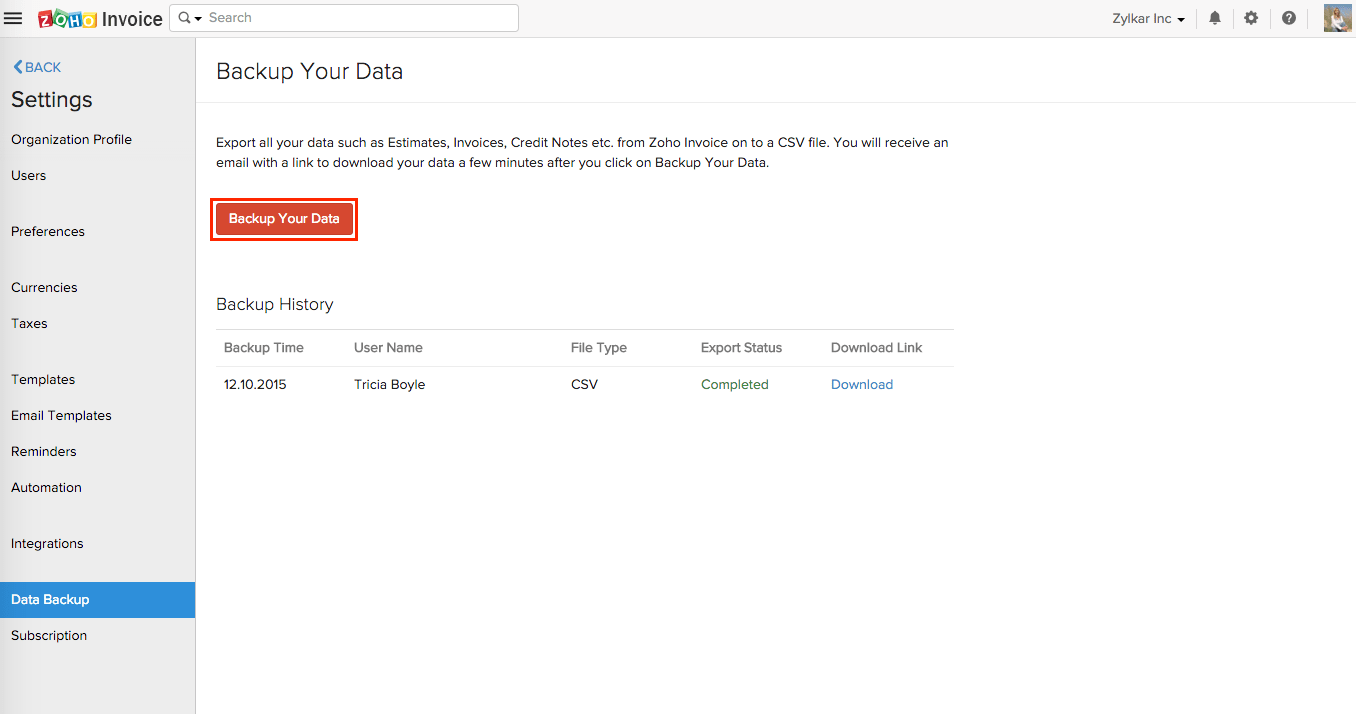
- Click on the Backup Your Data button.
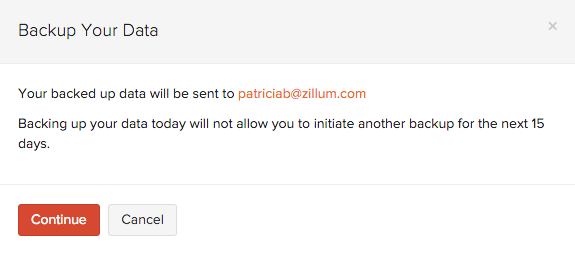
- A few minutes after you click the button (approx. 30 minutes), you will receive an email with a link to download your data.
Note: Backing up your data today will not allow you to initiate another backup for the next 15 days.
Note: After your organization moves to the free plan, it will be subject to our inactive organization policy. If you remain inactive for a period of 180 days, your data will be permanently deleted in accordance with our ‘Inactive user accounts policy’. To prevent your organization from being deleted, make sure you log in and access it periodically, even if you are not creating invoices or recording transactions.
 Yes
Yes