Enhancements to Zoho Writer's automation flow designer: New PDF operations, password protection, and more

Once we rolled out the automation flow designer in Zoho Writer's merge templates, many of our users requested more PDF-specific operations, such as merging multiple PDFs and inserting or deleting PDF pages. We're happy to let you know that we've added all these and more in the latest version of the automation flow designer.
Let's take a closer look at all the new capabilities along with a few real-world examples to understand how they'll simplify your document workflows.
New action cards | What they do | Business scenario | Sample workflow |
| Combine Files (PDF) | Merge multiple generated PDFs into a single PDF; optionally merge selected pages and control placement | A law firm generates contracts and annexures separately. Based on case value, the flow merges all documents and conditionally inserts high‑risk clause pages to create one tailored agreement for client signature. | 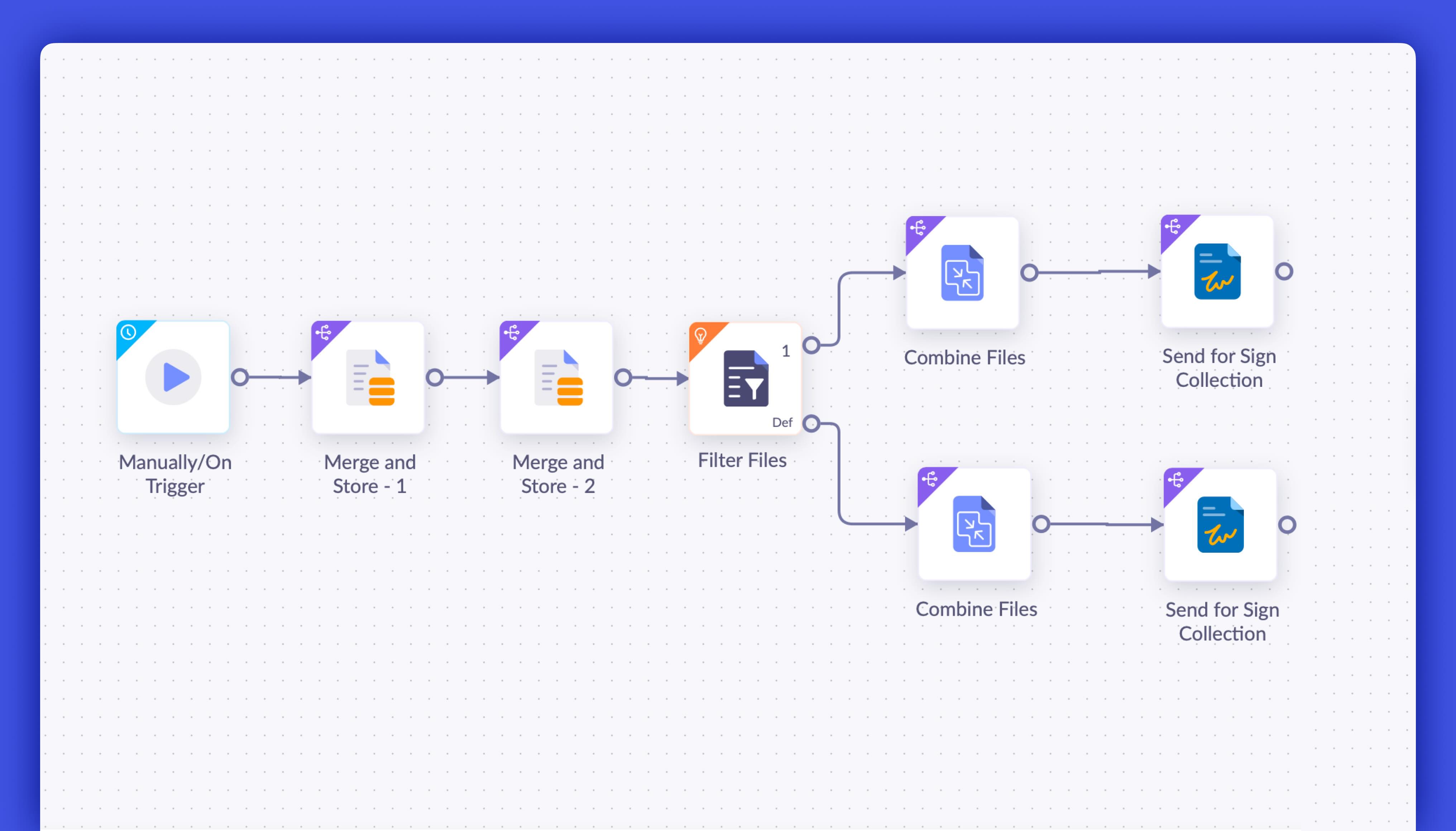 |
| Insert PDF Pages | Insert specific pages from an existing PDF into a generated document at a chosen position | When a client selects a high‑risk option during onboarding, selected pages from a Terms of Service addendum are automatically inserted into the contract to ensure full legal coverage. | 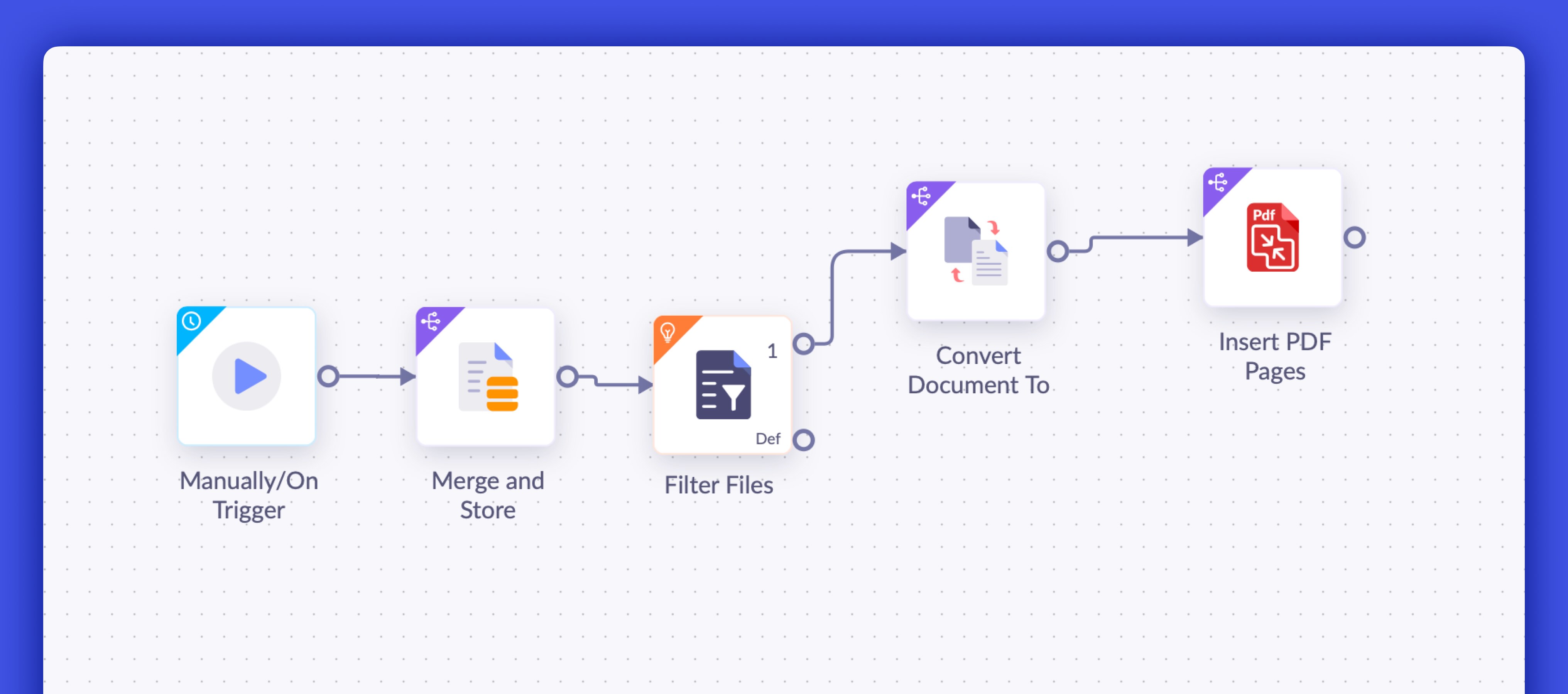 |
| Delete PDF Pages | Remove specific pages from a generated PDF based on conditions | For low‑value or individual cases, the flow deletes complex or corporate‑specific clauses from the final agreement to deliver a simpler, relevant contract. | 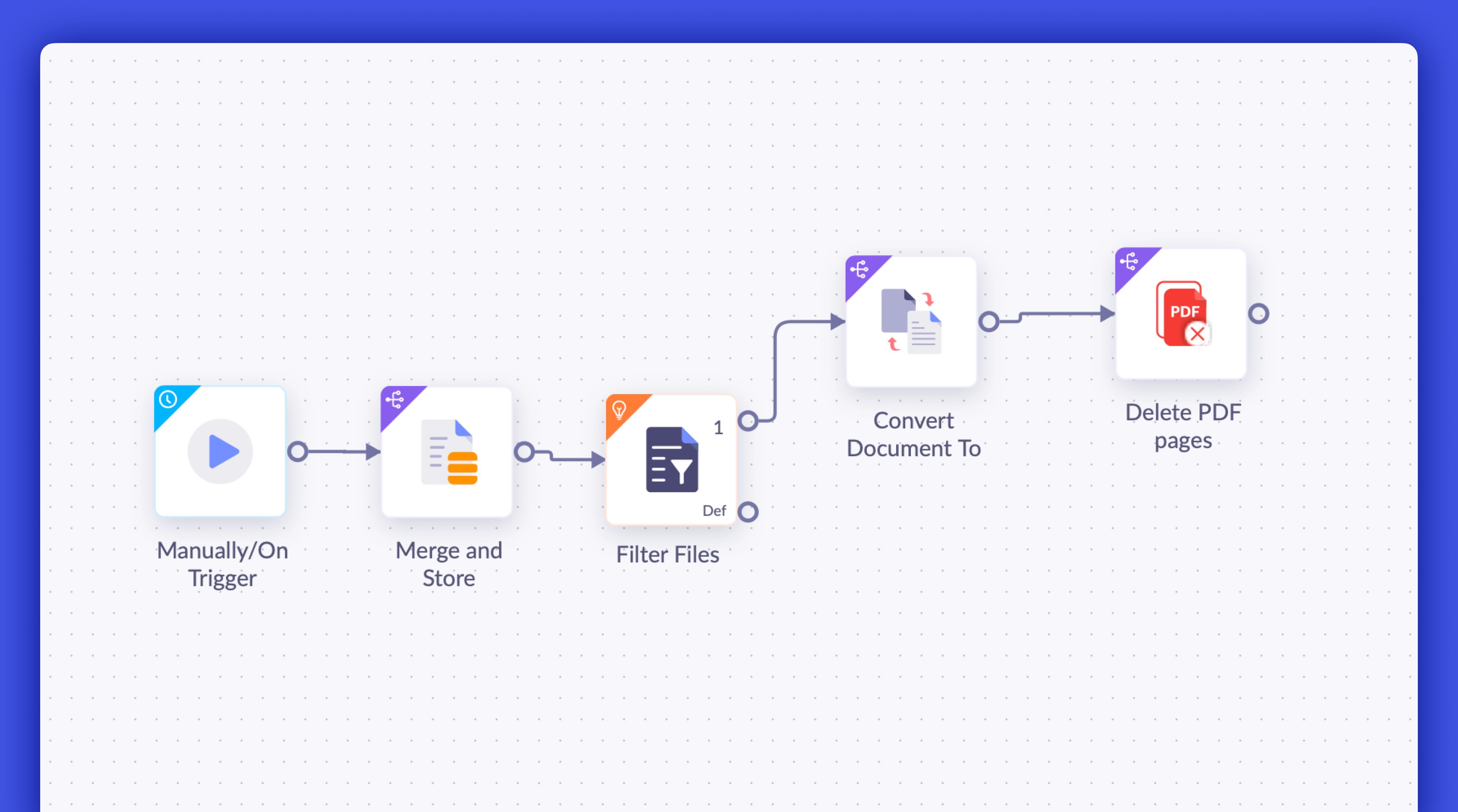 |
| Password Protect PDF | Secure PDFs with passwords and restrict opening, editing, printing, or copying | A real estate firm generates multiple transaction documents and applies password protection and edit restrictions before securely sharing them with buyers. | 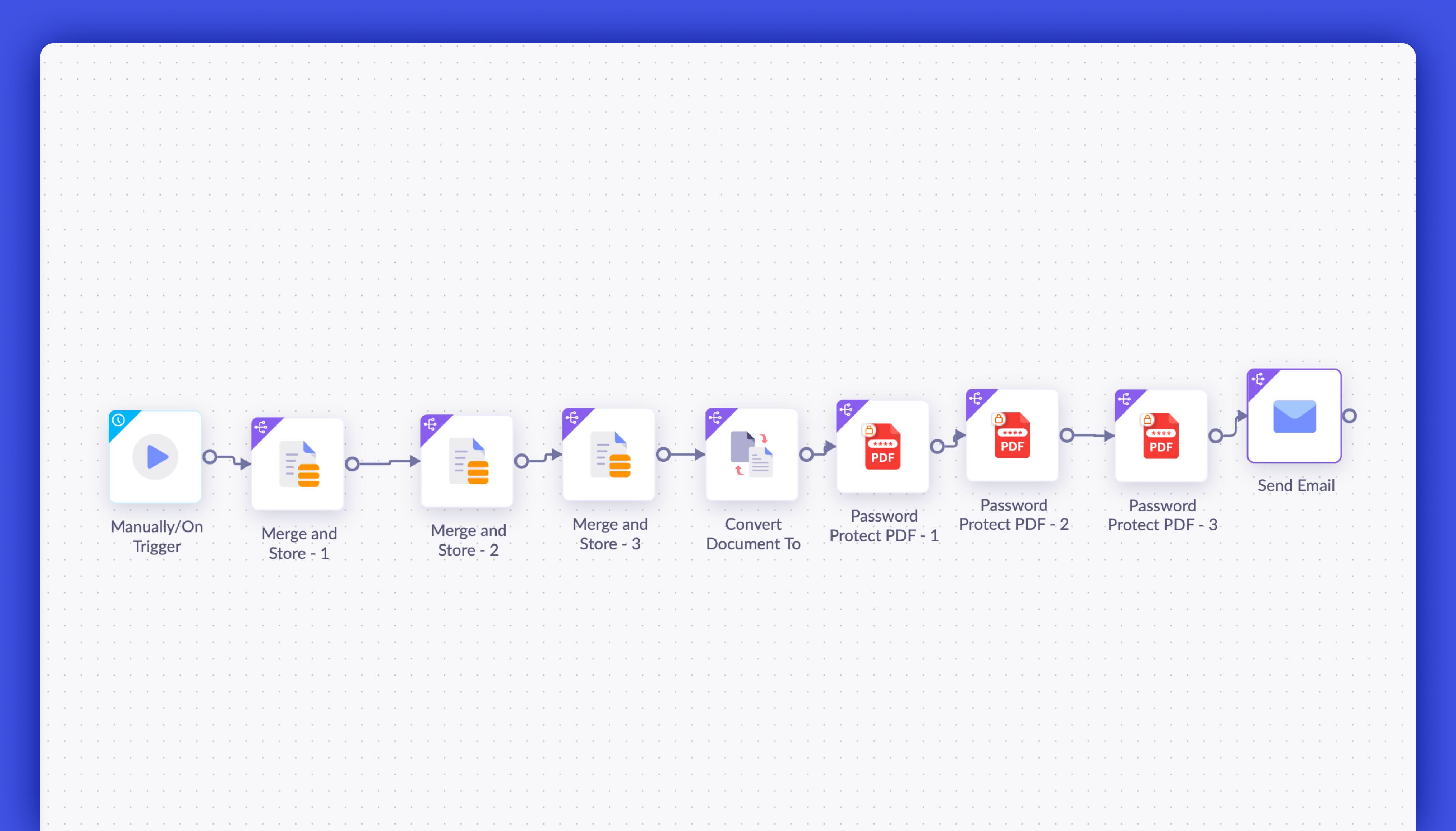 |
| Conditional Routing for Signatures | Route documents to different signers based on predefined conditions | In insurance claims, documents under $5,000 are sent to a finance executive, while higher‑value claims are automatically routed to both an executive and a manager for approval. | 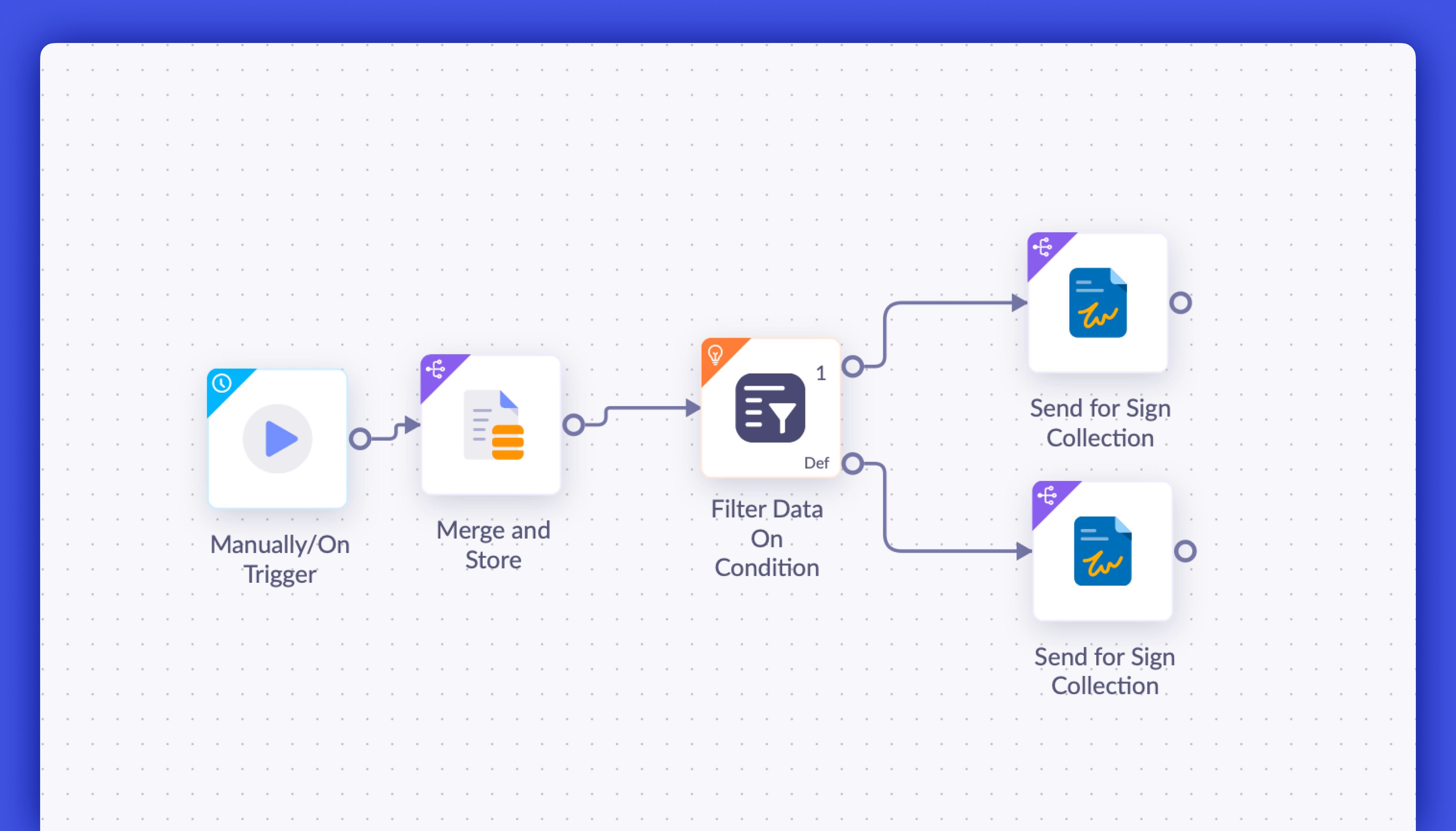 |
| Translate Document | Automatically translate generated documents into a configured language | A global HR team sends policy documents to new hires; the flow translates each document into the candidate’s preferred language before emailing it. |  |
Delegate workflow execution
With the enhanced automation flow designer you can allow other users to execute workflows configured in your merge templates by sharing it with them. For example, a sales or HR team shares a merge template with automation enabled so any authorized member can generate and send documents without depending on a single owner.
Ready to build your next smart workflow?
Explore the automation flow designer in Zoho Writer today and experience the power of secure and collaborative document automation.
If you need help setting up your first workflow or want to see how these new cards fit your business use case, write to us at support@zohowriter.com or support@eu.zohowriter.com.
We're continuing to improve Zoho Writer's automation capabilities, and your feedback helps shape what comes next. Stay tuned, more updates are on the way!


Comments