CPaaS vs. UCaaS vs. CCaaS: What’s the difference, and which one does your business need?
- Published : September 23, 2026
- Last Updated : October 7, 2026
- 130 Views
- 6 Min Read

If you’ve been evaluating cloud communications platforms, you’ve likely run into all three of these acronyms in the same conversation. They’re sometimes used interchangeably, sometimes in ways that suggest they compete with each other. In reality, they don’t. CPaaS, UCaaS, and CCaaS solve different problems for different users inside an organization, and confusing them leads to the wrong procurement decision.
This article breaks down what each category actually is, where the boundaries lie, where they genuinely overlap, and how to figure out which one—or which combination—your business needs.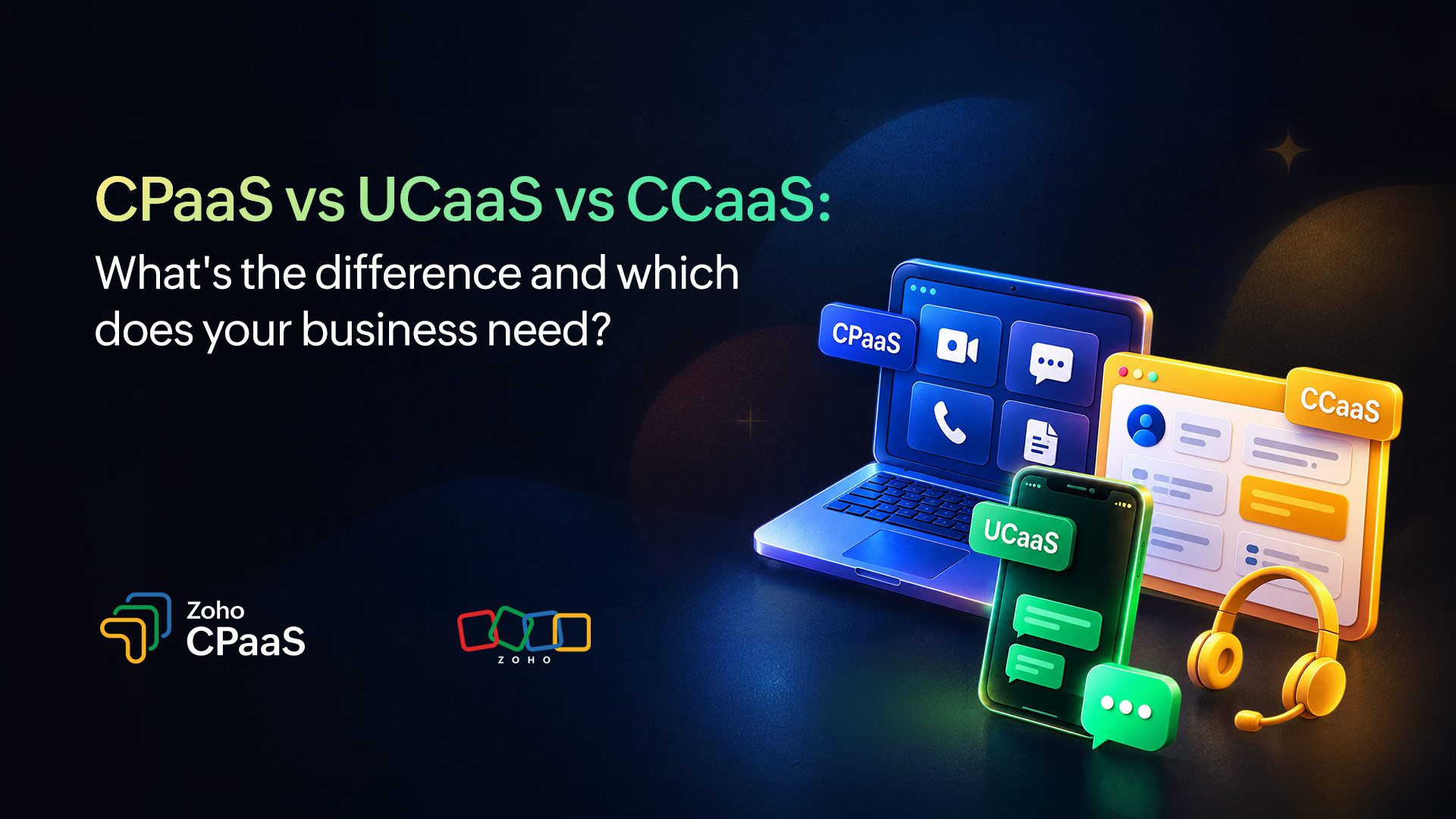
Similarity and distinction
All three are cloud-based communications-as-a-service models. All three replaced on-premise infrastructure that was expensive to build, slow to update, and hard to scale. All three are sold on subscription or usage-based pricing, managed by vendors, and accessible via APIs or web interfaces.
That’s where the similarity ends. The meaningful differences are in who uses them, what they’re used for, and how they integrate into your organization.
UCaaS: Communications infrastructure for your teams
UCaaS, short for Unified Communications as a Service, is the cloud delivery of internal communication tools. It replaces the on-premise PBX, the office phone system, the meeting room hardware, and the sprawl of separate tools that teams used to use for messaging, calls, and file sharing.
Who uses it: Every employee. UCaaS is end-user software. It sits on laptops and phones and is used by people across every function, from sales to engineering to HR.
What it does: UCaaS consolidates team messaging, video conferencing, voice calls, voicemail, and often file sharing or lightweight task management into a single platform. The goal is internal communication, keeping people connected and reducing the friction of coordinating across locations, time zones, and devices.
What it doesn’t do: UCaaS isn’t designed for customer-facing communication. It doesn’t provide programmable APIs for sending transactional messages, it doesn’t manage outbound notification volumes, and it doesn’t route inbound customer queries to agents. It’s built for internal coordination, not external communication at scale.
Common platforms: Microsoft Teams, Zoom, Google Meet, Cisco Webex, Zoho Cliq.
What it replaces: On-premise PBX systems, desk phones, separate video conferencing tools, and disconnected team chat apps.
CCaaS: Contact center infrastructure for customer support
CCaaS, short for Contact Center as a Service, is cloud-based infrastructure for managing inbound customer support operations. It replaces the traditional on-premise contact center stack like the ACD (automatic call distributor), IVR (interactive voice response), agent desktop software, and workforce management tools.
Who uses it: Customer support and service teams. CCaaS is operationally focused and is used by agents handling customer queries, supervisors monitoring queues, and operations teams managing staffing and SLAs.
What it does: CCaaS handles the routing and management of inbound customer communications like phone calls, emails, chats, and social messages to the right agent or queue. It provides agent desktops with customer context, supervisor dashboards for queue visibility, IVR systems for self-service, and reporting on handle times, resolution rates, and service levels.
What it doesn’t do: CCaaS is primarily inbound-focused and agent-mediated. It’s not designed for high-volume outbound transactional notifications like the kind of automated, triggered messaging (OTPs, order confirmations, delivery alerts) that doesn’t involve a human agent. It also doesn’t provide the developer APIs that allow businesses to embed communication into their own applications.
Common platforms: Genesys Cloud, Five9, NICE CXone, Amazon Connect, Zoho Desk with telephony integration.
What it replaces: On-premise contact center hardware, legacy ACD systems, and disconnected agent tools.
CPaaS: Programmable communication infrastructure for customer-facing messaging
CPaaS, short for Communications Platform as a Service, is an API layer that allows businesses to embed communication channels into their own applications, products, and workflows. Unlike UCaaS and CCaaS, it’s not an end-user product. It’s infrastructure that developers integrate.
Who uses it: Development and product teams, with configuration often managed by marketing or operations. CPaaS is not a front-end tool. It sits behind your application and fires automated messages in response to system events.
What it does: CPaaS provides programmable access to communication channels like email, SMS, WhatsApp, voice via APIs. When a customer places an order, your application calls the CPaaS API, the platform handles delivery, routing, compliance, and reporting. CPaaS is built for automated, high-volume, triggered communication like transactional notifications, OTPs, appointment reminders, fraud alerts, and marketing sends.
What it doesn’t do: CPaaS doesn’t manage internal team communication (that’s UCaaS), and it doesn’t route inbound customer support queries to agents (that’s CCaaS). It’s an outbound-first, developer-facing layer, though some platforms support inbound webhooks for two-way messaging flows.
Common platforms: Twilio, Vonage, Infobip, Zoho CPaaS, MessageBird.
What it replaces: Custom-built integrations with individual carriers and channel providers and the engineering overhead of managing direct relationships with an email gateway, an SMS carrier, and a WhatsApp Business Solution Provider separately.
Side-by-side comparison
| UCaaS | CCaaS | CPaaS |
Primary user | All employees | Support agents and supervisors | Developers and product teams |
Primary use | Internal team communication | Inbound customer support | Outbound customer-facing messaging |
Integration model | End-user app (desktop/mobile) | Agent desktop + CRM integration | API integration into your application |
Communication direction | Internal (employee to employee) | Inbound (customer to agent) | Outbound (business to customer) |
Channels | Voice, video, messaging, file sharing | Voice, chat, email (inbound) | Email, SMS, WhatsApp, voice (outbound) |
Requires developers | No | Minimal | Yes |
Scales with send volume | No | No | Yes |
Example use case | Team standup, internal announcements | Handling a support call, routing a ticket | Sending an OTP, delivery notification |
The categories are distinct at the core, but the edges blur in a few places.
CCaaS with outbound SMS
Some CCaaS platforms include outbound SMS capabilities for proactive support notifications, letting agents send a follow-up text after a call, or triggering an automated message when a ticket status changes. This looks like CPaaS, but it’s agent-initiated or support-context-specific. It doesn’t replace a CPaaS platform’s ability to send millions of triggered transactional messages via API.
UCaaS with API access
Some UCaaS platforms expose APIs that allow developers to trigger calls or messages programmatically, blurring the line with CPaaS in limited ways. But UCaaS APIs are typically designed for internal workflows (triggering a notification in a team channel, scheduling a meeting) rather than for customer-facing transactional messaging at scale.
CPaaS with inbound support flows
Some CPaaS platforms support inbound message handling—a customer replies to a WhatsApp notification, and the platform routes that reply to an agent or chatbot. This overlaps with CCaaS territory. The distinction is that CPaaS handles this as a messaging flow, not as a full contact center stack with agent management, queue routing, and SLA reporting.
Overlap at the edges doesn’t make these platforms interchangeable. A CCaaS platform that sends some SMS doesn’t replace a CPaaS platform for transactional messaging at scale. A CPaaS platform that handles inbound WhatsApp replies doesn’t replace a CCaaS platform for managing a support center with 50 agents.
Which platform does your business need?
Most organizations of meaningful size need all three for different teams, serving different functions. The mistake is assuming they compete, when in reality they complement each other.
You need UCaaS if your team communicates internally across locations, devices, or time zones, which describes almost every business operating today. If you’re still on a legacy PBX or using separate tools for calls, video, and messaging, UCaaS is the consolidation layer.
You need CCaaS if you have a customer support function with agents handling inbound queries. Whether it’s a five-person support team or a 500-seat contact center, CCaaS gives you the routing, visibility, and tooling to manage those interactions effectively.
You need CPaaS if you send automated, triggered messages to customers at any volume. If order confirmations, OTPs, appointment reminders, fraud alerts, and marketing sends are part of how your business communicates with customers, CPaaS is the infrastructure layer that makes them reliable, scalable, and compliant.
A fintech company, for example, almost certainly needs all three: UCaaS for internal team communication, CCaaS for handling customer support calls and queries, and CPaaS for sending OTPs, transaction confirmations, and fraud alerts programmatically. These aren’t redundant, they’re serving entirely different communication workflows.
Smaller businesses often start with UCaaS (because internal communication is the first problem to solve), add CPaaS as customer communication needs grow, and introduce CCaaS when support volume justifies dedicated infrastructure.
Procurement mistake to avoid
The most common mistake in this space is evaluating all three categories against each other as if they’re competing for the same budget line. They’re not. Buying a CCaaS platform doesn’t mean you don’t need CPaaS. Buying UCaaS doesn’t mean your transactional notifications are covered.
Each category solves a specific problem. The evaluation question isn’t “which of these three should we buy”, rather it’s “which of these problems do we currently have, which do we have tooling for, and which are we underserving.”
Where Zoho CPaaS fits
Zoho CPaaS is purpose-built for programmable, multi-channel customer-facing communication. It’s not a contact center product, and it’s not a team collaboration tool. It delivers email, SMS, WhatsApp, and voice calls via API for businesses that need transactional messaging to work reliably at scale.
For organizations already using Zoho’s broader suite, including Zoho Desk for support and Zoho Cliq for team communication, Zoho CPaaS slots in as the outbound transactional messaging layer, completing the communications stack without requiring a separate vendor for each function.
For organizations that aren’t in the Zoho ecosystem, Zoho CPaaS integrates with existing CRM, help desk, and e-commerce platforms and stands on its own as a transactional communications platform built on the same deliverability foundation as ZeptoMail, Zoho’s dedicated transactional email service.