What is WhatsApp Business API?
- Published : September 23, 2026
- Last Updated : October 22, 2026
- 689 Views
- 10 Min Read

WhatsApp is no longer just a personal chat tool to talk to family and friends. It’s grown into a primary channel for global business communication. With over 3 billion active users in over 180 countries, businesses use WhatsApp to meet customers where they already spend their time.
While small local shops can get by with standard messaging apps, growing and enterprise-level companies need automation, multi-agent support, CRM integrations, and massive scalability. That’s where the WhatsApp Business API comes into play.
What is WhatsApp Business API?
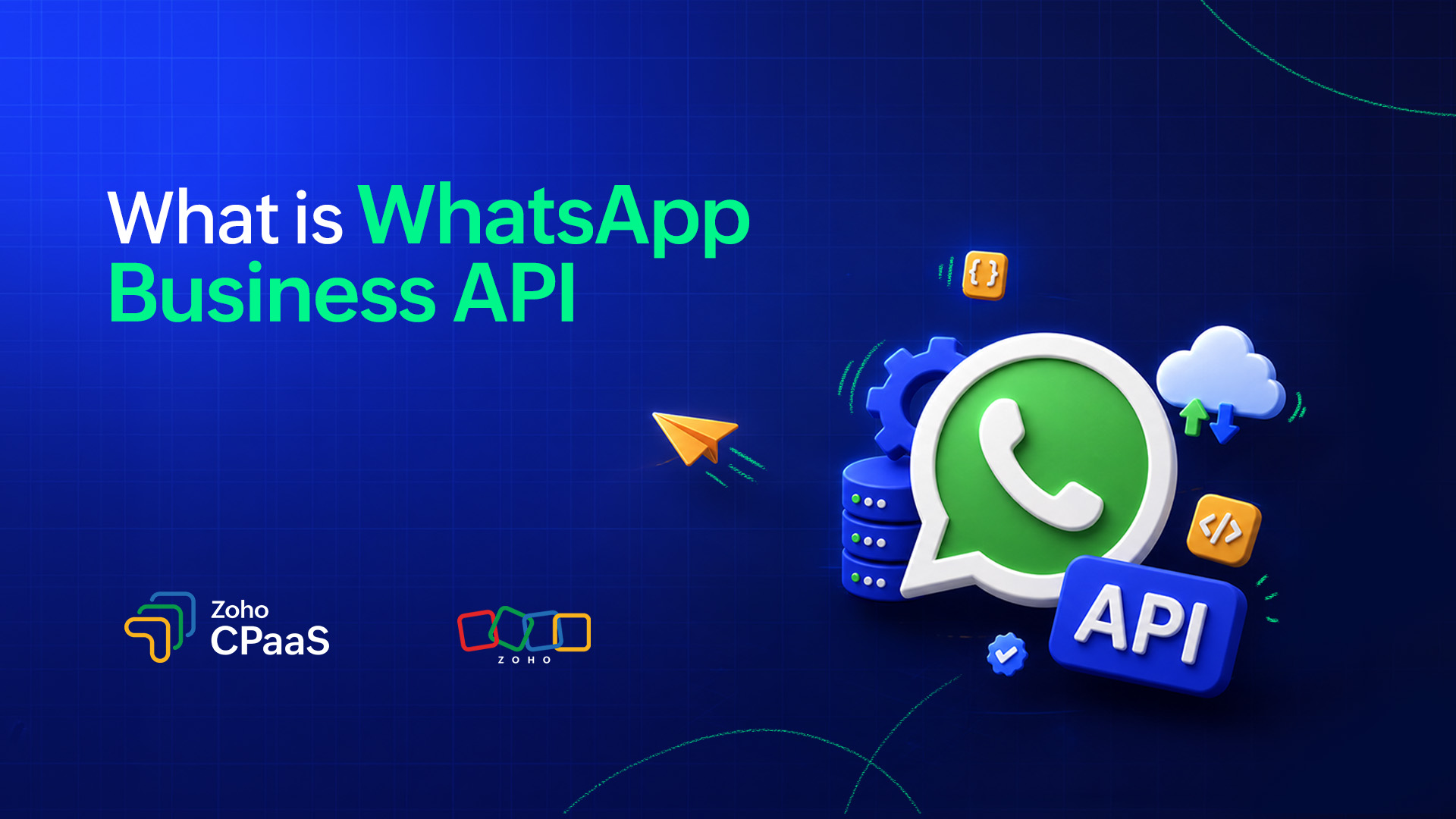
WhatsApp Business API is a backend interface provided by Meta that lets businesses send, receive, and automate WhatsApp messages at scale. In simple terms, WhatsApp Business API acts as a backend bridge between Meta’s WhatsApp infrastructure and your business software.
Without the Application Programming Interface (API) layer, WhatsApp messaging would be limited to manual, app-based interactions. The API is what makes it programmable, scalable, and embeddable into any business workflow.
For example, when a customer places an order, your application’s backend can use the WhatsApp Business API to send a confirmation message automatically. As the order progresses, the API can trigger shipping and delivery notifications, keeping the customer updated without any manual intervention.
WhatsApp Business API vs. WhatsApp Business App
Although both are designed for businesses, the WhatsApp Business app and WhatsApp Business API are built for different needs.
The WhatsApp Business app is primarily designed for small businesses that communicate with customers manually. The WhatsApp Business API is designed for mid-size and enterprise businesses that need automation, integrations, and communication at scale. Here’s a quick comparison:
Feature | WhatsApp Business API | WhatsApp Business App |
Best for | Medium to large businesses and growing teams | Small businesses and individual sellers |
Primary use | Customer communication at scale | One-to-one customer communication |
Number of users | Multiple users/agents can access through a shared inbox or platform. | Limited |
Automation | Advanced automation, chatbots, workflows, and integrations | Basic automated messages |
Bulk messaging | Supports large-scale messaging using approved templates | Limited |
Message templates | Pre-approved message templates for business-initiated conversations | Basic quick replies |
Personalization | Supports dynamic, personalized messages | Basic |
Customer support | Automated and agent-assisted customer support | Manual conversations |
Integrations | Can integrate with CRMs, help desks, e-commerce platforms, and other tools | Limited |
Analytics | Detailed messaging and delivery analytics | Basic |
Scalability | Designed for high-volume communication | Suitable for smaller volumes |
Chatbots | Supports chatbot and conversational AI integrations | Not natively supported |
Multi-agent support | Designed for multiple agents and teams | Limited |
Setup | Requires technical setup or a Business Solution Provider (BSP) | Simple and quick |
Cost | Pricing depends on Meta’s messaging rates and the solution/provider used. | Free to download and use; standard WhatsApp usage applies |
Ideal examples | E-commerce, SaaS, fintech, travel, marketplaces, and enterprises | Local shops, freelancers, small businesses |
Types of messages that can be sent using WhatsApp Business API
WhatsApp Business API supports different message formats based on the purpose of the communication and whether the customer or business initiated the conversation.
1. Message template categories
Businesses can create and use approved templates for messages that they initiate. These templates fall into three main categories:
Marketing: Used to promote products, services, offers, events, or other content intended to engage customers. For example, businesses can use marketing templates to share discounts, product launches, or personalized recommendations.
Utility: Used to keep customers informed about an action, transaction, or service they’ve requested. Common examples include order confirmations, delivery updates, payment receipts, and appointment reminders.
Authentication: Used to securely verify a customer’s identity. These messages typically contain one-time passwords (OTPs) or verification codes for activities such as signing in, registering an account, or recovering access.
2. Free-form messages
Service messages: When a customer starts a conversation with your business, you can respond using free-form messages within the applicable 24-hour customer service window.
These responses can include text, media, and supported interactive elements, allowing businesses to address customer questions and provide support without creating a template for every response.
Quick info: Template messages are primarily used when a business needs to initiate a conversation, while free-form messages allow businesses to respond to customers who have already started a conversation.
What do you need to use the WhatsApp Business API?
To get started with the WhatsApp Business API, a few foundational components need to be in place.
1. Meta Business Manager (MBM)
Meta Business Manager (MBM) is the starting point. It’s Meta’s centralized platform for managing all of your business assets across Meta’s ecosystem like ad accounts, pages, users, and permissions. Think of it as the administrative layer that houses and governs everything your business owns on Meta, including your WhatsApp setup.
2. WhatsApp Business Account (WABA)
Within MBM, you create a WhatsApp Business Account (WABA), which is a dedicated account that connects your business specifically to the WhatsApp Business Platform. While MBM is the broader business container, WABA is your WhatsApp-specific identity. It holds your phone numbers, message templates, and messaging permissions, and is the account through which all WhatsApp API activity is authorized and tracked.
3. Business phone number
You need a dedicated phone number to send and receive WhatsApp messages through the API. This number is registered to your WABA and serves as your business’s WhatsApp identity. This is what customers see when they receive a message from you. The number cannot be an existing WhatsApp personal or Business app number; it must be exclusively assigned to the API.
4. Message templates
Business-initiated conversations must use message templates. These templates must be pre-approved message formats reviewed and approved by Meta before use. Templates support dynamic variables, allowing you to personalize messages with customer-specific details such as name, order number, appointment date, or tracking link.
Example: Hi {{Name}}, your order {{Order number}} has been shipped and will arrive by {{ETA}}.
5. Business Solution Provider (BSP)
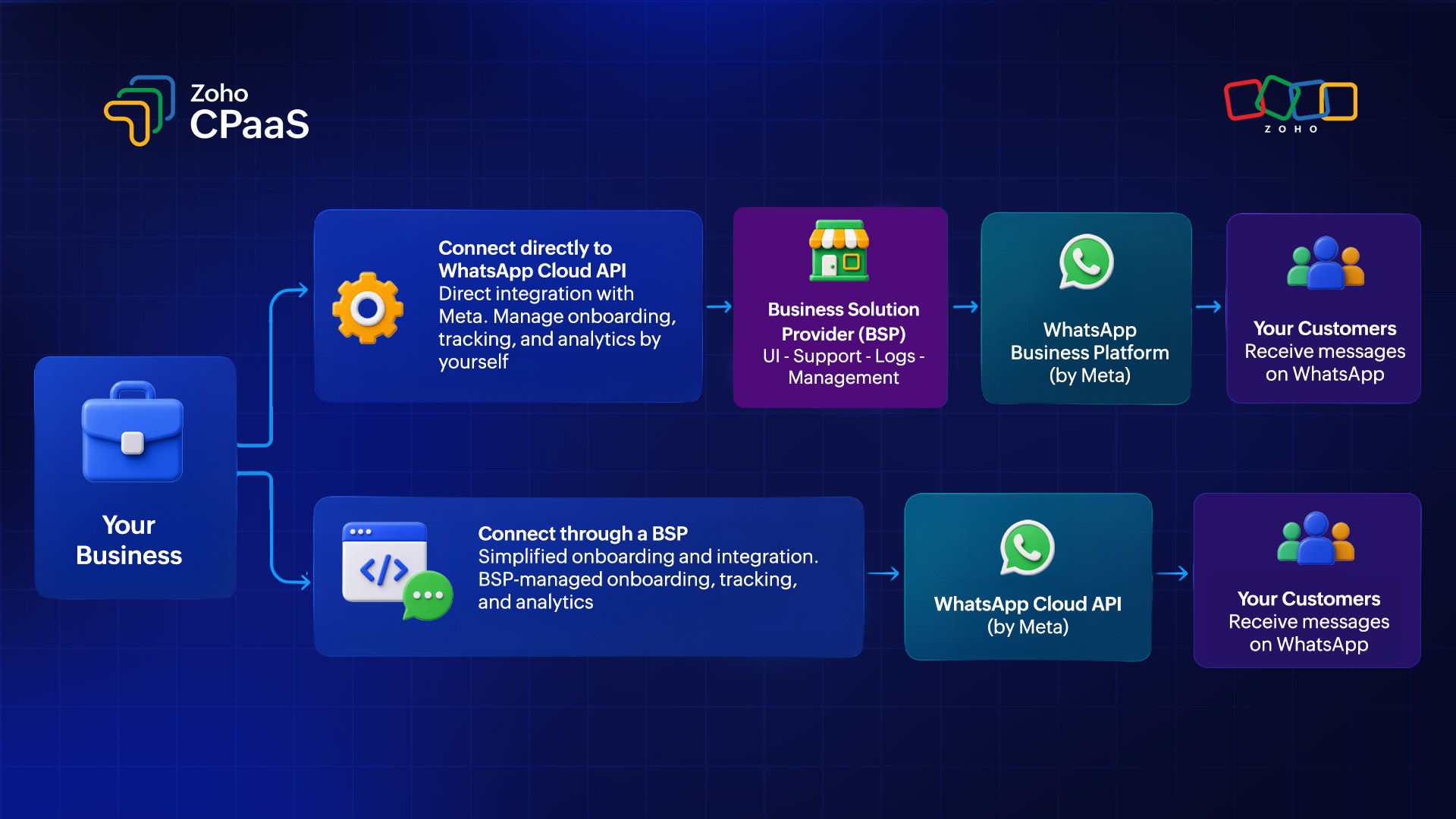
Businesses cannot access the WhatsApp Business API directly from Meta. They must go through a Meta-approved Business Solution Provider (BSP), a certified partner authorized to provision and manage API access on Meta’s behalf.
Rather than building and maintaining the underlying infrastructure yourself, a BSP like Zoho CPaaS handles the end-to-end setup. This covers everything from onboarding and API integration to template submission, webhook configuration, and reporting, so your team can focus on communication rather than infrastructure.
How do you set up WhatsApp Business API?
The exact process can vary depending on whether you use Meta’s Cloud API directly or work with a BSP. Here’s a generic overview of how to set your WhatsApp Business API.
Step 1: Create a Meta business account
Create or use your existing Meta business portfolio and provide the required business information.
Step 2: Create a WhatsApp Business Account
Set up your WhatsApp Business Account and connect it to your business portfolio.
Step 3: Add a business phone number
Add the phone number you want to use for WhatsApp Business messaging and complete the required verification.
Step 4: Choose how you want to access the API
You can either:
Use WhatsApp Cloud API directly.
Work with a Business Solution Provider (BSP).
Step 5: Create message templates
Create the templates you’ll need for business-initiated communications, such as order confirmations, OTPs, payment notifications, and shipping updates.Once you create it, these templates are reviewed and approved by Meta before they can be used.
Step 6: Connect your application
Use the API credentials and supported API endpoints to connect your application, website, CRM, or messaging platform.
Step 7: Configure webhooks
Set up webhooks if you need to receive incoming messages, delivery updates, read receipts, and other supported events.
Step 8: Test and start sending messages
Test your integration, verify message delivery, and begin sending messages to your customers.
Business Service Platform vs. Direct Cloud API
Cloud API is ideal for businesses that want a simpler, managed solution, while On-Premises API can be a better fit for businesses that prioritize infrastructure control, customization, and greater ownership of their deployment environment. Here’s a quick overview:
Factor | Business Service Platform (BSP) | Direct Cloud API |
Access | Through a Meta-approved partner | Directly via Meta |
Multi-channel support | WhatsApp, Email, SMS, and Voice | WhatsApp only |
Vendor management | One platform for multiple communication channels | You may need separate providers for email, SMS, and voice |
Webhook configuration | Built-in | Self-configured |
Reporting and analytics | Built-in dashboards and comprehensive reports | Build and manage on your own |
Template management | Handled through the BSP platform | Managed directly in Meta Business Manager |
Infrastructure and operations | BSP handles the platform layer, reducing operational complexity | Your team manages tokens, webhooks, integrations, and supporting systems |
Support | Dedicated support from BSP | Self-managed through Meta’s developer ecosystem |
Best suited for | Businesses wanting a managed, all-in-one platform | Tech-heavy teams wanting full control |
Advantages of WhatsApp Business API
1. Reach a massive, engaged audience
With billions of users worldwide, WhatsApp gives businesses access to a large and highly engaged audience. The WhatsApp Business API allows you to connect with customers on a platform they regularly use, making it a convenient channel for timely business communication.
2. Send messages at scale
The WhatsApp Business API is built for high-volume business messaging. Automated workflows and dynamic message templates allow you to personalize communications at scale using details such as customer names, order numbers, and appointment information.
3. Automate customer communication
The WhatsApp Business API can integrate with chatbots and automation tools to handle common customer interactions, such as answering FAQs, tracking orders, scheduling appointments, and providing support. This helps businesses offer assistance around the clock while reducing the workload on support teams.
4. Enable multi-agent customer support
Multiple agents can manage customer conversations through a shared WhatsApp number when the API is connected to a suitable inbox or customer support platform. This allows sales, support, and operations teams to collaborate and manage conversations more efficiently.
5. Send rich and interactive messages
Go beyond text with supported formats such as images, videos, documents, location sharing, and interactive buttons. These formats can make business communications more informative, engaging, and actionable.
6. Integrate with your existing business tools
The WhatsApp Business API can connect WhatsApp with CRMs, help desk systems, e-commerce platforms, payment systems, and other business applications. This helps businesses incorporate WhatsApp into their existing workflows instead of managing it as a separate communication channel.
Who should use WhatsApp Business API (use case)?
WhatsApp Business API is ideal for businesses that need to communicate with customers at scale or automate frequent interactions.
E-commerce companies can use it for order, payment and delivery updates.
Fintech businesses for transaction alerts and authentication.
SaaS companies for account notifications and OTPs.
Any business running customer support at scale can use for resolving service query tickets.
Travel, healthcare, education, logistics, and other businesses can use it for bookings, reminders, support, and service updates.
WhatsApp Business API pricing
WhatsApp API pricing is conversation-based. Meta charges per 24-hour conversation window, with rates varying by conversation type and the recipient’s country.
As we saw earlier, business-initiated conversations are split into four categories: marketing, utility, authentication, and service. Each is priced differently, with marketing being the most expensive.
If you access the API through a BSP like Zoho CPaaS, a platform fee may apply on top of Meta’s base rates. Always check Meta’s official pricing page for the most current rates in your region.
WhatsApp Business API best practices
1. Get proper opt-in before messaging
Always collect explicit opt-in from customers before sending them messages. This is both a WhatsApp policy requirement and a trust-building practice. Opt-ins can be collected via your website, app, or in-store.
2. Use approved templates correctly
Make sure your templates accurately represent the purpose of the message and follow WhatsApp’s requirements.
3. Respond promptly to customer queries
The 24-hour service window exists for a reason. Prioritize fast responses to customer-initiated messages to maintain the window and keep conversations productive.
4. Personalize your messages
Use relevant customer information where appropriate. Personalized data in these messages add more authenticity to what you’re sending.
For example: Hi Sarah, your order {{#12345}} has been shipped.
5. Monitor delivery and quality rating
Meta assigns your phone number a quality rating based on customer feedback. Keep an eye on it by constant monitoring. A dropping rating can restrict your messaging limits or even get your number flagged.
6. Make conversations easy
If customers need help, give them a clear way to respond or reach customer support. Include a clear call to action in your messages, whether it’s a reply keyword, support link, or interactive button that connects them directly to your team.
Mistakes to avoid when using a WhatsApp Business API
1. Treating WhatsApp like email
WhatsApp is designed for quick, direct, and conversational communication. Avoid sending lengthy, overly formal messages when a short and useful message can get the point across.
2. Sending unsolicited messages
Sending messages to customers without proper consent can lead to a poor customer experience and may affect your messaging quality.
3. Sending too many messages
Even useful messages can become intrusive when they’re sent too frequently. Focus on sending the right message at the right time.
4. Using misleading templates
Your WhatsApp message should match the purpose and category of the template. Using a template for a purpose that doesn’t align with its intended use can lead to template issues or affect your messaging quality.
5. Ignoring customer responses
WhatsApp is a conversational channel. If customers respond, make sure your business has a process for handling those conversations.
FAQs
1. Can you send automated messages using WhatsApp Business API?
Yes. The WhatsApp Business API supports automated workflows, including AI chatbots, out-of-office replies, and event-triggered updates (like OTPs, order confirmations, and shipping alerts connected to your CRM or e-commerce platform).
2. Is WhatsApp Business API free?
No. Meta charges on a per-message-delivered basis, categorized by message type (Marketing, Utility, Authentication, or Service) and by region. Service responses sent to users within an open 24-hour customer service window are free.
3. How long does WhatsApp Business API approval take?
Meta Business Manager verification typically takes one to seven business days, while message template approvals usually take under 24 hours.
4. Are Whatsapp Business API messages end-to-end encrypted?
Yes. All messages sent through the Business API are end-to-end encrypted by default. This means only the sender and recipient can read the message content; not even Meta or your BSP can access the message body. This makes WhatsApp a trusted channel for sensitive communications like financial alerts, and authentication codes.
5. Can my existing WhatsApp number be used for the WhatsApp Business API?
Yes, but there’s a catch. You can port an existing number to the WhatsApp Business API, but doing so will erase all existing chat history on that number, and it can no longer be used on the regular WhatsApp or WhatsApp Business app simultaneously. For this reason, many businesses choose to use a fresh, dedicated number for the API to avoid any disruption.
6. Should I have separate WhatsApp numbers for sending marketing and transactional messages?
It’s not mandatory, but it is highly recommended. Your quality rating is tied to your phone number, so if a marketing campaign triggers a wave of blocks or complaints, it drags down the deliverability of your transactional messages on the same number, too.
That means a promotional blast gone wrong could delay a customer’s OTP or order confirmation, because Meta restricts sending limits based on your rating level. Keeping marketing and transactional emails on separate numbers protects your critical messages from the risks that come with promotional sending.