Zoho CPaaS - SMTP
There are two ways in which you can send emails using Zoho CPaaS:
- Email Sending with SMTP
- Email Sending with API
Email sending with SMTP
What is SMTP?
SMTP or Simple Mail Transfer Protocol is the method by which any application can connect with an SMTP server to send emails. In-order to use Zoho CPaaS's SMTP servers, you will have to configure your application settings with Zoho CPaaS's SMTP information.
If your application is already using any other email provider to send transactional emails, it is easier to migrate to Zoho CPaaS by replacing the existing SMTP settings with Zoho CPaaS's SMTP settings.
The total email size which includes your email headers, body content, inline images, and attachments should NOT exceed 15 MB
To connect to Zoho CPaaS via SMTP method add the following details :
SMTP Configuration settings for Zoho CPaaS
- Login to your Zoho CPaaS account.
- Navigate to the Agent you wish to connect for email-sending.
- In the SMTP/API section, go to the SMTP tab and copy and paste the following information in your application code.
- Server name - smtp.zeptomail.com
- Port Number, Authentication - 465 (SSL), 587 (TLS)
- Username - emailapikey (we also support applications that use the From address as the username)
- Authorization - Password. Visit here to check your password.
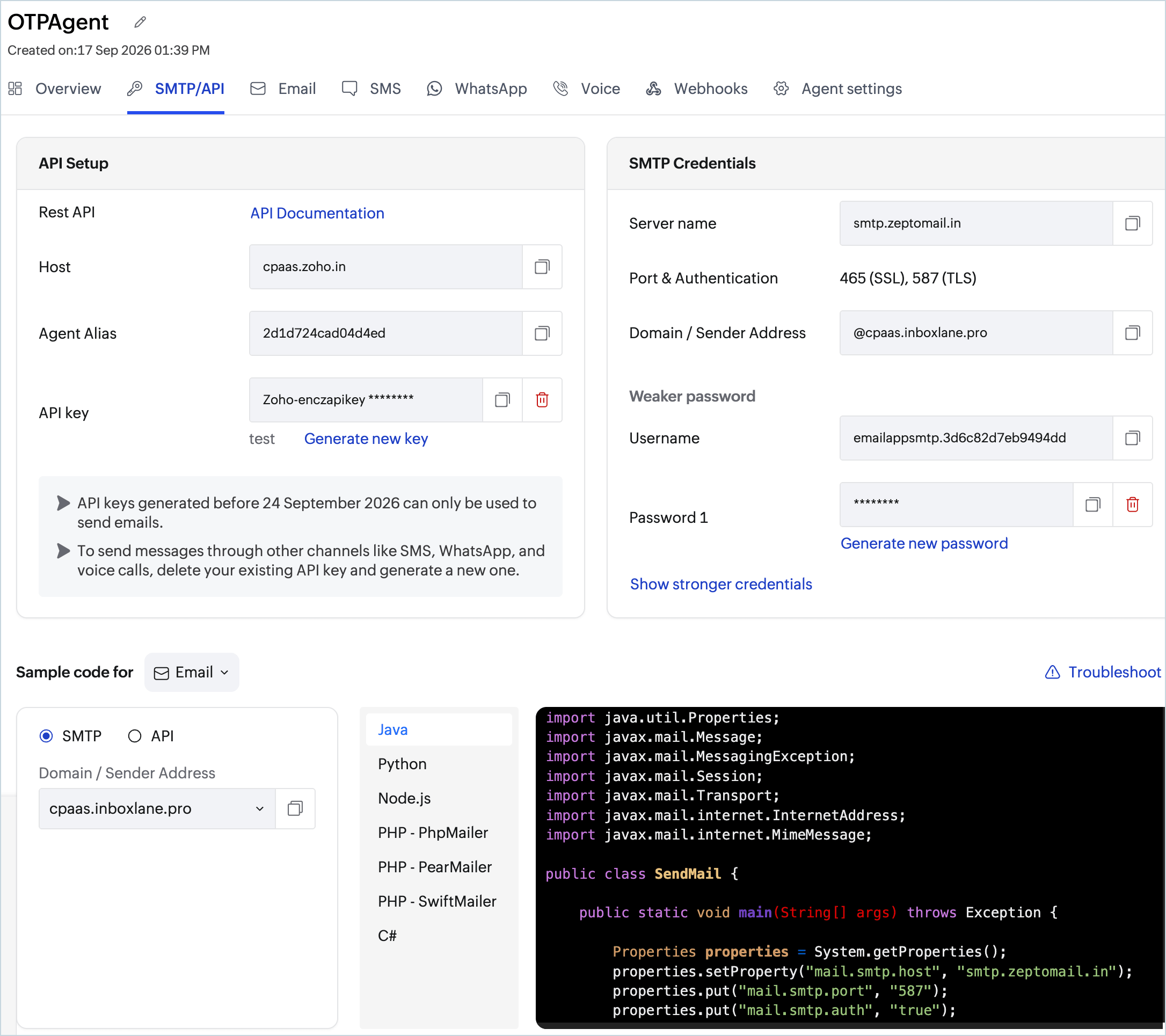
Alternatively, you can also copy the sample code on the right side and paste it in your application code to use the SMTP method.
While sending your emails using SMTP :
- You can use the files uploaded to File Cache as attachments while sending emails using SMTP. Add X-TM-FILE-KEY parameter to the header and enter the File Cache Key as the parameter value.
- Multiple file cache keys without name - message.addHeader("X-TM-FILE-KEY", "filecachekey,filecachekey")
- Multiple file cache keys with name - message.addHeader("X-TM-FILE-KEY", "filecachekey:name,filecachekey:name")
- You can use X-TM-OPEN-TRACK and X-TM-CLICK-TRACK parameters in the email header to track emails sent via SMTP.
- You can use the message.addHeader("X-TM-CLIENT-REF","testClientRef"); identifier to track a specific transaction.
- If you are using SMTP to send your emails, as a security measure, we recommend you to add your IP(s) to the IP restriction list.
SMTP error codes : The commonly intercepted errors while sending your emails using SMTP can be found here.
- Zoho CPaaS supports TLS v1.2 for SMTP.
- If your SMTP application is restricting longer passwords, then you can generate a shorter password. Shorter passwords are generally less secure. Click on Generate shorter password to get your shorter password.
- When you generate a shorter password, your application can either use the From address as username value or you can generate the new Username value for the shorter password by clicking on username value.