
ZeptoMail is now Zoho CPaaS.
Built on ZeptoMail’s proven email delivery infrastructure, Zoho CPaaS is expanding beyond email. You can now reach your users on more channels*—SMS, WhatsApp, and Voice — through a developer-friendly API, without rebuilding what already works.
*New channels are only available in specific DCs.
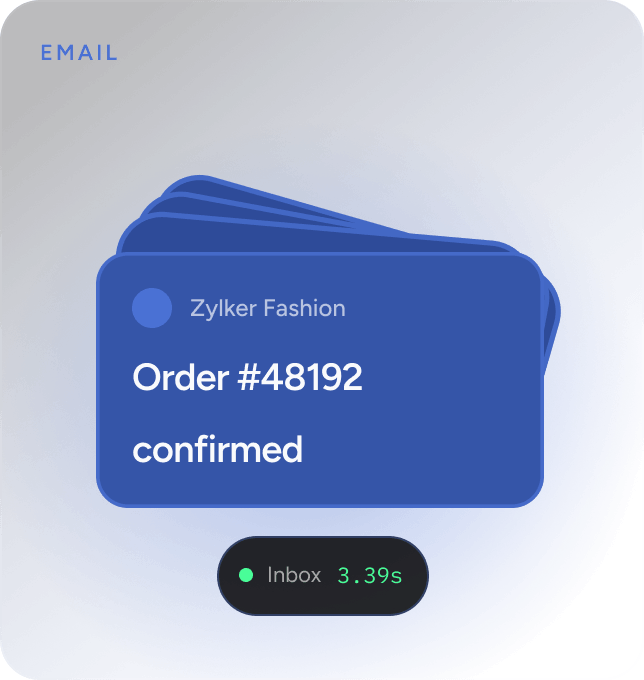
Receipts, confirmations, and alerts over SMTP or API, with inbox placement measured in seconds.
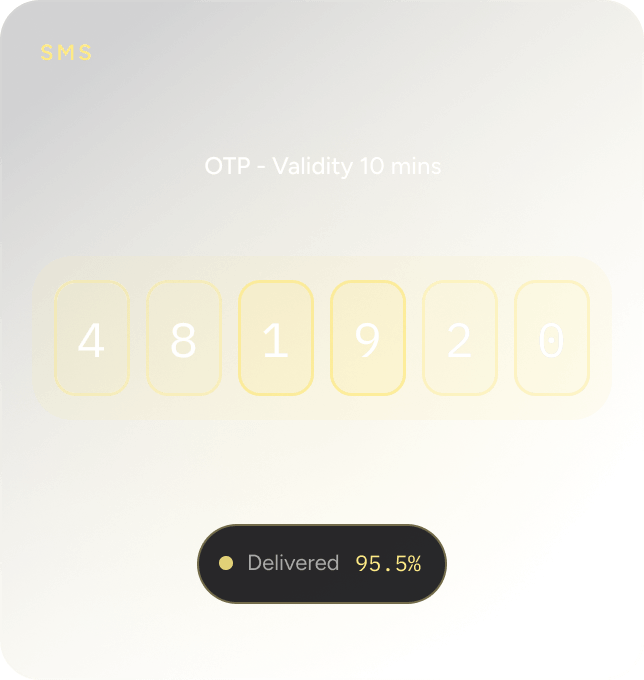
SMS
Time-sensitive codes and alerts straight to the handset. No app, no internet, high open rates.
WhatsApp message
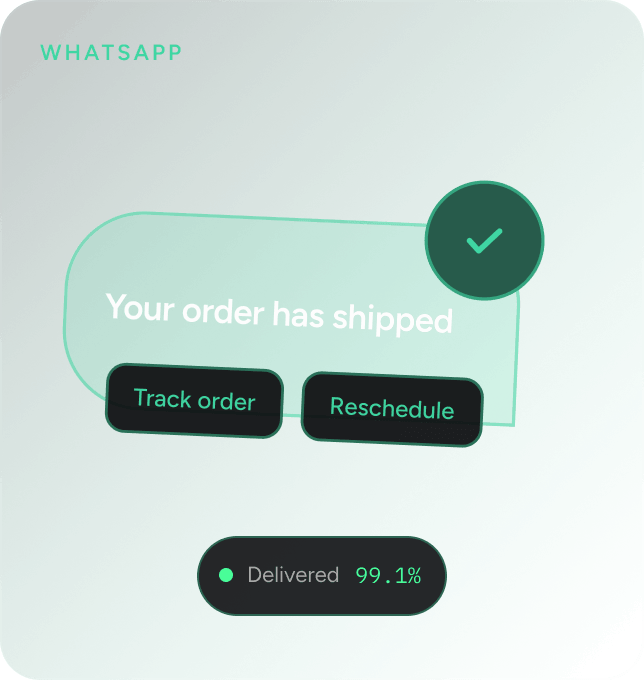
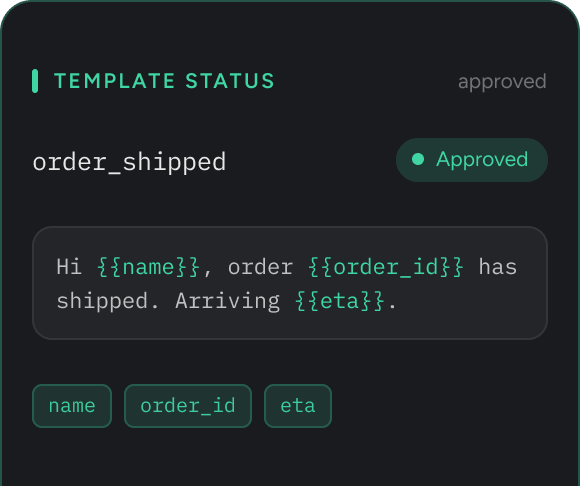
Rich updates from a verified sender, with template management, media, and interactive buttons.
Voice calls
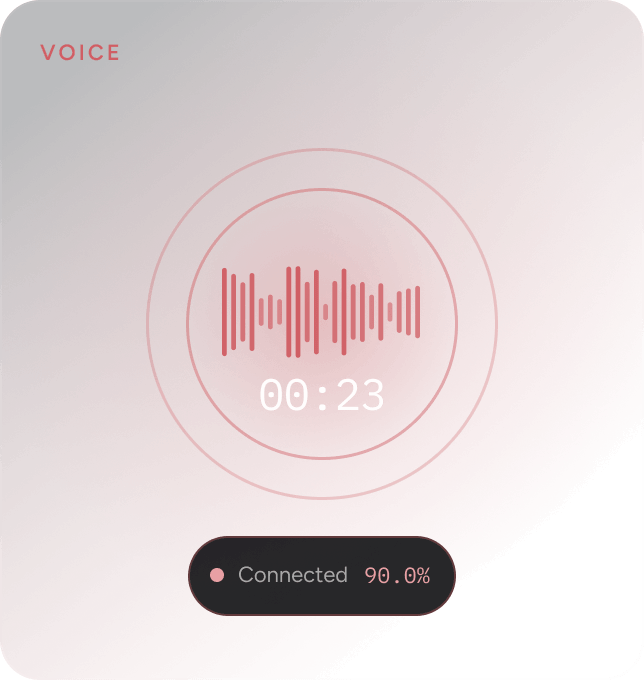
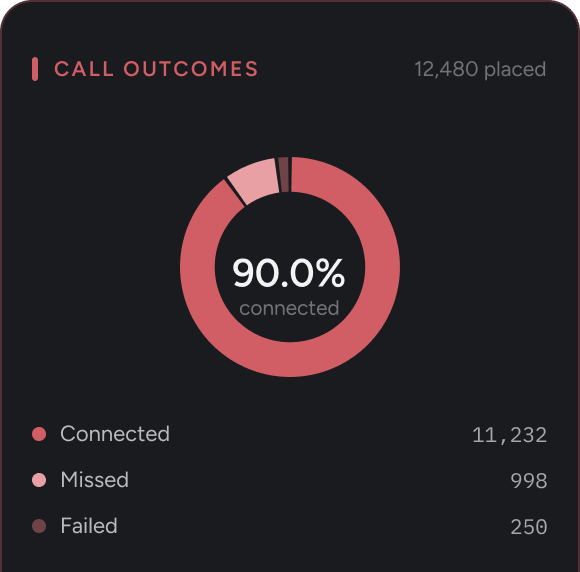
Programmable calls and templates for confirmations, reminders, and transactional handling on any number.
Four channels. One platform.
One platform for every critical customer communication
Reach your users wherever they are, every time. Whether your business demands the inbox, a text, a WhatsApp notification, or a voice call, Zoho CPaaS provides a purpose-built channel with dedicated deliverability infrastructure—each with its own API, all managed from one console.
// https://www.npmjs.com/package/zeptomail

// For ES6
import { SendMailClient } from "zeptomail";

// For CommonJS
// var { SendMailClient } = require("zeptomail");

const url = "cpaas.zoho.com/";
const token = "[Authorization key]";

let client = new SendMailClient({ url, token });

client
  .sendMail({
  from: {
      address: "yourname@yourdomain.com",
      name: "noreply"
  },
  to: [
      {
      email_address: {
          address: "receiver@yourdomain.com",
          name: "Receiver"
      },
      },
  ],
  subject: "Test Email",
  htmlbody: " Test email sent successfully.",
  })
  .then((resp) => console.log("success"))
  .catch((error) => console.log("error"));
curl "https://cpaas.zoho.com/v1.1/email" \
-X POST \
-H "Accept: application/json" \
-H "Content-Type: application/json" \
-H "Authorization: [Authorization key]"  \
-d '{
"from": {"address": "yourname@yourdomain.com"},
"to": [{
    "email_address": {
        "address": "receiver@yourdomain.com",
        "name": "Receiver"
    }
}],
"subject":"Test Email",
"htmlbody":" Test email sent successfully. "}'
using System;
using System.Net;
using System.Text;
using System.IO;
using System.Net.Http;
using Newtonsoft.Json;
using Newtonsoft.Json.Linq;

namespace Rextester {
  public class Program {
  public static void Main(string[] args) {
  System.Net.ServicePointManager.SecurityProtocol =
    System.Net.SecurityProtocolType.Tls12;
  var baseAddress = "https://cpaas.zoho.com/v1.1/email";

  var http = (HttpWebRequest)WebRequest.Create(new Uri(baseAddress));
  http.Accept = "application/json";
  http.ContentType = "application/json";
  http.Method = "POST";
  http.PreAuthenticate = true;
  http.Headers.Add("Authorization", "[Authorization key]");
  JObject parsedContent = JObject.Parse("{"+
    "'from': {'address': 'yourname@yourdomain.com'},"+
    "'to': [{'email_address': {"+
    "'address': 'receiver@yourdomain.com',"+
    "'name': 'Receiver'"+
    "}}],"+
    "'subject':'Test Email',"+
    "'htmlbody':' Test email sent successfully.'"+
  "}");
  Console.WriteLine(parsedContent.ToString());
  ASCIIEncoding encoding = new ASCIIEncoding();
  Byte[] bytes = encoding.GetBytes(parsedContent.ToString());

  Stream newStream = http.GetRequestStream();
  newStream.Write(bytes, 0, bytes.Length);
  newStream.Close();

  var response = http.GetResponse();

  var stream = response.GetResponseStream();
  var sr = new StreamReader(stream);
  var content = sr.ReadToEnd();
  Console.WriteLine(content);
  }
  }
}
import requests

url = "https://cpaas.zoho.com/v1.1/email"

payload = """{
    "from": {
      "address": "yourname@yourdomain.com"
    },
    "to": [{
      "email_address": {
        "address": "receiver@yourdomain.com",
        "name": "Receiver"
      }}],
    "subject":"Test Email",
    "htmlbody":"Test email sent successfully."
    }"""
headers = {
 'accept': "application/json",
 'content-type': "application/json",
 'authorization': "[Authorization key]",
}

response = requests.request("POST",url,data=payload,headers=headers)

print(response.text)
<?php
$curl = curl_init();
curl_setopt_array($curl, array(
    CURLOPT_URL => "https://cpaas.zoho.com/v1.1/email",
    CURLOPT_RETURNTRANSFER => true,
    CURLOPT_ENCODING => "",
    CURLOPT_MAXREDIRS => 10,
    CURLOPT_TIMEOUT => 30,
    CURLOPT_SSLVERSION => CURL_SSLVERSION_TLSv1_2,
    CURLOPT_HTTP_VERSION => CURL_HTTP_VERSION_1_1,
    CURLOPT_CUSTOMREQUEST => "POST",
    CURLOPT_POSTFIELDS => '{
    "from": { "address": "yourname@yourdomain.com"},
    "to": [
            {
            "email_address": {
                "address": "receiver@yourdomain.com",
                "name": "Receiver"
            }
            }
        ],
    "subject":"Test Email",
    "htmlbody":" Test email sent successfully. ",
    }',
    CURLOPT_HTTPHEADER => array(
    "accept: application/json",
    "authorization: [Authorization key]",
    "cache-control: no-cache",
    "content-type: application/json",
    ),
    ));

    $response = curl_exec($curl);
    $err = curl_error($curl);

    curl_close($curl);

    if ($err) {
        echo "cURL Error #:" . $err;
    } else {
        echo $response;
    }
    ?>
import java.io.BufferedReader;
import java.io.InputStreamReader;
import java.io.OutputStream;
import java.net.HttpURLConnection;
import java.net.URL;

import org.json.JSONObject;

public class JavaSendapi {
  public static void main(String[] args) throws Exception {
  String postUrl = "https://cpaas.zoho.com/v1.1/email";
  BufferedReader br = null;
  HttpURLConnection conn = null;
  String output = null;
  StringBuffer sb = new StringBuffer();
  try {
    URL url = new URL(postUrl);
    conn = (HttpURLConnection) url.openConnection();
    conn.setDoOutput(true);
    conn.setRequestMethod("POST");
    conn.setRequestProperty("Content-Type", "application/json");
    conn.setRequestProperty("Accept", "application/json");
    conn.setRequestProperty("Authorization", "[Authorization key]");
    JSONObject object = new JSONObject("{\n" +
    "  \"from\": {\n" +
    "    \"address\": \"yourname@yourdomain.com\"\n" +
    "  },\n" +
    "  \"to\": [\n" +
    "    {\n" +
    "      \"email_address\": {\n" +
    "        \"address\": \"receiver@yourdomain.com\",\n" +
    "        \"name\": \"Receiver\"\n" +
    "      }\n" +
    "    }\n" +
    "  ],\n" +
    "  \"subject\": \"Test Email\",\n" +
    "  \"htmlbody\": \" Test email sent successfully.\"\n" +
    "}");
    OutputStream os = conn.getOutputStream();
    os.write(object.toString().getBytes());
    os.flush();
    br = new BufferedReader(
    new InputStreamReader((conn.getInputStream()))
    );
    while ((output = br.readLine()) != null) {
    sb.append(output);
    }
    System.out.println(sb.toString());
  } catch (Exception e) {
      br = new BufferedReader(
        new InputStreamReader((conn.getErrorStream()))
      );
      while ((output = br.readLine()) != null) {
        sb.append(output);
      }
      System.out.println(sb.toString());
    } finally {
        try {
          if (br != null) {
          br.close();
          }
        } catch (Exception e) {
          e.printStackTrace();
        }
        try {
          if (conn != null) {
            conn.disconnect();
          }
        } catch (Exception e) {
          e.printStackTrace();
        }
      }
  }
}
Transactional email via SMTP and API
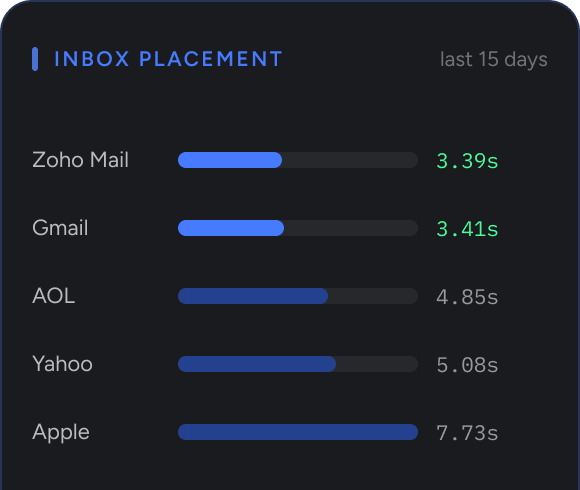
The email channel—ZeptoMail—is optimized for one thing: getting your transactional emails to the inbox, fast. Built exclusively for transactional email, our infrastructure is isolated from marketing traffic which means your users receive critical emails like verification codes and password resets instantly, without delays.
3.39s
3.41s
7.73s
4.85s
5.08s
4.92s
Integrate in minutes using SMTP relay that requires no code changes to your existing application, or use the email sending API for deeper programmatic control.
Find out moreSMS
Transactional SMS
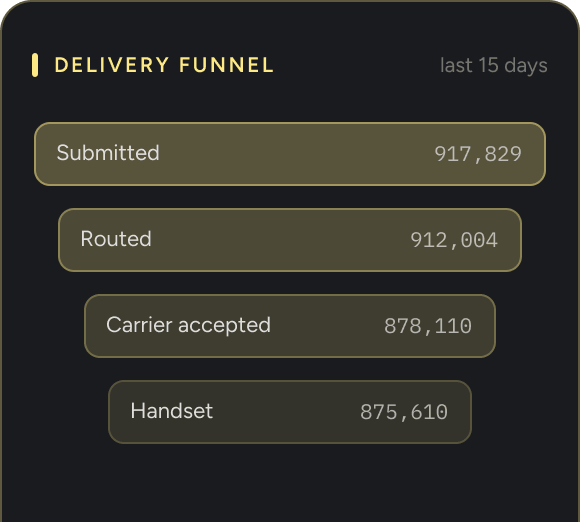
Deliver time-sensitive messages directly to your users' phones. No application, no internet required. SMS achieves open rates above 90%, making it the most reliable fallback and primary channel for critical alerts. Integrate using the SMS API with the same developer-friendly conventions as the email channel.
*Available only in IN DC
Find out more
const url = "https://cpaas.zoho.com/v1.1/sms";
const token = "<token>";

const requestBody = {
  sender_key: "<sender_key>",
  template_key: "<template_key>",
  to: [{ mobile_no: "<mobile_no>" }],
  merge_info: { "<merge_key>": "<merge_value>" }
};

fetch(url, {
  method: "POST",
  headers: {
    "Content-Type": "application/json",
    Authorization: token
  },
  body: JSON.stringify(requestBody)
})
  .then((response) => response.json())
  .then((resp) => console.log("success"))
  .catch((error) => console.log(error, "error"));
curl "https://cpaas.zoho.com/v1.1/sms" \
  -X POST \
  -H "Accept: application/json" \
  -H "Content-Type: application/json" \
  -H "Authorization: <token>" \
  -d '{
    "sender_key": "<sender_key>",
    "template_key": "<template_key>",
    "to": [{"mobile_no": "<mobile_no>"}],
    "merge_info": {"<merge_key>": "<merge_value>"}
  }'
using System;
using System.Net;
using System.Text;
using System.IO;
using Newtonsoft.Json.Linq;

namespace Rextester
{
    public class Program
    {
        public static void Main(string[] args)
        {
            System.Net.ServicePointManager.SecurityProtocol = System.Net.SecurityProtocolType.Tls12;
            var baseAddress = "https://cpaas.zoho.com/v1.1/sms";

            var http = (HttpWebRequest)WebRequest.Create(new Uri(baseAddress));
            http.Accept = "application/json";
            http.ContentType = "application/json";
            http.Method = "POST";
            http.PreAuthenticate = true;
            http.Headers.Add("Authorization", "<token>");
            JObject parsedContent = JObject.Parse("{'sender_key': '<sender_key>','template_key': '<template_key>','to': [{'mobile_no': '<mobile_no>'}],'merge_info': {'<merge_key>': '<merge_value>'}}");

            ASCIIEncoding encoding = new ASCIIEncoding();
            Byte[] bytes = encoding.GetBytes(parsedContent.ToString());
            Stream newStream = http.GetRequestStream();
            newStream.Write(bytes, 0, bytes.Length);
            newStream.Close();

            var response = http.GetResponse();
            var stream = response.GetResponseStream();
            var sr = new StreamReader(stream);
            var content = sr.ReadToEnd();
            Console.WriteLine(content);
        }
    }
}
import requests

url = "https://cpaas.zoho.com/v1.1/sms"

payload = "{\n\"sender_key\": \"<sender_key>\",\n\"template_key\": \"<template_key>\",\n\"to\": [{\"mobile_no\": \"<mobile_no>\"}],\n\"merge_info\": {\"<merge_key>\": \"<merge_value>\"}\n}"
headers = {
    "accept": "application/json",
    "content-type": "application/json",
    "authorization": "<token>",
}

response = requests.request("POST", url, data=payload, headers=headers)
print(response.text)
<?php

$curl = curl_init();

curl_setopt_array($curl, array(
    CURLOPT_URL => "https://cpaas.zoho.com/v1.1/sms",
    CURLOPT_RETURNTRANSFER => true,
    CURLOPT_ENCODING => "",
    CURLOPT_MAXREDIRS => 10,
    CURLOPT_TIMEOUT => 30,
    CURLOPT_HTTP_VERSION => CURL_HTTP_VERSION_1_1,
    CURLOPT_CUSTOMREQUEST => "POST",
    CURLOPT_POSTFIELDS => "{\n\"sender_key\": \"<sender_key>\",\n\"template_key\": \"<template_key>\",\n\"to\": [{\"mobile_no\": \"<mobile_no>\"}],\n\"merge_info\": {\"<merge_key>\": \"<merge_value>\"}\n}",
    CURLOPT_HTTPHEADER => array(
        "accept: application/json",
        "authorization: <token>",
        "cache-control: no-cache",
        "content-type: application/json",
    ),
));

$response = curl_exec($curl);
$err = curl_error($curl);

curl_close($curl);

if ($err) {
    echo "cURL Error #:" . $err;
} else {
    echo $response;
}
?>
import java.io.BufferedReader;
import java.io.InputStreamReader;
import java.io.OutputStream;
import java.net.HttpURLConnection;
import java.net.URL;
import org.json.JSONObject;

public class SmsSendApi {
    public static void main(String[] args) throws Exception {
        String postUrl = "https://cpaas.zoho.com/v1.1/sms";
        BufferedReader br = null;
        HttpURLConnection conn = null;
        String output = null;
        StringBuffer sb = new StringBuffer();
        try {
            URL url = new URL(postUrl);
            conn = (HttpURLConnection) url.openConnection();
            conn.setDoOutput(true);
            conn.setRequestMethod("POST");
            conn.setRequestProperty("Content-Type", "application/json");
            conn.setRequestProperty("Accept", "application/json");
            conn.setRequestProperty("Authorization", "<token>");
            JSONObject object = new JSONObject("{\n\"sender_key\": \"<sender_key>\",\n\"template_key\": \"<template_key>\",\n\"to\": [{\"mobile_no\": \"<mobile_no>\"}],\n\"merge_info\": {\"<merge_key>\": \"<merge_value>\"}\n}");
            OutputStream os = conn.getOutputStream();
            os.write(object.toString().getBytes());
            os.flush();
            br = new BufferedReader(new InputStreamReader((conn.getInputStream())));
            while ((output = br.readLine()) != null) {
                sb.append(output);
            }
            System.out.println(sb.toString());
        } catch (Exception e) {
            br = new BufferedReader(new InputStreamReader((conn.getErrorStream())));
            while ((output = br.readLine()) != null) {
                sb.append(output);
            }
            System.out.println(sb.toString());
        } finally {
            if (br != null) br.close();
            if (conn != null) conn.disconnect();
        }
    }
}
const url = "https://cpaas.zoho.com/v1.1/whatsapp";
const token = "<Authorization-token>";

const requestBody = {
  from: "<FROM_PHONE_NUMBER>",
  to: "<TO_PHONE_NUMBER>",
  template_key: "<TEMPLATE_KEY>",
  merge_info: { "<merge_key>": "<merge_value>" }
};

fetch(url, {
  method: "POST",
  headers: {
    "Content-Type": "application/json",
    Authorization: token
  },
  body: JSON.stringify(requestBody)
})
  .then((response) => response.json())
  .then((resp) => console.log("success"))
  .catch((error) => console.log(error, "error"));
curl --location 'https://cpaas.zoho.com/v1.1/whatsapp' \
  --header 'Content-Type: application/json' \
  --header 'Authorization: <Authorization-token>' \
  --data '{
    "from": "<FROM_PHONE_NUMBER>",
    "to": "<TO_PHONE_NUMBER>",
    "template_key": "<TEMPLATE_KEY>",
    "merge_info": {"<merge_key>": "<merge_value>"}
  }'
using System;
using System.Net;
using System.Text;
using System.IO;
using Newtonsoft.Json.Linq;

namespace Rextester
{
    public class Program
    {
        public static void Main(string[] args)
        {
            System.Net.ServicePointManager.SecurityProtocol = System.Net.SecurityProtocolType.Tls12;
            var baseAddress = "https://cpaas.zoho.com/v1.1/whatsapp";

            var http = (HttpWebRequest)WebRequest.Create(new Uri(baseAddress));
            http.Accept = "application/json";
            http.ContentType = "application/json";
            http.Method = "POST";
            http.PreAuthenticate = true;
            http.Headers.Add("Authorization", "<Authorization-token>");

            JObject parsedContent = JObject.Parse("{'from': '<FROM_PHONE_NUMBER>','to': '<TO_PHONE_NUMBER>','template_key': '<TEMPLATE_KEY>','merge_info': {'<merge_key>': '<merge_value>'}}");

            ASCIIEncoding encoding = new ASCIIEncoding();
            Byte[] bytes = encoding.GetBytes(parsedContent.ToString());
            Stream newStream = http.GetRequestStream();
            newStream.Write(bytes, 0, bytes.Length);
            newStream.Close();

            var response = http.GetResponse();
            var stream = response.GetResponseStream();
            var sr = new StreamReader(stream);
            var content = sr.ReadToEnd();
            Console.WriteLine(content);
        }
    }
}
import requests
import json

url = "https://cpaas.zoho.com/v1.1/whatsapp"

payload = json.dumps({
    "from": "<FROM_PHONE_NUMBER>",
    "to": "<TO_PHONE_NUMBER>",
    "template_key": "<TEMPLATE_KEY>",
    "merge_info": {"<merge_key>": "<merge_value>"}
})

headers = {
    "accept": "application/json",
    "content-type": "application/json",
    "authorization": "<Authorization-token>"
}

response = requests.request("POST", url, data=payload, headers=headers)
print(response.text)
<?php

$curl = curl_init();

curl_setopt_array($curl, array(
    CURLOPT_URL => "https://cpaas.zoho.com/v1.1/whatsapp",
    CURLOPT_RETURNTRANSFER => true,
    CURLOPT_ENCODING => "",
    CURLOPT_MAXREDIRS => 10,
    CURLOPT_TIMEOUT => 30,
    CURLOPT_HTTP_VERSION => CURL_HTTP_VERSION_1_1,
    CURLOPT_CUSTOMREQUEST => "POST",
    CURLOPT_POSTFIELDS => json_encode(array(
        "from" => "<FROM_PHONE_NUMBER>",
        "to" => "<TO_PHONE_NUMBER>",
        "template_key" => "<TEMPLATE_KEY>",
        "merge_info" => array(
            "<merge_key>" => "<merge_value>"
        )
    )),
    CURLOPT_HTTPHEADER => array(
        "accept: application/json",
        "authorization: <Authorization-token>",
        "cache-control: no-cache",
        "content-type: application/json"
    ),
));

$response = curl_exec($curl);
$err = curl_error($curl);

curl_close($curl);

if ($err) {
    echo "cURL Error #:" . $err;
} else {
    echo $response;
}
?>
import java.io.BufferedReader;
import java.io.InputStreamReader;
import java.io.OutputStream;
import java.net.HttpURLConnection;
import java.net.URL;
import org.json.JSONObject;

public class WabaTemplateSendApi {
    public static void main(String[] args) throws Exception {
        String postUrl = "https://cpaas.zoho.com/v1.1/whatsapp";
        BufferedReader br = null;
        HttpURLConnection conn = null;
        String output = null;
        StringBuffer sb = new StringBuffer();
        try {
            URL url = new URL(postUrl);
            conn = (HttpURLConnection) url.openConnection();
            conn.setDoOutput(true);
            conn.setRequestMethod("POST");
            conn.setRequestProperty("Content-Type", "application/json");
            conn.setRequestProperty("Accept", "application/json");
            conn.setRequestProperty("Authorization", "<Authorization-token>");

            JSONObject mergeInfo = new JSONObject();
            mergeInfo.put("<merge_key>", "<merge_value>");

            JSONObject body = new JSONObject();
            body.put("from", "<FROM_PHONE_NUMBER>");
            body.put("to", "<TO_PHONE_NUMBER>");
            body.put("template_key", "<TEMPLATE_KEY>");
            body.put("merge_info", mergeInfo);

            OutputStream os = conn.getOutputStream();
            os.write(body.toString().getBytes());
            os.flush();

            br = new BufferedReader(new InputStreamReader((conn.getInputStream())));
            while ((output = br.readLine()) != null) {
                sb.append(output);
            }
            System.out.println(sb.toString());
        } catch (Exception e) {
            br = new BufferedReader(new InputStreamReader((conn.getErrorStream())));
            while ((output = br.readLine()) != null) {
                sb.append(output);
            }
            System.out.println(sb.toString());
        } finally {
            if (br != null) br.close();
            if (conn != null) conn.disconnect();
        }
    }
}
WhatsApp business messaging
Send rich transactional messages over WhatsApp. Reach customers on the channel they check most, with the trust of a verified sender. The WhatsApp API supports template management, media attachments, and interactive buttons.
*Available across all major DCs
Find out morevoice
Automated voice calls
Trigger automated outbound voice calls for OTPs, appointment reminders, or critical alerts. Build call flow templates that let recipients confirm, reschedule, or escalate all without a live agent. Integrate using the Voice API to trigger calls programmatically from any backend event.
*Available in US, IN, EU and AU DCs
Find out more
const url = "https://cpaas.zoho.com/v1.1/voice";

const requestBody = {
    "to": "<to>",
    "from": "<from>",
    "agent_key": "<agent_key>",
    "template_key": "<template_key>",
    "merge_info": {
        "<merge_key>": "<merge_value>"
    }
};

fetch(url, {
    method: "POST",
    headers: {
        "Accept": "application/json",
        "Content-Type": "application/json",
        "Authorization": "Zoho-oauthtoken <token>"
    },
    body: JSON.stringify(requestBody)
})
.then(response => response.json())
.then(resp => console.log(resp))
.catch(error => console.log(error, "error"));
curl "https://cpaas.zoho.com/v1.1/voice" \
    -X POST \
    -H "Accept: application/json" \
    -H "Content-Type: application/json" \
    -H "Authorization: Zoho-oauthtoken <token>" \
    -d '{
    "to": "<to>",
    "from": "<from>",
    "agent_key": "<agent_key>",
    "template_key": "<template_key>",
    "merge_info": {"<merge_key>": "<merge_value>"}}'
using System;
using System.Net;
using System.Text;
using System.IO;
using Newtonsoft.Json.Linq;

namespace Rextester
{
    public class Program
    {
        public static void Main(string[] args)
        {
            System.Net.ServicePointManager.SecurityProtocol = System.Net.SecurityProtocolType.Tls12;
            var baseAddress = "https://cpaas.zoho.com/v1.1/voice";

            var http = (HttpWebRequest)WebRequest.Create(new Uri(baseAddress));
            http.Accept = "application/json";
            http.ContentType = "application/json";
            http.Method = "POST";
            http.PreAuthenticate = true;
            http.Headers.Add("Authorization", "Zoho-oauthtoken <token>");
            JObject parsedContent = JObject.Parse("{'to': '<to>','from': '<from>','agent_key': '<agent_key>','template_key': '<template_key>','merge_info': {'<merge_key>': '<merge_value>'}}");
            Console.WriteLine(parsedContent.ToString());
            UTF8Encoding encoding = new UTF8Encoding();
            Byte[] bytes = encoding.GetBytes(parsedContent.ToString());

            Stream newStream = http.GetRequestStream();
            newStream.Write(bytes, 0, bytes.Length);
            newStream.Close();

            var response = http.GetResponse();

            var stream = response.GetResponseStream();
            var sr = new StreamReader(stream);
            var content = sr.ReadToEnd();
            Console.WriteLine(content);
        }
    }
}
import requests

url = "https://cpaas.zoho.com/v1.1/voice"

payload = {
    "to": "<to>",
    "from": "<from>",
    "agent_key": "<agent_key>",
    "template_key": "<template_key>",
    "merge_info": {
        "<merge_key>": "<merge_value>"
    }
}
headers = {
    "accept": "application/json",
    "content-type": "application/json",
    "authorization": "Zoho-oauthtoken <token>",
}

response = requests.request("POST", url, json=payload, headers=headers)

print(response.text)
<?php

$curl = curl_init();

$payload = array(
    "to" => "<to>",
    "from" => "<from>",
    "agent_key" => "<agent_key>",
    "template_key" => "<template_key>",
    "merge_info" => array(
        "<merge_key>" => "<merge_value>"
    )
);

curl_setopt_array($curl, array(
    CURLOPT_URL => "https://cpaas.zoho.com/v1.1/voice",
    CURLOPT_RETURNTRANSFER => true,
    CURLOPT_ENCODING => "",
    CURLOPT_MAXREDIRS => 10,
    CURLOPT_TIMEOUT => 30,
    CURLOPT_HTTP_VERSION => CURL_HTTP_VERSION_1_1,
    CURLOPT_CUSTOMREQUEST => "POST",
    CURLOPT_POSTFIELDS => json_encode($payload),
    CURLOPT_HTTPHEADER => array(
        "accept: application/json",
        "authorization: Zoho-oauthtoken <token>",
        "cache-control: no-cache",
        "content-type: application/json",
    ),
));

$response = curl_exec($curl);
$err = curl_error($curl);

curl_close($curl);

if ($err) {
    echo "cURL Error #:" . $err;
} else {
    echo $response;
}
?>
import java.io.BufferedReader;
import java.io.InputStreamReader;
import java.io.OutputStream;
import java.net.HttpURLConnection;
import java.net.URL;
import java.nio.charset.StandardCharsets;

import org.json.JSONObject;

public class VoiceSendApi {
    public static void main(String[] args) throws Exception {
        String postUrl = "https://cpaas.zoho.com/v1.1/voice";
        BufferedReader br = null;
        HttpURLConnection conn = null;
        String output = null;
        StringBuffer sb = new StringBuffer();
        try {
            URL url = new URL(postUrl);
            conn = (HttpURLConnection) url.openConnection();
            conn.setDoOutput(true);
            conn.setRequestMethod("POST");
            conn.setRequestProperty("Content-Type", "application/json");
            conn.setRequestProperty("Accept", "application/json");
            conn.setRequestProperty("Authorization", "Zoho-oauthtoken <token>");
            JSONObject mergeInfo = new JSONObject();
            mergeInfo.put("<merge_key>", "<merge_value>");
            JSONObject object = new JSONObject();
            object.put("to", "<to>");
            object.put("from", "<from>");
            object.put("agent_key", "<agent_key>");
            object.put("template_key", "<template_key>");
            object.put("merge_info", mergeInfo);
            OutputStream os = conn.getOutputStream();
            os.write(object.toString().getBytes(StandardCharsets.UTF_8));
            os.flush();
            br = new BufferedReader(new InputStreamReader(conn.getInputStream(), StandardCharsets.UTF_8));
            while ((output = br.readLine()) != null) {
                sb.append(output);
            }
            System.out.println(sb.toString());
        } catch (Exception e) {
            br = new BufferedReader(new InputStreamReader(conn.getErrorStream(), StandardCharsets.UTF_8));
            while ((output = br.readLine()) != null) {
                sb.append(output);
            }
            System.out.println(sb.toString());
        } finally {
            try {
                if (br != null) {
                    br.close();
                }
            } catch (Exception e) {
                e.printStackTrace();
            }
            try {
                if (conn != null) {
                    conn.disconnect();
                }
            } catch (Exception e) {
                e.printStackTrace();
            }
        }
    }
}
PRICING
Pricing that works like your sending volume
Zoho CPaaS still runs on a pay-as-you-go model similar to our email channel (ZeptoMail). You buy credits for the channels you use and spend them at your own pace. Every feature is available from day one, regardless of how much you send.
See pricingPlatform capabilities
Everything you need to send, track, and protect
Zoho CPaaS gives you reliable transactional delivery across email, SMS, WhatsApp, and Voice, without stitching together multiple providers. Every channel is built on ZeptoMail's delivery infrastructure and ships ready to integrate, monitor, and scale.
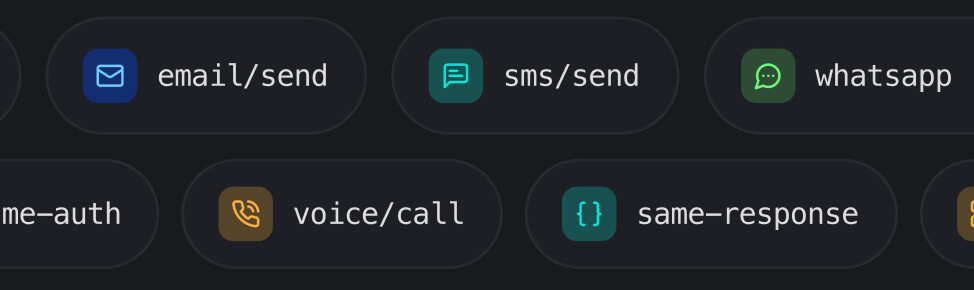
Channel-specific APIs, consistent conventions
Each channel has its own dedicated API, built for that channel's requirements. All APIs follow the same authentication pattern and response structure, so adding a new channel is straightforward once you've integrated the first.
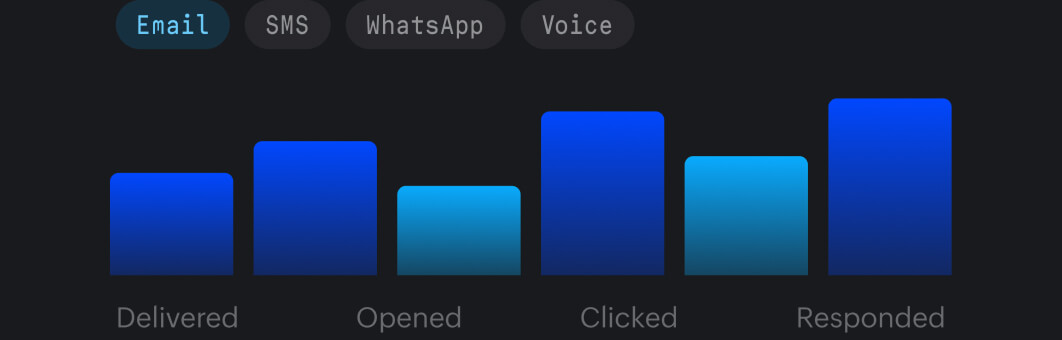
Unified analytics across all channels
Track delivery, open, click, and response rates for email, SMS, WhatsApp, and Voice in one dashboard. Filter by channel, date range, or sending Agent to diagnose issues fast.
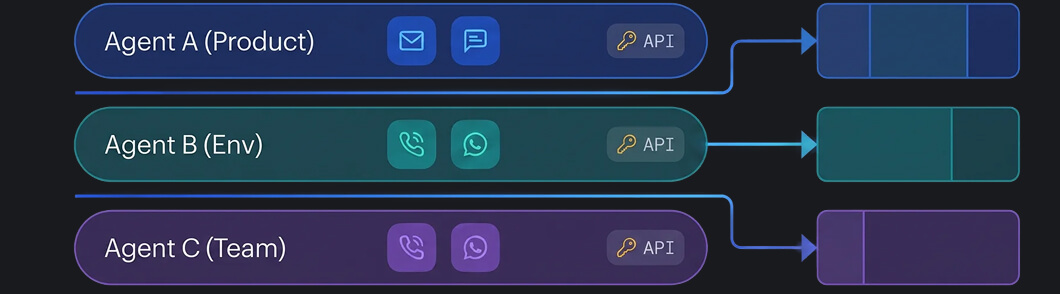
Agent-based message segmentation
Use Agents to separate message streams by product, environment, or team—each with its own API credentials, suppression list, and reporting view. No cross-contamination of reputation.
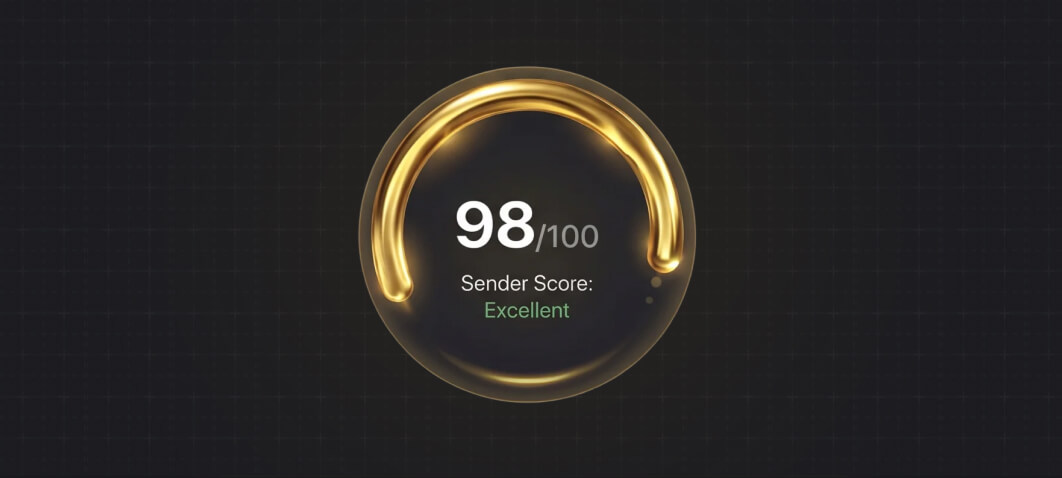
Sender reputation management
Automatic suppression lists, bounce handling, and spam complaint monitoring protect your sending domains and phone numbers. Dedicated IPs are available for high-volume email senders.
Message templates
Create and manage pre-approved templates for WhatsApp and SMS messages, reusable HTML email templates, and call flows with dynamic variables for personalization at scale.

Security and compliance
Zoho CPaaS operates under Zoho’s no-advertising, no third-party data sharing policy. Your data is safe behind closed doors. Industry-standard security and compliance protocols are in place at each channel level.
Integrate in minutes. Scale without limits.
Zoho CPaaS is built for developers who need to move fast without trading off reliability. Channel-specific APIs, consistent conventions, and no feature paywalls mean you can go from integration to production quickly.
Developer-friendly
SMTP relay for zero-code setup. REST APIs with SDKs across major languages. Learn one channel, add the rest quickly.
No gatekeeping on features
Analytics, Agents, templates, suppression management, and dedicated IPs — all available regardless of sending volume. No Enterprise plan required.
Transparent pay-as-you-go pricing
No monthly minimums, no unused credit write-offs, no feature tiers. Buy credits per channel as you need them.
Deliverability you can depend on
Built on ZeptoMail's reliability, with proven inbox placement across millions of transactional emails. The same reliability extends to SMS, WhatsApp, and Voice.
24/7 support
Around-the-clock access to technical assistance is available over chat, phone, and email for all things Zoho CPaaS.
One console for every channel
Every channel, Agent, template, and credit balance is managed from a single console with one set of credentials—no separate dashboards per channel.
Customer stories
Email deliverability trusted by businesses that can’t afford a missed message—now across new channels.
Improves our business deals
Read testimonials“ZeptoMail’s SMTP configuration option along with separate Agents for specific functions and mail monitoring convinced us to move to ZeptoMail for our transactional emails.ZeptoMail has allowed us to minimize the frequency of transactional reports and helped us improve our business deals with better email deliverability.

99%
emails delivered
“ZeptoMail helps in improving customer relationship since it has high open rate. We can extract detailed report on deliverability. API integration is an excellent feature. It has been very good and more than 99% of the mail gets delivered.Good customer service and very minimum glitches are the main reason why I would recommend ZeptoMail to other businesses.

Quick and smooth integration
Read case study“After moving to Zoho ZeptoMail, integration was quick and onboarding was very smooth. The dashboard gives clear visibility into email transactions, and reaching the technical team is much easier now. We hardly face mail flow issues anymore. The reliable email relay service, intuitive dashboard, and prompt technical support make it much easier for us to run our operations smoothly.

Affordable and reliable delivery
Read testimonials“On a daily basis we send transactional emails in large volumes for daily reports, billing, digitally signed reports , retention statements etc. ZeptoMail’s SMTP has helped us achieve affordable and reliable delivery. Ease of Dashboard access and less cost compared to other service providers made us choose ZeptoMail.

Existing ZeptoMail users
ZeptoMail is now Zoho CPaaS. Your setup stays intact.
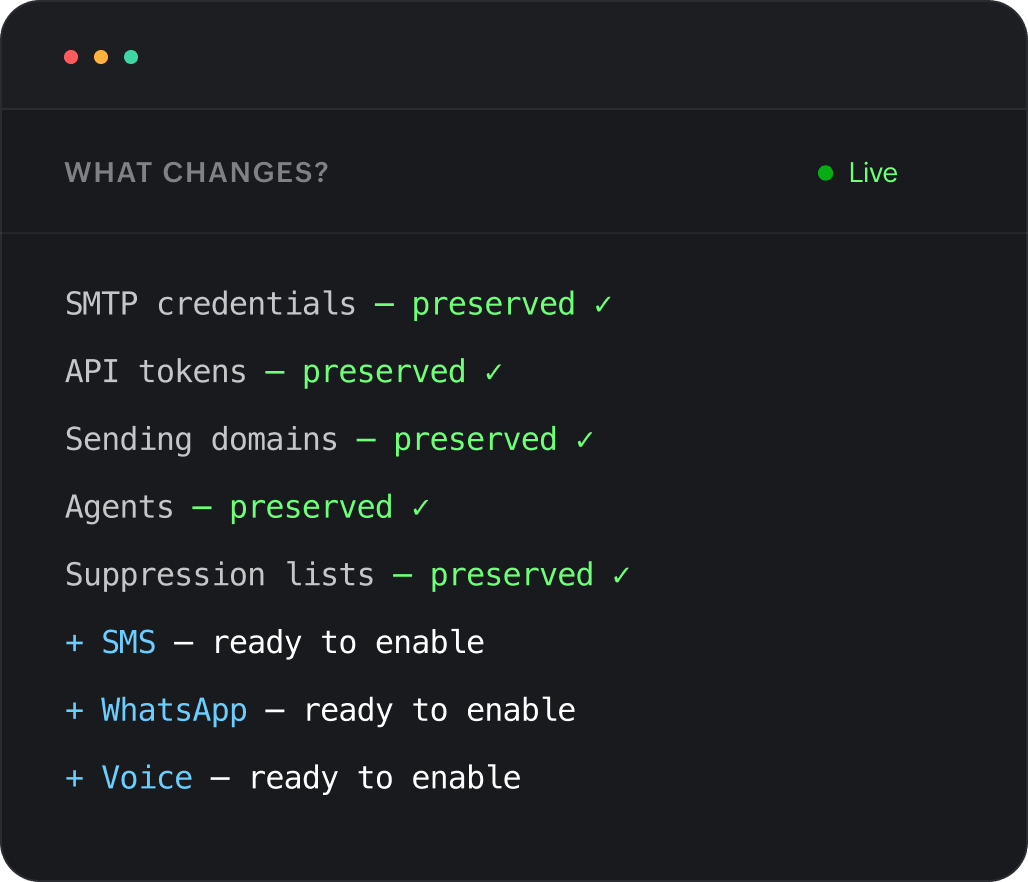
Your SMTP credentials, API tokens, sending domains, Agents, and suppression lists are fully preserved. No reconfiguration is needed. The new channels—SMS, WhatsApp, and Voice—are ready to be enabled from the same console whenever you’re ready.
Frequently asked questions
Zoho CPaaS is a Communication Platform as a Service built on ZeptoMail's proven email delivery infrastructure. It enables developers and businesses to send transactional emails, SMS, WhatsApp messages, and voice calls, each through a dedicated channel API, all managed from one console.
ZeptoMail was dedicated to transactional email. Zoho CPaaS retains everything ZeptoMail offered—like SMTP relay, email sending API, Agents, and analytics—and adds SMS, WhatsApp Business messaging, and automated voice calls, each with its own dedicated API.
A CPaaS (Communication Platform as a Service) is a cloud-based platform that lets developers embed communication channels such as email, SMS, voice, and messaging into their applications through APIs—without building or maintaining the underlying carrier or delivery infrastructure.
No, your existing SMTP credentials, API tokens, sending domains, Agents, and suppression lists carry forward without any changes. The rebranding to Zoho CPaaS does not require reconfiguration of your current email setup.
A transactional communication platform is infrastructure designed specifically to deliver automated, event-triggered messages between a business and its users, such as OTPs, order confirmations, payment receipts, and appointment reminders across multiple channels with high reliability and speed.

Reliable transactional communication across every channel.
One platform, one console, a dedicated API across all channels—email, SMS, WhatsApp and Voice.