- HOME
- Expense Management
- The best way to track business expenses: methods, tools, and IRS rules
The best way to track business expenses: methods, tools, and IRS rules
The best way to track business expenses is to record every transaction in one centralized system as it happens, attach a receipt to each entry, categorize it consistently, and reconcile the records against bank and card statements at least monthly. For a sole trader with a handful of monthly transactions, a spreadsheet meets that standard. For a business with employees, corporate cards, and reimbursements, dedicated expense management software meets it with less manual work.
The method matters less than the standard. A tracking system is working if, for any expense from any month, you can produce the amount, date, vendor, business purpose, and supporting receipt within a minute.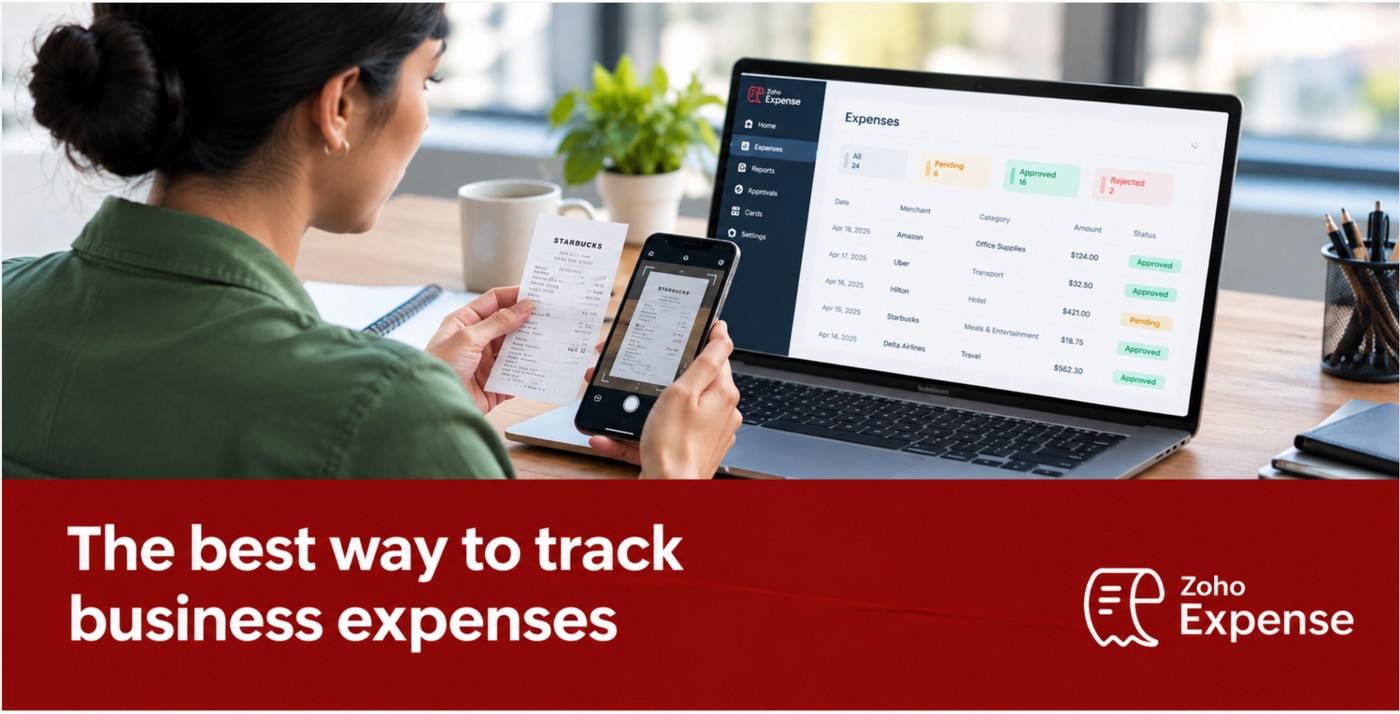
Key facts about tracking business expenses (2026)
- The IRS generally has a three-year period for assessing tax, but the applicable record-retention period can be six or seven years or longer in certain circumstances. Employment tax records must generally be kept for at least 4 years. (IRS Topic No. 305)
- For expenses subject to the IRS documentary-evidence rules, a receipt generally isn't required for expenses of less than $75, except lodging. You still need adequate records to substantiate the expense. (IRS Publication 463)
- The 2026 IRS standard mileage rate for business use is 76 cents per mile for transportation expenses paid or incurred on or after July 1, 2026. The IRS revised the rate mid-year in response to higher fuel prices. (IRS Announcement 2026-11; IRS standard mileage rates)
- The IRS generally treats substantiation within 60 days and return of excess reimbursements within 120 days as occurring within a reasonable period under its fixed-date safe harbor. (IRS Publication 463)
- In the UK, limited companies must keep records for 6 years from the end of the financial year; self-employed people must keep them for 5 years after the 31 January submission deadline. (GOV.UK)
- For expenses subject to the IRS substantiation rules, your records should establish the relevant details — amount, date, place, business purpose, and, for certain meals and gifts, the business relationship of the people involved. (IRS Publication 463)
The best way to track business expenses is to use one centralized system that captures the transaction and its receipt at the moment of purchase, applies a consistent expense category, and is reconciled against bank and credit card statements every month. Three approaches meet that standard at different scales.
Approach | Best for | Strained when |
Spreadsheet | One person, under ~30 transactions a month, no reimbursements | Multiple people submit expenses and need approvals |
Free expense tracker | Freelancers and small teams needing digital receipts and categories | Corporate cards or multi-level approval chains appear |
Expense management software | Multiple employees, corporate cards, reimbursements, approvals | Rarely — it scales past the point the others become effortful |
The deciding factor is not company size. It is the number of hand-offs in your expense process. A twelve-person agency where one owner buys everything on one card has a simpler expense workflow than a three-person consultancy where all three travel, expense client meals, and claim mileage.
What records does the IRS require for a business expense?
For expenses subject to the IRS substantiation rules, your records should establish the relevant details, such as the amount, the date, the place, the business purpose, and, for certain meals and gifts, the business relationship of the people involved. Publication 463 sets out this framework for travel, gift, and transportation expenses; the specific elements required vary by expense type. For more on maintaining digital records, see our guide to IRS paperless recordkeeping requirements.
For expenses subject to the IRS documentary-evidence rules, a receipt generally isn't required for expenses less than $75, except lodging, which requires documentation regardless of amount. There are additional exceptions for certain transportation expenses and for accountable-plan per diem arrangements. Crucially, "no receipt required" does not mean "no record required" — you still need adequate records to substantiate the expense.
Two practical consequences follow:
- A bank statement line is not a sufficient record on its own. It establishes the amount and date but does not establish the business purpose. For expenses subject to the substantiation rules, that purpose should be documented as part of the expense record.
- The $75 threshold is a floor, not a target. Businesses that capture every receipt regardless of amount have less to reconstruct if the records are ever examined. Records made at or near the time of the expense generally carry greater evidentiary value.
Tax treatment varies by country, jurisdiction, entity type, and expense type. This section describes record-keeping practice, not deductibility. Consult a qualified tax professional for your circumstances.
Source: IRS Publication 463.
How long do you need to keep business expense records?
The IRS generally has a three-year period for assessing tax, and records should be retained at least until the applicable period of limitations expires. Specific circumstances extend that period.
Situation | Retention period | Source |
General rule (assessment of tax owed) | 3 years after the return was filed, or the return's due date if later | IRS Topic No. 305 |
Claim for credit or refund | 3 years from filing, or 2 years from the date tax was paid — whichever is later | IRS Topic No. 305 |
Employment tax records | 4 years after the tax becomes due or is paid, whichever is later | IRS Topic No. 305 |
Income underreported by more than 25% | 6 years | IRS Topic No. 305 |
Claim for credit or refund attributable to a bad debt deduction or worthless securities loss | 7 years | IRS Topic No. 305 |
Fraudulent return, or no valid return filed | No limitation period | IRS Topic No. 305 |
UK limited company | 6 years from the end of the last financial year the records relate to | GOV.UK |
UK self-employed | 5 years after the 31 January submission deadline for that tax year | GOV.UK |
UK return filed more than 4 years late | 15 months after the return is sent | GOV.UK |
Practical rule: if you want a simple default, retaining most business expense records for seven years provides a conservative buffer for many common federal tax situations. Some records, such as those relating to property, may need to be kept longer — property records are generally retained until the period of limitations expires for the year in which the property is disposed of.
Both the IRS and HMRC allow businesses to keep records electronically, provided the records meet the applicable requirements. That makes digital receipt capture a practical alternative to storing paper records. Learn more about IRS paperless recordkeeping requirements and how digital expense records can support compliant recordkeeping.
Sources: IRS Topic No. 305; GOV.UK — company and accounting records; GOV.UK — self-employed records.
How to track business expenses in 7 steps
Tracking business expenses follows the same seven steps regardless of which tool you use: separate business from personal spending, record expenses as they occur, capture receipts digitally, categorize consistently, reconcile monthly, review quarterly, and retain records for at least the applicable limitations period.
1. Separate business and personal spending
Open a dedicated business bank account and use a business card for company purchases. This is a recommended control rather than a universal legal requirement, but it pays for itself: mixed accounts force you to sort every transaction by hand later, and they weaken the audit trail — a personal card statement establishes the amount but not the business connection.
2. Record expenses as they happen
Enter the expense on the day it occurs. Month-end reconstruction increases the risk of forgotten cash transactions and missing receipts. Same-day capture reduces both risks, and records made at or near the time of the expense generally carry greater evidentiary value.
3. Capture receipts digitally at the point of purchase
Photograph or forward the receipt the moment you get it. Paper receipts can fade or be lost over time, while digital capture provides a more durable record. Both the IRS and HMRC allow electronic record keeping, provided the records meet the applicable requirements.
4. Categorize consistently
Assign every transaction to a fixed category from a defined list. Common categories:
Category | Typical contents |
Travel | Airfare, lodging, ground transport, baggage |
Meals | Client and employee business meals |
Office supplies | Consumables, stationery, small equipment |
Software and subscriptions | SaaS licences, hosting, domains |
Advertising and marketing | Ad spend, agency fees, print |
Professional services | Legal, accounting, consulting |
Utilities | Power, water, internet, phone |
Rent | Premises, storage, coworking |
Transportation | Mileage, fuel, parking, tolls |
Equipment | Hardware, machinery, furniture |
Employee expenses | Reimbursables, per diem, training |
Keep meals and entertainment separate when your accounting or tax treatment requires it. Under U.S. federal tax rules, entertainment expenses are generally nondeductible, while qualifying business meals are generally subject to different tax treatment.
5. Reconcile monthly
Compare your recorded expenses against bank and card statements every month. Reconciliation surfaces six specific problems: missing transactions, duplicate entries, incorrect amounts, unrecognized purchases, miscategorized transactions, and missing receipts. Each is cheap to fix in the month it occurred and expensive to fix a year later.
6. Review quarterly
Look at category totals against the previous quarter. You are looking for three things: subscriptions nobody uses, categories growing faster than revenue, and one-off spend that has quietly become recurring.
7. Retain records for the applicable period
Archive each closed year in a form you can search. See the retention table above for the periods that apply.
7 ways to track business expenses
The seven options below fall into two groups. Tracking methods are the primary system of record. Automation methods are components you can layer onto whichever system of record you choose.
Tracking methods
1. Spreadsheet
A spreadsheet tracks business expenses through manual entry into columns for date, vendor, category, amount, payment method, receipt reference, and notes. It is the cheapest method and the least resilient.
Date | Vendor | Category | Amount | Payment method | Receipt | Notes |
Jan 5 | Office Store | Office supplies | $125.00 | Business card | Yes | Printer supplies |
Jan 8 | Airline | Travel | $420.00 | Business card | Yes | Client meeting, Chicago |
Jan 10 | Software Co. | Software | $49.00 | Business card | Yes | Monthly subscription |
Where spreadsheets work: low volume, few contributors, no reimbursements, no formal approvals.
Where they strain: every transaction is typed by hand; receipt management is separate from the expense workflow; simultaneous editing can create version conflicts; there is no built-in approval trail; and reimbursement status has to be tracked separately. Two people can run a spreadsheet successfully — the strain grows with the number of contributors, the volume, and the need for approvals.
2. Free business expense tracker
A free business expense tracker is a dedicated application that records, categorizes, and stores business expenses digitally at no cost, typically with limits on users, receipt scans, or storage.
A usable free tracker provides expense recording, categorization, receipt capture and storage, search and filtering, basic reporting, and data export. Check the limits before committing: free tiers commonly cap the number of users, the number of automated receipt scans per month, and total storage.
Who it fits: freelancers, sole proprietors, and small teams with modest volume who need digital records rather than deep automation.
Where free plans often become limiting: multi-step approvals, policy enforcement, duplicate and fraud detection, and reimbursement processing.
3. Accounting software
Accounting software records and categorizes expenses as part of maintaining the general ledger and producing financial statements. It answers "what did we spend, and how does it appear in the accounts?" Expense management software answers "who spent it, was it within policy, who approved it, and have they been paid back?" Many businesses use both, with approved expense data syncing from one to the other.
The IRS does not require a particular bookkeeping method — but whichever method you use must clearly and accurately reflect income and expenses.
4. Expense management software
Expense management software is a dedicated system for capturing, submitting, approving, reimbursing, and analyzing business expenses. It differs from a spreadsheet in that it manages the process, not just the record: an expense can move from purchase through capture, submission, approval, reimbursement, and accounting sync without being re-keyed.
Consider it when any of these are true: multiple employees incur expenses; reimbursements are regular; the business issues corporate cards; managers need to approve spend; or your finance team is manually checking receipts.
Automation methods
5. Connected bank accounts and card feeds
Connecting business bank accounts and credit cards to your expense system imports transactions automatically, removing manual entry for card spend. Imported transactions still need review — automation replaces typing, not judgement. Each imported line needs an appropriate category and business purpose, along with supporting documentation where required.
6. Receipt scanning with OCR
Optical character recognition can extract information such as the merchant, date, amount, tax, and currency from a photographed receipt and populate expense fields automatically. This is the highest-leverage automation for businesses with travelling employees, because it moves receipt capture to the moment of purchase rather than the end of the trip.
7. Automated capture with scheduled human review
The most reliable arrangement combines automated capture with a fixed review rhythm:
Frequency | Activity |
Daily | Capture receipts; record cash expenses |
Weekly | Review new transactions; chase missing receipts |
Monthly | Reconcile against bank and card statements |
Quarterly | Review spending trends against budget |
Annually | Archive records for the retention period |
What is an accountable plan, and why does it matter for expense tracking?
An accountable plan is an employer reimbursement arrangement that meets three IRS conditions: the expenses have a business connection, the employee substantiates them within a reasonable period of time, and the employee returns any excess reimbursement to the employer within a reasonable period of time. Reimbursements that meet the requirements of an accountable plan are not treated as employee wages.
The underlying standard is "within a reasonable period of time." For more details on mileage documentation and IRS requirements, see our guide to IRS mileage requirements. The IRS generally treats substantiation within 60 days and return of excess reimbursements within 120 days as occurring within a reasonable period under its fixed-date safe harbor. A plan can have different deadlines depending on the facts and circumstances.
This is the practical reason expense tracking benefits from deadlines rather than habits alone. A reimbursement process that routinely runs past 60 days moves outside the safe harbor and has to rely on a facts-and-circumstances assessment instead. Approval workflows with automated reminders can help businesses keep those deadlines in view.
Source: IRS Publication 463.
How do you track business mileage?
Business mileage is tracked by recording the date, destination, business purpose, and miles driven for each trip, then applying either the standard mileage rate or actual vehicle costs.
The 2026 IRS standard mileage rate for business use is 76 cents per mile for transportation expenses paid or incurred on or after July 1, 2026. The IRS increased the rate from 72.5 cents per mile effective July 1 in response to higher fuel prices.
A mileage log should record the date, destination, business purpose, and miles driven for each trip. The IRS's example mileage log also includes starting and ending odometer readings. For more details on mileage documentation and IRS requirements, see our guide to IRS mileage requirements.
Sources: IRS Announcement 2026-11, Internal Revenue Bulletin 2026-29; IRS standard mileage rates.
What information should you track for every business expense?
For practical expense tracking, every business expense record should contain seven core fields: date, vendor, amount, expense category, payment method, business purpose, and supporting receipt.
For expenses subject to the IRS substantiation rules, and particularly for certain meals and gifts, also record the business relationship of the people involved.
Depending on the business, add: currency, employee name, project or customer, department, location, tax details, approval status, reimbursement status, and payment account.
The test for whether a record is complete: hand it to someone who was not there and ask them to explain what was bought and why. If they can, the record is adequate.
Manual vs. automated business expense tracking
The difference between manual and automated expense tracking is how many times a human touches the same piece of information.
Capability | Spreadsheet | Free expense tracker | Expense management software |
Expense recording | Manual entry | Digital entry | Automated or imported |
Receipt storage | Usually separate | Usually built in | Built in, attached to the expense |
Transaction imports | Manual/imported | Varies by tool | Typically available |
Categorization | Manual | Basic rules | Automated rules |
Employee expenses | Effortful | Limited | Designed for it |
Reimbursements | Usually tracked separately | Limited | Built in |
Approval workflows | Not native | Limited | Built in, often multi-level |
Reporting | Manual | Basic | Advanced, often real-time |
Policy enforcement | Not native | Limited | Automated at submission |
Accounting integration | Manual export | Varies by tool | Typically available |
Audit trail | Basic/version history | Basic | Detailed |
Scalability | Low | Moderate | High |
A spreadsheet is not a bad tool. It is a tool with a known ceiling. The cost of manual tracking is not the software you didn't buy — it is the finance hours spent chasing receipts, and the expenses that never get recorded because the process was too much friction.
How to choose the best business expense tracker
Choose based on the shape of your expense workflow, not the length of the feature list.
Consider a spreadsheet if: transaction volume is low; few people contribute entries; there are no employee reimbursements; and you are comfortable with manual entry.
Consider a free business expense tracker if: you are a freelancer or small team; you need digital receipt storage and consistent categories; you have few reimbursements; and you do not need approval chains.
Consider expense management software if: multiple employees incur expenses; you process reimbursements; you issue corporate cards; you need approvals; you need policy enforcement; or your finance team is re-keying the same data into two systems.
The switching signal: you have outgrown your current method when the time spent administering expense tracking starts to outweigh the value you get from the system.
When should you stop using a spreadsheet for business expenses?
Consider moving beyond a spreadsheet when multiple people submit expenses and you need approvals, reimbursement tracking, or stronger workflow controls. Two people can run a spreadsheet successfully; the question is whether the process around it has grown features a spreadsheet doesn't handle well.
Other practical signals:
- Receipts are regularly missing at month end
- Reconciliation takes more than an hour a month
- You manage more than one corporate card
- Employees ask you about reimbursement status
- The same expense data is typed into two systems
- You cannot answer "how much did we spend on travel last quarter?" without building something
There is no transaction count that forces the switch. There is a friction threshold, and you will recognize it as the month the spreadsheet stops being the record and starts being the chore.
10 best practices for tracking business expenses
- Separate business and personal spending. Dedicated accounts and cards for company purchases — a recommended control, not a universal requirement.
- Capture receipts at the point of purchase. Not at month end, not from memory. Records made at or near the time generally carry greater evidentiary value.
- Use a fixed category list. Consistency matters more than granularity.
- Connect bank and card feeds. Automate the typing, keep the reviewing.
- Record business purpose, not just amount. A bank statement can show the transaction, but it generally can't establish why the expense was business-related.
- Reconcile monthly. Discrepancies cost minutes to fix now and hours to fix later.
- Set a written expense policy. Define what is allowed, what documentation is required, and the submission deadline.
- Set submission deadlines with the safe harbor in mind. The IRS fixed-date safe harbor treats substantiation within 60 days as reasonable; an internal deadline shorter than that keeps you comfortably inside it.
- Track reimbursement status explicitly. Submitted, approved, paid — three distinct states.
- Act on the data quarterly. Tracking that never changes a spending decision is bookkeeping, not management.
Free business expense tracker vs. paid expense management software
Capability | Free expense tracker | Paid expense management software |
Expense recording and categorization | Yes | Yes |
Receipt capture | Usually, with monthly scan limits | Yes, with substantially higher limits |
Number of users | Commonly capped | Scales with licences |
Storage | Capped | Higher or unlimited |
Personal card connections | Sometimes | Typically available |
Corporate card management | Rarely | Typically available |
Multi-level approvals | Rarely | Typically available |
Policy enforcement | Limited | Often automated |
Duplicate and fraud detection | Rarely | Often available |
Accounting integrations | Sometimes | Typically available |
Audit trail | Basic | Detailed |
The comparison that matters is not free versus paid. It is software cost versus finance-team hours. A free tool with a 20-scan monthly limit and no approval workflow is genuinely free for a freelancer and quietly expensive for a ten-person company, because the difference is absorbed as someone's unbilled time.
What is the easiest way to track business expenses?
The easiest way to track business expenses is to reduce the number of times a person handles the same information to one.
Automated workflow: Transaction occurs → card feed imports it → employee photographs the receipt → OCR fills the fields → rules apply the category → manager approves → data syncs to accounting → expense appears in reporting.
Minimum viable workflow for a very small business: Transaction occurs → record it the same day → attach the receipt → assign a category → reconcile monthly.
Both work. The first removes manual steps; the second accepts them because there are few enough to absorb.
How small businesses can keep track of expenses
Small businesses can track expenses adequately with an eight-step process:
- Use a dedicated business bank account.
- Use a business card for company purchases.
- Record every transaction on the day it occurs.
- Capture the receipt digitally at the same time.
- Assign a category from a fixed list.
- Record the business purpose.
- Reconcile against statements monthly.
- Retain records for at least the applicable limitations period.
A freelancer with 20 transactions a month can run this in a spreadsheet or a free tracker. A 20-person company with hundreds of monthly transactions and employee reimbursements will usually benefit from automation to run the same eight steps reliably, not because the process is different, but because the volume makes manual execution harder to sustain.
Complexity of workflow determines the tool. Headcount does not.
How Zoho Expense helps businesses track expenses
Zoho Expense is expense management software that automates receipt capture, expense reporting, approvals, reimbursements, and, on supported plans, corporate card management and reconciliation.
What it does across the seven-step process above:
Step | How Zoho Expense handles it |
Capture receipts | AI-powered receipt Autoscan extracts information from a photo; receipts can also be bulk uploaded, forwarded by email, or uploaded offline from the mobile app. |
Record transactions | Personal card connections can import transactions automatically; corporate card management and real-time card feeds are available on paid plans. |
Categorize | Expense rules can apply categories automatically; multi-currency expenses support automatic exchange-rate conversion. |
Mileage | GPS-based mileage tracking records trips; Premium adds automatic mileage capture with live tracking. |
Per diem | Premium includes automated per diem management based on GSA per diem rules. |
Approve | Paid plans support hierarchical and multi-level approval workflows, with reminders and delegation options. |
Enforce policy | Expense policies and rules can flag or control expenses; duplicate and fraud detection are available on supported plans. |
Reconcile and report | Corporate card reconciliation, budget tracking, and audit-trail reporting are available, with capabilities varying by plan. |
Sync to accounting | Accounting integrations can push expense data into supported accounting and ERP systems without re-keying. |
FAQs
What is the best way to track business expenses?
The best way to track business expenses is to record every transaction in one centralized system as it occurs, attach a receipt, apply a consistent category, and reconcile against bank and card statements monthly. A spreadsheet meets this standard for a single person with low volume. Businesses with employees, corporate cards, or reimbursements usually need expense management software to meet it reliably.
What is the best free business expense tracker?
The best free business expense tracker is the one whose limits exceed your actual volume. Check three numbers before choosing: the maximum number of users, the number of automated receipt scans per month, and total storage. A free plan supporting 3 users with 20 receipt autoscans each per month suits a freelancer or micro-team; it will not support a company with regular employee reimbursements and approval chains.
Can I track business expenses with Excel?
Yes. Track business expenses in Excel with columns for date, vendor, category, amount, payment method, receipt reference, business purpose, and notes. Excel works well below roughly 30 transactions a month with few people entering them. It becomes effortful once several people submit expenses, because approvals, reimbursement status, and version control all have to be handled manually.
Is Google Sheets good for tracking business expenses?
Google Sheets is better than Excel for expense tracking when multiple people need simultaneous access, since it avoids version conflicts. It shares Excel's core limitations: no receipt attachment, no automated transaction import, no approval workflow, and no audit trail. It is a reasonable shared ledger and not an expense management system.
How should I categorize business expenses?
Categorize business expenses using a fixed list that mirrors your chart of accounts. Common categories are travel, meals, office supplies, software and subscriptions, advertising and marketing, professional services, utilities, rent, transportation, equipment, and employee expenses. Keep entertainment separate from meals — the two receive different tax treatment. Consistency across months matters more than the number of categories.
How long do I need to keep business expense records?
The IRS generally has a three-year period for assessing tax, and records should be kept at least until the applicable period of limitations expires. Specific circumstances extend this: 6 years if you underreported income by more than 25%, 7 years for a credit or refund claim from a bad debt or worthless securities loss, and 4 years for employment tax records. There is no limitation period for a fraudulent or unfiled return. Property records may need to be kept longer. UK limited companies keep records 6 years from the end of the financial year.
Do I need a receipt for every business expense?
For expenses subject to the IRS documentary-evidence rules, a receipt generally isn't required for expenses under $75, except lodging, which always requires documentation. There are also exceptions for certain transportation expenses and accountable-plan per diem arrangements. You still need adequate records to substantiate the expense — no receipt required does not mean no record required. Capturing all receipts regardless of the threshold is the lower-risk practice, since digital capture costs nothing per receipt.
What is the 2026 IRS mileage rate?
The 2026 IRS standard mileage rate for business use is 76 cents per mile for trips from July 1 through December 31, 2026. It was 72.5 cents per mile for January 1 through June 30, 2026, before the IRS revised it mid-year. Apply the rate in effect on the date of travel, and log the date, destination, business purpose, and miles for each trip. See our guide to IRS mileage requirements for more information on mileage documentation and compliance.
How often should business expenses be tracked?
Capture expenses the day they occur, review new transactions weekly, reconcile against statements monthly, and review spending trends quarterly. Daily capture prevents forgotten transactions and lost receipts; monthly reconciliation catches duplicates and errors while they are still cheap to fix.
Should business expenses be separate from personal expenses?
Yes, as a recommended control. Use a dedicated business bank account and business card. Mixed accounts require sorting every transaction by hand and weaken the audit trail, because a personal statement establishes the amount but not the business connection.
Is expense tracking software worth it?
Expense tracking software is worth it when the finance time spent recording, chasing, approving, and reconciling expenses exceeds the software cost. The threshold usually arrives with the second employee submitting expenses, the first corporate card, or the first month reconciliation takes more than an hour.
What is the easiest way to track employee expenses?
The easiest way to track employee expenses is a centralized workflow where employees photograph receipts in a mobile app, OCR fills the fields, rules apply categories, managers approve in the same system, and approved data syncs to accounting automatically. This can help businesses meet the IRS's fixed-date safe harbor of 60 days for substantiation and 120 days for returning excess reimbursements.
What is an accountable plan?
An accountable plan is an employer reimbursement arrangement meeting three IRS conditions: business connection, substantiation within a reasonable period of time, and return of excess reimbursement within a reasonable period of time. Reimbursements under an accountable plan are not treated as taxable wages. The IRS fixed-date safe harbor generally treats 60 days for substantiation and 120 days for returning excess as reasonable, though a plan can have different deadlines depending on the facts and circumstances.
What information must be recorded for each business expense?
Record seven fields minimum: date, vendor, amount, expense category, payment method, business purpose, and receipt. For expenses subject to the IRS substantiation rules — particularly certain meals and gifts — also record the business relationship of the people involved. Depending on the business, add employee, project, department, currency, tax details, and approval or reimbursement status.
Final takeaway
The best way to track business expenses is the method that produces a complete, retrievable record of every transaction with the least manual work — not the most sophisticated system available.
For a business with few transactions and one person spending, a spreadsheet or free expense tracker meets the standard. As employees, corporate cards, reimbursements, and approval chains enter the process, expense management software often becomes the more practical option for meeting the same standard without absorbing the difference in finance hours.
The fundamentals do not change with the tool: capture the expense and its receipt when it happens, record the business purpose, categorize consistently, reconcile monthly, retain for the applicable period, and act on what the data shows.
References
Internal Revenue Service. Topic No. 305, Recordkeeping.
Internal Revenue Service. Publication 463: Travel, Gift, and Car Expenses.
Internal Revenue Service. Announcement 2026-11, Internal Revenue Bulletin 2026-29 (13 July 2026) — standard mileage rate for 1 July–31 December 2026.
Internal Revenue Service. Notice 2026-10 — standard mileage rate for 1 January–30 June 2026.
Internal Revenue Service. Standard mileage rates.
GOV.UK. Running a limited company: company and accounting records.
GOV.UK. Business records if you're self-employed: how long to keep your records.
Zoho. Zoho Expense pricing (US).