

- HOME
- Expense Management
- How Expense Management Software Integrates With Your ERP
How Expense Management Software Integrates With Your ERP
Managing business expenses involves more than collecting receipts and reimbursing employees. Expense data eventually needs to reach the finance team, accounting system, and general ledger. When this happens manually, finance teams spend time entering data, checking errors, and reconciling transactions.
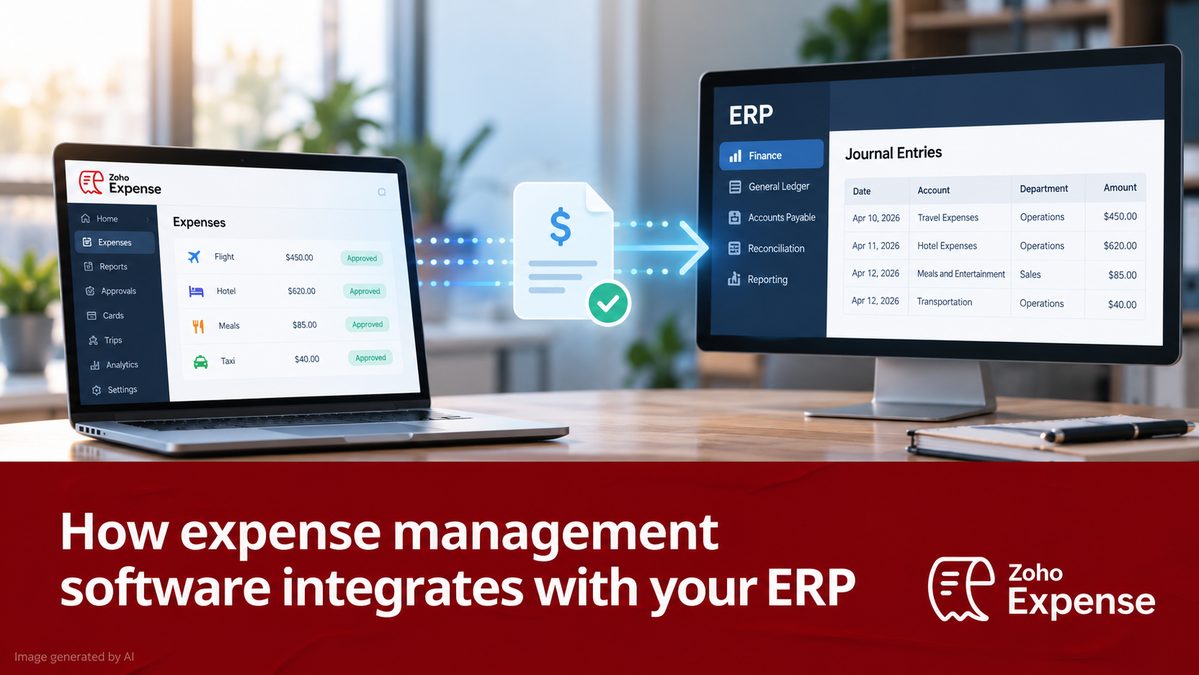
Expense management software integrates with an ERP by automatically transferring approved expense data into the ERP, where it can be recorded, accounted for, reconciled, and used for financial reporting.
Depending on the software and ERP, this integration can use a native connector, API, or other data-transfer methods.
But what exactly happens when expense management software and an ERP are connected? Here’s how the process works.
What is ERP integration in expense management?
An ERP (enterprise resource planning) system acts as a central system for financial and operational data. Expense management software, on the other hand, focuses on capturing, submitting, reviewing, approving, and reimbursing employee expenses.
ERP integration connects these two systems so that approved expense data can flow automatically from the expense management system into the ERP.
This eliminates the need to manually enter every approved expense into the ERP and helps keep financial records accurate and up to date.
How does expense management software integrate with an ERP?
The integration typically follows these five steps:
1. Employees record their expenses
Employees capture expenses using the expense management software. They can upload receipts, forward receipts by email, record mileage, or have expenses created automatically from corporate card transactions.
The software extracts relevant information such as the amount, date, merchant, and expense category, reducing manual data entry.
2. Expenses are checked against company policies
Before an expense reaches finance, the expense management software can check it against company policies.
For example, an organization can configure rules for spending limits, expense categories, approval workflows, and policy violations. Expenses can then be routed to the appropriate managers for review and approval.
This means the ERP receives approved and validated expense data, rather than raw expense submissions.
3. Approved expenses are mapped to the ERP
Once an expense is approved, relevant information is mapped to corresponding fields in the ERP.
This can include:
- General ledger account
- Cost center
- Employee or vendor
- Tax information
- Currency
- Project or customer
- Expense amount
- Reimbursement information
The exact fields depend on the ERP's configuration and the integration. For example, ERP expense APIs can support fields such as expense accounts, dates, amounts, taxes, customers, and vendors.
4. Expense data is transferred automatically
The approved expense data is then transferred to the ERP through the integration.
Expense management software can connect with major ERP platforms such as SAP, Oracle, Microsoft Dynamics, and NetSuite, depending on the solution. Integrations can also be built using APIs when a business has specific requirements.
For organizations with customized ERP environments, API-based integrations can provide greater flexibility than standard connectors.
5. Finance completes accounting and reconciliation
Once the expense reaches the ERP, finance teams can use the data for accounting, reconciliation, reimbursement, and financial reporting.
This creates a connected workflow:
Expense → Submission → Policy check → Approval → ERP → Accounting → Reconciliation
Instead of moving information between spreadsheets, emails, and financial systems, the process becomes largely automated.
What are the different ways to connect expense management software to an ERP?
The five steps above stay the same no matter how the two systems are connected. What changes is how the data actually travels from one to the other. Most businesses choose from four methods, and the right one depends on your ERP, your technical resources, and how quickly you need expense data to show up in your books.
1. Native connectors
A native connector is a prebuilt integration that the expense management vendor has already built and tested for a specific ERP. You usually set it up by signing in to both systems, authorizing the connection, and mapping your accounts, cost centers, and tax codes through a settings screen. No coding is involved.
This works best when your ERP is a mainstream platform like NetSuite, SAP, or Microsoft Dynamics and your accounting setup is fairly standard. It's the quickest to get running, the vendor maintains it when the ERP releases updates, and your finance team can manage it without leaning on IT. The tradeoff is flexibility. If you need custom fields, unusual approval logic, or a workflow the connector wasn't designed for, you may hit its limits.
2. APIs
An API lets the two systems talk to each other directly and exchange data on request or whenever something changes. Developers build the integration, so you decide exactly which data moves, when it moves, and how it's shaped when it arrives. Webhooks, which notify one system the moment something happens in the other, are often used alongside APIs to keep data current.
This is the right fit when no native connector exists for your ERP, when your ERP is heavily customized, or when you need two-way sync. For example, you might pull the latest chart of accounts and vendor list from the ERP while pushing approved expenses back. APIs also suit teams that want near real-time updates. The tradeoff is effort. Someone has to build it, test it, and maintain it, especially when either system changes its API or you add new fields.
3. SFTP and flat file transfers
With SFTP (Secure File Transfer Protocol), the expense management software exports approved expenses into a file, usually CSV or XML, and places it on a secure server. The ERP then picks up the file on a schedule and imports it. The same method can run in reverse to bring master data back from the ERP.
This is a good choice when your ERP is older or hosted on premise, when security policies limit connections coming in from outside your network, or when your accounting process is batch based, like posting expenses once a day or at month end. It's a dependable method that almost every ERP supports. The tradeoff is speed and visibility. Data moves in batches rather than in real time, and one badly formatted file can cause a whole batch to fail, so you'll want error alerts and someone who checks the logs.
4. Middleware and integration platforms
Integration platforms, often called iPaaS, sit between the two systems and handle the connection, data transformation, and routing. You build the flow once and the platform runs it.
This makes sense when you're connecting more than two systems, when expense data needs to be reshaped before it reaches the ERP, or when you want one place to monitor every integration. A company with an expense tool, an HRMS, a procurement system, and an ERP may find it easier to manage everything through a single platform than through several separate links. The tradeoff is one more tool to pay for and maintain.
What about manual import and export?
Some teams start by downloading a report from the expense tool and uploading it into the ERP by hand. It isn't a true integration, but it can work for small teams with low expense volumes or as a temporary bridge while a proper integration is being set up. It brings back the manual entry and error risk that integration is meant to remove, so it rarely holds up as a long-term answer.
How to choose the right method
A few questions usually point you in the right direction.
● If a native connector exists for your ERP and your setup is standard, start there.
● If your ERP is customized or isn't supported by a prebuilt connector, look at APIs or middleware.
● If you need data in the ERP within minutes, lean toward APIs. If daily or periodic posting is enough, SFTP works well.
● If your IT and security teams restrict external connections, SFTP is often the practical choice, especially for on-premise systems.
● If your technical capacity is limited, native connectors need the least effort and APIs and middleware need the most.
● If several systems need to share data, middleware is worth a closer look.
Many organizations also mix methods. A common setup is a native connector for posting approved expenses and an API or scheduled file for syncing master data like vendors and cost centers. Whichever route you take, the quality of your field mapping and error handling matters just as much as the connection itself.
What are the benefits of integrating expense management software with an ERP?
ERP integration can help organizations:
- Reduce manual data entry by automatically transferring approved expenses.
- Improve data accuracy by reducing duplicate entries and transcription errors.
- Speed up expense accounting by getting approved expenses into the financial system faster.
- Improve visibility into employee and business spending.
- Simplify reconciliation by connecting expense and financial data.
- Strengthen compliance by applying expense policies before data reaches the ERP.
- Save finance teams time by reducing repetitive administrative work.
For example, Zoho Expense integrates with ERP, accounting, HRMS, travel, and other business systems, allowing organizations to connect expense management with their existing financial infrastructure.
What should you look for in an expense management ERP integration?
A good integration should do more than simply move data from one system to another. Look for:
1. Prebuilt ERP integrations for the systems your organization already uses.
2. API support for customized workflows and ERP environments.
3. Two-way data synchronization where required.
4. Flexible field mapping for accounts, cost centers, projects, taxes, and other dimensions.
5. Automated expense and reimbursement workflows.
6. Reliable error handling and data validation.
7. Real-time or scheduled synchronization, depending on your accounting requirements.
The goal isn't simply to connect two systems. The goal is to create a seamless flow of expense data from the employee who incurs the expense to the financial system that records it.
When expense management software and ERP systems work together, businesses can spend less time moving financial data around, and more time using that data to make better decisions.
