No-code automation platform: For teams who don't write code
- Last Updated : October 1, 2026
- 90 Views
- 11 Min Read
Key takeaways
- A no-code automation platform lets the people who do the manual work build and run their own workflows across apps, without writing code or raising an IT ticket.
- These platforms are no longer just visual builders. You can build by describing what you want in plain language, add AI steps like summarizing or sorting inside a workflow, and hand a goal to an AI agent that works out the steps for you.
- It handles the large majority of everyday operations work, with code kept for the genuinely complex edge cases.
- Judge a platform on whether it connects your actual apps, prices sensibly, and has real AI capabilities.
What is a no-code automation platform?
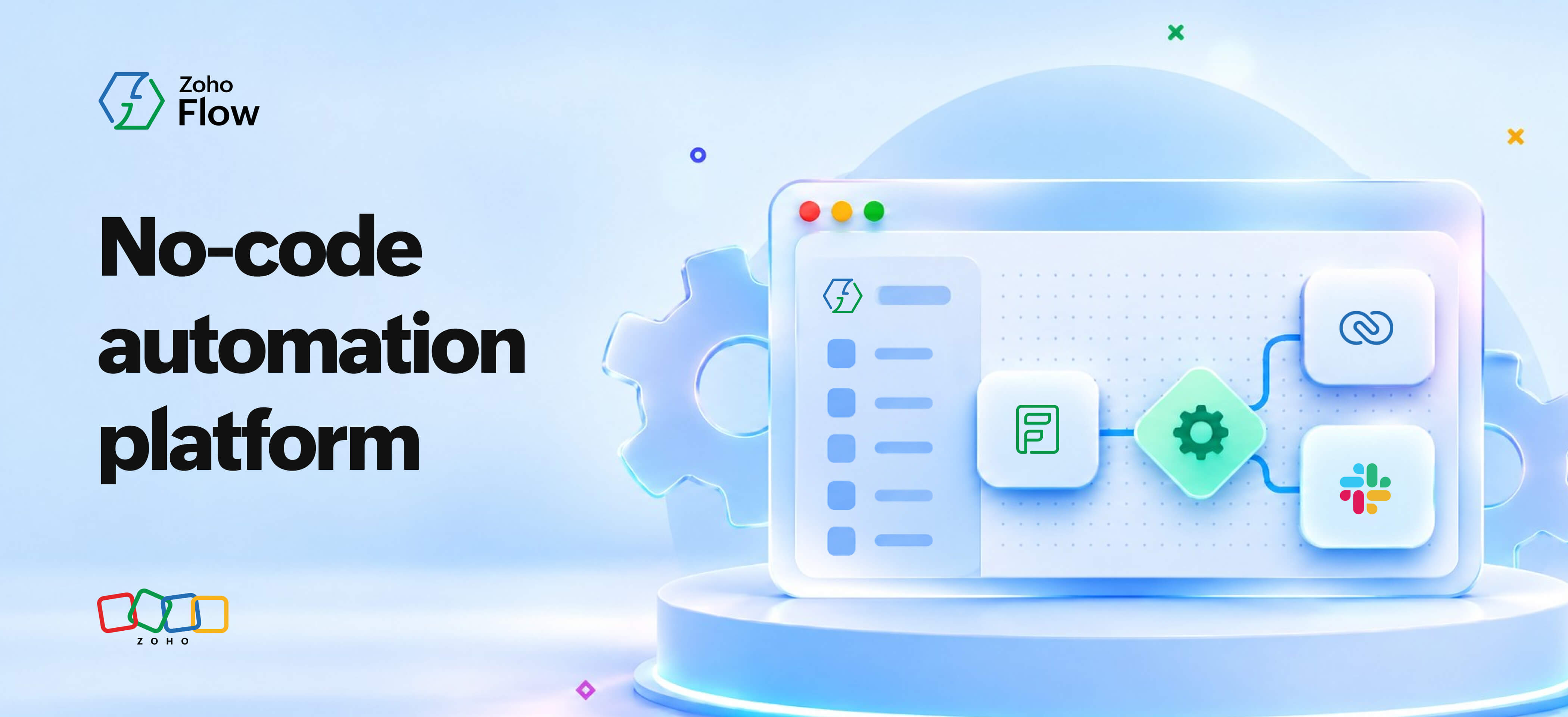
A no-code automation platform lets people connect their apps and build workflows around them using an AI-assisted or visual builder instead of writing code. You set a trigger (an event in an app or a schedule) and the steps that follow (actions to be performed on the same app or other apps), and the platform runs them for you every time the trigger fires. The people building these workflows are usually the ones who feel the manual work, not the engineering team.
If your team runs on a stack of apps, you already know where the time goes. The reason most automation never gets built is that each task is too small to ask anyone for help with. Re-entering an order from your store into the shipping tool takes a minute. Pulling the weekly numbers into a report takes ten. And none of it is worth a developer's time or a line on the roadmap, so it stays manual by default, and the real cost only shows up when you add up the minutes across a month and see how much of the team's week goes to work nobody should be doing by hand.
A no-code automation platform closes that gap. It gives the person or team who owns a process a way to build its workflow themselves, without raising a ticket to the IT department. On today's platforms, that often starts with describing what you want in plain language and adjusting the draft the builder puts together for you.
How is no-code automation different from scripts, RPA, and low-code?
No-code automation connects apps through their APIs and runs event-driven workflows, all set up through a visual or plain-language interface. That sounds close to a few other things people already use, so here is where it sits next to them.
| Approach | Who usually builds it | What it's good at | Where it struggles |
| No-code automation platform (also called a no-code iPaaS) | Business users who own the process | Connecting standard apps, event-driven multi-step workflows, AI steps, quick changes | Very heavy custom logic or unusual data transformation |
| Scripts and macros | Technical persons in a team | Small, fixed tasks inside a single tool | Breaking when anything changes, and being tied to whoever wrote them |
| RPA | IT or a dedicated automation team | Driving legacy software that has no API, by mimicking clicks | Cost, brittleness, and heavy setup for anything that changes often |
| Low-code platforms | Developers and technical builders | Custom apps and complex logic with some hand-written code | Still needs someone comfortable writing code |
| Traditional iPaaS | IT and integration specialists | Large-scale, governed integration across many enterprise systems | Overhead and a learning curve for a small team's everyday needs |
The short version: scripts and RPA are what teams reach for when they have a technical person to lean on, low-code sits one step below full development, and no-code automation is the option a non-technical team can own end to end.
Who is a no-code automation platform for?
It's for the person who runs a process (and knows exactly where it gets bogged down) but doesn't write code (and shouldn't have to). Some teams and roles especially benefit from no-code automation:
- Sales and CRM ops teams, who spend hours moving records between the CRM, the accounting tool, and whatever the team uses to talk to each other
- Marketing teams, who juggle forms, email tools, ad platforms, and a tracking sheet that someone keeps by hand
- HR and finance ops teams, who move people and money through approval steps that live across four different systems
None of these teams is short on ideas for what to automate—they're short on a way to do it without waiting on someone else.
What can you actually build without code?
A strong no-code automation platform will be able to manage any workflow that you throw at it. And therefore, the answer is: plenty. Here are a few workflow ideas each of the three teams we discussed earlier can build and run on their own.
Sales and CRM ops
When a deal moves to Closed Won in the CRM, the workflow can create the invoice in your accounting tool, post a message in the finance channel so someone knows to expect payment, and add the new customer to the onboarding email sequence. One trigger, three steps, no handoffs.
A second one: when a lead form is submitted on the website, create the lead in the CRM, assign it to the right rep based on region, and send that rep a direct message so they follow up while the lead is still warm.
Marketing
When someone downloads a resource, add them to the email tool with the right tag, add a row to the campaign tracking sheet, and notify the content owner so they can see which piece is pulling. The tracking sheet stays current without anyone touching it.
A second one: when a webinar registration comes in, sync the contact to the CRM, add them to the reminder sequence, and update the registration count you report on. The follow-up runs whether or not anyone remembers to set it up.
HR and finance ops
When a candidate is marked hired in the applicant tracking system, create their record in the HR system, generate the offer document from a template, and open the IT provisioning request so their laptop and accounts are ready on day one.
A second one: when an expense is submitted above a set amount, route it to the right approver, and once approved, log it in the finance sheet and notify the person who filed it. The threshold decides the path, so small expenses clear on their own and large ones get eyes.
Every one of these has the same shape. A trigger fires, a few steps follow, and a task that used to need a person now runs itself.
What does AI add to a no-code automation platform?
Modern no-code platforms are not just visual builders anymore. They understand plain language, and they can run AI steps inside your workflows, which changes both how you build and what a workflow can do.
The first change is how you build. Instead of dragging every step into place, you can describe the workflow you want in a sentence or two and have the platform put together a first draft, which you then check and adjust. You still end up with a workflow you understand and control, you just get there faster.
The second change is what a step can be. A step can now include AI. A workflow can read an incoming email and pull out the order details, summarize a long support ticket before it reaches a person, sort a lead into the right category, or draft a first reply for someone to approve. These sit right alongside the ordinary steps like creating a record or sending a message, and you add them the same way.
The newer shift is agentic AI. Here you hand a goal to an AI agent inside the workflow and let it work out which steps to take, calling your apps as it goes. When this happens, the platform's job becomes giving that agent safe and governed access to your tools, increasingly through shared standards like MCP, so it can act on your behalf without anyone handing over open access to everything.
This is where the category is heading, and quickly. Gartner projects that by the end of 2026, 40 percent of enterprise applications will be integrated with task-specific AI agents, an increase from less than 5 percent in 2025. For a team that doesn't write code, the practical result is that the harder parts of a workflow—the reading, sorting, and judgment that used to need a developer—are increasingly things you can describe and let the platform handle.
Why do teams adopt no-code automation?
There are four important reasons why teams choose no-code automation.
Speed: A workflow that would sit in an engineering backlog for weeks can be built and running in an afternoon by the person who needs it. For larger organizations, this can be run more structured so that employee requirements can be addressed quickly, without having to disrupt existing workflows and processes. 84% of enterprises adopt low-code or no-code platforms to reduce IT backlog and accelerate app delivery.
Fewer errors: Copying data by hand is where mistakes creep in, a wrong number here, a skipped step there. A workflow does the same thing the same way every time, so the repetitive parts stop being a source of quiet errors.
Ownership: The person who understands the process is the one who builds and changes the workflow, which means fixes and tweaks happen the same day instead of becoming another request. Good platforms let IT keep guardrails in place, so this ownership does not come at the cost of control.
One place for all your integrations: The biggest, and the most important benefit of using a no-code integration platform is that all your team's integrations will be at a single place. Also, from an organization's standpoint, all their teams' integrations will be under the same roof, organized by workspaces or folders. Auditing, complying with privacy and security standards, managing and troubleshooting workflows, all become immensely easier once you have everything on the same platform.
Where no-code fits, and where you'd still want code
No-code automation covers most of what a team needs, and it is honest to say where it stops.
It is a strong fit when you are connecting standard apps that have APIs, when the work is event-driven and moves through a few clear steps, and when the person who owns the process should be the one running it. That describes the large majority of everyday operations work.
You would still reach for code when the logic gets genuinely complex, when you are transforming large volumes of data in unusual ways, when an API behaves in a way the visual builder does not expect, or when performance is critical enough that every millisecond counts. This is a small slice of the total, but it is real, and pretending otherwise sets a team up for frustration. And in such cases, your IT department can either use custom code to create automations, or if your iPaaS allows custom code, you can still build those integrations inside it. Increasingly, though, some of what used to require that code, like reading messy text or making a simple judgment call, can be handled by an AI step instead, which moves the point where you truly need a developer further out than it was a few years ago.
The good news is that this is not an either-or choice on most platforms. Better tools let you drop a custom code step into an otherwise no-code workflow, so the whole thing stays visual and owned by the business user, and the one tricky step gets the bit of logic it needs. You build no-code first, and reach for code only at the edge where it actually earns its place.
What to look for in a no-code automation platform
Six things separate a platform you will still be happy with in a year from one you will want to switch in a month:
- Integration depth: Whether it actually provides integrations for the apps your team uses, including the niche and industry-specific ones. A large connector count means nothing if your favorite accounting tool is not on the list, so check your real stack before anything else.
- Branching and logic: A workflow can take different paths based on the data, rather than running the same single line of steps every time. The expense example above needs this.
- Error handling: When a step fails, and steps do fail, the platform retries sensibly and tells someone, instead of failing silently and leaving you to find out later.
- The pricing model: Some platforms charge per task, which means your bill climbs with your volume in a way that is hard to predict, while others price on flat plans. For a team running a lot of high-volume workflows, this difference adds up fast.
- AI capabilities: Whether you can build in plain language, run AI steps like summarizing or classifying inside a workflow, and give AI agents governed access to your apps. This part of the market is moving quickly, so it is worth checking what a platform actually does today rather than what it promises for later.
- Room to grow: The custom code step described above, so the platform does not become a wall the day your needs get slightly more complex.
Zoho Flow is one of the platforms built around these criteria, with a visual and AI-assisted builder for non-technical teams, AI and agentic steps you can add inside a workflow, branching and error handling, custom functions for the edge cases, and flat pricing rather than per-task billing. It is worth comparing against other integration and workflow automation platforms on the points above using your own app stack as the test.
How to get started
Start with one simple workflow. Pick the single most annoying repetitive task your team does this week, the one everyone grumbles about, and build just that. You will learn how the platform works in an hour, and you will have something running that saves real time by the end of the day. Grand automation plans tend to stall. One working workflow tends to lead to the next one on its own.
Frequently asked questions
Do I need IT approval to use a no-code automation platform?
That depends on your organization, and it is a fair thing to check. Many teams start with workflows inside tools they already own, while larger companies often route new platforms through IT for security review. A good platform supports this by giving IT visibility and controls, so business users can build while the organization keeps its guardrails.
Is no-code automation secure?
It can be, and security comes from the platform, not from the fact that it is no-code. Look for encryption of data in transit and at rest, clear controls over who can build and see what, and compliance certifications relevant to your industry. The security question is the same one you would ask of any tool that touches your data.
What happens when a workflow breaks?
A well-built platform handles this with error handling. When a step fails, it retries where that makes sense and alerts you where it does not, so a broken workflow surfaces quickly instead of quietly dropping tasks. This is one of the most important things to check before you commit, because every workflow will eventually hit a failure.
Do I need to know how to code at all?
No. The whole point is that you build workflows through a visual interface, setting triggers and steps without writing code. Some platforms let you add a code step for advanced cases, but that is optional and sits on top of a no-code foundation, not underneath it.
Can I just describe what I want and let AI build the workflow?
On modern platforms, mostly yes for the first draft. You describe the workflow in plain language and the platform assembles a starting point, which you then review and adjust. It is faster than building from an empty screen, and you stay in control of the final version, since the AI proposes and you decide.
How is a no-code automation platform different from a spreadsheet or a script someone wrote?
A spreadsheet or a one-off script does a fixed job and tends to break when something changes, and it usually depends on the one person who set it up. A no-code platform runs live workflows that react to events across your apps, and anyone on the team can see, change, and fix them without being the original author.
How much does a no-code automation platform cost?
Pricing varies widely, and the model matters as much as the number. Some platforms charge per task or per operation, so cost scales with how much you run, while others offer flat plans. For a team that expects to run high-volume workflows, a flat plan is usually easier to predict and often cheaper at scale.
 Arjun
ArjunProduct Marketer at Zoho Flow: Passionately curious, with a love for thinking, writing, and exploring creative ways to connect people with science and technology.