- HOME
- How to simplify payment management without manual hassle
How to simplify payment management without manual hassle
- Last Updated : February 11, 2026
- 612 Views
- 5 Min Read

Summary:
- Payment processes often involve manual steps across multiple apps or systems, making them slow and error prone.
- Payment automation helps connect systems to handle tasks like invoicing, confirmations, and reminders automatically.
- By automating these tasks, businesses can save time spent on repetitive payment activities and focus on other productive tasks.
Businesses no longer depend on a single method for payment. Customers can pay through UPI, bank transfers, credit cards, or wallets. Although these options are convenient for customers, they create operational difficulties for finance teams.
Finance teams have to track invoices, send reminders, deal with payments from multiple channels, check payment gateways, and update spreadsheets to keep data synced. Handling all of this manually can be overwhelming.
That's where automating workflows makes a difference. By choosing the right iPaaS for your organization, you can integrate your systems and automate your daily workflows. Instead of working on each step manually, your teams only need to review the workflows to make sure everything runs smoothly.
Who benefits from payment automation?
Payment automation is beneficial for teams who deal with frequent payments.
- eCommerce businesses receiving large volumes of orders and billing on a daily basis can choose automation to free themselves from recurring manual work.
- Small and growing businesses who want to scale can start automating their daily payment processes to reduce time, resources, and costs.
- Subscription-based businesses handling regular payments, renewals, and failed transactions can set up automated workflows to prevent missed payments.
- Finance and operations teams responsible for payment tracking can do it automatically with a one-time setup in an automation platform.
7 routine payment workflows you can automate
When you’re managing payments every day, there's always a fear of missing money or making a mistake. Here are some real-world ideas to help you automate these repetitive tasks.
1. Payment confirmation messages and emails
When your customers complete a payment, it’s important that they receive immediate acknowledgement. As the volume of payments increases, it becomes challenging for your finance team to send confirmation messages manually. With an automated workflow, as soon as a payment is successful, the system triggers a templated message to the customer.
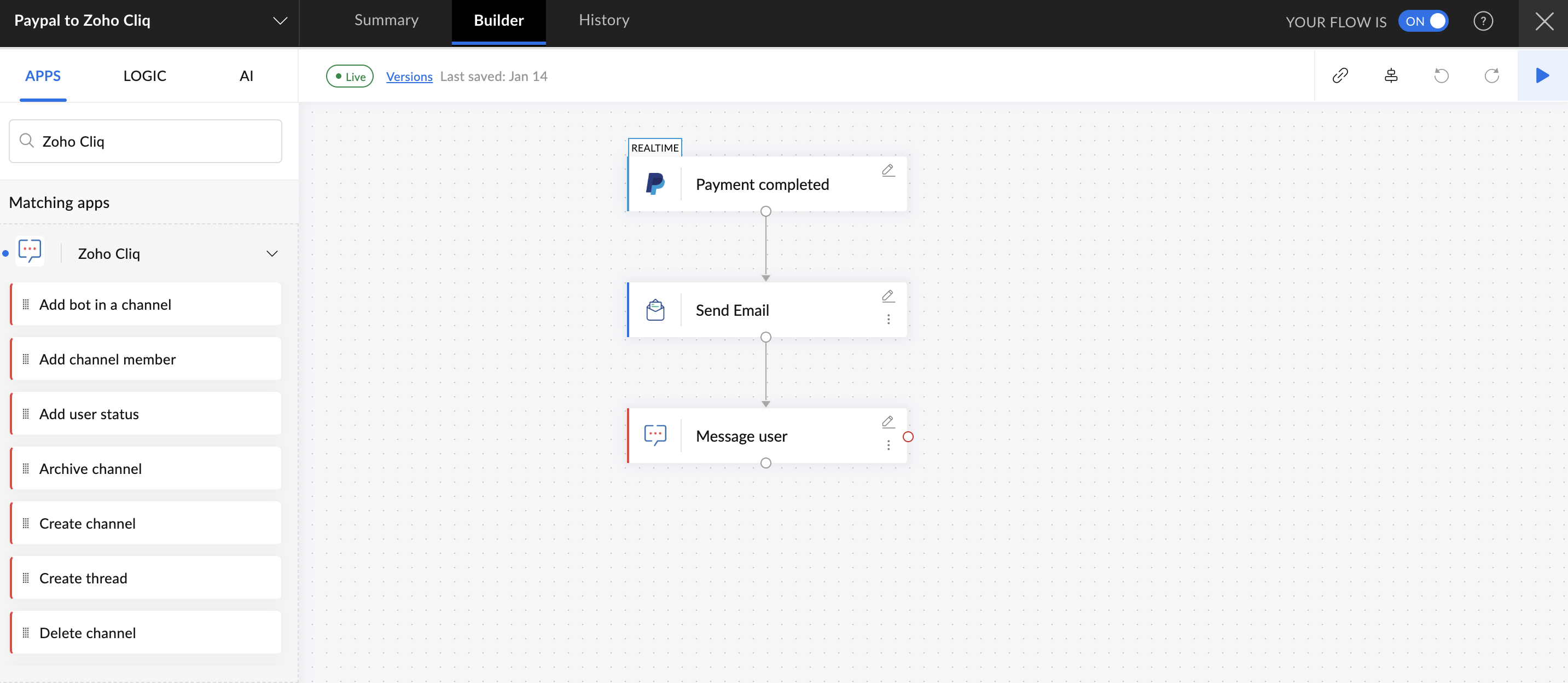
For example, whenever an amount is paid via PayPal, a confirmation email is sent to the customer right away via Zoho Mail. Moreover, we can also notify the customer through Zoho Cliq about receiving the payment.
2. Sync payment details across multiple systems
Most businesses today manage payments in multiple systems, often tracking them in CRMs and spreadsheets and storing them in local devices. Manually updating each system whenever a payment is received can lead to mismatches, duplicate entries, and missed cues. Automation ensures this data is synced across all the connected systems. As soon as the transaction is completed, the details are updated.
For instance, whenever a transaction is marked complete in Stripe, the transaction details are automatically updated in your accounting system, the customer record is updated in Zoho CRM, and the details are added in Google Sheets.
3. Automatic invoice generation
Let's say you run a consulting firm that creates invoices weekly for clients. Generating them every week, waiting for settlements, and logging data into different systems is a monotonous process that consumes a lot of time. Once you set up an automation platform, it does this all without you lifting a finger.
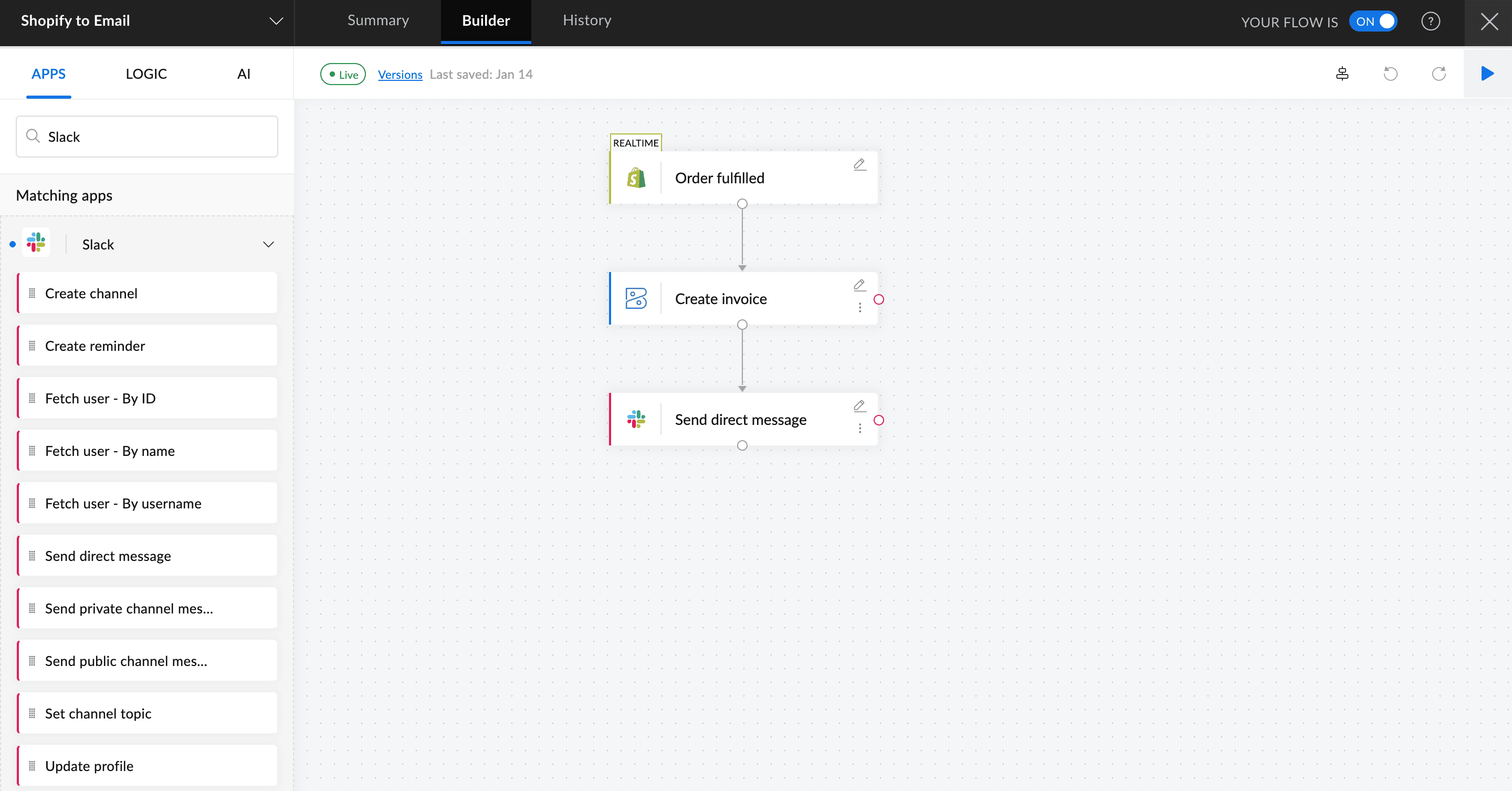
In the workflow below, when an order is completed in Shopify, an invoice is automatically created in Zoho Books, and the customer is notified via Slack about the invoice creation.
4. Payment reminders
Amid the hectic day-to-day work, it's common for customers to miss payments. However, missed payments can quickly pile up and amount to a huge loss. To prevent this, many businesses rely on dedicated staff to follow up with reminders. That's no longer essential with automation. Simply set it up once, and the system will take care of sending out reminders every time the due date is near.
For example, when an invoice is generated in Zoho Books, the system sends a reminder email to the customer three days before the due date via Zoho Mail. If the invoice remains unpaid on the due date, another email is sent automatically. If the payment is still not completed after five days, the problem is reported to the finance team via Zoho Cliq.
5. Failed payment alerts
When you’re dealing with payments, it’s natural that some will fail. Cards may expire, bank servers may go down, or customers may run out of money. Letting these failed payments go unnoticed will directly affect your revenue. Manually checking gateways or transaction logs is time consuming and stressful. Instead, setting up an automated system to alert you instantly is a smarter alternative.
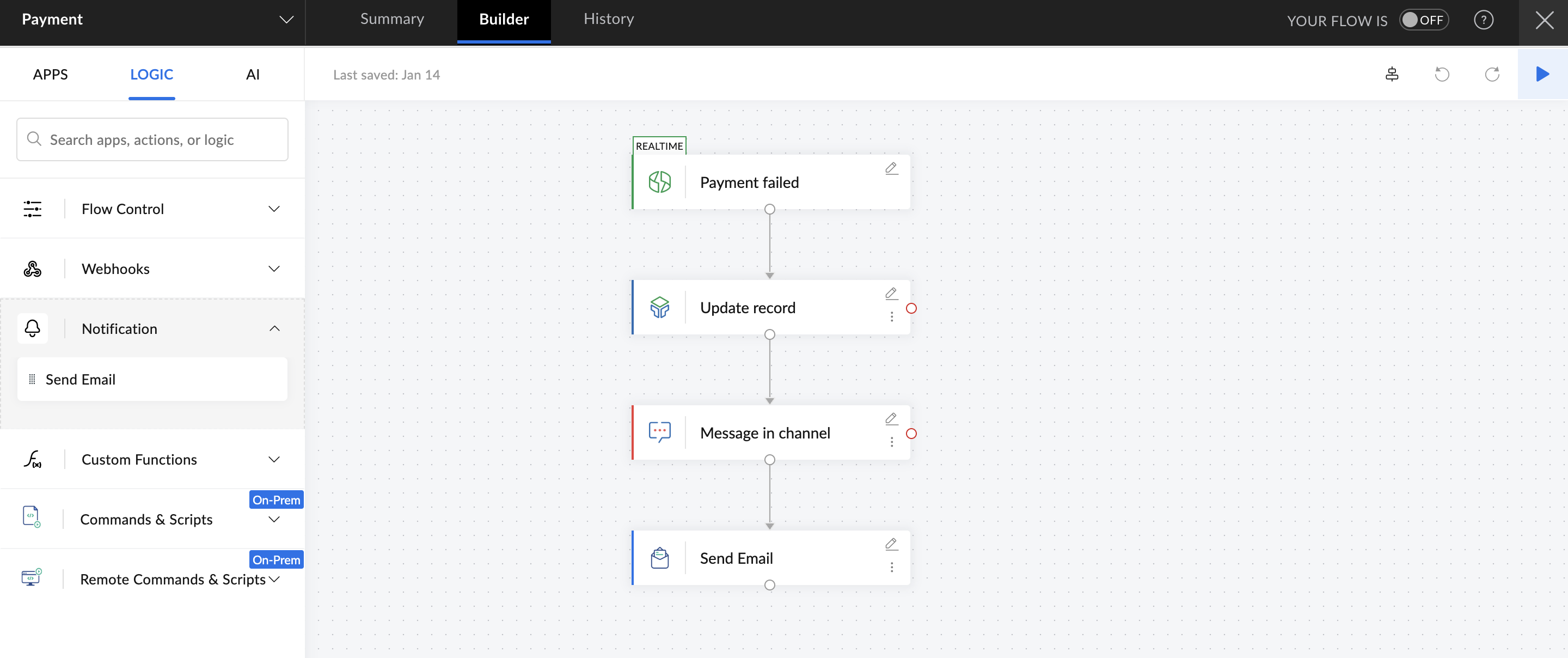
In the workflow above, when a payment fails in Zoho Billing, it's updated immediately in the tracking table in Zoho Tables, the finance team is notified in their channel in Zoho Cliq, and a reminder email is sent to the customer.
6. Notifying internal teams about payments
It's as important to keep internal teams informed about payment activities as it is to notify customers. Finance, sales, and operations teams need real-time visibility into payment completion, delay, or failure to take immediate action. Relying on manual updates for every payment becomes tiresome in the long run. Setting up automated workflows that trigger for different payment statuses helps teams stay instantly informed.
For example, when a high value payout is made via Razorpay, an automatic notification is sent to the finance and sales teams' Zoho Cliq channels. The information is also updated in Zoho CRM.
7. Payment reporting and analytics updates
Finance leaders keep an eye on payment reports and analytics to make the right business decisions; however, compiling these reports manually from multiple systems can lead to missed and outdated data. When systems are connected and working together, data can be consistently collected and moved to an analytics tool.
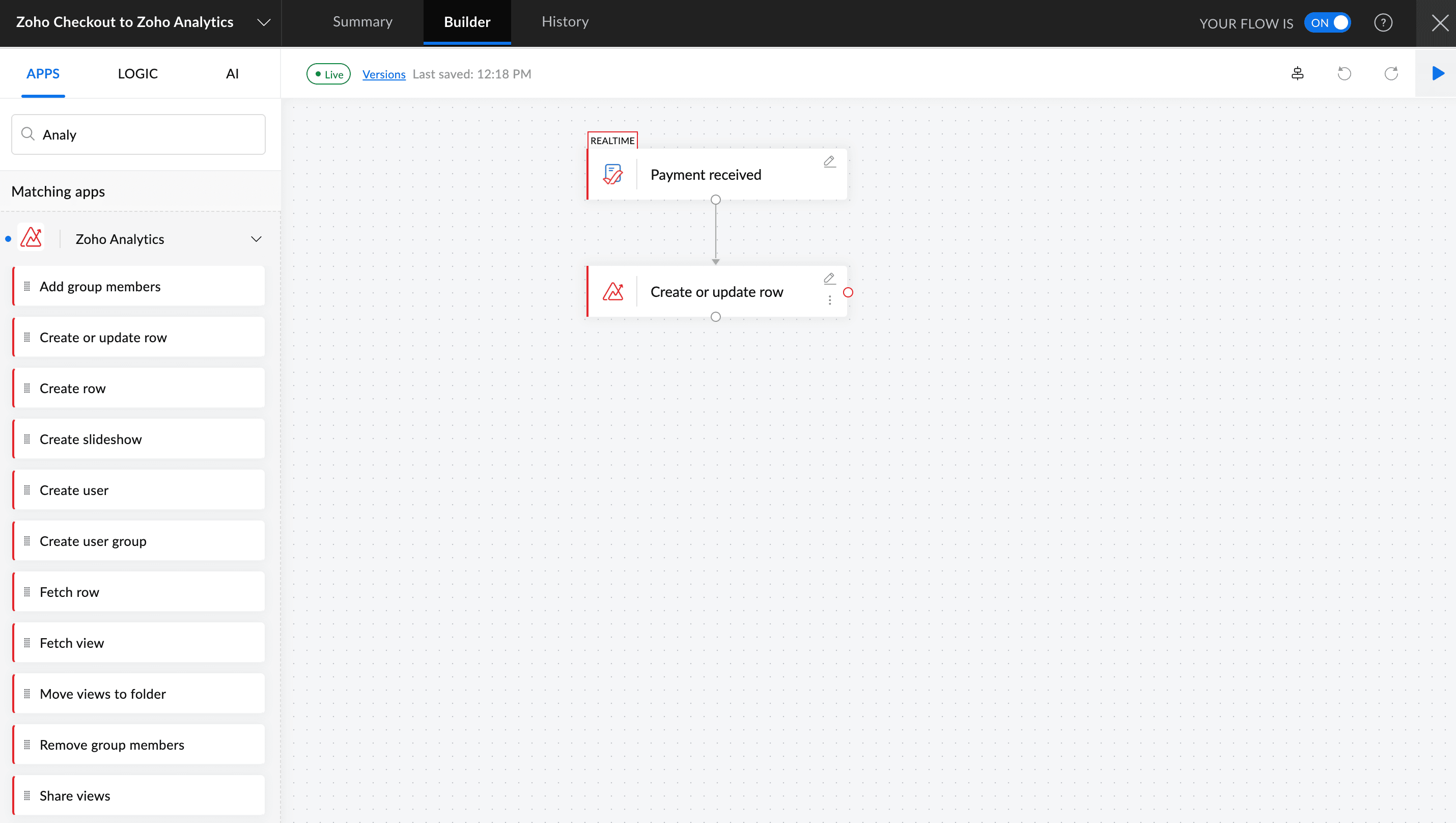
For instance, whenever a transaction fails or gets completed in a payment gateway like Zoho Checkout, the data can be captured and updated in a reporting tool like Zoho Analytics. This helps finance leaders and stakeholders understand key metrics, pending payments, and failure rates.
At the end of the day, businesses work hard to generate revenue, and no money should go unnoticed. As your company grows, investing in an iPaaS platform is critical to handle repetitive manual tasks that take up your time. Try out Zoho Flow's free plan today and see how much time your teams can save.
 Gayathri Babu
Content writer for Zoho Flow. Passionate about creating engaging content that truly resonates with the readers.