Your notes, supercharged by Notebook AI.
Meet Notebook AI in Zoho Notebook—your intelligent, AI-powered note-taking assistant designed to help you think, write, and stay organized effortlessly. Whether you're jotting down ideas, recording meetings, or summarizing content, Notebook AI adapts to how you work.
Try notebook AI
AI meeting notes for cluttered meetings
Speak your thoughts and let AI handle the rest. Record or upload audio to get accurate, real-time transcription—great for meetings, lectures, interviews or podcasts. Need to convert video to text? Notebook AI works as a powerful video to transcript generator with support for various formats. And with custom templates, every transcript is structured exactly the way you need it before it even lands in your note. Learn more.
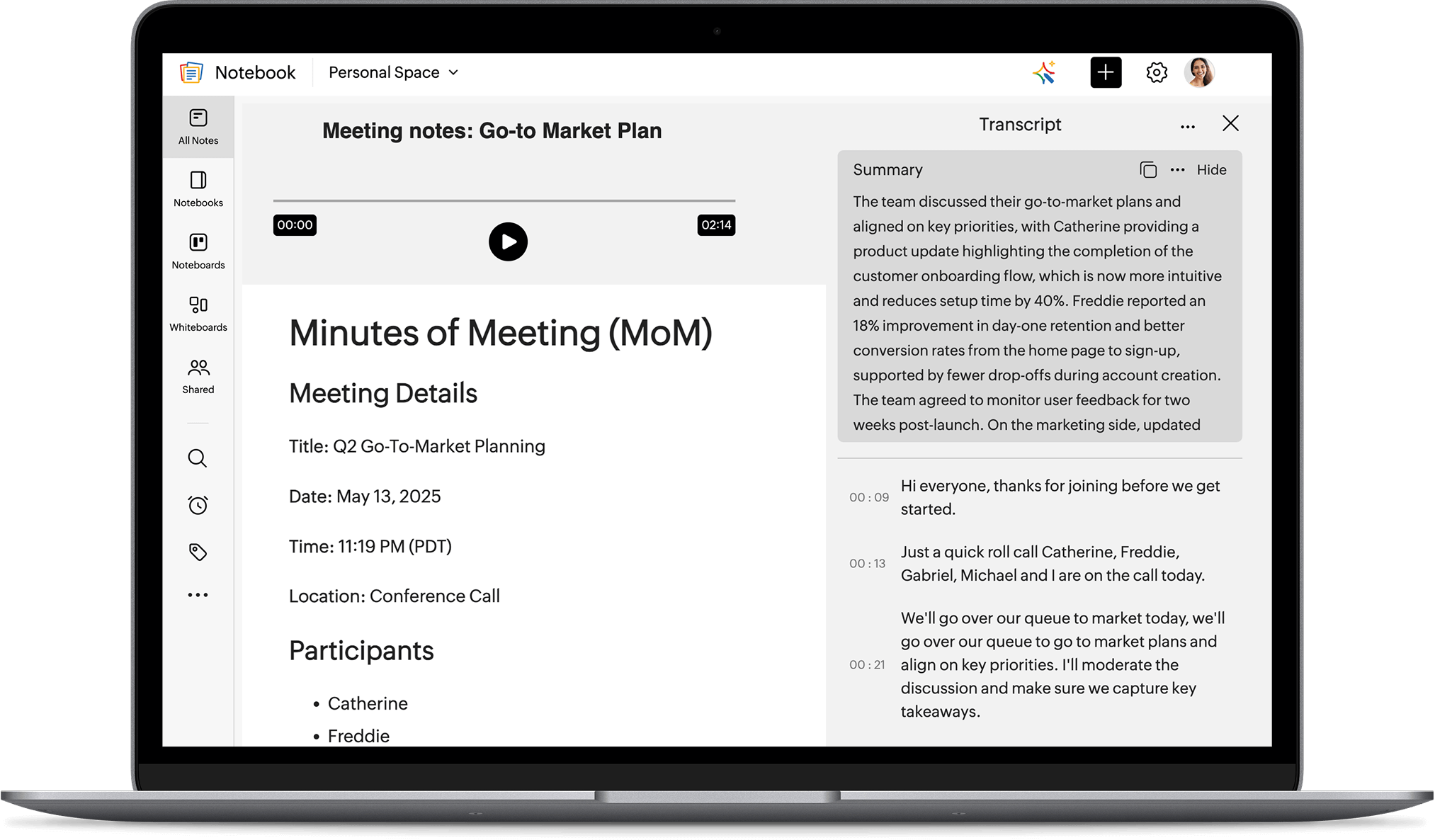
Auto-record meetings on Mac
Transcribe Mac meetings in real time—no need for bots to join your call.
 Google Meet
 MS Office
 Webex
Webex Slack
Slack Zoom
Zoom
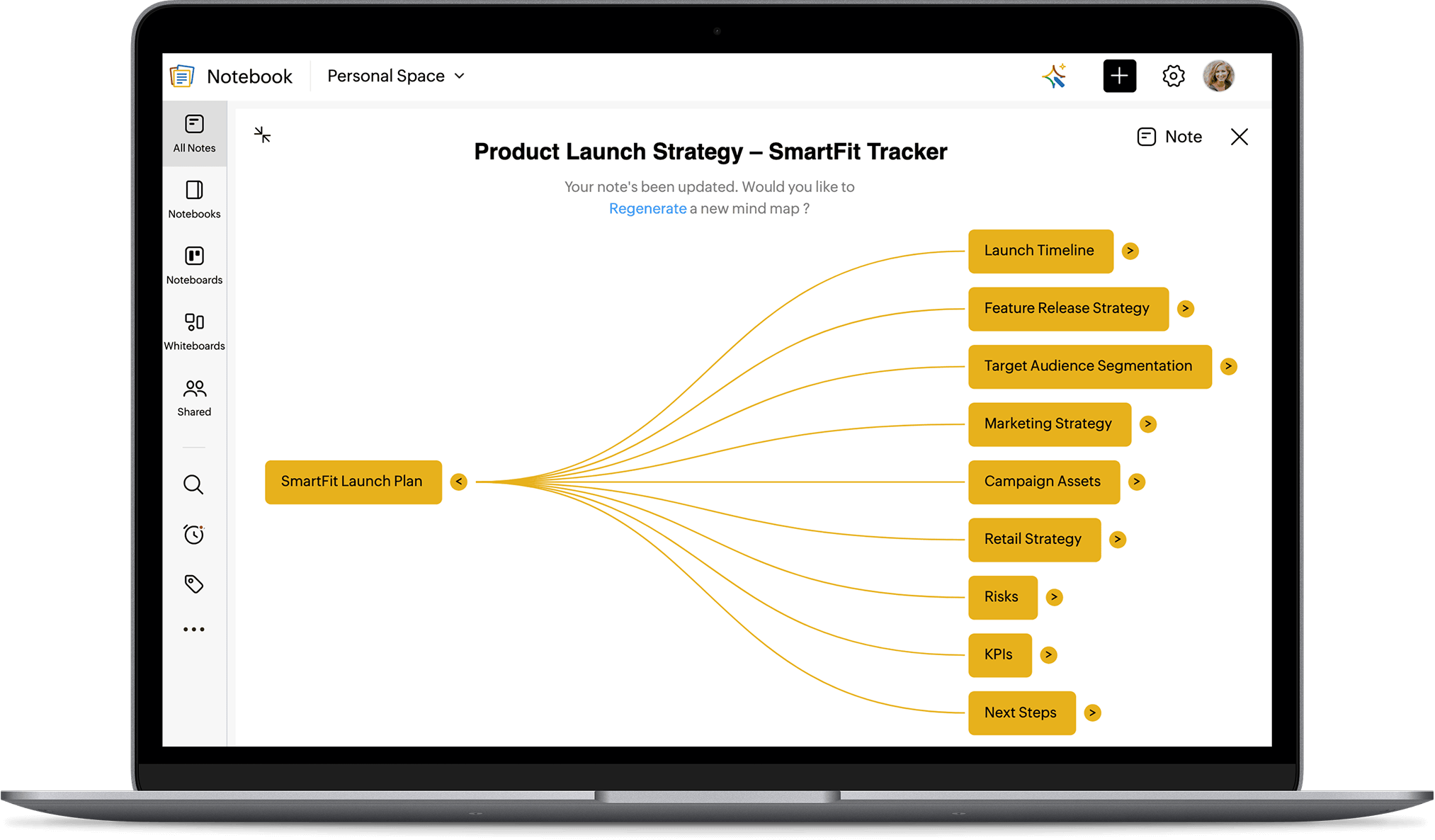
AI Mind Map to structure deeper notes
Messy notes? No problem. Notebook AI creates clean AI mind maps from long text, helping you visualize key ideas and structure your thoughts—perfect for revision, project planning, or brainstorming.
AI notes generator for effortless writing
Use our AI notes generator to turn thoughts into clear summaries, outlines, or to-do lists. Whether you're a student or a busy professional, Notebook AI makes note creation effortless, with support for images, tables, and code blocks.
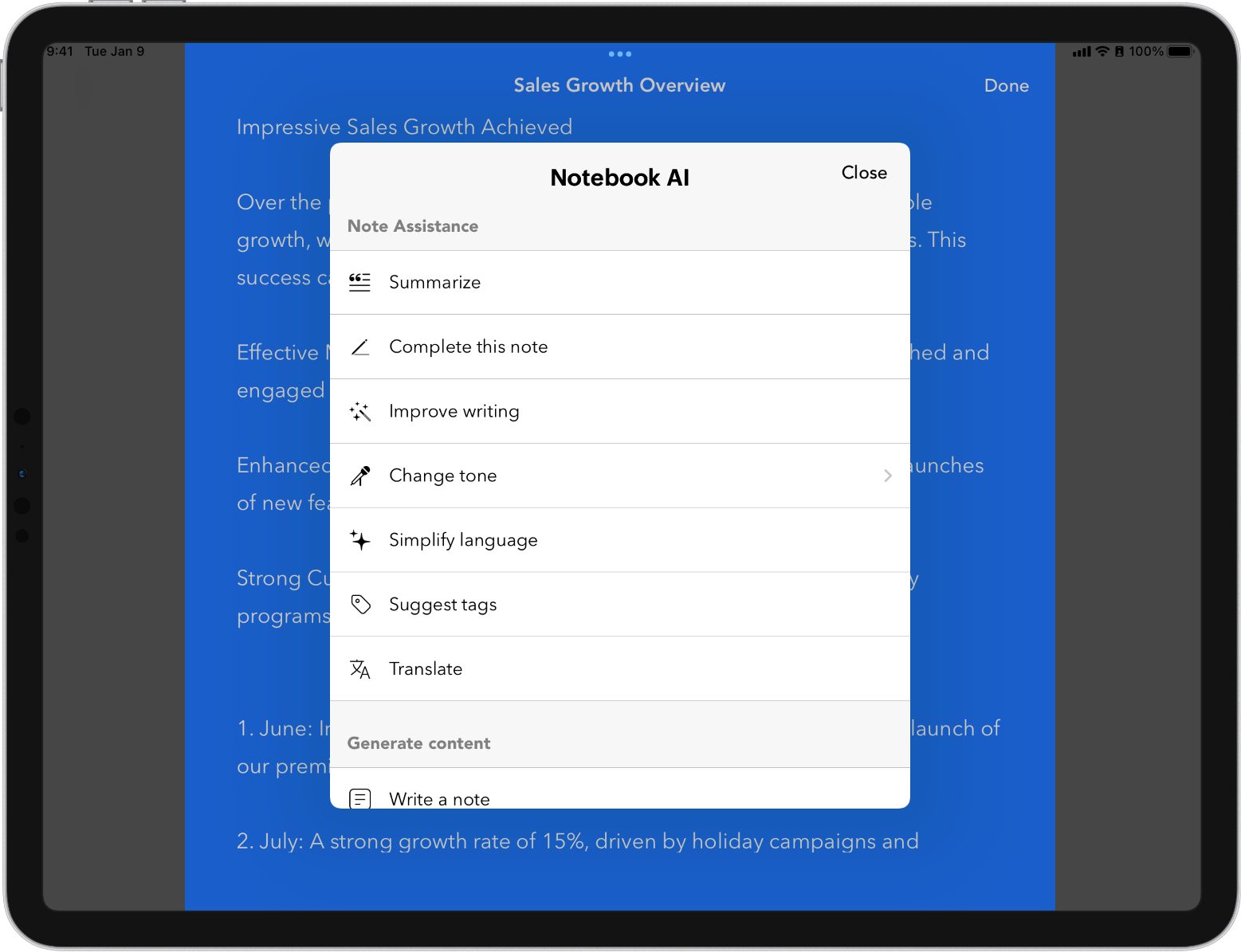
Enhanced grammar checker for clarity
Enhance your writing with advanced grammar suggestions. Notebook AI not only corrects errors but refines tone, eliminates redundancy, and ensures inclusivity. Its built-in Plagiarism Checker ensures originality, making it one of the best ai note taker options available.
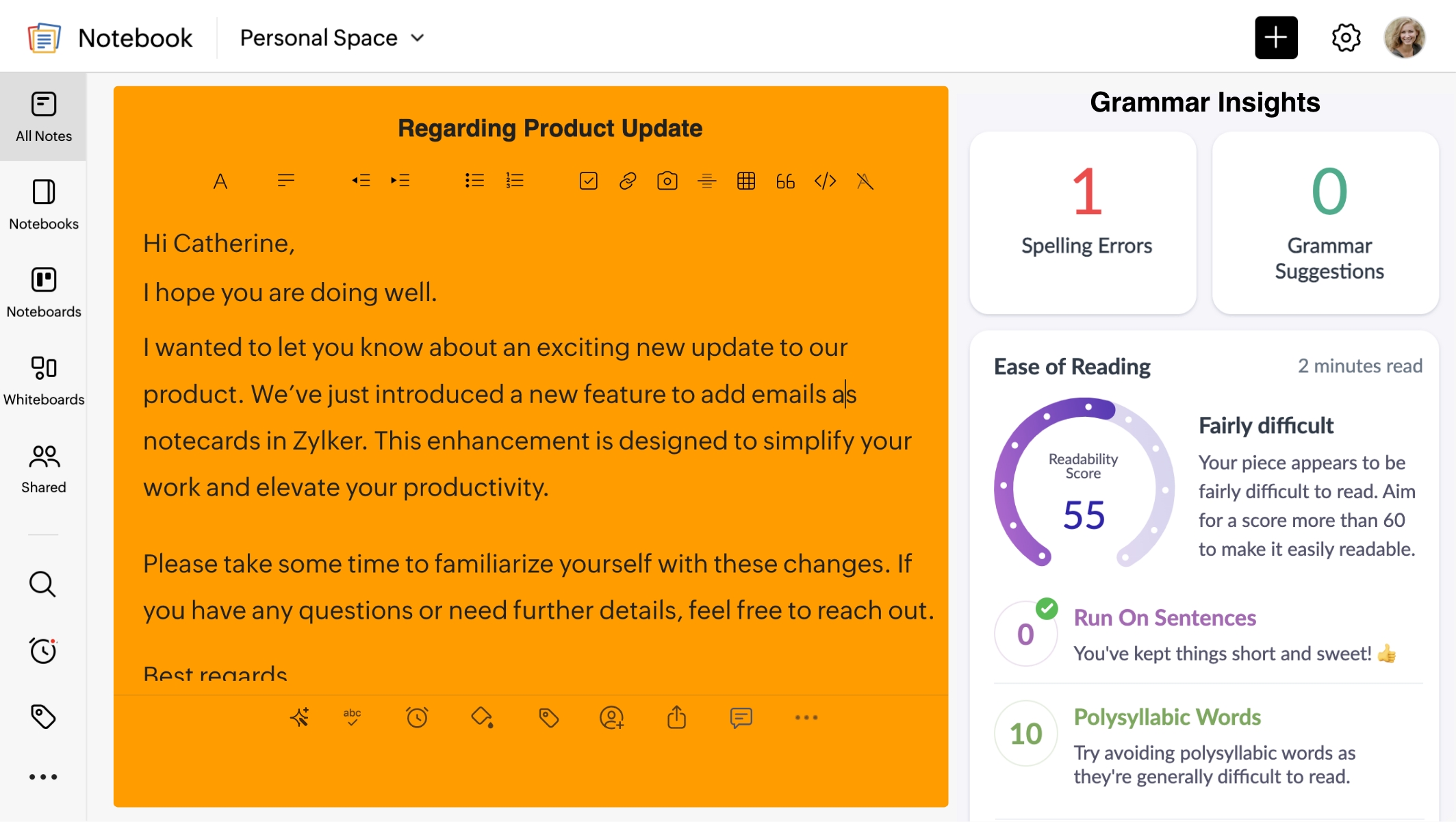
Translate notes on the go
Notebook goes beyond note-taking. It’s a powerful translation tool that helps you translate notes into any language. Break language barriers and connect with a diverse audience

Connect Notebook with your favorite AI tools
Zoho Notebook now integrates with Claude, ChatGPT, Cursor, and VS Code through MCP (Model Context Protocol), letting your AI assistant take notes, organize your Notebook, and find information for you, all through natural conversation.
See what's possible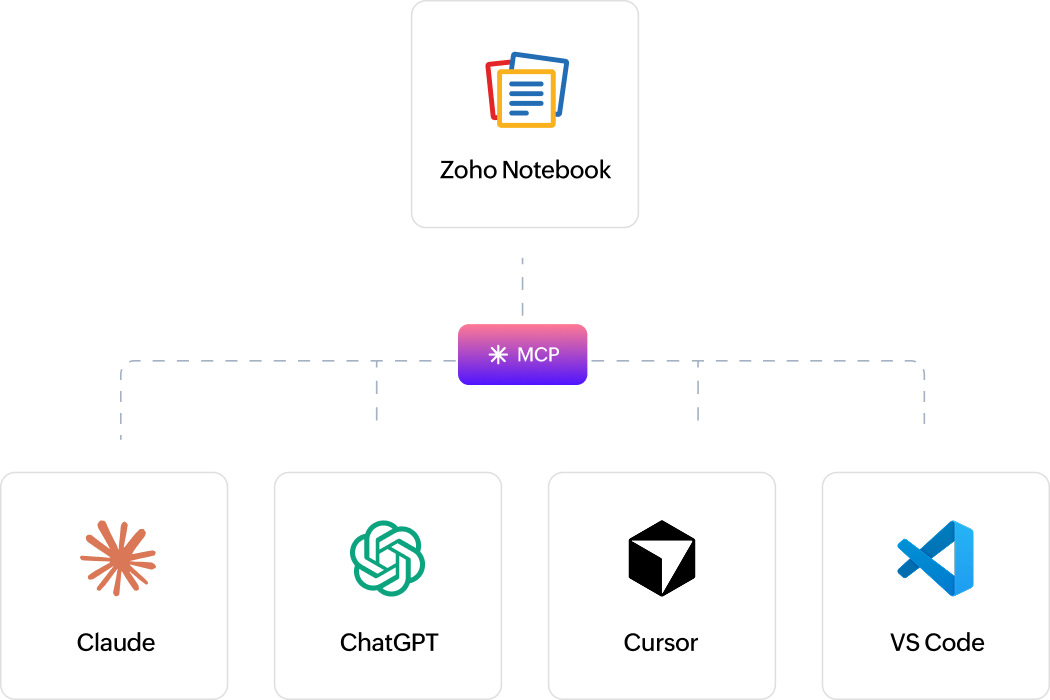
Advanced Shape Recognition
Make your visual notes look professional with ease. Notebook AI automatically recognizes and refines shapes—no need to redraw manually. It even works smoothly without an internet connection.
Smarter search for smarter minds
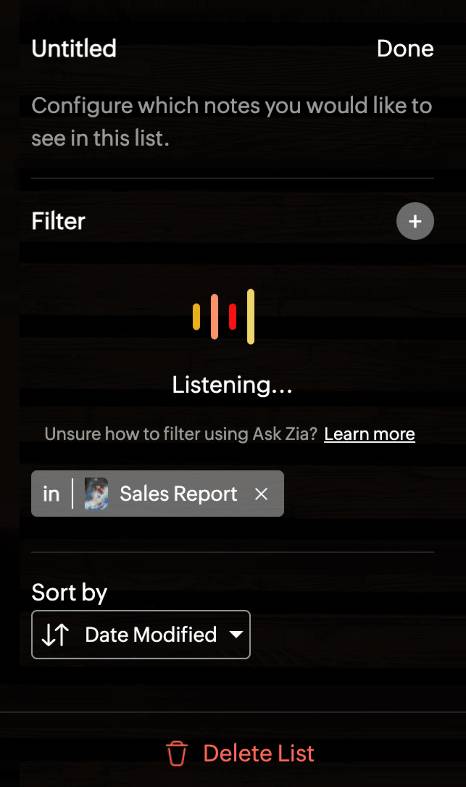
Find anything, instantly. Use smart filters or voice commands to locate meeting transcripts, video summaries, or notecards—hands-free.
Love taking notes?
Zoho Notebook is free and ad-free too. Sign up and explore all the features of Notebook and you'll absolutely love it.
Try notebook AIFrequently asked questions?
What is Notebook AI?
Notebook AI is the AI built into Zoho Notebook. It drafts and summarises notes, turns long notes into mind maps, checks your grammar, transcribes recordings, translates, and finds notes when you ask it to. It isn't a separate app. It works inside the notes you already keep.
Is Notebook AI free?
Notebook AI comes with Notebook Pro Plus, which includes 30 hours of AI transcription a month, AI mind maps and generative AI. Students get Notebook AI free with an educational email address. See Pro Plus pricing
How is Notebook AI different from NotebookLM?
They do different jobs. NotebookLM is Google's research tool: you upload sources and ask questions about them. Notebook AI lives inside Zoho Notebook, where you already keep your notes, recordings, scans and checklists, and it helps you write, transcribe, organise and find them.
Which languages does Notebook AI support?
AI transcription works in seven languages on every platform: English, Spanish, French, German, Italian, Dutch and Russian. So you can record on any device, in any of those seven, and get a transcript wherever you use Notebook. Translation covers far more, so you can write a note in one language and turn it into another.
Which devices does Notebook AI work on?
Notebook AI works on the web, Mac, Windows, iPhone, iPad and Android. Transcription and mind maps work everywhere. A few things are platform-specific: automatic meeting recording is a Mac feature, grammar insights run in the web app, and shape recognition is on mobile.
Is my data used to train AI models?
No. Your notes are yours. Zoho doesn't use them to train AI models and doesn't sell customer data. Notes are encrypted in transit and at rest, and on iPhone, iPad and Android some AI runs entirely on your device, so that content never leaves it. How Notebook handles your data
Can Notebook AI create mind maps from my notes?
Yes, in one click. Give Notebook AI a long note or a meeting transcript and it turns it into a visual mind map, so you can see how the topics connect instead of re-reading four thousand words. It works on every platform, and it's useful for revision, project kick-offs, or briefing someone who missed the meeting.
Can I connect Notebook AI to ChatGPT or Claude?
Yes. Notebook supports MCP, which connects it to Claude, ChatGPT, Cursor and VS Code through 55 tools. Once it's set up you can ask your AI assistant to take a note, tidy up a notebook or find something you wrote, just by asking in plain language. Get started with MCP