
Welcome to Zoho Payments!
New to Zoho Payments or need help with a specific topic? Read our comprehensive help guide anytime to get the most out of Zoho Payments.
Getting Started
Learn how to create your account, verify your account, and know about the prerequisites before you start using Zoho Payments.
Dashboard
Learn more about the details displayed on your dashboard and how it allows you to have a quick overview of all the transactions processed via Zoho.
Collecting Payments
Learn how you can get paid, view payment details, manage payment failures, and issue refunds from Zoho Payments.
Receiving Payouts
Learn how to view the payout details, handle negative payouts, and set up payout preferences for your Zoho Payments account.

Generating Payment Links
Learn how to generate payment links, share them with customers, and track payments received without any coding or websites.

Managing Disputes
Learn how to stay on top of disputes, respond with supporting documents, and track the status of each dispute from start to finish.

Analyzing Reports
Learn how to access comprehensive reports for transactions, payouts, refunds, and tax forms to keep track of your financial activity in Zoho Payments.
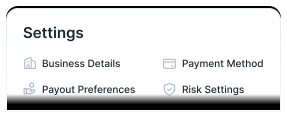
Configuring Settings
Learn how to edit your business details, configure payment methods, manage risk, and set up payout preferences on Zoho Payments.
FAQ
View all-
Zoho Payments is a payment gateway or payment service provider that can be integrated with apps to receive payments from customers seamlessly.
-
At the moment, Zoho Payments can be set up only by businesses registered in the United States. Zoho Payments offers multi-currency support that allows businesses to receive payments from users located in other countries in 135+ currencies.
However, note that the payouts that are delivered to your accounts will only be in US Dollars -
No, Zoho Payments does not have any hidden setup or maintenance fees. The pricing is straightforward and you pay only a small transaction fee when your customers make payments. View Pricing.

 Walkthrough of Zoho Payments personalized to your business needs