

- HOME
- Procurement
- IT strategic sourcing RFP template: A practical guide for procurement teams
IT strategic sourcing RFP template: A practical guide for procurement teams
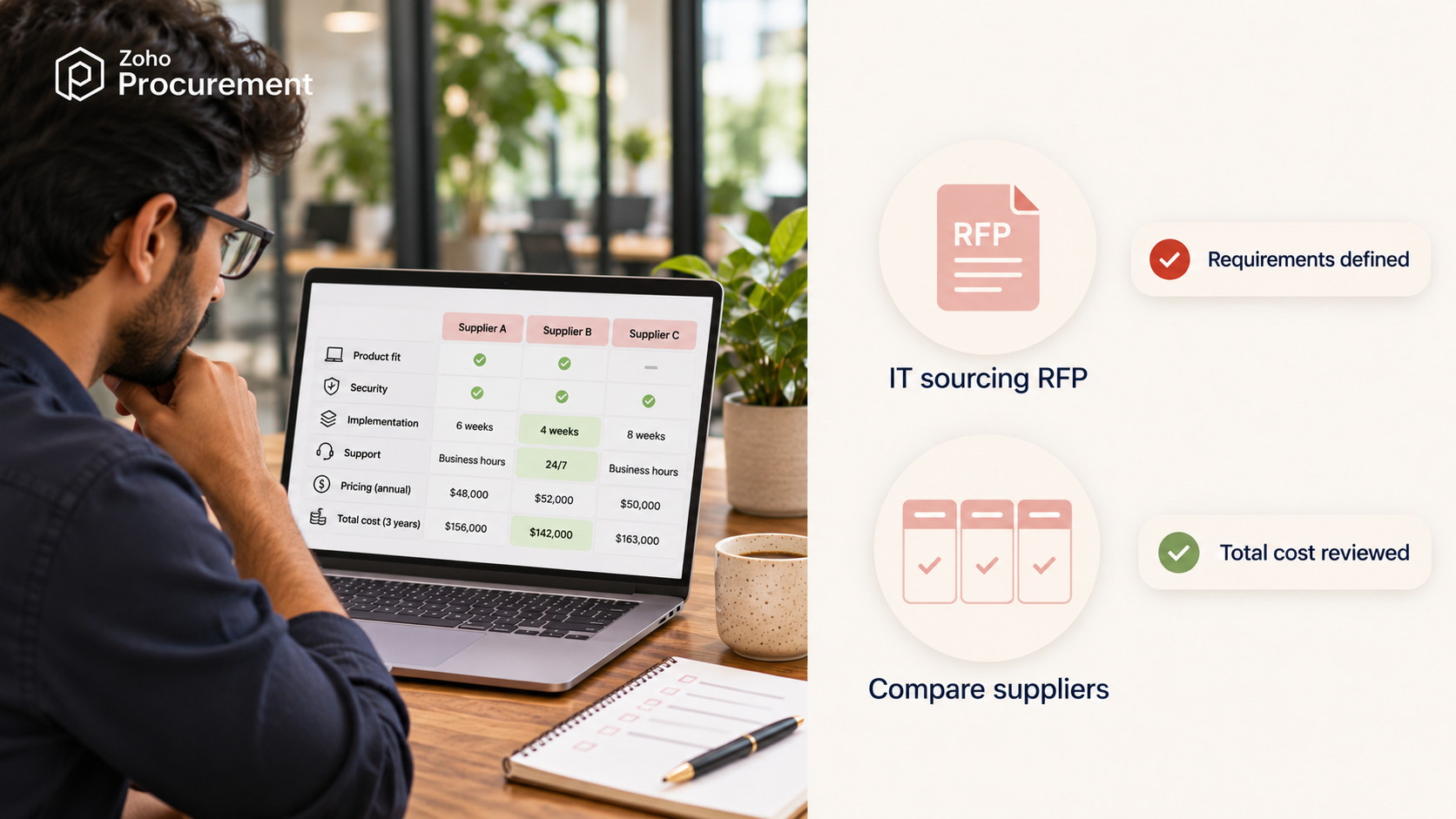
The cheapest IT supplier isn't always the most cost effective option. A software provider might offer a low subscription price but charge extra for setup, training, or support. Another might meet all your requirements but take months to get the system up and running.
An IT request for proposal (RFP) helps you look beyond the quoted price. It asks every supplier the same questions about their product, services, pricing, and support, making it easier to compare their proposals side by side.
This guide explains what an IT strategic sourcing RFP template is, what to include, how to create one, and how to get started with a ready-made template.
What is an RFP, and what is an RFP template?
First, let's look at what an RFP is and how an RFP template can make the process easier.
A request for proposal (RFP) is a document an organization sends to potential suppliers, asking them to propose a solution for a specific business need. It outlines what the organization needs, what suppliers must provide, what information their proposals should include, and when submissions are due.
For example, a company buying project management software might ask:
Can the software support all 200 employees?
Can it connect with our existing finance system?
What is the annual subscription fee?
How long will setup take?
What support is included in the price?
When every supplier answers the same questions, you can compare their responses more fairly.
An RFP template is a reusable version of this document, with a standard format for project details, requirements, supplier questions, pricing, and deadlines. Teams can adapt it for each purchase instead of starting from scratch.
What is an IT strategic sourcing RFP template?
Strategic sourcing means evaluating suppliers based on total cost and overall value, rather than choosing the lowest quoted price. An IT strategic sourcing RFP template applies this approach to technology purchases.
A general RFP template covers pricing, delivery, and supplier experience. An IT-specific version also includes questions about software features, compatibility with existing systems, data security, implementation, and ongoing support.
For example, say you're moving your business applications to a cloud service. Supplier A charges a lower monthly fee but charges extra for data backups. Supplier B costs more but includes backups, security monitoring, and 24/7 support. An RFP helps you identify these differences before signing a contract.
When should you use an IT strategic sourcing RFP template?
Use one when comparing suppliers for a significant or complex technology purchase, such as:
Business software: Compare features, subscription prices, integrations, and user limits.
Cloud services: Check storage limits, data protection, uptime guarantees, and additional charges.
IT equipment: Compare servers or networking hardware, installation, warranties, and maintenance costs.
IT support services: Compare support hours, response times, technical expertise, and monthly fees.
IT consulting: Compare project plans, consultant experience, timelines, and estimated costs.
For a straightforward purchase with fixed specifications, a request for quotation (RFQ) or a direct price comparison may be enough. A full RFP is more useful when the purchase involves multiple suppliers, recurring costs, or sensitive company data.
What should an IT strategic sourcing RFP include?
You can adapt these ten sections to suit your project.
Project overview: Explain why you're making the purchase and what you want to achieve. For example, a company buying help desk software might want to reduce the time employees spend waiting for IT support.
Work and services required: List what the supplier must deliver, such as software access, installation, data migration, training, maintenance, and technical support.
Product and technical requirements: Describe the features you need. For example, the software must support 200 users, connect to your accounting system, and let administrators assign different access levels to employees. Separate must-have requirements from nice-to-have features.
Security and data protection: Ask how the supplier manages user access, backs up data, handles security incidents, and stores your data. Where relevant, request supporting documents, such as an ISO 27001 certificate or a SOC 2 report.
Supplier experience: Ask whether the supplier has worked with businesses of a similar size or solved similar problems. Request customer references or examples of past projects.
Setup and ongoing support: Ask for an implementation plan, an estimated completion date, training details, and information on how technical issues will be handled.
Pricing: Ask suppliers to itemize all charges, including subscriptions, installation, training, integrations, maintenance, and renewal costs. This helps you compare the total cost rather than just the advertised price.
Service expectations: For systems that are critical to daily operations, set expectations for uptime and support. For example, you might require the supplier to respond to critical issues within one hour.
Evaluation criteria: Decide how you'll score proposals based on factors such as product fit, security, support, implementation time, and total cost.
Submission instructions: Specify the deadline, response format, contact person, and dates for supplier presentations or follow-up discussions.
How to create an IT strategic sourcing RFP: Step by step
Step 1: Identify what your business needs
Start with the problem you're trying to solve. Talk to the employees who will use the product, along with your IT, finance, and security teams. If employees currently track IT issues through email, for example, you may need a help desk system that logs requests, assigns them to the right team, and tracks resolution times. This helps you focus on features you'll actually use rather than paying for unnecessary ones.
Step 2: Write down your requirements
List the features, services, budget, and delivery dates. Be specific. Instead of saying "the software should support our employees," state how many users it must accommodate. Rather than asking for "good customer support," specify the support hours and response times you expect.
Step 3: Shortlist suppliers
Review each supplier's products, customer reviews, pricing, and support options. Remove suppliers that can't meet your must-have requirements. This way, your team can focus on proposals that are worth evaluating.
Step 4: Prepare the RFP
Use the template as a starting point and adjust it to suit the purchase. For cloud services, include questions about data storage, backups, and uptime. For IT equipment, ask about specifications, delivery, installation, and warranties.
Step 5: Decide how you'll compare proposals
Set your evaluation criteria and weightings before sending the RFP. For example, you might give security and product fit more weight than optional features. Ask all suppliers to submit their pricing in the same format to make comparisons easier.
Step 6: Review and send the RFP
Have your IT, finance, and security teams review the document for unclear requirements, vague pricing questions, or missing security and support requirements. Once everyone has reviewed it, send the RFP to your shortlisted suppliers, along with the submission deadline and instructions for asking questions.
Step 7: Compare proposals and make a decision
Score each proposal against your criteria, considering price, features, implementation plans, support, and potential risks. For example, a supplier might offer the lowest price but charge extra for an integration you need. Include that additional cost in your comparison before making a decision.
Document why you chose the winning supplier so stakeholders can understand the decision and your team has a reference for future purchases.
Common mistakes to avoid
Vague requirements: Statements such as "the system should be easy to use" are difficult to evaluate. Specify what the software must do and who will use it.
Ignoring extra costs: Subscription fees may not include setup, training, storage, or support. Ask suppliers to disclose all expected charges.
Choosing the cheapest supplier by default: A low price won't help if the product lacks essential features or the supplier can't provide the support you need.
Asking suppliers different questions: Keep the core questions consistent so you can compare proposals fairly.
Setting criteria too late: Agree on your scoring criteria before reviewing proposals. This helps prevent your priorities from shifting to favor a particular supplier.
Setting unrealistic deadlines: Give suppliers enough time to prepare their proposals and your team enough time to review them properly.
Download the free IT strategic sourcing RFP template
Writing an RFP from scratch takes time, especially when IT, finance, and security teams all need to contribute. This template includes sections for project details, required features, security questions, supplier experience, setup and support, pricing, submission instructions, and a supplier scoring sheet.
You can adapt it for software, cloud services, IT equipment, or outsourced IT support.
Conclusion
Choosing an IT supplier involves more than comparing prices. You also need to consider whether the solution meets your requirements, what additional costs you might incur, and what support you'll receive after the purchase.
An IT strategic sourcing RFP template helps you gather this information in a consistent format and compare proposals against criteria you've agreed on in advance.
If your team manages several sourcing projects, procurement software can also help keep supplier information and sourcing activities organized in one place.
With Zoho Procurement, teams can create and manage RFPs, compare supplier responses, and evaluate proposals using structured scoring in one place. This can help make supplier selection more consistent and give stakeholders clearer visibility into the sourcing process.