Bigin’s 2025 Evolution: What's Changed and What’s Next


"Phew, this year flew by!"
"It’s hard to believe we’re almost heading into 2026."
"Where did 2025 even go?"
With the year coming to a close, all the usual end-of-year cliches are starting to pop up. But Bigin’s 2025 was anything but a cliche! Month after month, we rolled out exciting new features and meaningful improvements to the CRM that is trusted by you and thousands of users all over the world.
Here’s a quick look at features and updates that made 2025 special.
Pro tip: stick around until the end. We’ve dropped a sneak peek of what’s coming in 2026!
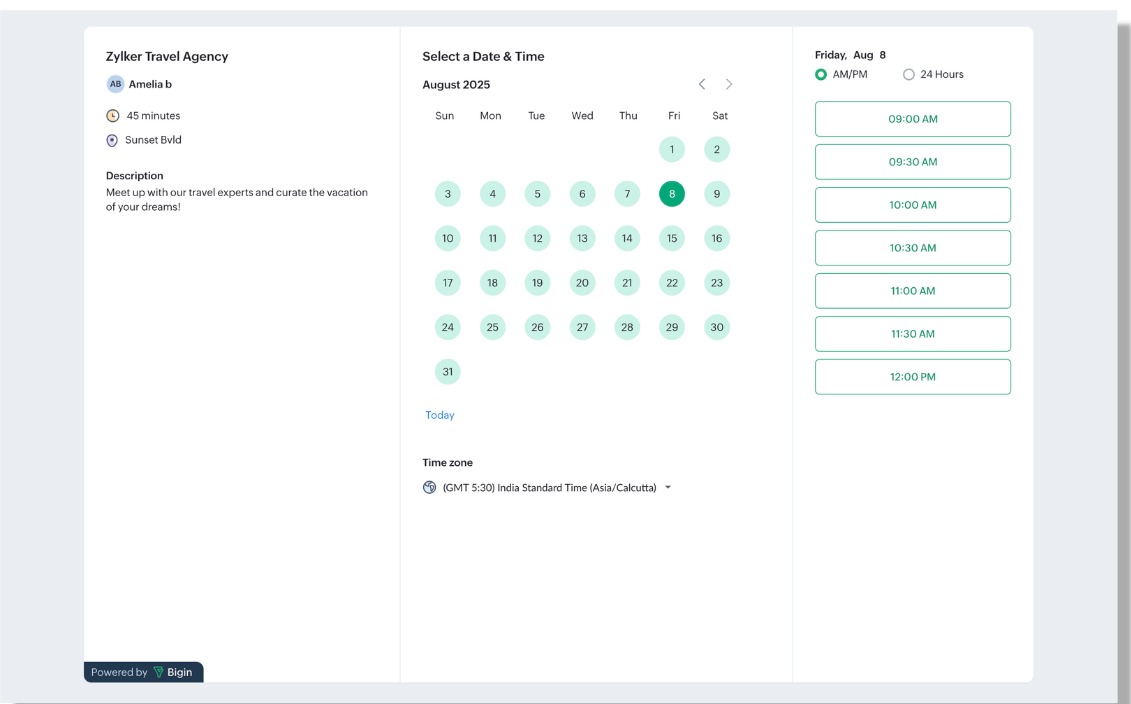
Booking Pages: For streamlined appointment and booking management
No more back and forth over phone calls. No more long email threads. Setting up meetings, whether it’s a one-on-one consultation, a doctor’s appointment, a demo session, or even a group webinar, is much simpler with Bigin’s Booking Pages.
With Booking Pages, you can create attractive, no-code online pages that let customers book meetings based on mutual availability. Every booking is automatically captured in Bigin’s Activities module, so you’ll always get timely reminders and stay on track.
If you mostly conduct online meetings, Bigin makes things even easier. It can automatically generate a Zoho Meeting or Zoom link and share it with your customer, saving you an extra step.
External Record Sharing: For sharing real time updates with customers
Working hard to fulfill an order? Resolving a customer query? Processing a refund request? You don’t have to deal with endless emails, calls, or surprise check-ins from customers asking for updates.
With External Record Sharing, you can share the real-time status of a record as it moves through your pipeline, along with any important details you choose to include. This keeps customers reassured and lets them know exactly when their request will be taken care of.

WhatsApp Automation (and other updates!): For timely and meaningful engagement with customers and leads
Set up workflows to automatically send WhatsApp messages at the right time to the right person. Send payment reminders, order updates, and cross-sell or up-sell messages without lifting a finger!
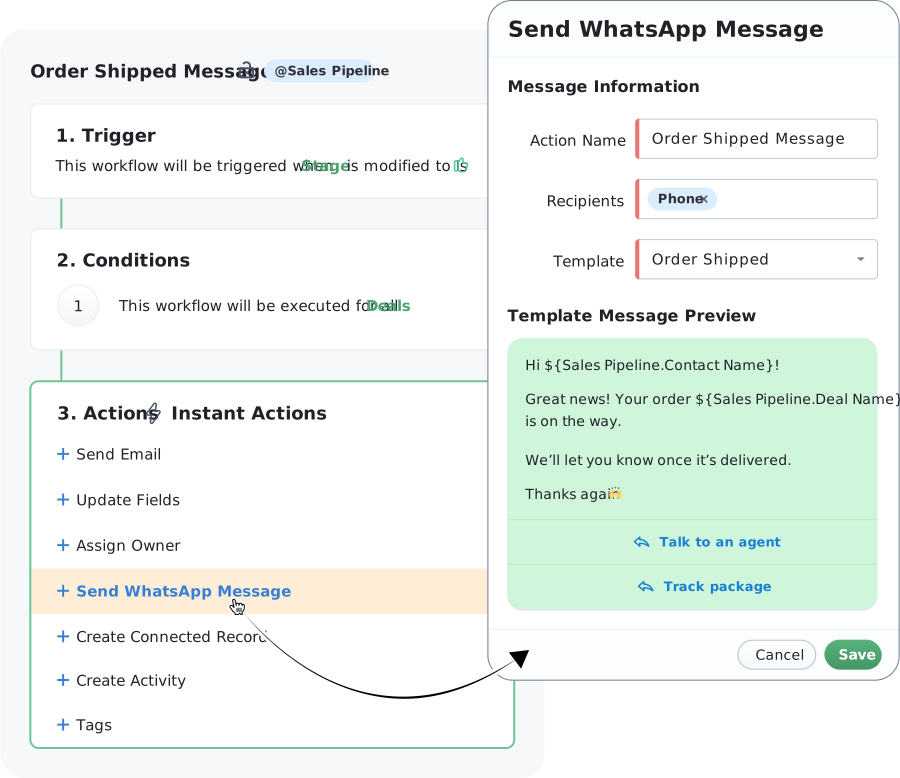
WhatsApp Templates can also be spruced up! As you must know, in order to initiate conversation with contacts, you need to create WhatsApp templates. With the latest updates, you'll be able to add images, videos, documents, or attention-grabbing texts as headers; CTAs; merge-fields that pull in data from pipeline records; and quick reply options to the templates while creating them.
And if you are looking to add a more personal touch to the conversation or send out a detailed message, just record a WhatsApp audio message, review it, and send it out!
Filters in Audit Logs: For a precise view of past actions
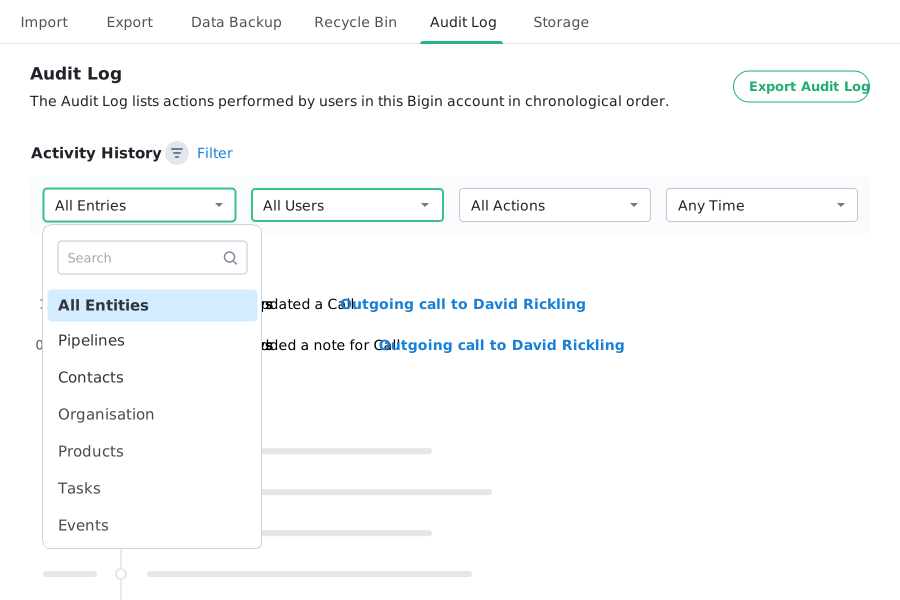
Use precise filters in Bigin's comprehensive Audit Logs to locate specific actions performed on a particular entity by anyone, at any time period.
Zoho Flow Actions in Bigin: For setting up automation across applications
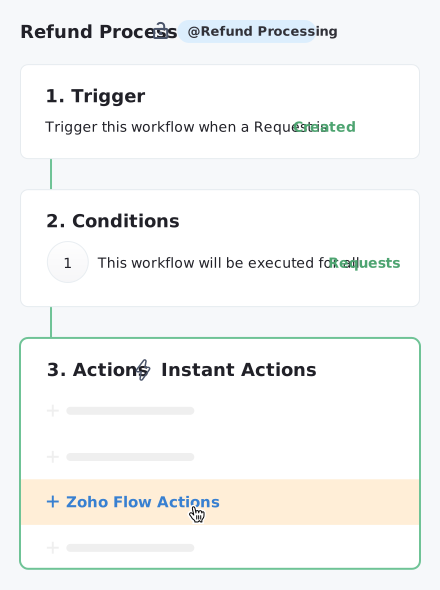
You can now set up powerful workflows in Bigin to trigger Zoho Flow actions automatically. Generate bills in QuickBooks, send a message via Slack, or even have ChatGPT reply to a chat, all triggered the moment something happens in Bigin!
Enhancements to emailing: For smoother communication via email
If you’ve already brought your email communication into Bigin, there’s more good news. You can now save emails as drafts while you work on them, and once they’re ready, schedule them to be sent at a specific time based on your time zone or the recipient’s. It’s a simple way to stay organized and send messages at just the right moment.
We’ve also introduced additional metrics to help you understand how well your mass email campaigns are performing. You can now see the exact number of recipients in your audience list and track how many emails bounced during a specific campaign, giving you clearer insights into what’s working.
And if you’re already using Email In to automatically route emails to the right team’s pipeline, you can now keep spam messages and duplicate requests from cluttering your pipelines by reviewing and approving them before they’re added.
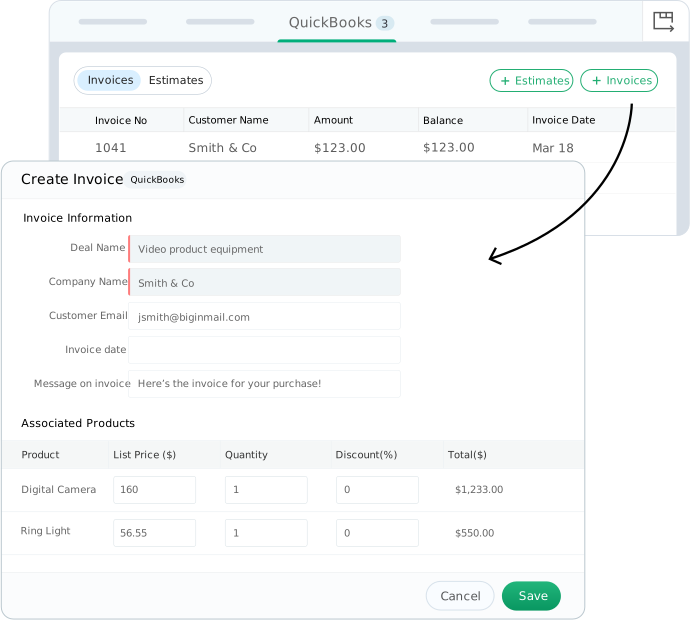
Bigin + QuickBooks Online: For managing invoicing from your CRM
Just closed a deal in Bigin? You can now generate and manage invoices and estimates linked to your customers or deals, and even improve inventory management with Bigin's QuickBooks Online integration.
In-built Card Scanner: For making the most of every encounter
Met a promising lead at an event? Ran into a potential customer at the airport? Capture their details seamlessly. The card scanner built into Bigin’s iOS and Android apps automatically creates new contacts by pulling information directly from business cards!
LeadChain for Google Ads: For automatically capturing social media leads in Bigin
In addition to leads from Instagram, Facebook, TikTok, and LinkedIn ads, you can now capture, nurture, and convert leads from your Google and Click-to-WhatsApp ads in Bigin—all thanks to the LeadChain integration!
Updates to Workflows: For more control and flexibility when setting up automation
You can now fine-tune workflow triggers, automatically assign records to available users for quicker action, schedule tag additions, and do much more to keep your processes running smoothly.
Enhancements to Forms: For more accurate collection of customer and lead data
You can now stop customers from entering names in email ID fields or sharing 15-digit phone numbers. Simply restrict the data types allowed in each form field and set up validation rules, such as maximum character limits, to keep your data clean and accurate.
We’ve also improved how certain fields are auto-filled once a record is created in Bigin based on a form entry. Earlier, you could autofill fields using fixed numbers, text, or other preset values. With this enhancement, you can now use merge fields to pull information directly from the forms your customers submit.
For example, if you have a form that collects new orders, you can autofill the Order Name field in Bigin as Order for ${Contacts.Last_Name}. Bigin will then automatically use the customer’s last name from the form when creating the record.
Zoho MCP for Bigin: For AI-powered interaction with your CRM data
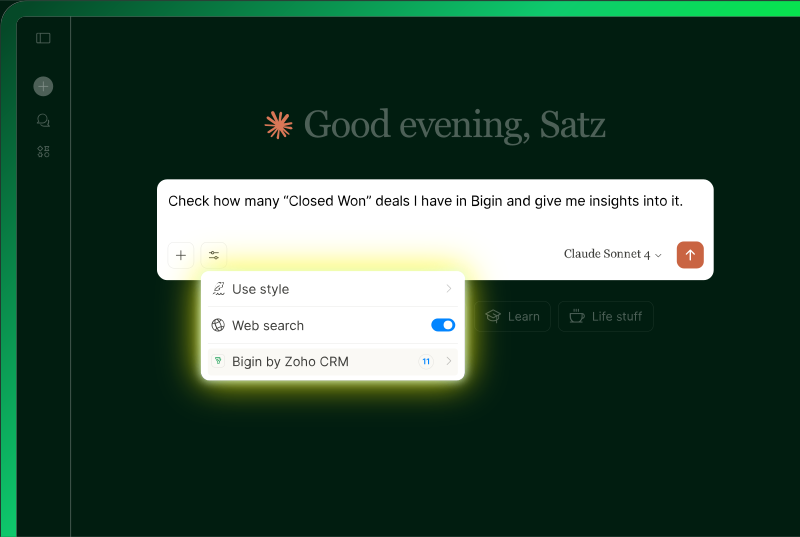
Zoho MCP unlocks a new, secure way to use AI with your customer and lead data in Bigin. By connecting your Bigin account to popular AI tools like Claude, Cursor, Windsurf, or VS Code, you can enable AI to retrieve records, apply advanced filters, draft follow-ups, update deal stages, and trigger workflows, all using simple prompts.
Default Access Levels: For better control over who can access data in Bigin
You can now define default access levels for records in each module and decide who can view, edit, or delete them. This gives you greater control over data in the Contacts, Companies, Activities, and Products modules, while ensuring the right information stays in the right hands.
Export Enhancements: For better control over the data you export
Instead of exporting all the data from a module, you can now choose a specific view that includes only the records matching your criteria, along with the exact fields you want to export. We’ve also increased the export limit to 200,000 records, giving you more flexibility when working with larger datasets.
Improvements to deal creation: For easier management of products linked to deals
Working on a complex deal with multiple products? You can now assign a salesperson to each product and automatically calculate final prices based on the discount present in the Discount field, making deal management much simpler.
Updates to our mobile apps: For a seamless experience wherever you are
Popular features from the Bigin web app, including Signals, WhatsApp Templates, Zoho Books integration, and full-fledged user management, have now made their way to our Android and iOS apps! On popular
Navigation also became simpler with the introduction of separate tabs for events, calls, and tasks in the Activities module, along with two distinct Notes tabs within a contact’s record.
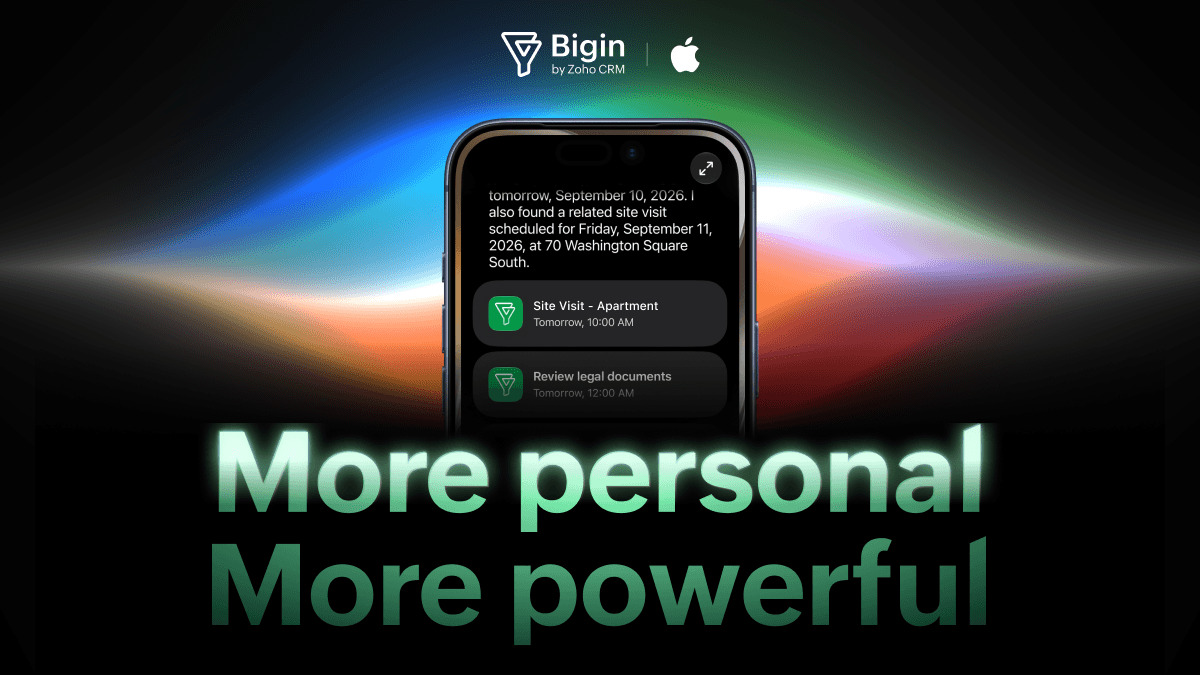
As for Bigin on Apple devices, it truly was a year to shine. Built-in telephony and RingCentral support were added to the iPhone and iPad apps, and Bigin also fully embraced Apple’s latest OS 26 updates.
From refreshing the app’s navigation and overall look to better match the Liquid Glass design to adopting Apple Intelligence features and even introducing a dedicated Apple Watch app, Bigin truly stepped up its Apple experience.
You can learn more about these exciting mobile enhancements and much more on our dedicated mobile community page!
With that, we’ve wrapped up a look at the features and enhancements we rolled out in 2025. Now, let’s give you a glimpse of what’s coming next in 2026.
Starting with Zia Agents for Bigin.
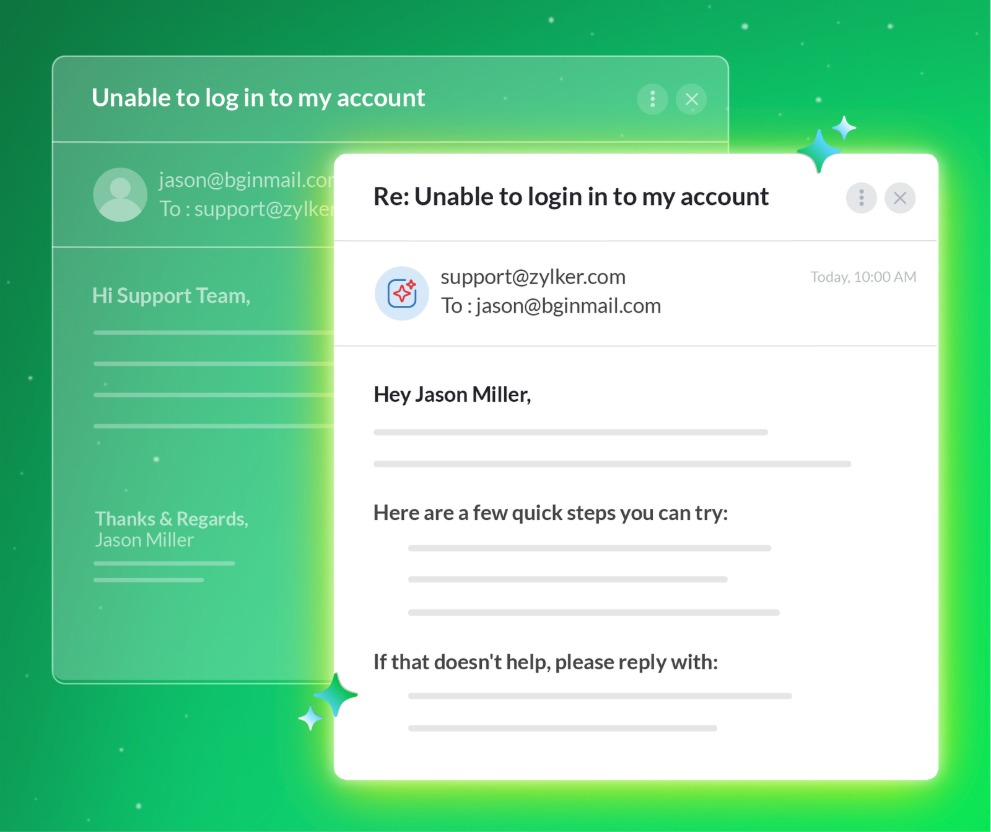
The Reply Assistant will instantly respond to customer emails, ensuring timely and meaningful conversations.
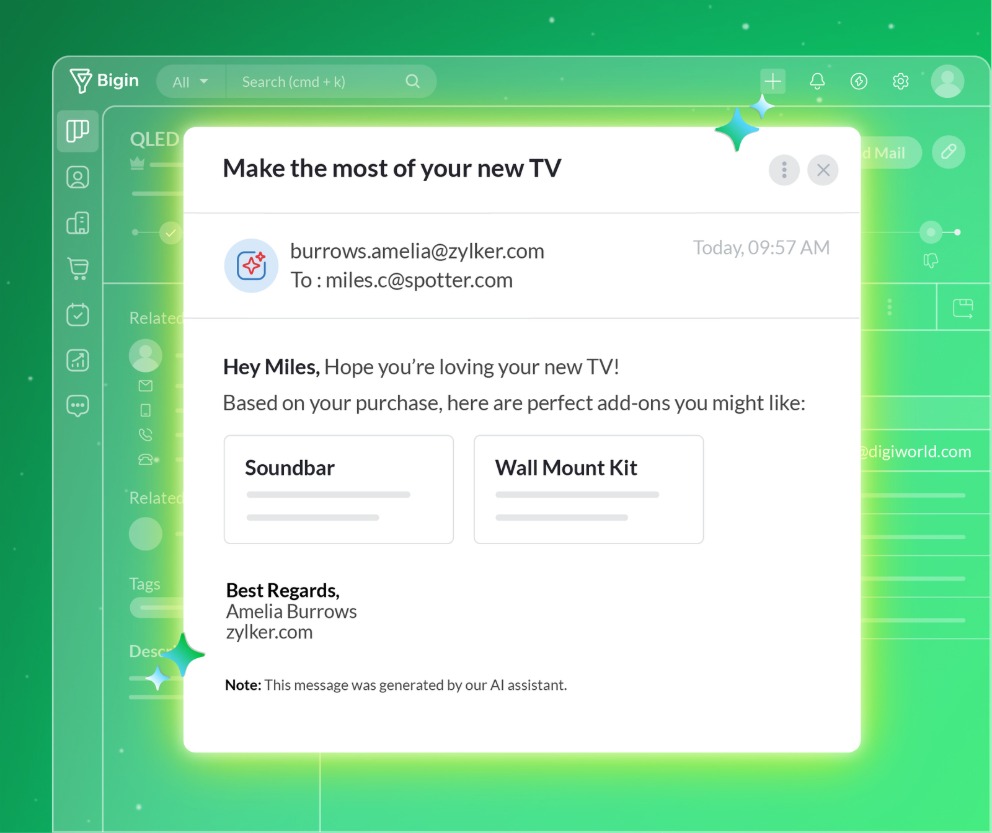
CrossSell Genie builds on every closed deal by identifying relevant cross-sell opportunities and automatically sharing recommendations with customers or sales reps.
And when a deal is lost, the Churn Analyzer Agent steps in to uncover why! It'll scrutinize every lost deal to uncover whether it was due to delayed responses, lack of interest, or other factors and then share these insights with sales reps or their managers.
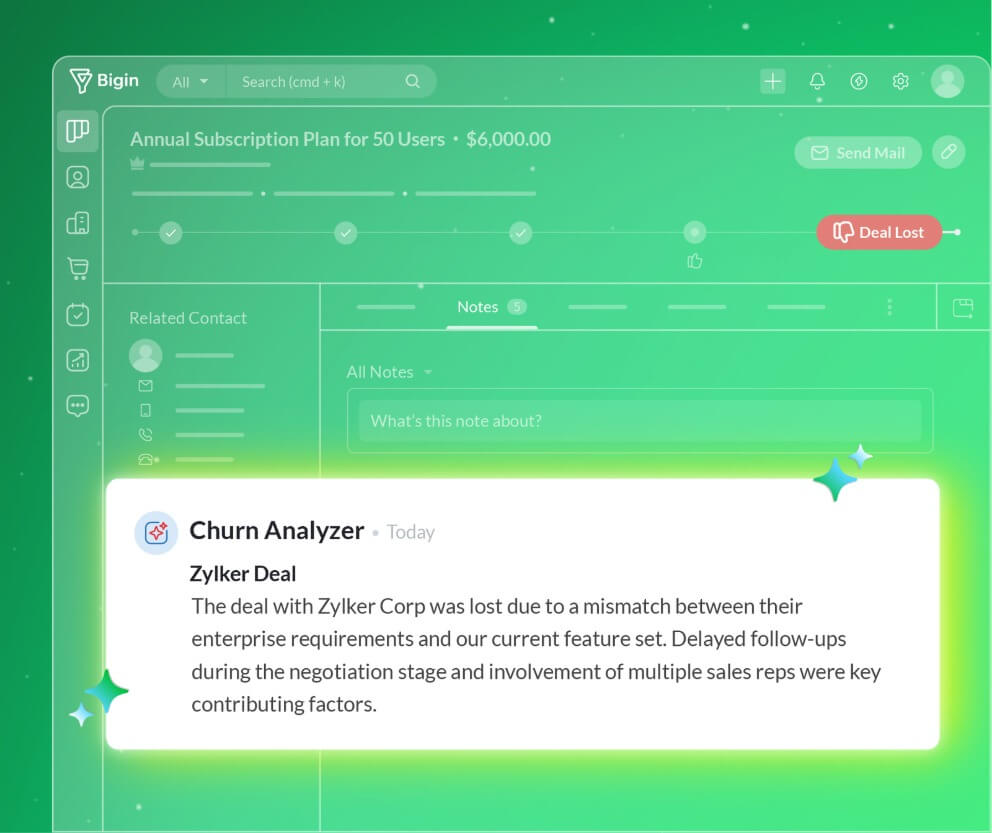
Other AI-powered features include the Record Summarizer, which gives you a clear and detailed understanding of a deal or a customer in moments, and the Dashboard Assistant, which understands your unique goals and helps you quickly build meaningful charts and KPIs to track performance and measure what matters most.
We will also be stepping up our automation game with Cadences, which will streamline the entire lead follow-up process with minimal human intervention.
2026 is shaping up to be a very promising year, isn't it?
Thank you for making 2025 such a special year for us. We’re proud to have played a meaningful role in your business growth. We look forward to continuing this journey together and supporting your success even more in the year ahead!
Comments