- HOME
- More
- Cybersecurity awareness
- Callback phishing: How it works and how to stay protected
Callback phishing: How it works and how to stay protected
- Last Updated : October 29, 2026
- 17 Views
- 8 Min Read

Callback phishing attacks exploit trust and urgency to persuade victims to initiate a phone call with an attacker. By impersonating legitimate organizations and presenting fabricated problems, attackers manipulate victims into disclosing sensitive information or granting access to accounts and systems.
Understanding how these attacks unfold, the tactics attackers use, and the warning signs to look for can help individuals and organizations reduce the risk of compromise.
Anatomy of callback phishing
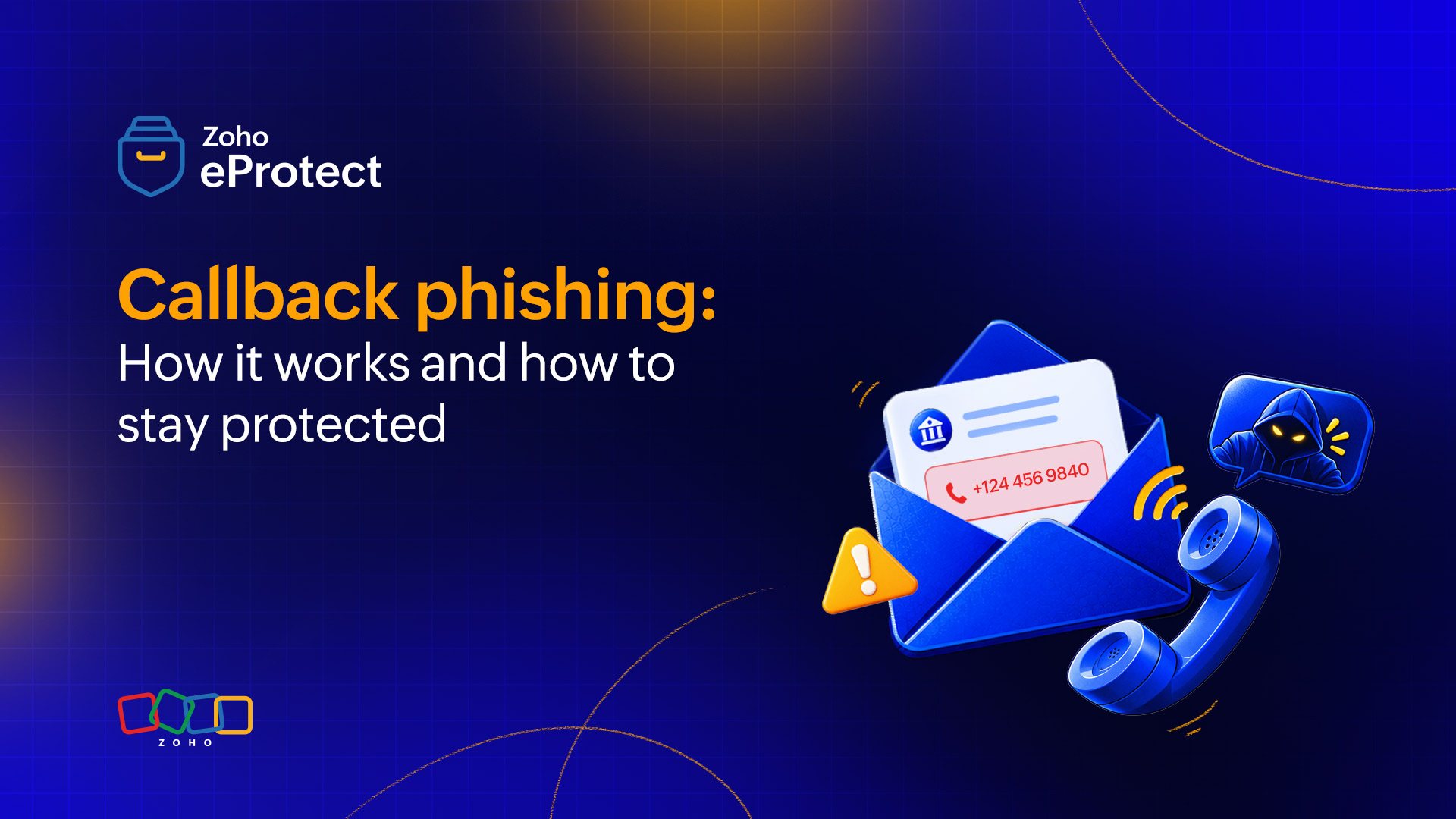
Callback phishing, also known as Telephone-Oriented Attack Delivery (TOAD), relies on the victim making a phone call as part of the attack. The initial email appears relatively harmless because it doesn’t necessarily contain a suspicious link or malicious attachment.
Callback phishing attacks typically progress through several stages, from the initial message to the exploitation of the information or access obtained. Each stage is designed to make the interaction appear legitimate and encourage the victim to comply with the attacker’s instructions.
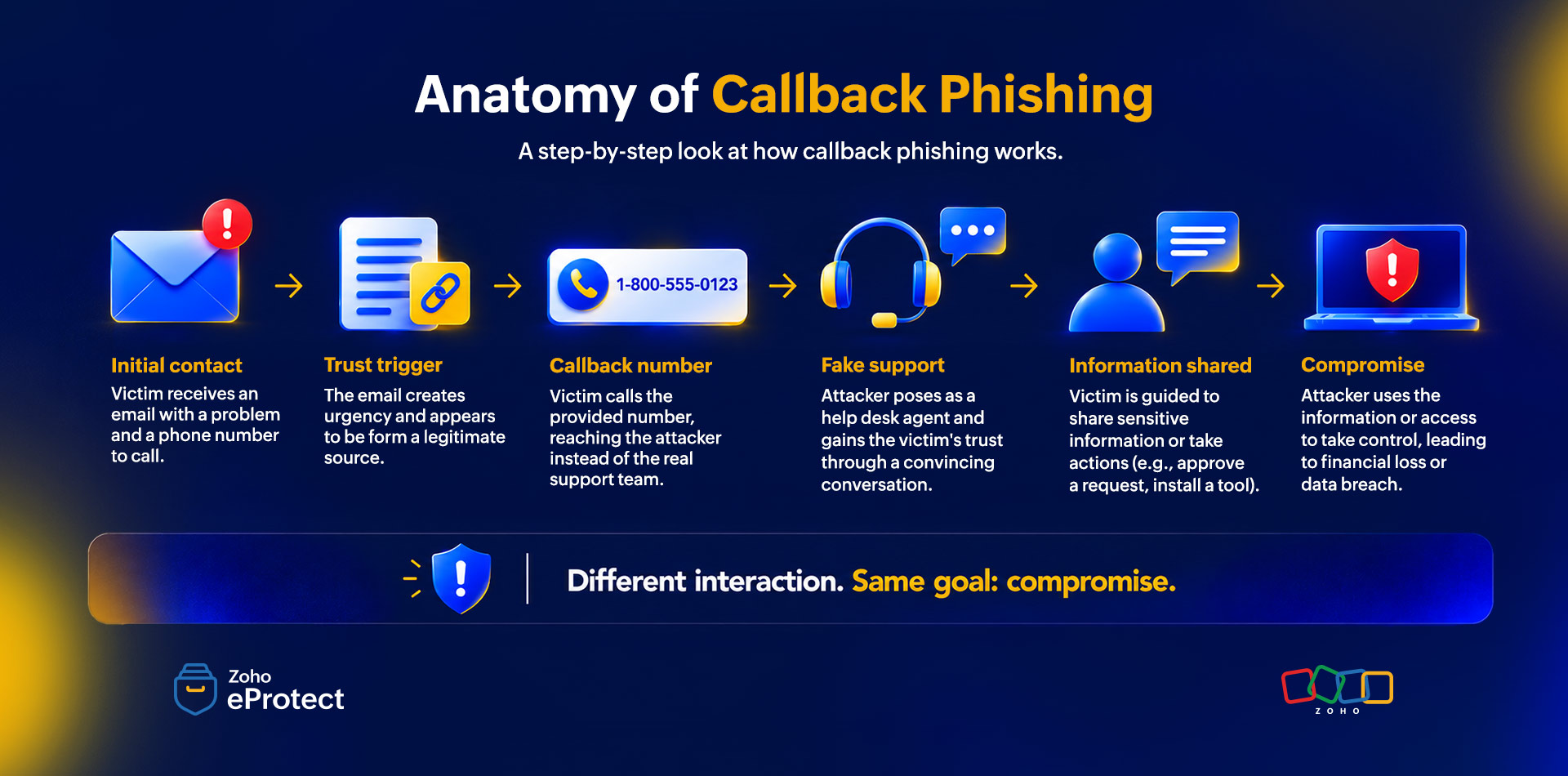
Delivery of an email containing a callback number
The attacker impersonates a trusted organization or service provider. Common ones include well-known online services such as Amazon or Netflix, financial services, insurance providers, investment platforms, and other businesses that users are likely to recognize.
The email is designed to look legitimate and usually contains a phone number that the recipient is instructed to call.
Urgency is built into the message
The email presents a problem that appears to require immediate attention. For example, the recipient is told that:
- Their service is about to be disrupted.
- Their subscription is about to be cancelled.
- A delivery has been delayed.
- A payment requires verification.
- They have been charged for something they did not order.
- Suspicious activity has been detected on their account.
The objective is to make the recipient react before they have enough time to question the legitimacy of the message.
A number is presented as the solution
The attacker then provides a phone number and positions the call as the way to resolve the supposed problem.
The email also includes a reference number, verification code, or transaction ID that the victim is asked to provide during the call. These details can make the interaction appear more credible even though they have no legitimate purpose.
The attacker is essentially creating a problem and then presenting the malicious phone number as the solution.
The wolf in sheep's clothing
Once the victim calls the number, a fake support representative or an automated IVR system answers. The attacker initially follows the same procedures that a legitimate service provider would use. They also ask for basic information, refer to the supposed transaction, or confirm details that the victim already expects the service provider to know.
This initial interaction is designed to reduce suspicion and establish credibility before the attacker asks for anything more sensitive.
Convince with confidence and adapt to the victim’s emotions
Once the conversation is established, the attacker begins guiding the victim through a series of actions. They use technical terminology, service-specific processes, transaction details, or familiar support procedures to make the scenario appear genuine.
Attackers also adapt their approach based on the victim’s emotional response. If the victim becomes suspicious or hesitant, the call is transferred to a senior representative or manager, who is actually another member of the attack team.
The objective is to maintain the illusion of a legitimate support interaction while gradually increasing the victim’s level of involvement.
They get what they came for
After establishing sufficient trust, the attacker attempts to obtain access or information that’s needed to achieve their objective.
This includes:
- Login credentials.
- Passwords or authentication information.
- Financial information.
- Sensitive organizational information.
- Remote access to a device.
- Approval of fraudulent transactions.
- Installation of malicious software.
Once the attacker obtains an initial foothold, the consequences can extend well beyond the individual victim. In an organizational environment, compromised credentials or systems can be used for lateral movement, allowing attackers to reach additional systems, accounts, or data.
The attack usually continues beyond the phone call. Attackers can introduce malicious URLs, fraudulent websites, or attachments during the conversation, potentially leading to malware, credential theft, or ransomware.
Common scenarios used to lay the trap
Callback phishing attacks commonly use situations that are familiar enough to appear believable but urgent enough to encourage immediate action.
Suspicious activity
The recipient is told that suspicious activity has been detected on an account associated with a particular service.
They’re asked to call immediately to explain or verify the activity, often with a warning that the account otherwise will be suspended.
Document review
The victim is told that a document requires review or verification before a service can continue. This could involve insurance, essential supplies, financial services, or another service that the recipient would not want interrupted.
Order update
The email claims that an order has been delayed or is pending verification. The recipient is asked to call to ensure that the order can be processed or delivered successfully.
Payment processing
The recipient is informed that a payment did not go through or requires additional verification. Calling the provided number is presented as the way to resolve the issue.
An order the recipient did not place
The victim is told that an expensive order has been placed or charged to their account even though they did not make the purchase. The attacker then provides a number to call to cancel or dispute the transaction.
Subscription
The recipient is warned that a subscription is about to be cancelled or renewed unless verification is completed. The provided phone number becomes the supposed channel for resolving the issue.
Why do attackers prefer callback phishing over conventional link based attack?
In traditional phishing, emails often contain links, domains, or attachments that an email security system can inspect and prevent the email from landing in the user’s mailbox. In callback phishing, attempts are made to bypass some of these controls by removing the obvious malicious indicators such as links and attachments.
Instead of bypassing the email security system to deliver a suspicious link, the attacker asks the user to make a phone call.
This changes the attack method where the email contains nothing more than a few texts, a phone number, and a convincing story. Once the victim calls the phone number, the attacker can use social engineering to continue the attack outside the email environment.
This makes the user an important part of the attack chain. The attacker is no longer relying solely on a malicious payload; they’re relying on trust, urgency, fear, curiosity, and the victim’s willingness to resolve the supposed problem.
How to identify a callback phishing attack: The 5 U’s to look for
1. Unsolicited communication
Ask yourself whether you were actually expecting the message.
An unexpected notification about a payment, subscription, delivery, account problem, or security issue should immediately warrant additional scrutiny.
2. Urgency throughout the message
The message repeatedly emphasizes the need to act immediately.
Fear, panic, and the possibility of losing access to a service are commonly used to discourage careful consideration.
3. Unrealistic time period to act
Be cautious when the recipient is given an unusually short window to respond.
Statements such as “call within the next 30 minutes” or “your account will be suspended today” are designed to create pressure and reduce the time available to verify the claim.
4. Unusual or unrelated domain
Check the sender’s domain carefully.
An email uses a brand name in the display name or message content while actually originating from an unrelated or suspicious domain. The presence of a familiar brand name should not be treated as proof that the message is legitimate.
5. Unfamiliar communication channel
Consider whether the organization normally communicates with you in this way.
If a service provider usually directs you to its official application or website but suddenly asks you to call a number provided in an unsolicited email or SMS, treat the request with caution.
What to do if you become a victim of a callback phishing attack
If you realize that you have interacted with a callback phishing attack, don’t panic. The appropriate response depends on what information or access you provided.
If you only made the call
End the call and do not continue following the attacker’s instructions.
Do not call the number again. Instead, independently locate the organization’s official contact information through its legitimate website, application, or other trusted source and contact them directly.
If you shared credentials
Change the affected password immediately.
If the same password is used elsewhere, change it there as well. Enable multi-factor authentication wherever possible.
If you shared financial information or approved a transaction
Contact your bank, card issuer, or relevant financial institution immediately through its official channel and report the incident.
If you installed software or provided remote access
Disconnect the affected device from the network if appropriate and contact your organization's IT/security team or a trusted security professional.
Do not assume that closing the remote-access application means the attacker has lost access.
If you’re part of an organization
Report the incident to your security or IT team as soon as possible.
Even if you believe that no sensitive information was disclosed, early reporting can help security teams identify related attacks, protect other users, and investigate whether any systems or accounts were compromised.
How can you strengthen your organization defenses against callback phishing attacks?
Attackers using callback phishing as a technique exploit gaps between email security, phone interactions, and user reporting. Protection against the attack should focus on correlating signals across communication channels, investigating suspicious messages, and using incident feedback to improve detection.
Correlate insights from different channels
Callback phishing attacks involve multiple elements that are used to make an attack successful. These include impersonated brands, sender domains, callback numbers, fake websites, and messages distributed through different channels.
Security teams should correlate these indicators rather than investigate each suspicious message or phone number in isolation. Identifying recurring patterns across reported incidents can help uncover related attacks and establish their scope.
Analyze message and sender anomalies
Examine email metadata and messages for indicators of suspicious activity. These include poor sender reputation, unusual sending patterns, unexpected timing, inconsistent sender information, or domains that don’t match the claimed organization.
Messages that demand urgent action without containing conventional links or attachments should also be brought under the scope of investigation. The absence of these elements shouldn’t automatically result in a message being considered safe.
Use incident feedback to refine detection
Reports from users can reveal callback phishing campaigns that existing security controls may not identify initially. Organizations should establish clear reporting procedures and use the information collected to investigate related messages, correlate suspicious phone numbers and sender details, and refine their detection rules.
Timely feedback can also help security teams prioritize investigations, alert potentially affected users, and respond to new attacks before they affect more people.
How organizations can protect their brand from being abused in callback phishing
Organizations whose brands are frequently impersonated can also take steps to reduce the effectiveness of these attacks.
Verified channels
Clearly communicate the official channels through which customers should contact the organization.
For example, organizations can state that customers should use the phone numbers listed on the official website or application rather than numbers provided in unsolicited emails or messages.
Established communication patterns
Maintain consistent communication practices so customers can recognize what legitimate messages look like.
Customers should be able to distinguish between expected notifications and unusual requests for sensitive information or urgent action.
Customer advisories
When an organization becomes aware of an active impersonation campaign, it can proactively alert customers.
Advisories can explain:
- How the fraudulent communication appears.
- Which channels are being abused.
- What information the attacker usually requests.
- Which official channels customers should use instead.
- What customers should do if they’ve already interacted with the attacker.
The objective is not only to protect the organization’s brand but also to give customers a reliable way to distinguish genuine communication from impersonation attempts.
Key takeaway
Callback phishing exploits the trust people place in familiar brands and support processes. By presenting an urgent problem and offering a seemingly legitimate way to resolve it, attackers can persuade victims to disclose information or perform actions that compromise their security.
Recognizing the tactics used in these attacks, identifying the warning signs, and verifying unexpected requests independently can help individuals avoid falling victim to callback phishing.
For organizations, effective protection depends on combining technical controls with user reporting, incident response, cross-channel monitoring, and clear customer communication.
Zoho eProtect is a cloud-based email security and archiving solution that helps organizations protect against email threats through advanced threat detection. By identifying suspicious emails and malicious content that might evade conventional content filters, eProtect strengthens your email security and helps reduce exposure to email-borne threats, including messages that can be used to initiate social engineering attacks such as callback phishing.