What is AI workflow automation?
- Last Updated : September 24, 2026
- 134 Views
- 11 Min Read
Key takeaways
- Workflow automation moves data. AI automation applies judgment. AI workflow automation does both, so your processes don't stop where ambiguity starts.
- The biggest productivity gap is in the judgment steps between workflows, where a human still has to read, decide, and push work forward.
- Different integration platforms have fundamentally different philosophies about where AI belongs: native, bolted-on, agent-first, or code-configured.
- Not every workflow needs AI; predictable steps should run on rules. AI belongs at the steps that require context, content generation, or routing decisions.
The term "AI" is often associated with workflow automation. This is because both AI and workflow automation aim to automate manual efforts. But the kind of manual efforts they aim to automate are totally different. Let's take a look at both of them to get a better understanding:
What is workflow automation?
Workflow automation is the process of connecting apps or systems to enable smooth transfer of data between them based on set rules. For example, whenever a lead submits a form, the data is automatically captured in your CRM and email marketing tool.
This process is instant and saves the effort involved in manually moving data from your form builder to your CRM and email marketing tool. This automation is fast, consistent, and predictable, but you need to configure the workflow and define the steps.
What is AI automation?
AI automation is more straightforward. When you receive an email, you copy the ticket, paste it into ChatGPT or Claude and ask it to generate a reply. Here, the manual effort involved in thinking and writing a response is automated.
This process is also instant, but not consistent. The responses can vary every single time. You also need to move across different applications—in this case, your helpdesk and your AI model.
AI workflow automation intersects both workflow automation and AI automation, helping you bring both together and making your operations intelligent and streamlined.
What is AI workflow automation?
AI workflow automation is the process of using AI models inside your workflows to automate tasks that require intelligence and judgement. You can automate predictable workflows based on defined rules, and use AI to decide what needs to happen in unpredictable workflows based on judgement.
Why AI and workflow automation should work together
Both AI and workflow automation have gaps that will require the other to fill in.
For example, let's take an automated workflow where you receive a support ticket in your helpdesk. The aim is to resolve the support ticket as soon as possible, and workflow automation can help with that by notifying the support agent in a messaging channel as soon as a new ticket is created. This expedites the ticket-assigning process.
However, a support agent has to address the ticket manually and share the response with the customer. The process isn't completely automated, and the reason is the lack of intelligence that workflow automation possesses—it can't understand the context of the ticket and generate a reply.
On the other hand, if you decide to handle this with AI alone, the intelligence will be automated, but you still have to do the work. You'll have to copy the ticket manually, paste it in your AI tool, type your prompt, get the response, review it, and share it with the customer—and you'll have to do this for every single ticket.
By bringing both together, you have a comprehensive workflow that automates your process end to end. If you're adding "Generate response" as an action in your workflow, it'll generate a response and notify the support team. The assigned agent only has to review the ticket response and share it with the customer.
Now you're not just automating repetitive tasks in your organization: You're streamlining complete processes that involve thinking and decision-making.
How to implement AI workflow automation in your organization
To implement workflow automation in your organization, you need your apps to talk to each other. While there are many ways, like native integrations and custom-built in-house integrations, none of them offer the flexibility and convenience of an integration platform.
Integration platforms enable your apps to connect with each other, creating a seamless way to transfer data across apps with ease. Many integration platforms today offer built-in AI features, connecting with numerous AI tools, like ChatGPT, Claude, and Gemini, to bridge the gap between automation and AI. This is possible in two ways:
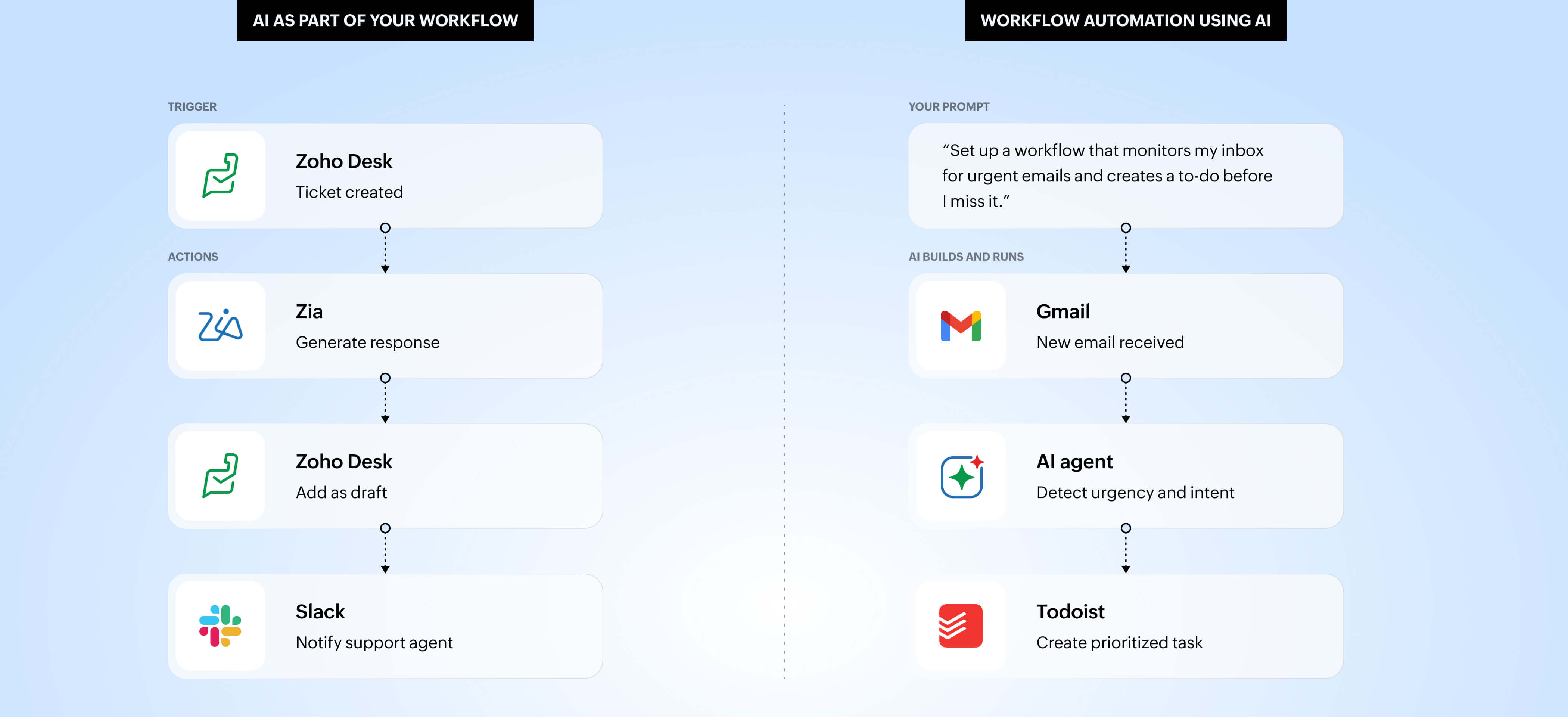
AI as part of your workflows - Your automated workflows are still the same: They move data between different apps. But you can add AI as steps in your workflow so you can generate, transform, or analyze data within your workflows. You define the workflow and AI adds intelligence.
Workflow automation using AI - Your workflows are completely autonomous. You prompt an AI agent with your requirements, and the agent automates your workflow end to end, completely automating tasks without defined rules or setup. Here, the output can vary every time, as there aren't defined steps for the AI to follow.
And how does this impact your workflows?
- Your workflows are now intelligent - They can create content, summarize text, detect sentiment, and analyze patterns.
- Your workflows can make decisions - They can think and evaluate the course of subsequent steps based on context and prompts.
- Workflows are easier to build - You can now communicate with your platform, explain your requirements clearly as prompts, and let AI build and generate your automated workflows.
Integration platforms like Zoho Flow, Zapier, and Make have AI features, but how they position AI within their platforms are different from each other. Let's take a look at how these platforms present their AI capabilities.
How different integration platforms approach AI
Zoho Flow - AI as a native workflow layer
Zoho Flow's approach to AI workflow automation is architecturally different from most integration platforms. Rather than connecting with external AI models, Flow has built AI into the workflow layer itself through Zia: Zoho's AI engine. This works on three different levels.
- AI workflow builder: Generating workflow templates by prompting in natural language,
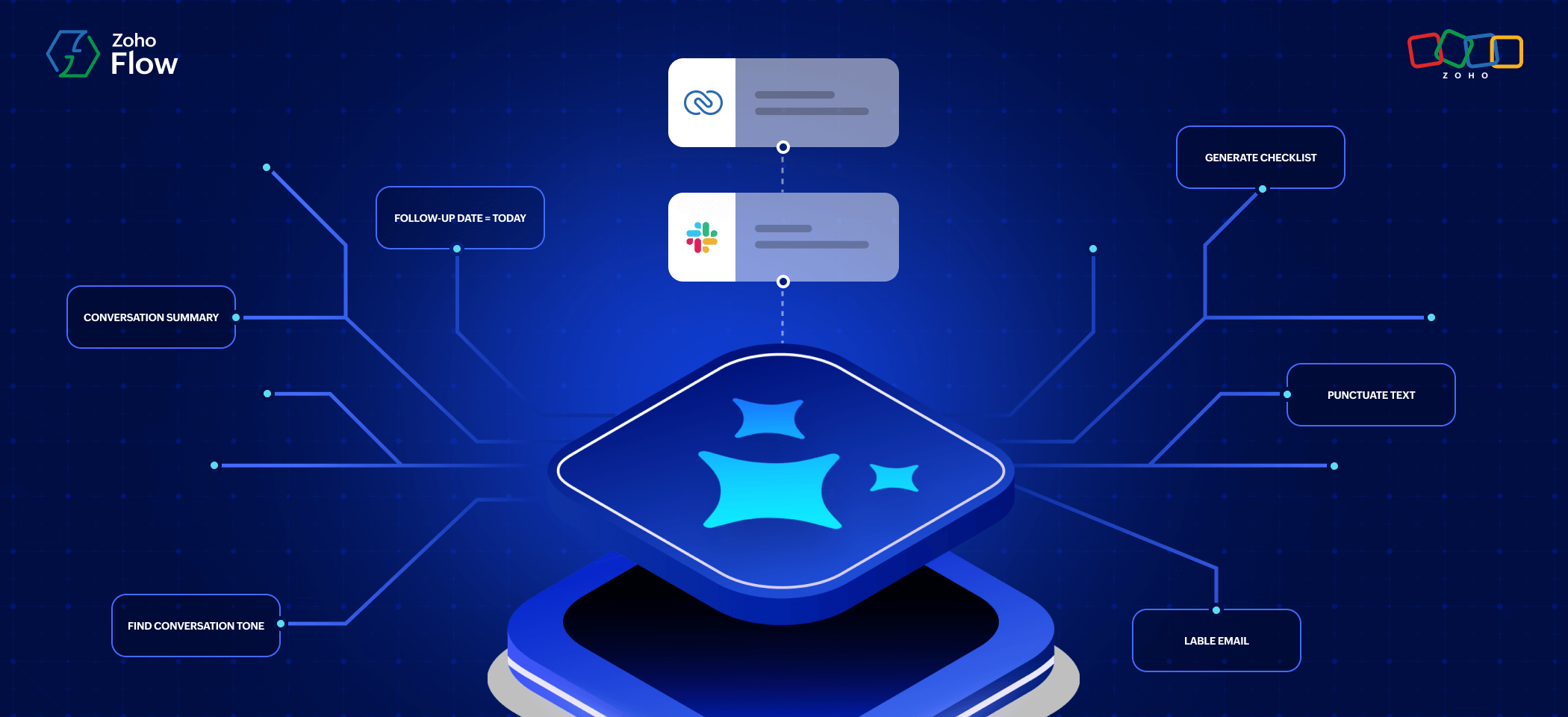
- Zia Utilities: Workflow steps that can generate emails, summarize text, extract keywords, detect sentiment, rephrase content, and more
- Agentic actions: Workflow steps that can evaluate a workflow and decide what needs to happen next based on context from previous steps and prompts
This is a huge advantage because the AI capability is built in and immediately accessible: no external API connection, no separate account, and no overhead setup. Additionally, sensitive business data, like customer records, support tickets, and financial documents, can be processed by the built-in AI without being sent to a third-party model provider, keeping your data securely within the platform.
The result is a platform where AI and automation aren't separate layers that happen to connect—they're part of the same system.
"With Zia, our flows weren't just moving data; they started making decisions. We handle hundreds of support tickets a day, and we now save at least 30 seconds on every ticket response. Product descriptions for every marketplace are also generated in minutes instead of hours." - Ferdinando Ploschberger, Business Controller & Process Transformation Manager, Innoliving
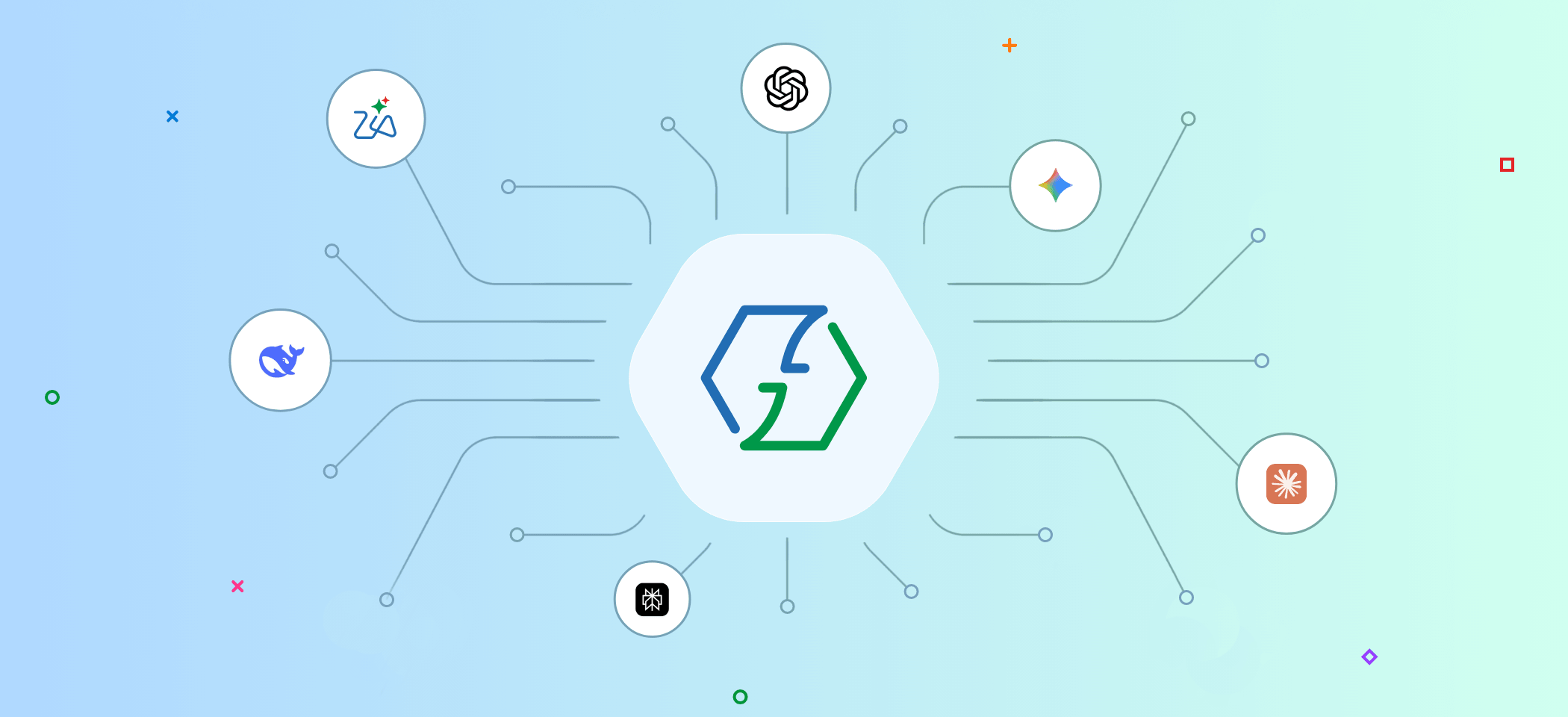
Beyond Zia, Flow also supports integrations with external AI models like ChatGPT, Claude, Gemini, Perplexity, and DeepSeek inside their workflows.
Zapier - AI as an orchestration layer
Zapier's approach to AI is expansive and agent-first. Rather than building AI into specific workflow steps, Zapier has positioned itself as an orchestration layer that connects AI tools, AI agents, and apps across a workflow.
Their AI agents let you create autonomous AI assistants that take action across thousands of connected apps. These agents can control your workflows completely and run them end to end. With over 9,000 app integrations, Zapier can connect AI to almost any tool a business uses.
The limitation, though, is that AI in Zapier is largely additive: It sits alongside the automation rather than being native to it. Connecting to AI tools means your data moves outside your workflow environment for processing.
n8n - AI as a customizable component
n8n takes a code-first, flexibility-first approach to AI. For teams with technical resources, n8n lets you integrate AI models precisely, calling APIs directly, chaining models together, and building exactly the logic you want. There's no abstraction layer between you and the AI behavior.
A developer can configure how an AI model behaves inside a workflow down to the prompt level, and the self-hosted Community edition keeps data on your own infrastructure.
The trade-off is that this flexibility requires technical expertise most business teams don't have.
Make.com - AI as an added capability
Make.com built its reputation on a visual workflow builder with sophisticated logic—branching, iteration, and error handling—offering non-technical users more control than simpler tools. AI features have been added to this foundation, primarily through integrations with external AI models that can be inserted as steps in a scenario.
Make's approach treats AI as one capability among many, rather than as a central organizing principle. This makes it practical for teams that want to add occasional AI steps to existing workflows, but it means AI is less woven into the fabric of the product and more of an extension of it.
Real-world use cases for AI workflow automation
While many companies use AI and automation separately in different capacities, using them together to automate your day-to-day operations can increase efficiency multifold. Here are some use cases across different departments in an organization:
Sales
When a prospect submits a form, your automated workflow can update the records in your CRM, add them to your email marketing tool, and notify the sales team, and then the sales team can take it forward from there. But with an AI model in the mix, your workflow can go multiple steps further.
AI models can read the prospect's note, understand the context, evaluate multiple fields, and route the prospect to the right sales rep based on several factors. On top of that, it can also draft a first-touch email based on the request, giving a head start to the sales team before anyone has manually reviewed the submission.
Customer support
When a ticket arrives in a helpdesk, automation can handle the notification part, ensuring the support team gets to the ticket as soon as possible. But with AI, your workflow can read the ticket, understand the tone, categorize the issue, assign it to the right support agent, and draft a suggested response.
Your support agents are already most of the way there, and it helps them deliver the right support at the right time.
HR
Your AI model can act as your hiring assistant, analyzing incoming resumes in the recruitment portal and screening them to assess the candidates' match to the specified job description. It can further summarize CVs and add them as a note in the recruitment portal, helping hiring managers make informed decisions quickly.
Automation can handle the movement of data from the form to the recruitment portal to notifying the hiring manager, automating both the intelligence and busywork for your team.
Finance
When an invoice arrives, AI extracts the fields, matches it against the purchase order, and routes it for automatic approval or flags the discrepancy for review based on the relevant context already attached. Your workflow can move the cleaned up data across different systems, keeping everything in sync.
How to get started with AI workflow automation
Making AI a part of your workflows is easier than you think. With Zoho Flow, AI is a native layer, so you don't need a separate AI model account. It's also easy to set up, with a simple drag-and-drop interface—no coding involved. AI can even help you set this up from scratch in seconds based on your prompts.
1. Identify workflows with manual effort
Start by identifying workflows that are repetitive but require human involvement—for example, if your workflows need to:
- Generate content
- Summarize text
- Make decisions
- Enrich or evaluate data
These steps require some level of intelligence, and AI is specifically designed to handle such tasks.
2. You don't have to use AI in every workflow
Steps that are predictable and structured, like moving data, sending notifications, and updating records, should run on rules, not AI. Using AI for predictable steps is slower and more expensive than it needs to be.
3. Evaluate data quality and compliance
When you're pushing data from another integration platform into an AI model, you're necessarily moving data out of your platform. So when you're handling secure data, you need to understand the privacy and compliance angle behind it before involving AI in the mix. However, with Zoho Flow you don't have to worry about that, as Zia ensures your data stays within the system.
4. Validate your AI-powered workflows
Once your workflow is set, measure the time saved and the consistency gained, then expand—not because the technology demands it, but because the workflow logic becomes clear once you've seen it work.
5. Train your team
The best thing about using AI in your integration platform is that you can deal with it in natural language. This makes the process much less technical, letting every team build workflows on their own. Once you train your team, everyone can build workflows easily.
AI workflow automation isn't a platform you buy or a strategy you announce. It's a way of thinking about where intelligence belongs inside the processes your business already runs on and building until the judgment work that used to pile up at someone's desk is handled before they even see it.
Sign up with Zoho Flow for free and explore its AI features. Start building your AI workflows today.
Frequently asked questions
1. What's the difference between AI workflow automation and regular workflow automation?
Regular workflow automation moves data between apps based on fixed rules. AI workflow automation adds a layer of intelligence to that process, so your workflows can read context, make decisions, and handle steps that rules alone can't. The automation handles the structure; the AI handles the judgment.
2. Do I need coding skills to build AI workflows in Zoho Flow?
No. Zoho Flow uses a drag-and-drop builder, and its AI features work in natural language as well. You can describe what you want, and the workflow builder generates it. Everyone can build and manage workflows without writing a single line of code.
3. Is my data safe when AI is part of my workflows?
It depends on how AI is integrated. Platforms that connect to external AI models send your data outside the workflow environment for processing. Zoho Flow's native AI layer, Zia, processes data within Zoho's infrastructure, so sensitive business information like customer records and financial documents never leave the system.
4. Which workflow tasks are best suited for AI?
Tasks that require reading context, generating content, making decisions, or evaluating data are great for AI delegation. Some examples are summarizing a support ticket, scoring a lead, screening a resume, or extracting invoice fields. Tasks that are purely mechanical, like moving data, sending notifications, and updating records, are better handled by standard automation rules.
5. Can I use my preferred AI model, like ChatGPT or Claude, inside Zoho Flow?
Yes. Beyond Zia, Zoho Flow supports integrations with external AI models, including ChatGPT, Claude, Gemini, Perplexity, and DeepSeek, so you can bring your preferred model into a workflow step if needed.
6. How is Zoho Flow different from Zapier or Make when it comes to AI?
The core difference is where AI lives. In Zapier and Make, AI is added through external integrations. In Zoho Flow, AI is built in to the workflow layer itself through Zia, which means it's immediately accessible without extra setup and keeps your data within the platform.
Related reading:
 Sooraj
Content writer for Zoho Flow. Ardent fan of sports and movies.