10 useful workflows to automate your email marketing
- Last Updated : October 7, 2026
- 2.3K Views
- 8 Min Read
Key takeaways
- Email marketing is a widely used marketing strategy by businesses to create personalized content that's engaging for their target audience.
- As your list grows, tracking unsubscribes and following up with churned contacts manually becomes impossible to keep up with.
Connect your lead sources, CRM, and ecommerce store to your email marketing app so every new contact lands in the right list automatically.
Around 88% of people check their email every day. So whether your business is in its infancy or already established, email marketing is still one of the most effective digital marketing channels available today. When it comes to sending out new and exclusive content, newsletters, company updates, and collecting feedback, email campaigns are your best bet.
Delivering the right message at the right time is key to a successful email campaign. To connect well with your audience, you need to define them, segment them, and send out unique content that will engage them.
Apps like Zoho Campaigns, Mailchimp, and ActiveCampaign provide you with tools that help you create the right emails for your campaigns, but sometimes, copying and managing email lists, especially when you have sources from a dozen applications, is challenging.
That's where Zoho Flow comes in. Zoho Flow lets you connect your email marketing apps with the rest of your stack: your CRM, spreadsheets, WordPress, and more. Instead of manually copying email addresses to mailing lists or updating records across tools, you build a flow once and it runs automatically.
Here are 10 useful flows you can use to automate your email marketing:
1. Add leads as subscribers to your email marketing tool
Lead generation is important for any business. However, with the number of applications acting as sources for leads rising every year, it's a difficult process managing and exporting all those lists. Whether it's a lead from an online form response, a spreadsheet, or an email, you don't need to spend your valuable time copying and pasting or exporting them to your campaign management app.
All you need to do is to set up flows in a way that whenever new leads are created in your source application, the corresponding details are added as contacts in your subscriber list. You can even set up multiple flows so that leads coming from different applications are automatically added to your required lists.
Here's an example of how a flow that gets leads from Zoho Forms submissions to Zoho Campaigns would look:

2. Add event registrants as contacts in your email marketing tool
Events are a great way to take your business to new audiences and engage your existing customers. But lots of effort goes into conducting an event, such as managing the budget, contacts, and promotion. Moreover, webinars and online events have become extremely commonplace. Be it a physical event or an online one, you not only need to engage the audience during the event but also well after it's over.
However, there are ways in which you can automate repetitive tasks that take up your valuable time. For example, you don't need to worry about managing the attendee contacts for your newsletters, as it can be automatically performed using an integration platform. You just need to connect your event management application, like EventMobi, GoToWebinar, or Eventbrite, to your email marketing application using Zoho Flow. You can then configure a flow to add a contact in your email marketing application whenever a new registrant or attendee is created in your event management application.
3. Add your new ecommerce customers to your mailing list
If you're running an online store, you need to ensure that your customers are receiving updates on a regular basis, like product availability updates, product news, new deals and offers, or feedback requests. This keeps them visiting your store and turns them into loyal customers. However, manually adding new customer information to your mailing list takes time.
To automate this, you can create a flow to add contacts to your mailing list whenever you have a new customer in your ecommerce store application, like Shopify or CloudCart. Zoho Flow also supports WordPress plugins, such as WooCommerce, so you don't need to worry about multiple automation platforms!
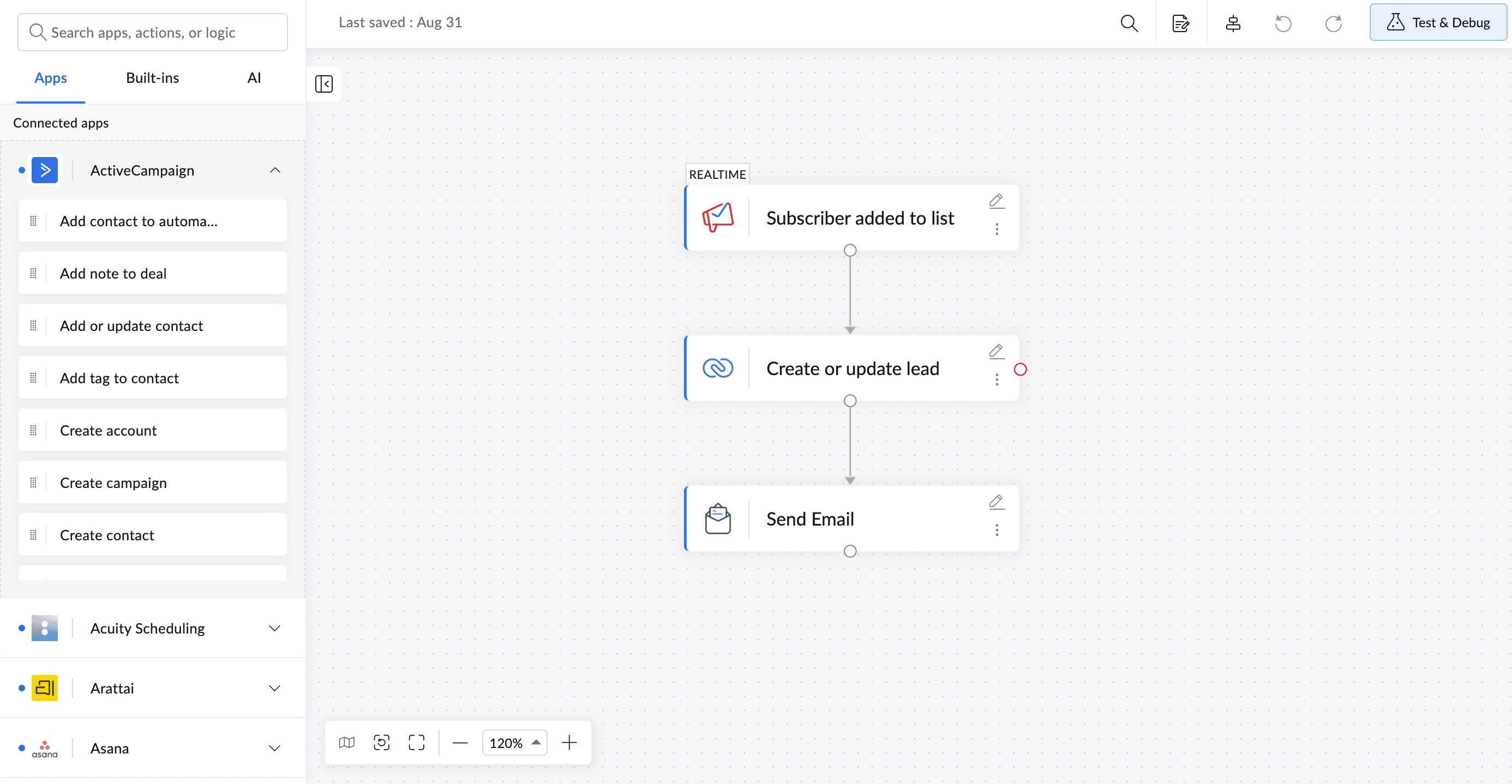
4. Add new subscribers as contacts in your CRM
CRM applications are the core of sales and marketing for businesses, but keeping their contact lists up to date is a time-consuming activity. Rather than manually exporting contacts all at once, you can use an integration platform like Zoho Flow to sync new contacts whenever they're created. If the contact already exists, then its details will be automatically updated rather than creating a new contact, avoiding duplicate entries.
5. Store and track campaign records regularly
You've worked hard on creating the perfect email campaign. Now you need to keep track of its results and store select information in a spreadsheet for analysis. While most email marketing applications have built-in dashboards with analysis, you might also want to use spreadsheets for the sake of simplicity and customized analysis. However, moving data manually to spreadsheets can be tedious.
To get this process automated, just create a flow that triggers on a regular schedule, fetches the reports of your required campaign, and adds the information you want to your selected spreadsheet. You can even add conditions to your flow to categorize the results the way you want. You can also connect an email or a messaging application to your flow to receive notifications whenever a field is updated in the report, like if your CTR or bounce rate crosses a specified value.
6. Add your new WordPress signups as newsletter subscribers
If you use WordPress to power your website, tracking your new users and adding them to your mailing list manually can be difficult. But you can use Zoho Flow to automate this process, as it supports integrations for 100+ WordPress plugins. You can create a flow where every time a new user signs up on your WordPress site, they're added as a subscriber to your newsletter. You can also customize this flow to create separate mailing lists for separate occasions. For example, you can send personalized emails for birthdays, upcoming subscription expirations, personalized promotional offers, and more.
7. Follow up and collect feedback from unsubscribes
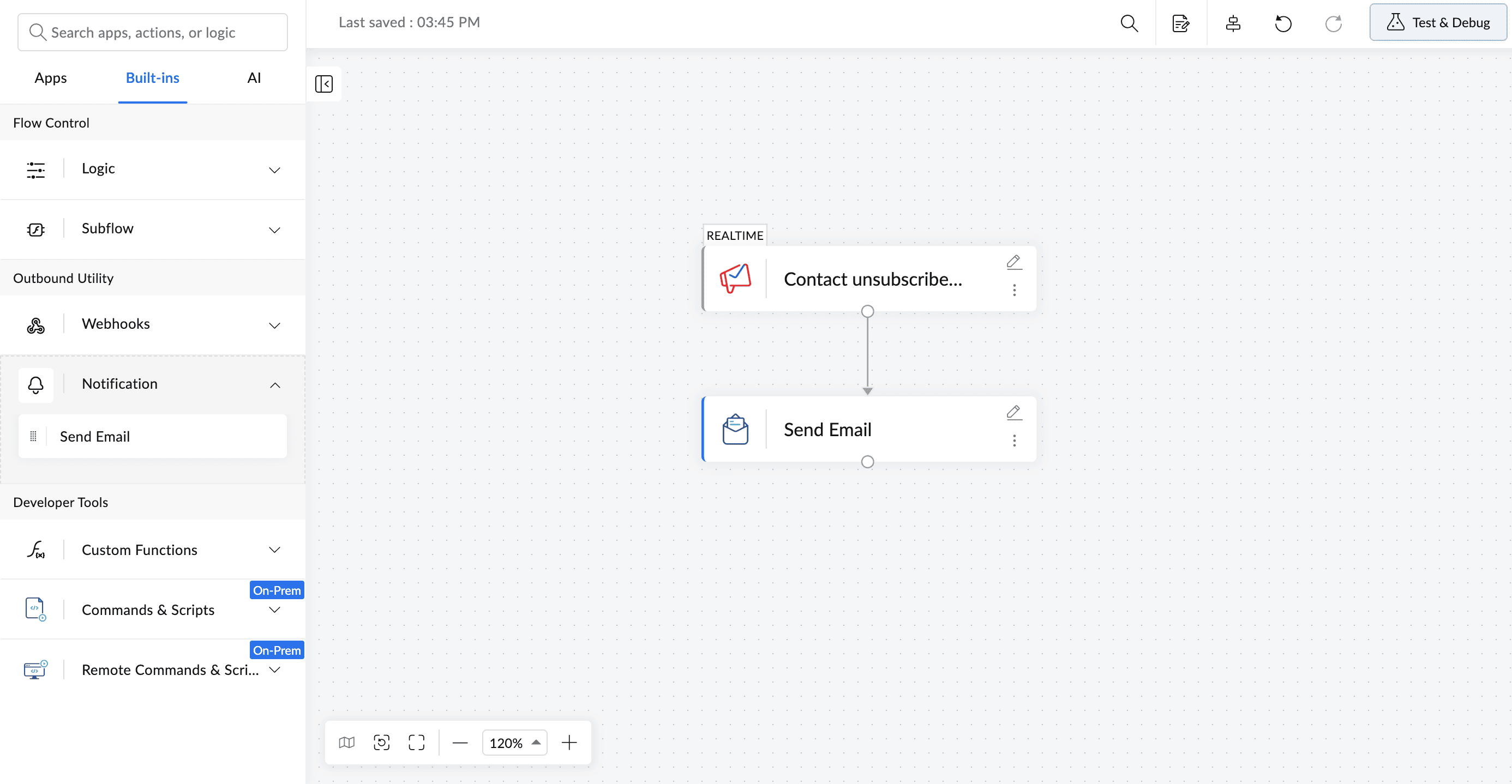
When you have a long list of subscribers, a small number of unsubscribes are expected. However, it's important that you stay informed of why subscribers leave.
The best way to learn this is to ask for feedback simply, and possibly re-engage with them through a follow-up email. You can use a standard template for this email, and you don't even need to spend time finding unsubscribers and sending them emails. You can set up a flow where whenever there's a new unsubscribe, a follow-up email is sent to them automatically. You can customize the contents of the email to make it more personal.
8. Send welcome email when a new lead is added
When a lead is added to your CRM account, it's the best window to make your first impression. Sending a welcome email sets the tone for the relationship, as it's the first form of direct communication you have with your customer. When leads come in from different sources, manually sending welcome emails can slip through and be forgotten. You can set up a flow in Zoho Flow that triggers whenever a new lead is added to your CRM and automatically sends a welcome email as the follow-up action—no manual checking, no delayed responses. The lead hears from you within seconds of signing up.
You can also branch the flow based on lead source or segment, so a lead from a webinar gets a different message than one from a contact form.
9. Send a message on a channel when a campaign status gets updated
Running a campaign involves tracking status changes, which might involve members beyond the core team running it, such as key stakeholders. When the campaign progresses, you may miss out on notifying them of its status.
You can set up a flow in Zoho Flow that notifies stakeholders automatically by sending a notification in a communication app like Slack or Zoho Cliq when there's a status change in your campaign, instead of manually updating them each time. This simple automation eliminates tedious manual check-ins and keeps everyone updated in real time.
10. Segment contacts in your campaigns by adding contacts to lists
Understanding and engaging with customers based on their preferences is a key factor for a good customer experience. Marketers call this process segmentation. Instead of manually tracking sign-up data in spreadsheets, businesses can now easily automate the entire process.
You can build a flow that gets triggered when a form is submitted. With decision branches, the contacts can be routed to different mailing lists based on their preferences in email marketing applications like Zoho Campaigns, Mailchimp, or ActiveCampaign.
These are some of the most common ways to automate your email marketing efforts, but there are hundreds of other ways to automate flows specific to your business. Automating repetitive tasks not only makes it easier for you to focus on what's more important, but also greatly reduces errors that could creep in. You can also try automating other areas of your marketing to make automation even more effective at your organization!
Explore Zoho Flow by signing up for the 15-day free trial.
Related reading
- 7 powerful Zoho Mail integration ideas to automate your workflows
- Time-saving automation ideas for your marketing team
- Marketing automation for connected workflows
- Marketing campaign automation tool for all marketing needs
Frequently asked questions
1.How many email marketing apps does Zoho Flow support?
Zoho Flow allows you to connect Zoho Campaigns, Mailchimp, ActiveCampaign, Constant Contact, and several other platforms. You can find the full list on the Zoho Flow apps page.
2. Can I connect multiple lead sources to a single subscriber list?
Yes, you can create separate flows for each source app, such as a form builder, a CRM, or an ecommerce platform, and point them all at the same subscriber list. Each flow runs independently, so leads from different sources are captured without any manual work.
3. Can Zoho Flow send emails directly?
Zoho Flow allows you to send emails using its built-in send email action, without needing a separate email marketing app.
4. Can I filter which contacts get added to a list?
Yes, You can add conditions to any flow to filter records before an action runs. Only contacts that meet your criteria will be added to the list.
5. Can I add a time delay between a trigger and the follow-up email?
Yes, Zoho Flow includes a delay action you can place between any trigger and action. You set the duration, and the flow waits before proceeding.
6. What if my email marketing app isn't listed in Zoho Flow?
If your app supports webhooks, you can still connect it to Zoho Flow using the webhook trigger or action. Many apps that aren't natively listed can still be integrated this way.
 Arjun
ArjunProduct Marketer at Zoho Flow: Passionately curious, with a love for thinking, writing, and exploring creative ways to connect people with science and technology.