What is an RSS feed integration? How it works and 5 ways to automate it
- Last Updated : September 30, 2026
- 1.4K Views
- 7 Min Read
Key takeaways:
- An RSS feed integration connects a website's feed to your business apps, so every new post, video, or update automatically triggers an action.
- Common integrations send RSS updates to Slack or Zoho Cliq, publish them on social media, add them to newsletters, or log them in a spreadsheet or CRM.
- With Zoho Flow, you can build an RSS integration without code. Add a feed URL as the trigger, then choose what happens next in any of 1,000+ apps.
Almost every blog, news site, podcast, YouTube channel, and status page publishes an RSS feed. On its own, a feed is just a list of new content. But once you integrate it with the apps your team already uses, it becomes a source of automatic alerts, posts, tasks, and records.
What is an RSS feed integration?
An RSS (Really Simple Syndication) feed is a web feed that automatically provides updates from websites or other online sources in a text file or XML format. It allows users and applications to subscribe to a website and receive updates on new content, without having to check the site manually every time.
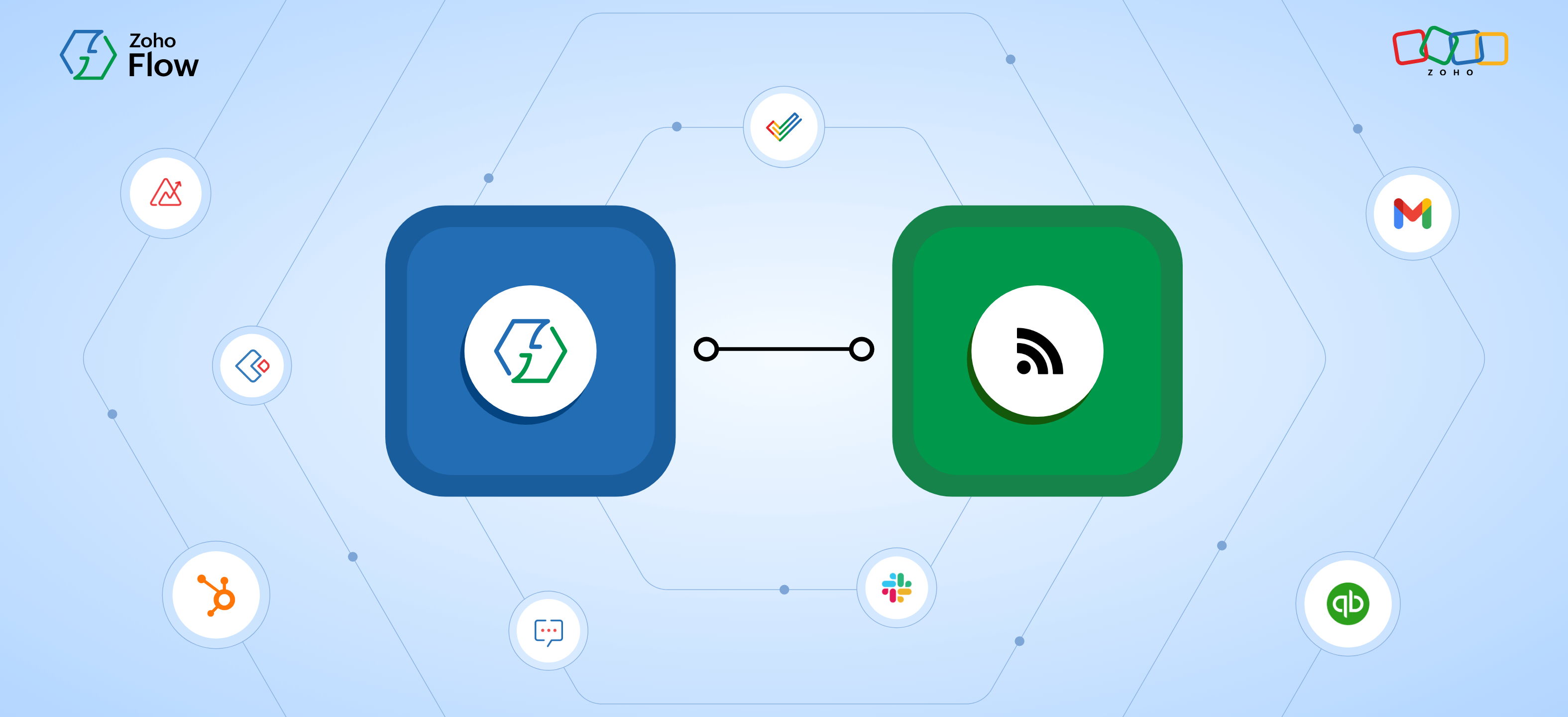
An RSS feed integration connects that feed to another application. The integration watches the feed, and when a new item appears, it passes the item's details to an app like Slack, Zoho CRM, or Mailchimp to take an action. For example:
- A new post on a competitor's blog, sent as a message in your marketing team's Zoho Cliq channel
- A new episode of your podcast, published as a post on X
- A new press release from a key account, logged as a note on that account in Zoho CRM
RSS feeds help you read updates. RSS feed integrations help you act on them, without anyone copying and pasting links. Here's how RSS feed integrations work in Zoho Flow.
How RSS feed integration works
Every RSS integration in Zoho Flow follows the same pattern:
- The trigger watches the feed. You add a feed URL to Zoho Flow's RSS/Atom feed trigger. Zoho Flow checks the feed at regular intervals and detects any updates. The trigger works with both RSS and Atom, the two common feed formats.
- New items are detected without duplicates. You choose how Zoho Flow identifies a new item: by publish date, by URL, or by a custom value. This keeps the same post from triggering your flow twice.
- Feed data becomes variables. Each item's fields, such as title, link, description, publish date, and author, become variables that you can move to different apps as data. Your Slack message, social post, or CRM note will be created based on these variables.
- Actions run in your apps. The item is sent to one or more apps. A single new post can trigger a Slack alert, a spreadsheet entry, and a social post at the same time.
Here are some real life use cases to help you understand how RSS feed integrations can be helpful:
Automate social media posts when a new blog post is published
When you write a blog post, creating a social media post for it is one of the most efficient ways to promote it. However, writing a post for every single blog post and having it published across multiple social platforms can be tiring and easy to forget. But Zoho Flow offers you a simpler way to make it happen.
After setting up an RSS feed trigger in Zoho Flow with your website, you can integrate it with ChatGPT or Zia to create a specific post based on the blog—and you can further integrate it with social media platforms like X to have it posted on the platform. This way, every time a new blog is published, you can have it posted on social media automatically.
Auto-update newsletter templates based on new content
When you have a templated newsletter, curating it manually every single time doesn't make sense, as it can eat up a considerable amount of time. While it's necessary to have all new content updates added to your newsletter, you can automate the process with a simple integration between your RSS feed and email marketing platforms.
By integrating your RSS feed with your newsletter on email marketing platforms like Zoho Campaigns or Mailchimp, every time a new content update is made on your website, it'll automatically be added as a newsletter draft, ensuring you don't miss any information when curating your monthly/weekly newsletter.
Track your competitor websites effectively
Integrating the RSS feed of your competitor's website with messaging applications like Slack or Zoho Cliq will ensure that every time a new update is made on the website, you get notified directly or have your team notified through a channel.
This will help you consistently stay on top of your competitor's content feed, offering you an advantage. Similarly, you could integrate the RSS feeds of some top review sites and get notified through Slack or Zoho Cliq when someone writes a review about your business.
Streamline your stock market data
News websites related to the stock market provide RSS feeds, and getting hold of such information instantly will offer you an invaluable advantage when it comes to managing your stocks.
By integrating your RSS feeds with messaging apps like Zoho Cliq or Slack, any time there's an update on stock/finance-related websites, you'll instantly get notified, enabling you to act quickly. You could also subscribe to RSS feeds from financial analysts, research firms, and investment blogs to get their latest analyses and recommendations.
Automate your to-do list
Some people just read whatever they find interesting at the moment, while some people prefer to make a list and read content in a particular order. If you're part of the latter group, integrating your RSS feed with task management applications like Todoist or Zoho ToDo can make your hobby much easier.
This way, any time a new article comes up from your favorite authors or websites, it'll be added to your to-do-list in your task management application and arranged chronologically based on date or any other custom value. This takes a lot of the work out of keeping your own reader's list.
While these are just a few ideas where integrating your RSS feed with other applications can be beneficial, Zoho Flow has more than 1,000 applications offering you infinite possibilities.
How to integrate your RSS feeds
- Log in to your Zoho Flow account.
- In the My Flows section, click Create Flow in the top right corner or the + button on the left.
- Enter your flow's name and a description (optional), then click Create.
- Select RSS/Atom Feed as your trigger.
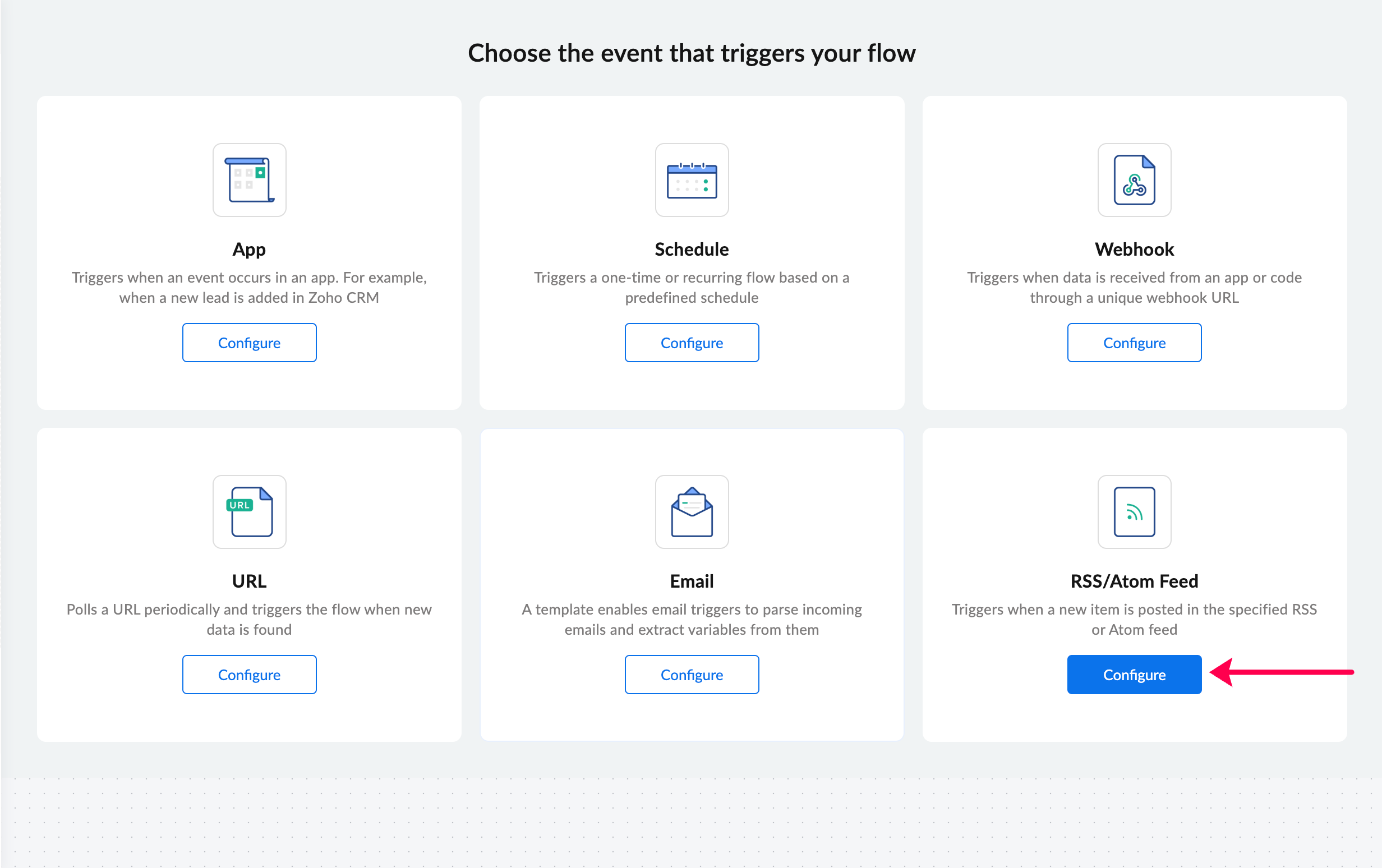
- In the Feed URL field, copy and paste your RSS feed URL (currently, Zoho Flow supports only publicly accessible feeds), and click Fetch Response.
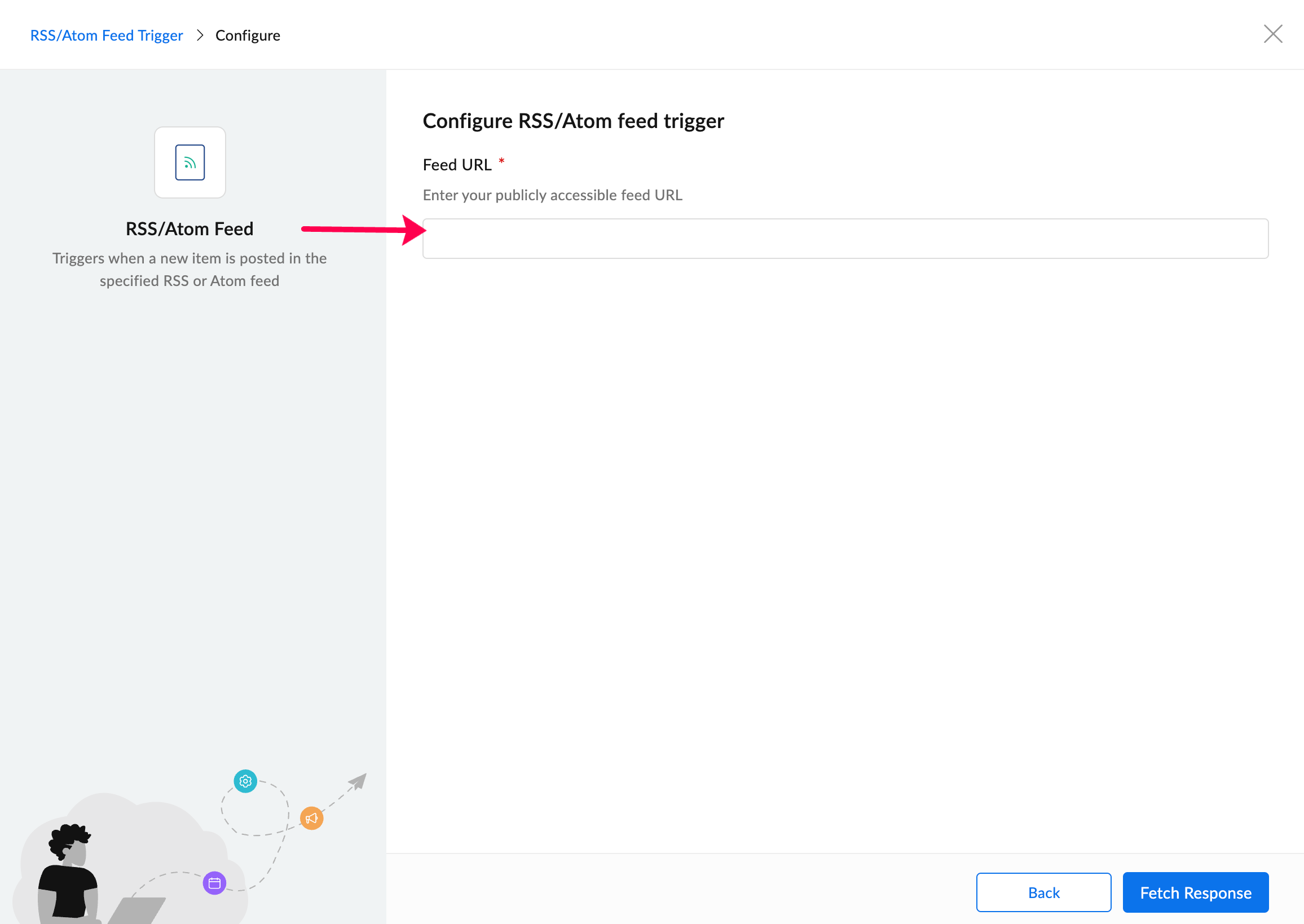
- You can also choose whether to detect new feeds based on date, URL, or any other custom value, and click on Done.
- Your RSS feed trigger is now configured, and you can start setting up your actions (create post in X or send message in Slack) to build the rest of your workflow.
Your RSS feed trigger is now configured, and you can start setting up your actions to build the rest of your workflow.
Set up your RSS feed trigger in a matter of minutes and execute your workflows in mere seconds with Zoho Flow. Sign up with Zoho Flow and start integrating today!
Frequently asked questions
1. What is RSS feed automation?
RSS feed automation is the process of integrating RSS feeds with other applications to automate tasks based on updates from the RSS feeds. When a website publishes new content, an automation platform like Zoho Flow detects it and triggers actions in your other apps.
2. How does Zoho Flow connect with RSS feeds?
Zoho Flow connects to RSS feeds through its built-in RSS/Atom feed trigger. You paste the feed URL into the trigger, and Zoho Flow checks the feed at regular intervals for new items. It uses the publish date, URL, or a custom value to avoid duplicates. The trigger works with any publicly accessible RSS or Atom feed.
3. Can I automate social media posts using an RSS feed?
Yes. This is one of the most common RSS automations. Set your blog's feed as the trigger in Zoho Flow, then add an action for X to publish the post title and link. To go further, add Zia or ChatGPT to write a caption from the article summary. You can also route the draft to a Zoho Cliq channel for approval before it goes live.
4. What apps can I integrate with an RSS feed using Zoho Flow?
You can integrate 1,000+ applications spread across different networks, ecosystems, and streams with RSS feeds using Zoho Flow.
5. Does RSS feed automation work for podcasts and YouTube channels?
Yes. Every podcast is distributed through an RSS feed, and every YouTube channel has one too. Add either feed to Zoho Flow's RSS/Atom feed trigger to automate what happens when a new episode or video is published. For example, you can share it on social media, notify your community in a chat channel, add it to your newsletter, or log it in a content calendar.
6. What is the difference between an RSS feed and an API?
An RSS feed is a standardized, read-only list of a website's latest content. Any tool can check it for new items, usually without logging in. An API is a custom interface that each service builds so other software can read and write data, such as creating records, updating fields, or deleting items. APIs usually require authentication and offer much richer data.
 Sooraj
Content writer for Zoho Flow. Ardent fan of sports and movies.