- HOME
- Feature Spotlight
- Document approval workflow updates in Zoho Writer, Part 1: Parallel review, completion criteria, and external approvers
Document approval workflow updates in Zoho Writer, Part 1: Parallel review, completion criteria, and external approvers
- Last Updated : October 28, 2026
- 26 Views
- 2 Min Read

This is the first article in a two-part series of posts covering the latest updates to Zoho Writer’s document workflows, focusing on three enhancements to the existing pre-built workflows: parallel and sequential review, configurable completion criteria, and support for external reviewers and approvers.
Parallel and sequential review
Not every document follows the same approval path. Some need multiple reviewers to weigh in at the same time. Others need to pass through a defined sequence before the next reviewer sees it.
With parallel review, send a document to multiple reviewers simultaneously and get consolidated feedback in a single cycle. With sequential review, route a document through reviewers in a predefined order; each person sees it only after the previous reviewer has completed their review.
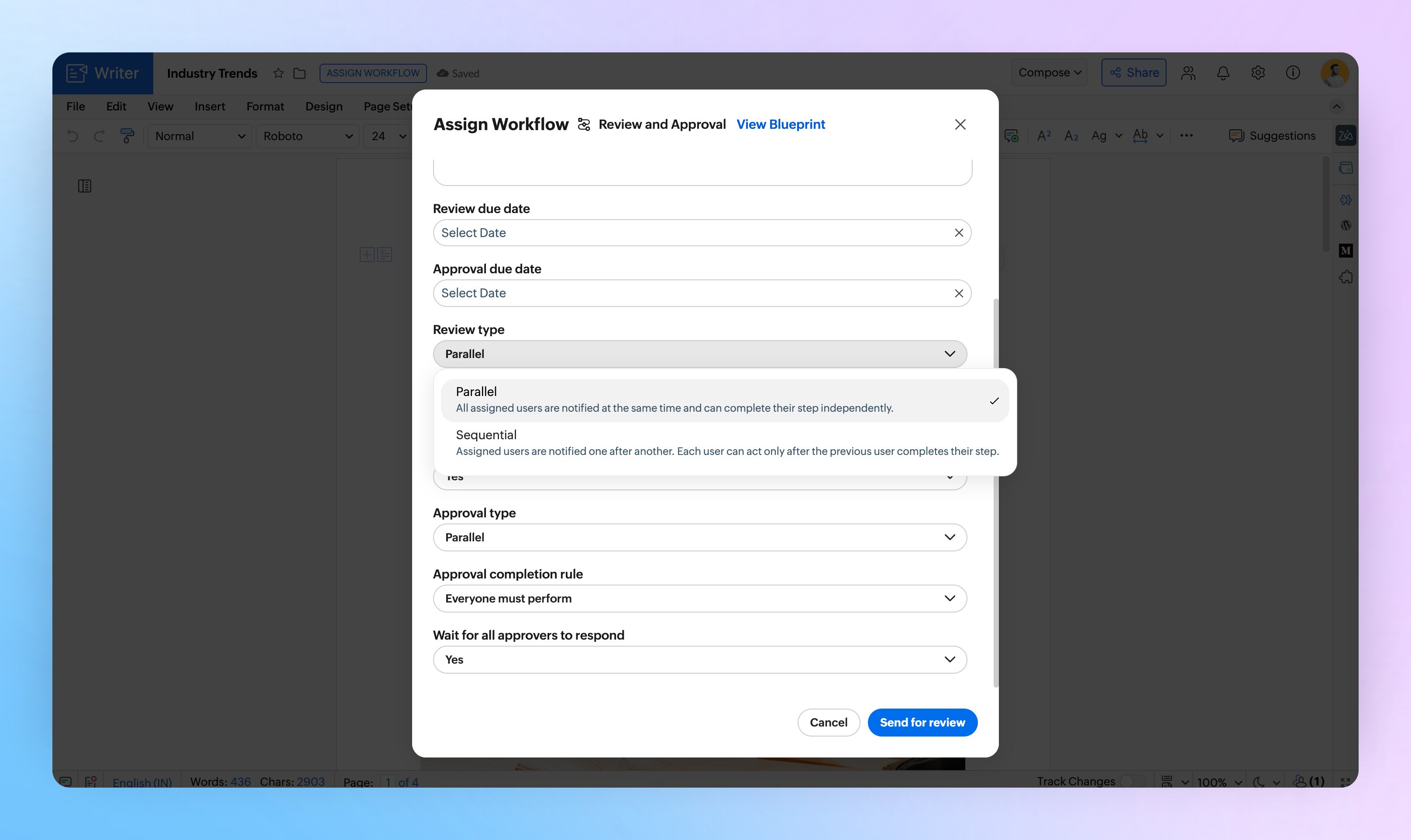
Example: A policy document is sent to the HR team, the legal team, and the compliance team simultaneously for parallel review. Once all three complete their review, the document moves to the next stage.
Set completion criteria per stage
Require all reviewers to approve, or let any one approval move the document forward.
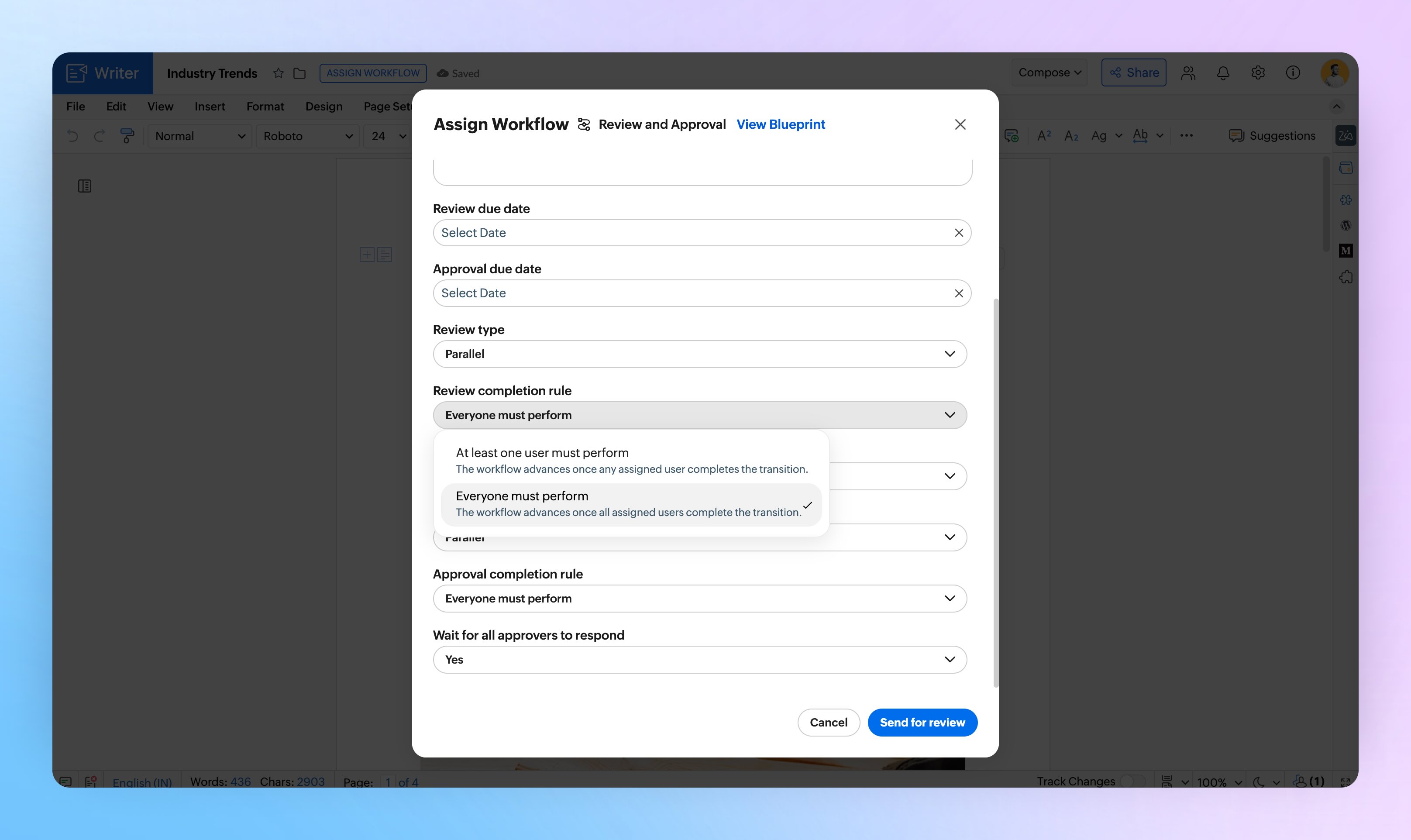
Example: A compliance document is sent to three approvers. The completion criteria is set to any one reviewer's approval, so the document advances to the next stage as soon as the first reviewer signs off.
External reviewers and approvers
Include customers, vendors, or external partners as reviewers and approvers by adding their email addresses directly. They can participate in the workflow without needing a Zoho account.
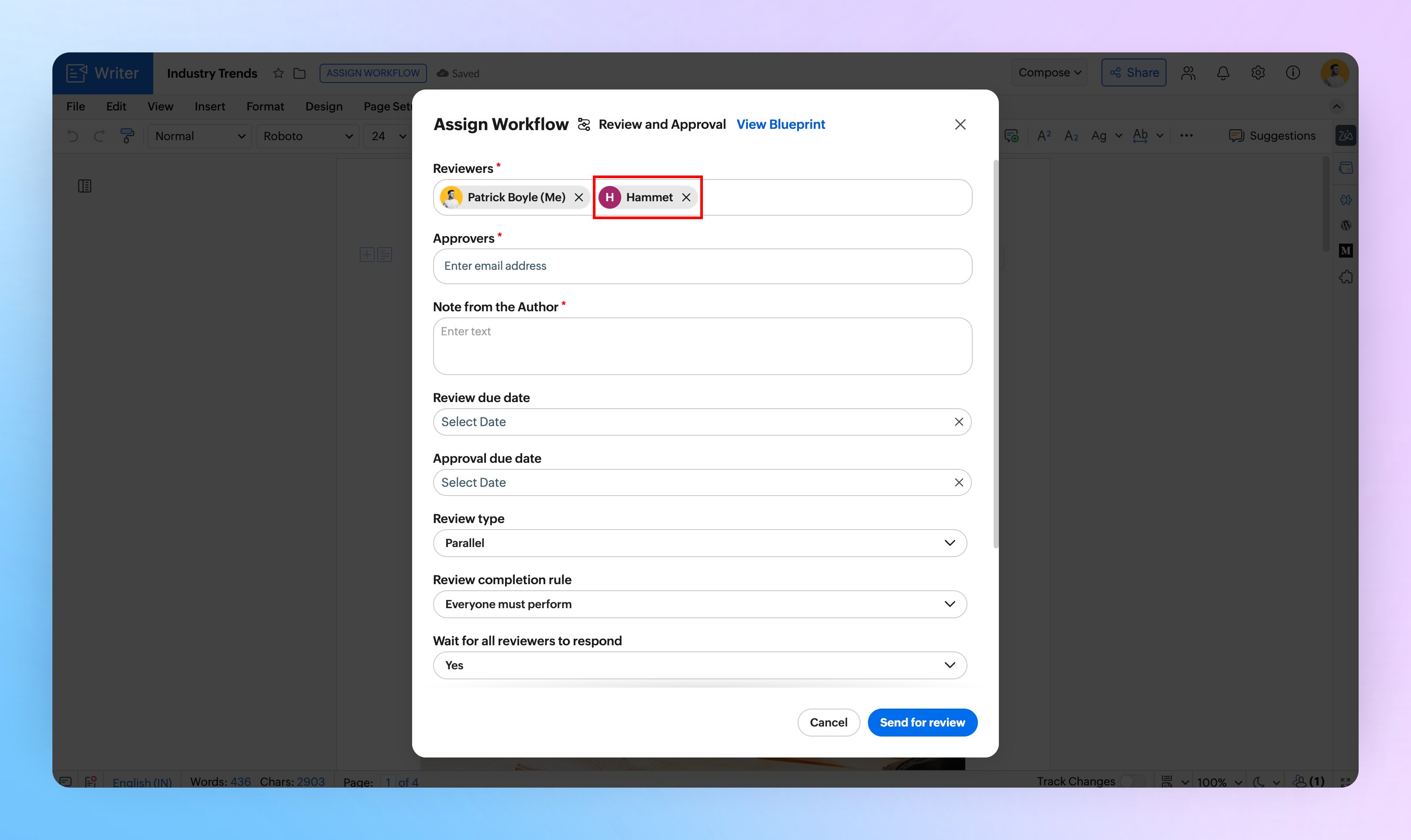
Example: A vendor agreement is routed to an internal legal team for review, then to the vendor for final approval.
See our user guide for the detailed setup steps.
Try these features and let us know what you think in the comments. If you have questions or feedback, write to us at support@zohowriter.com or support@eu.zohowriter.com. We’d love to hear from you.
The next part of this series will focus on new workflow capabilities: custom approval stages, file and folder-level workflow enrollment, and scheduled workflow start. See you all in Part 2 of this series.