

Postman Collection
AI Tools
Open in ChatGPT
Open in ChatGPT to ask questions about this page
Open in Claude
Open in Claude to ask questions about this page
Copy as Markdown
Copy this page as markdown to use with AI assistants
View as Markdown
Open this page as markdown in a new tab
Open in ChatGPT
Open in ChatGPT to ask questions about this page
Open in Claude
Open in Claude to ask questions about this page
Copy as Markdown
Copy this page as markdown to use with AI assistants
View as Markdown
Open this page as markdown in a new tab
The Zoho Cliq REST API Postman collection provides a comprehensive set of ready-to-use API requests that cover every endpoint in both V2 and V3. Rather than manually configuring requests, headers, and environments from scratch, you can easily fork the collection and start making API calls within minutes.
The collection is organized by module, mirroring the documentation's structure. It includes pre-configured request structures, path parameters, and body templates for every endpoint.
You can access the collection directly here: Zoho Cliq REST APIs - Postman Collection.
Why use the collection?
Setting up API calls manually, configuring authorization headers, base URLs, path parameters, and request bodies for every endpoint - takes time and leaves room for error. The Postman collection removes that friction.
- All endpoints are pre-structured with the correct HTTP method, URL, headers, and body template.
- A single environment setup covers authentication and base URL configuration for all requests in one place.
- Multi-data-centre support is built in - switch between US, EU, IN, AU, JP, and CA with a single environment variable change.
- Fork the collection and pull updates whenever new endpoints are added; your customizations stay intact.
Prerequisites
- A Zoho Cliq account.
- A registered OAuth client to generate access tokens. If you have not yet registered a client, follow the steps on the OAuth 2.0 page.
- Postman installed version 8 or above. Download Postman.
Using the collection
Step 1: Open the collection
Open the collection directly using the link below, or click the Run in Postman button on the collection page to fork it instantly into your Postman workspace.
Zoho Cliq REST APIs - Postman Collection →
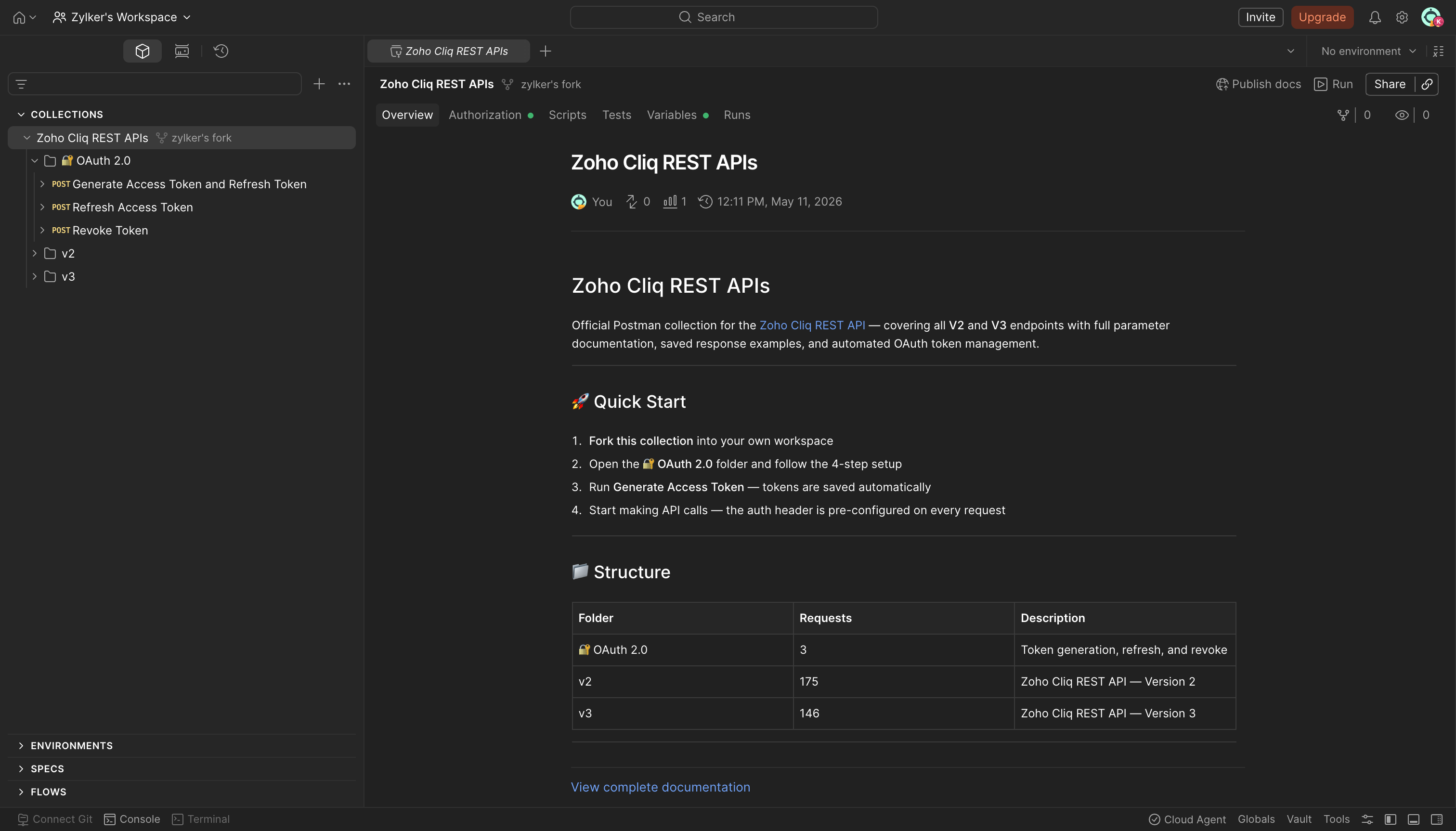
Step 2: Fork the collection
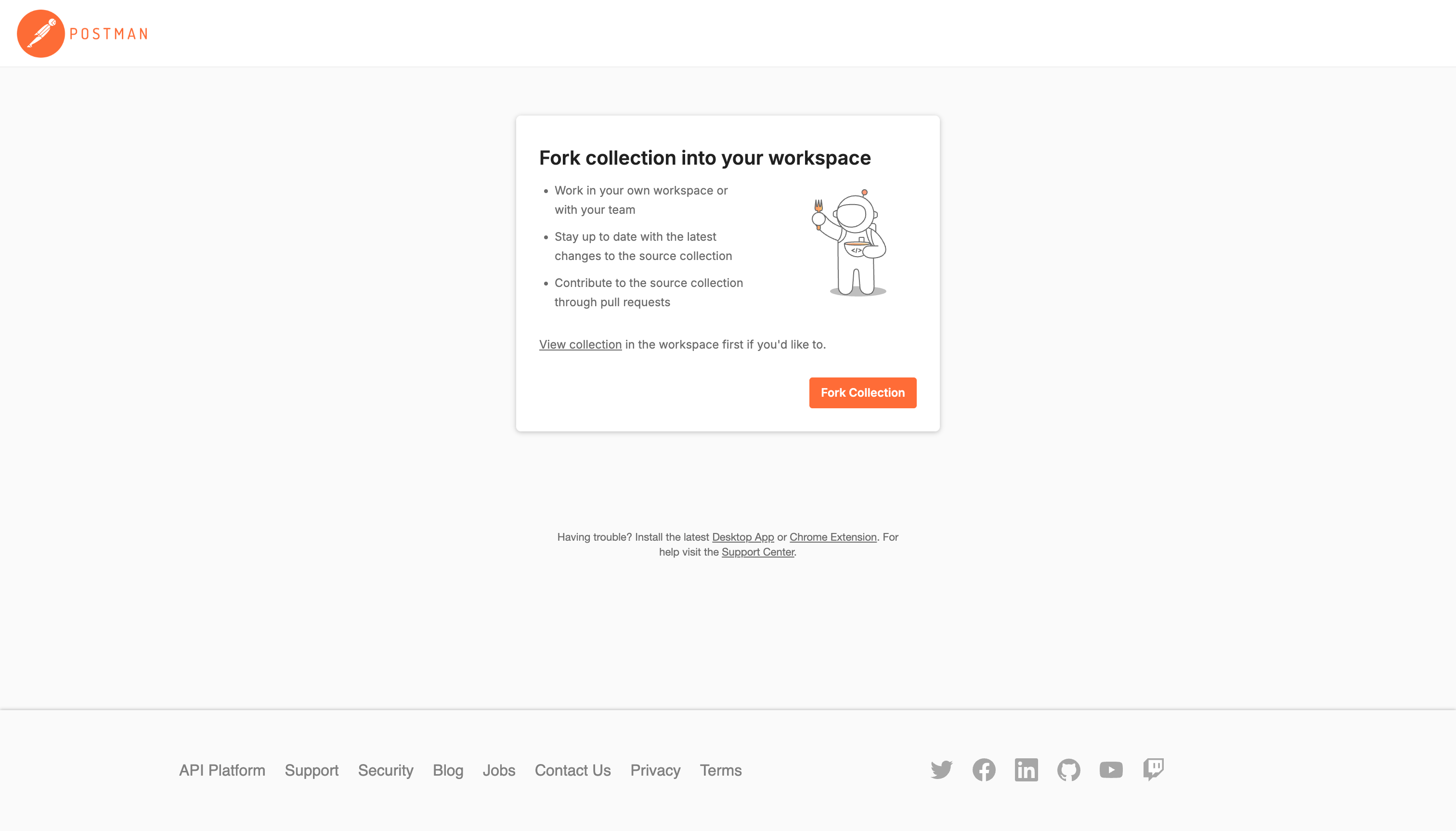
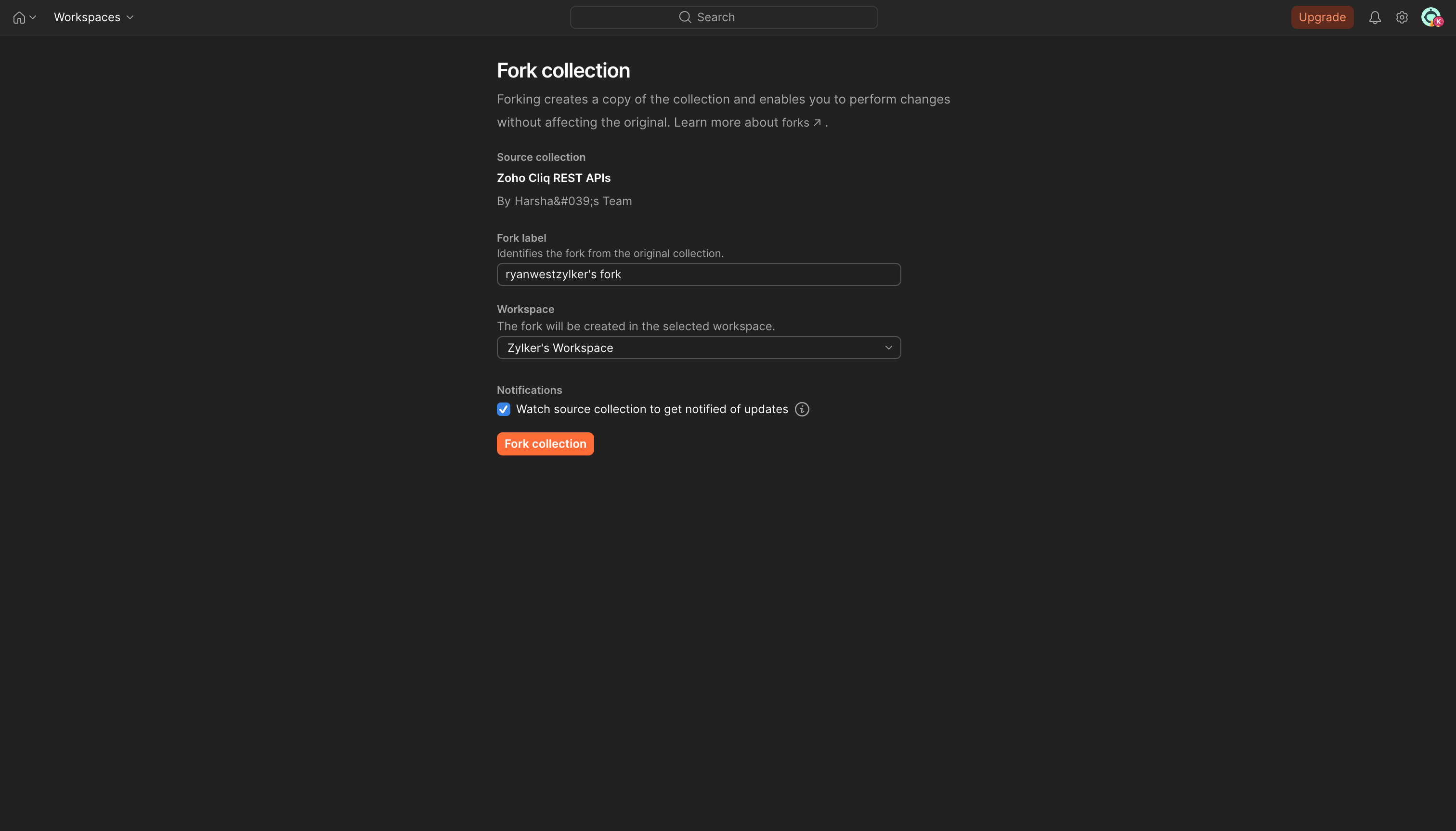
Hover over Zoho Cliq REST APIs in the collection panel, click the more options menu, and select Create a fork. Enter a name for your fork, choose a workspace, and click Fork Collection.
Step 3: Set up the environment
After forking, configure the environment variables to authenticate your requests. In Postman, go to Environments → Add and set the following variables. Once filled in, click Save and select this environment from the dropdown in the top-right corner of Postman.
| Variable | Description |
|---|---|
client-id |
The consumer key generated from the connected app. You get this value when you register your application. |
client-secret |
The consumer secret generated from the connected app. You get this value when you register your application. |
redirect-uri |
A valid URL of your application to which Zoho Accounts redirects you with a grant token (code) after successful authentication. |
authorization-code |
The grant token. |
access-token |
The access token to access Zoho Cliq APIs. The system automatically adds the value to this variable once the access token is generated. |
refresh-token |
The refresh token to obtain new access tokens. The system automatically adds the value to this variable once the refresh token is generated. |
accounts-url |
The domain-specific Zoho Accounts URL. |
api-domain |
The domain name used to make API calls to Zoho Cliq. |
expiry-time |
Time in seconds after which the access token expires. The system automatically adds the value to this variable. |
Step 4: Generate your access token
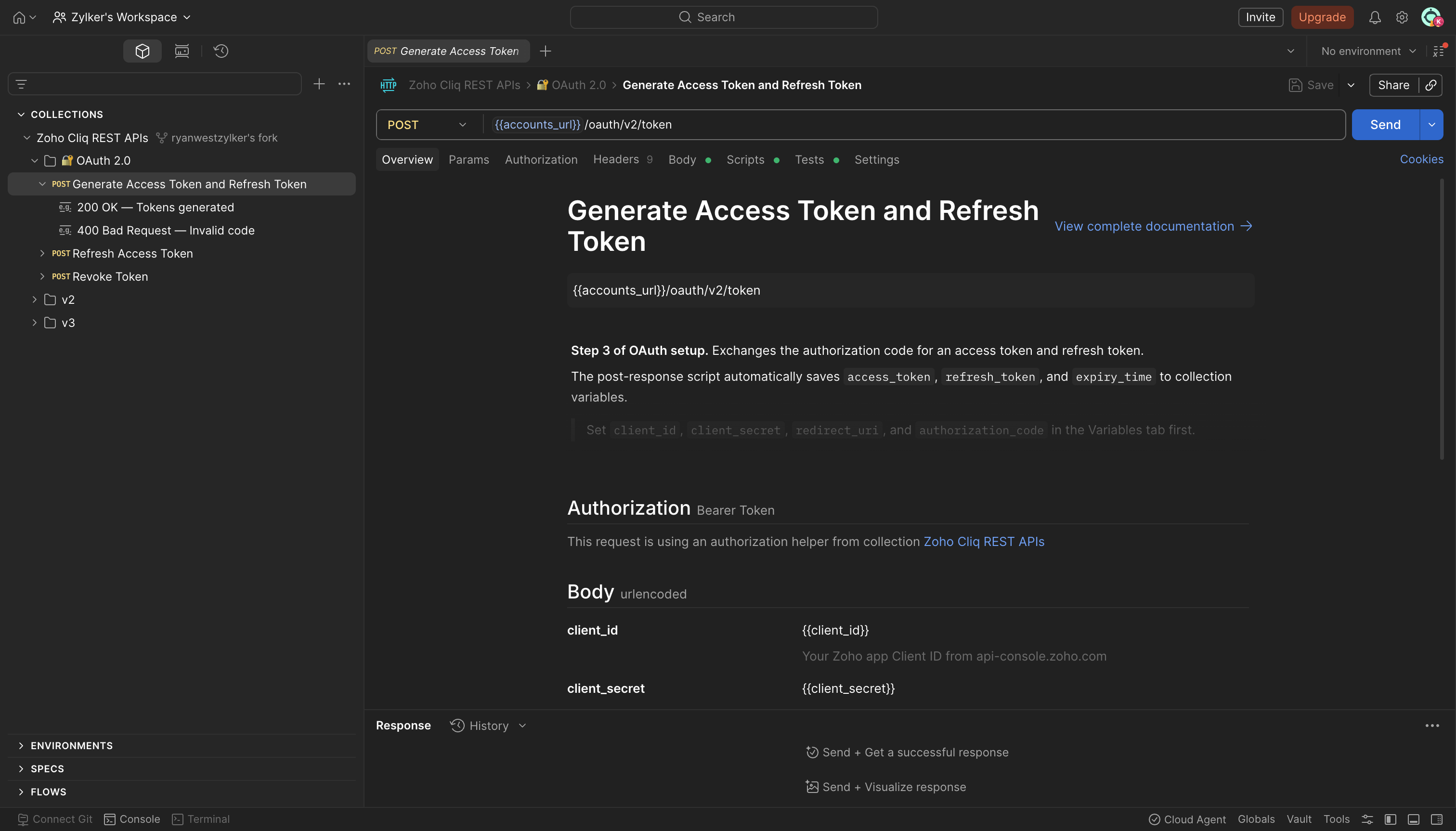
In the collection, open the OAuth folder and run the Generate Access Token request. This uses your grant_token to call the Zoho Accounts token endpoint and automatically populates the access_token and refresh_token variables in your environment. All other requests in the collection use it automatically from there.
Step 5: Make your first API call
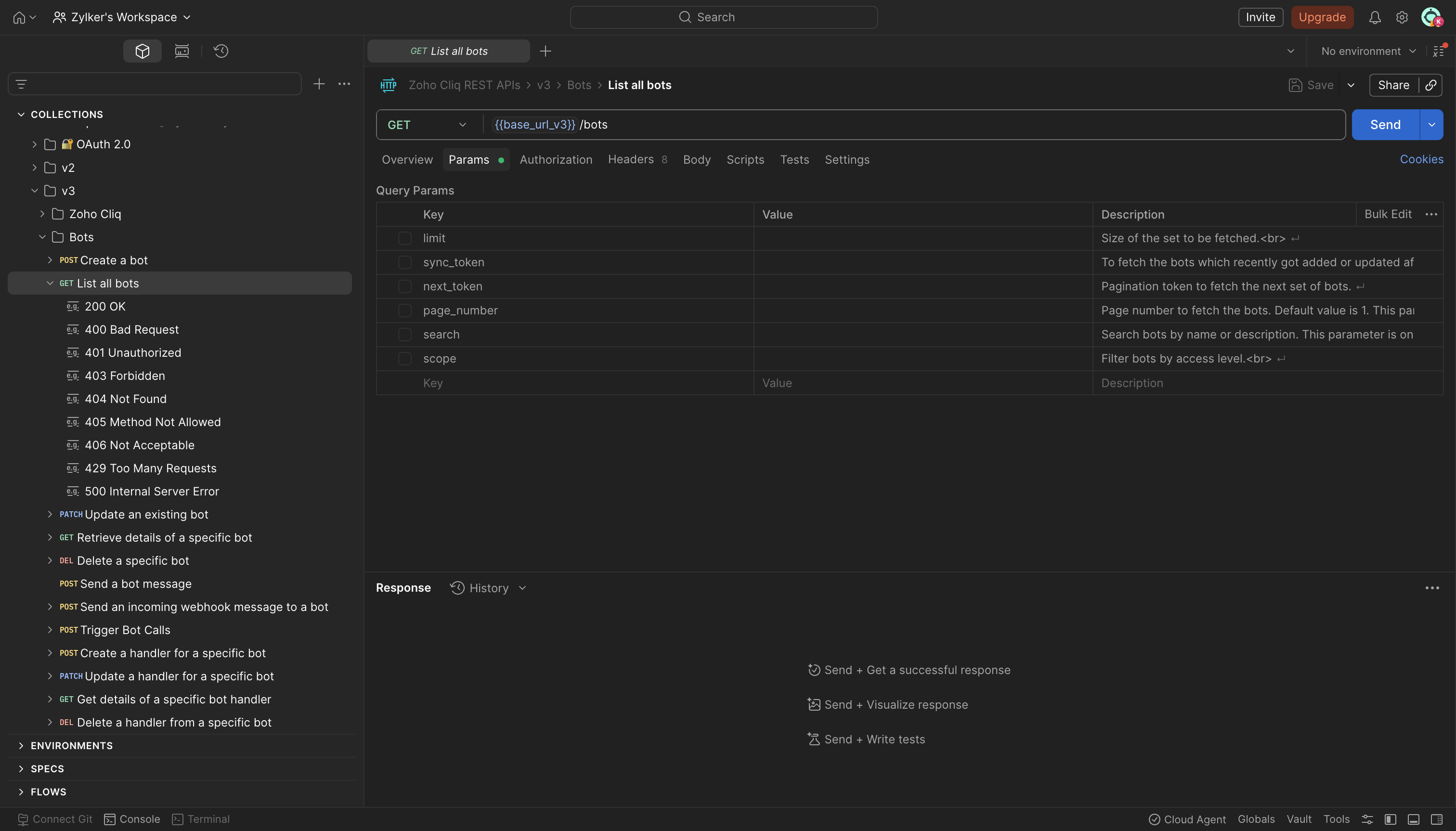
Your collection is now ready. Open any module folder - for example, Bots → List All Bots - and click Send. The request automatically uses your configured base URL and access token.
Replace any path parameter placeholders, such as or with actual values before sending. Refer to the Identifiers page for guidance on retrieving each ID.
Keeping your fork up to date
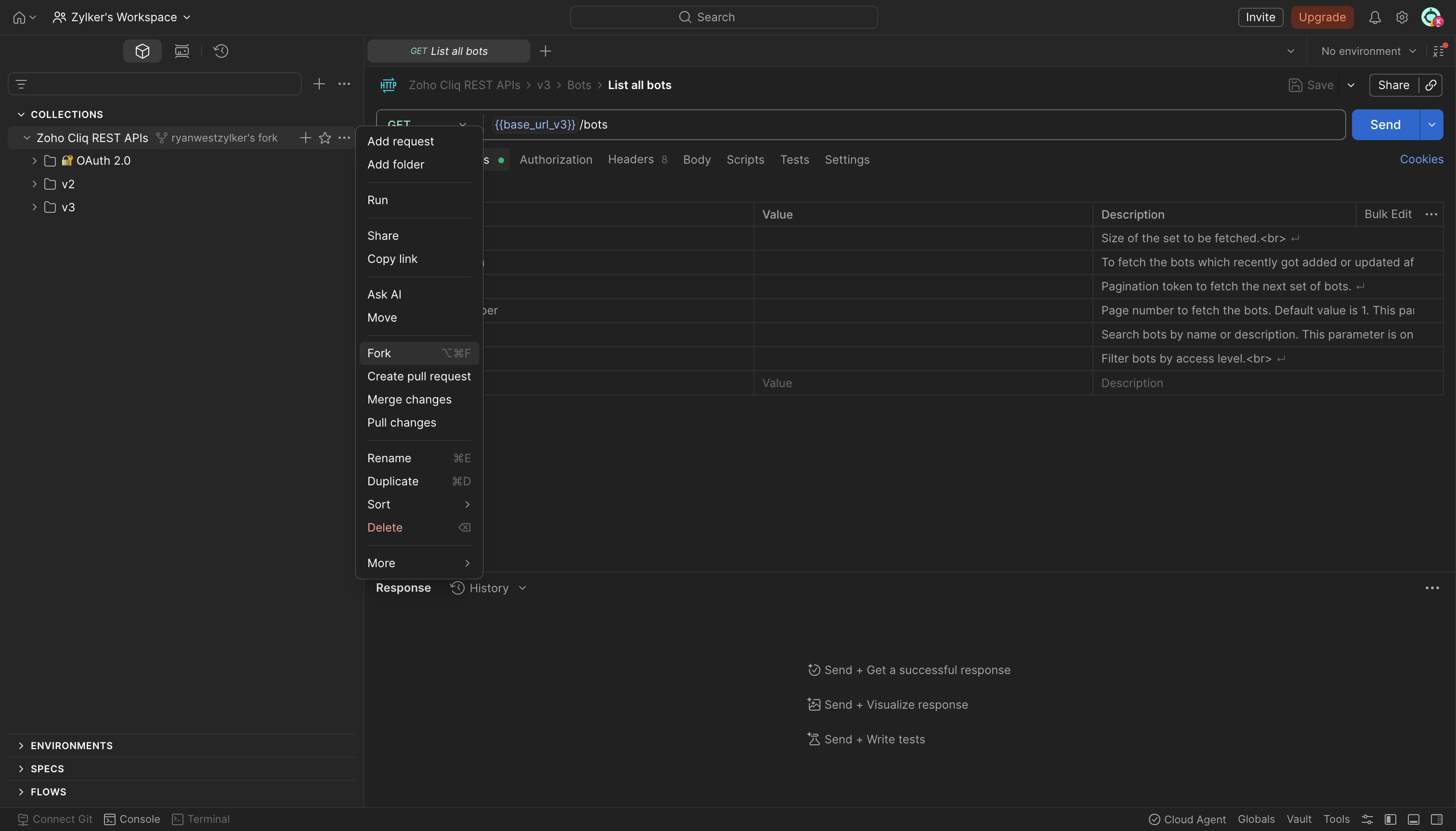
When new endpoints are added to the Zoho Cliq REST API, the parent collection is updated. To pull those changes into your fork:
- In Postman, click the " More Options " menu on your collection fork.
- Select Pull Changes.
- Review the incoming changes and click Pull changes to apply them.
Your environment variables and any customizations you have made to existing requests will not be affected.
Data center configuration
Update the base_url and accounts_url environment variables to match your organisation's data center.
| Region | base_url | accounts_url |
|---|---|---|
| United States | https://cliq.zoho.com/api/v2 | https://accounts.zoho.com |
| Europe | https://cliq.zoho.eu/api/v2 | https://accounts.zoho.eu |
| India | https://cliq.zoho.in/api/v2 | https://accounts.zoho.in |
| Australia | https://cliq.zoho.com.au/api/v2 | https://accounts.zoho.com.au |
| Japan | https://cliq.zoho.jp/api/v2 | https://accounts.zoho.jp |
| Canada | https://cliq.zohocloud.ca/api/v2 | https://accounts.zohocloud.ca |
For V3 endpoints, update the base_url from /api/v2 to /api/v3. You can maintain separate V2 and V3 environments within the same Postman workspace.