
How to add Other Deductions?

Other Deductions are recurring amounts you deduct from an employee’s pay that are not student loans, postgraduate loans, or attachment of earnings orders. For example, you might deduct a workplace gym membership that you have set up as a deduction.
To add Other Deductions for an employee:
- Go to Employees and open the employee, or stay on the Salary step while adding an employee.
- Under Deductions, click + Add New, or click Deductions on the Salary step.
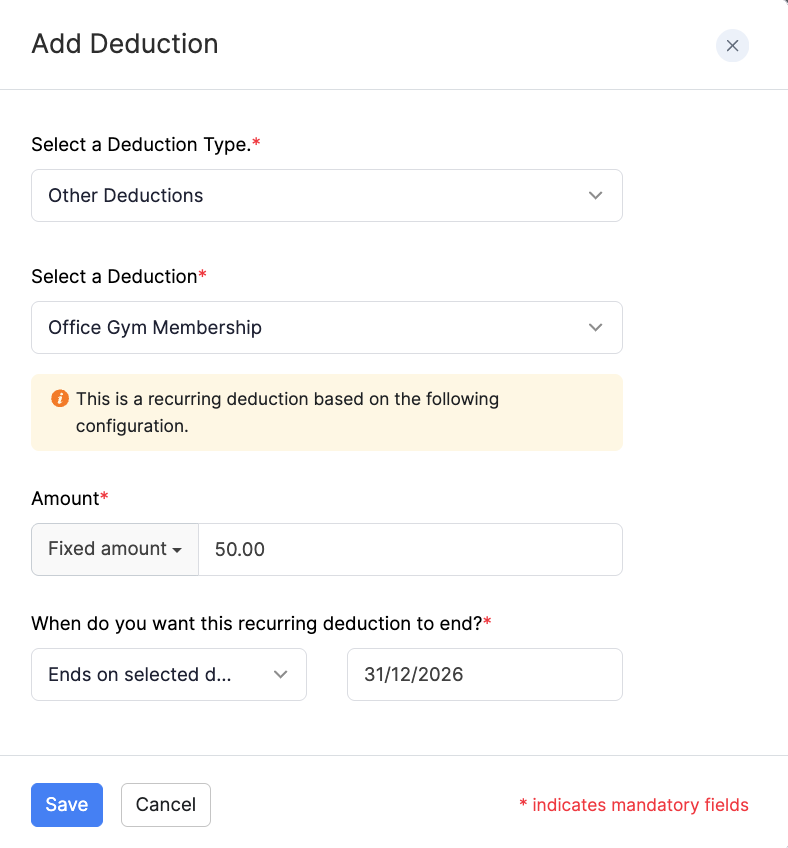
- Select Other Deductions as the deduction type.
- Select the deduction, enter the Amount and when the deduction ends, then click Save.
For an overview of deductions when you add an employee, refer to Add Employees. You can also add or edit deductions later from the employee’s Salary tab.