
Manage Employee Salary Details

After an employee is added, the Salary tab on their profile shows how they are paid. You can review and update:
- Basic pay
- Pensions
- Deductions, including Attachment of Earnings Orders / Arrestments
- Benefits in Kind
- Statutory Pay
To set these up when you first create an employee, refer to Add Employees - Salary.
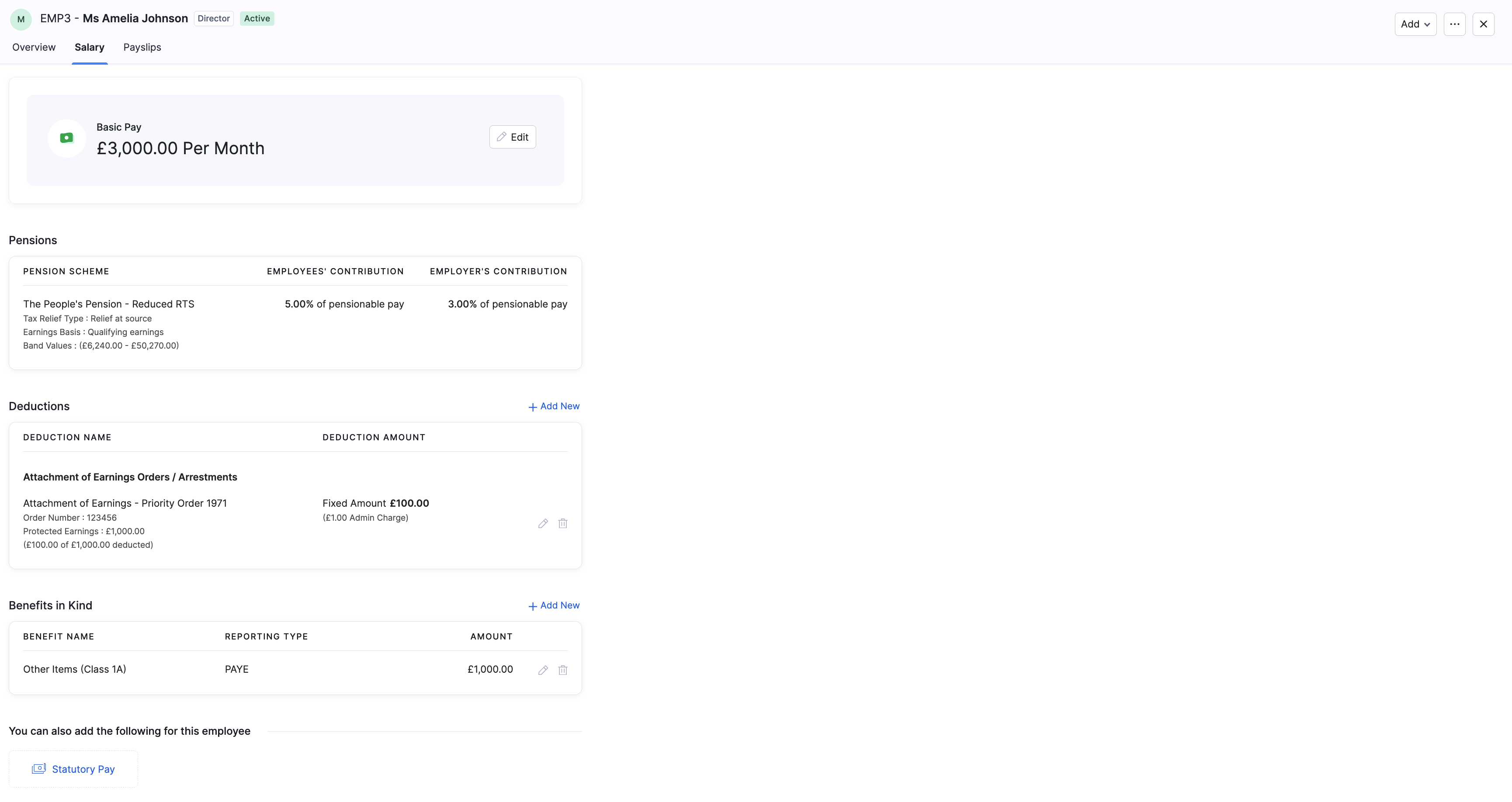
Basic Pay
Basic Pay is the employee’s regular pay amount and frequency (for example £3,000.00 per month).
To edit basic pay:
- Go to Employees and open the employee.
- Open the Salary tab.
- Click Edit on the Basic Pay card.
- Update the amount and frequency, then click Save.
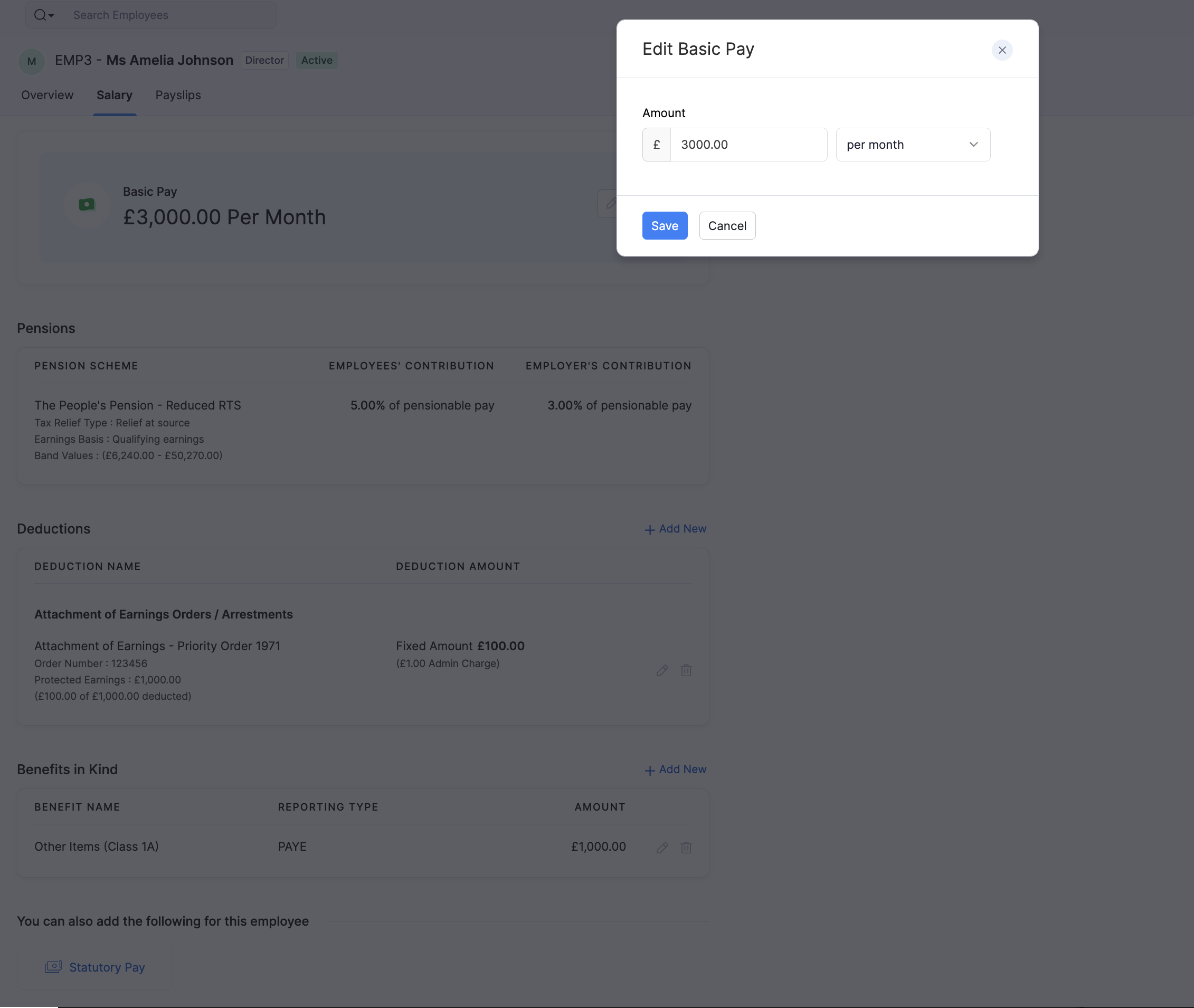
Pensions
The Pensions section shows the employee’s workplace pension scheme, tax relief type, earnings basis, and contribution rates.
Contribution rates and schemes are set up under Pensions. Enrolment and contribution groups are managed there; the Salary tab shows what applies to this employee.
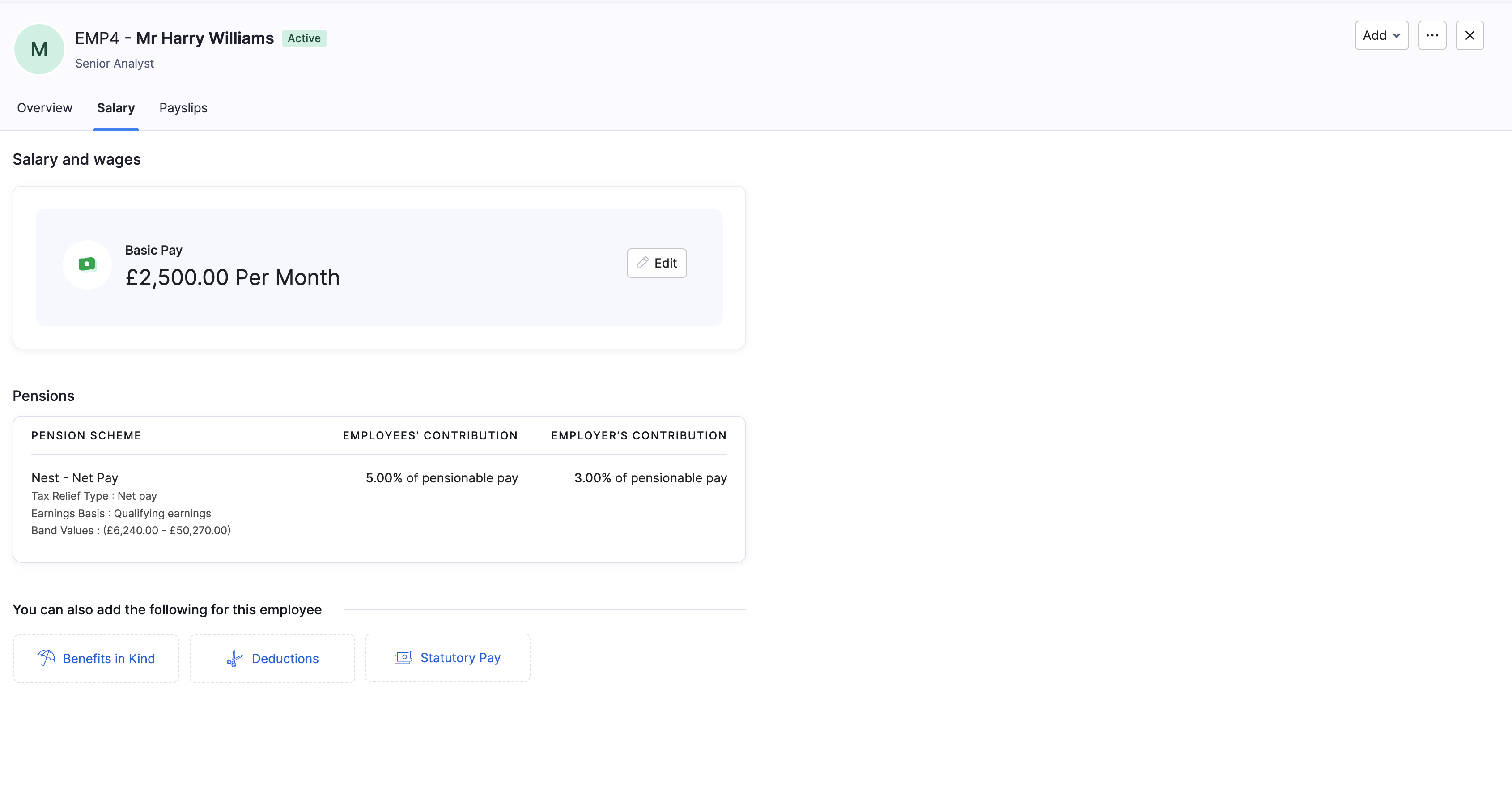
Deductions and Attachment of Earnings
Deductions are amounts taken from an employee’s pay. On the Salary tab you can add or edit student and postgraduate loan repayments, court or government Attachment of Earnings Orders / Arrestments, and other recurring deductions.
To add or edit a deduction:
- On the Salary tab, under Deductions, click + Add New, or click the edit icon on an existing deduction.
- Select the deduction type and enter the required details.
- Click Save.
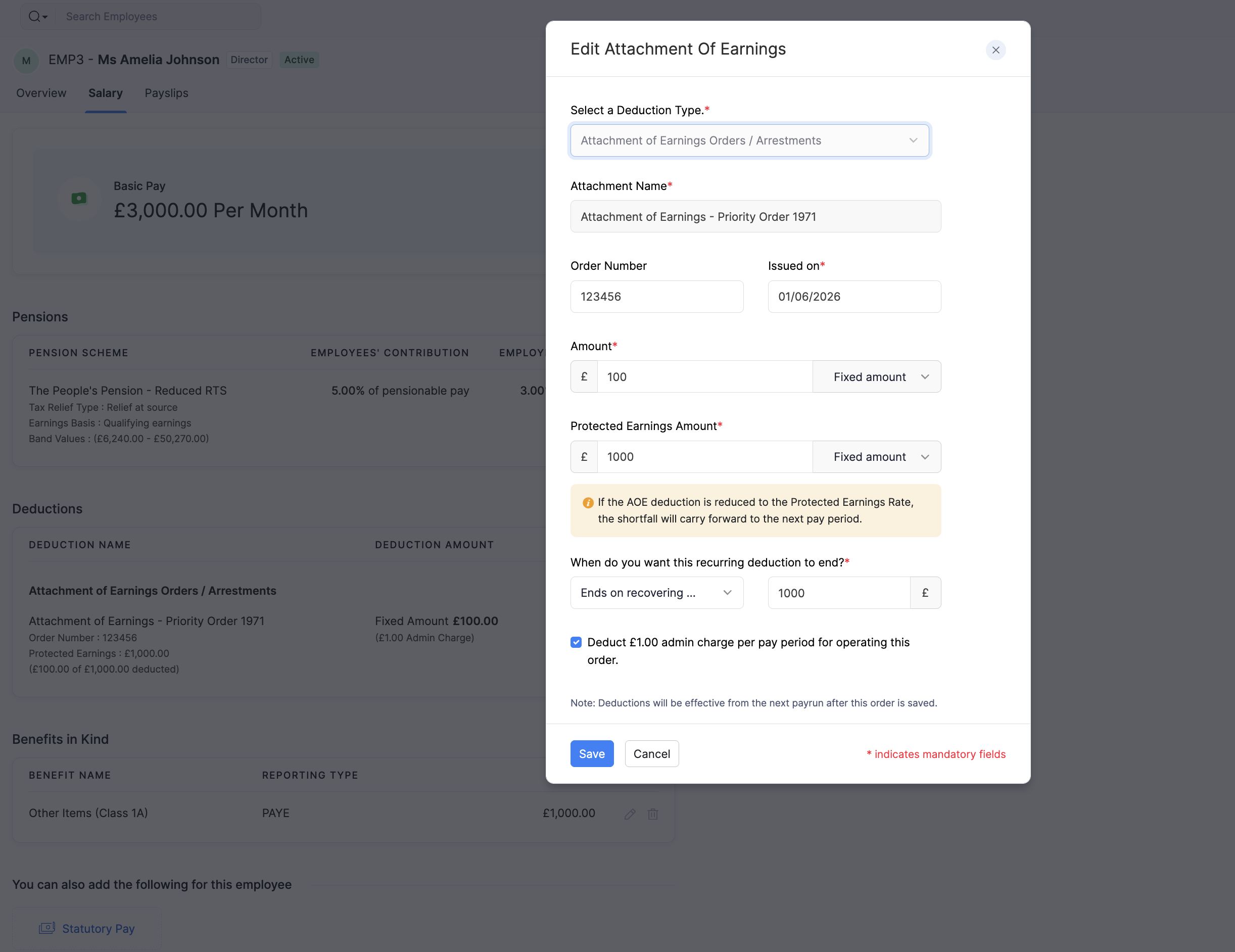
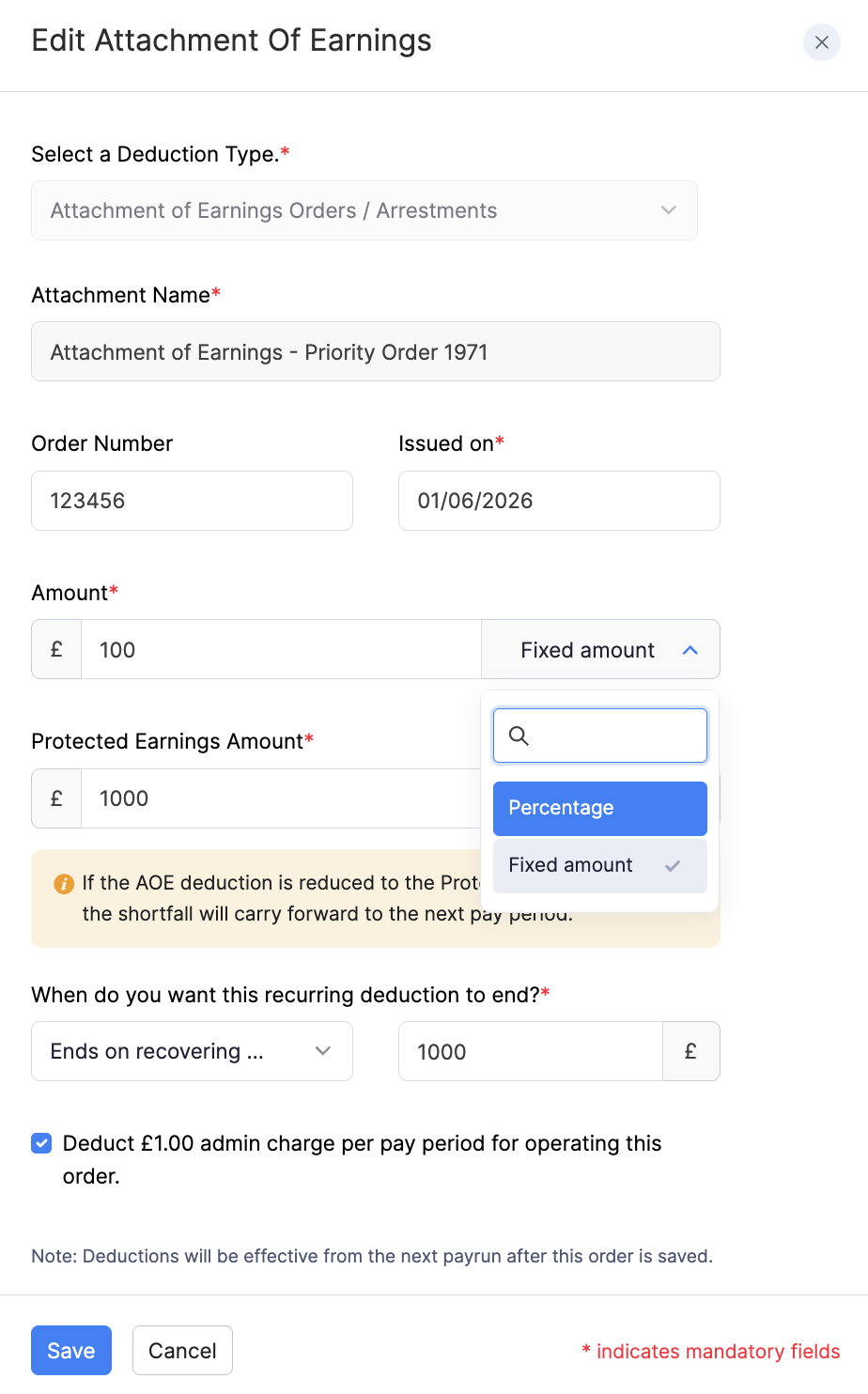
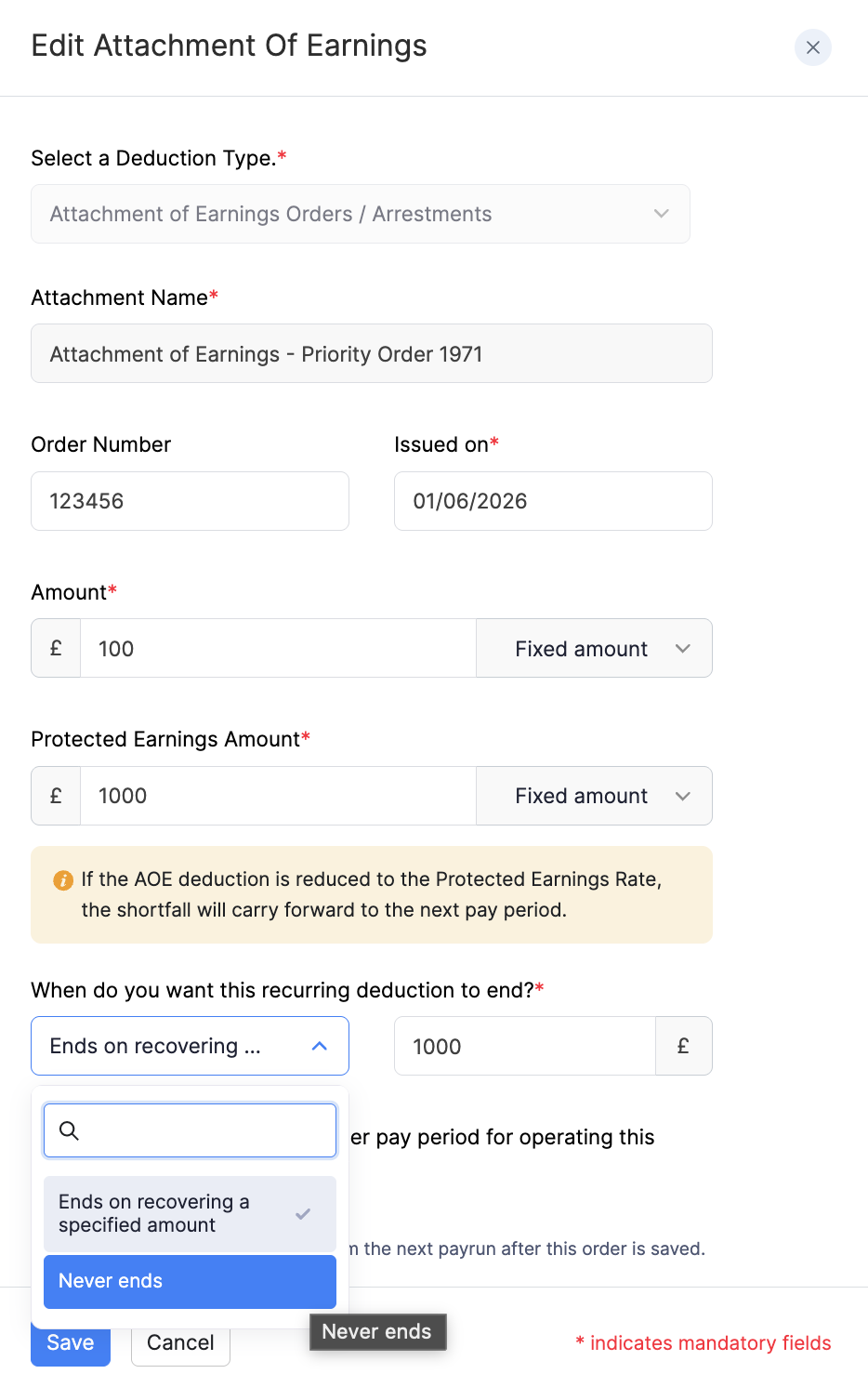
Protected earnings is the amount of pay the employee must be left with after the deduction. Zoho Payroll uses this when it calculates how much of the order to take in a pay run. If the deduction is reduced to the protected earnings rate, any shortfall can carry forward to the next pay period.
Scenario: Sam has a council tax attachment that should take £120 from this month’s pay. The order also says Sam must be left with at least £1,100 (protected earnings). If deducting the full £120 would leave Sam with only £1,040, Zoho Payroll takes a smaller amount so Sam still has £1,100, and carries the unpaid balance forward to the next pay period.
For deduction types, attachment types, and FAQs with screenshots, refer to Add Employees - Deductions.
Benefits in Kind
Benefits in Kind are non-cash benefits you provide to an employee. You can report them through P11D or PAYE.
To add or edit a benefit in kind on an existing employee:
- On the Salary tab, under Benefits in Kind, click + Add New, or click the edit icon on an existing benefit.
- Select the Benefit Type and Reporting Type, then enter the fields for that benefit.
- Click Save.
For reporting type guidance, the full list of benefit types, and type-specific FAQs with screenshots, refer to Add Employees - Benefits in Kind.
Refer to the GOV.UK guidance on expenses and benefits for employers for when and how to report benefits.
Statutory Pay
You can record statutory parental pay for an employee, such as Statutory Maternity Pay (SMP).
- On the Salary tab, click Statutory Pay, or choose Statutory Pay from the Add menu on the profile.
- Select the statutory pay type and enter the required details, such as average weekly earnings where prompted.
- Save your changes.
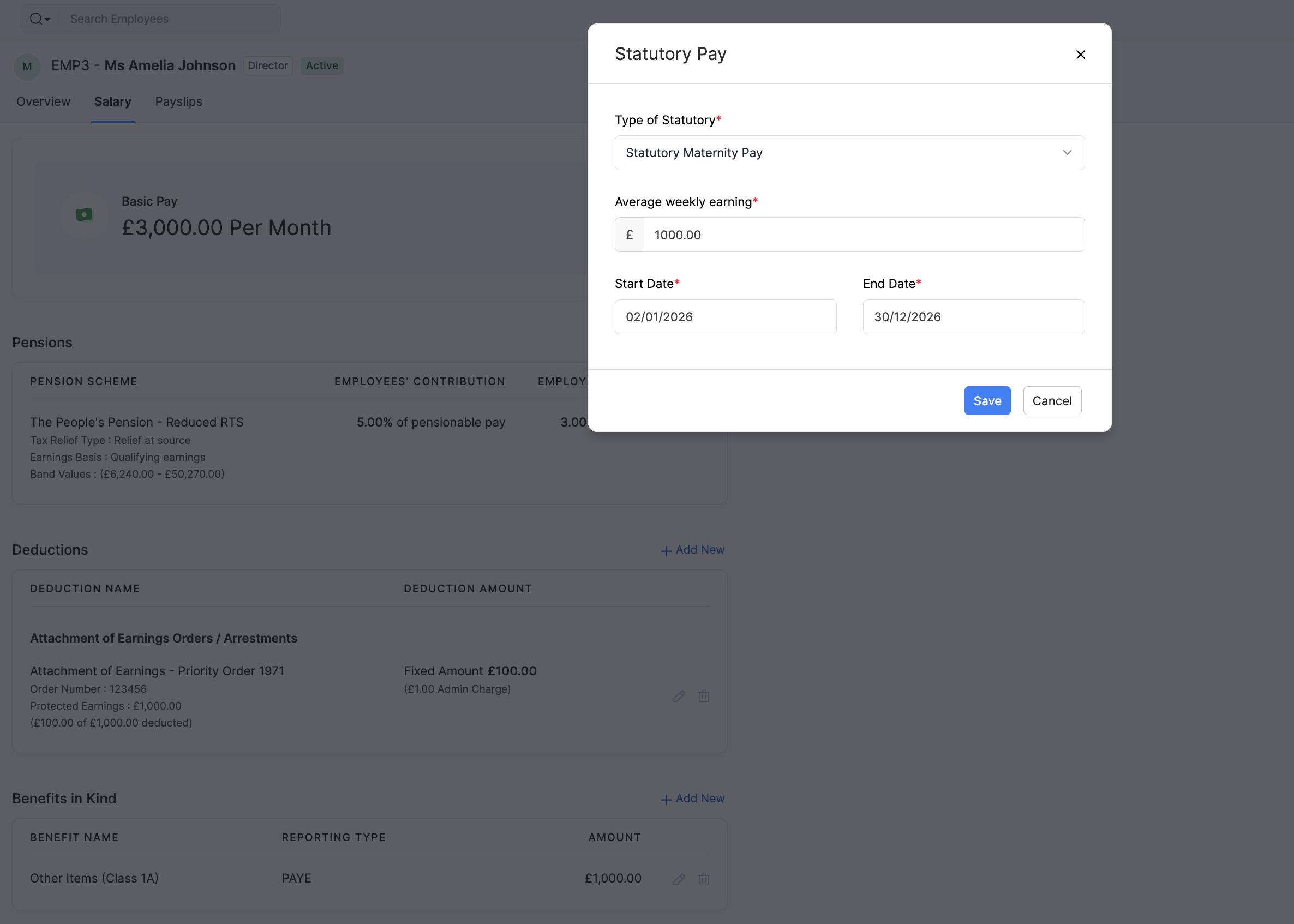
Recoverable statutory pay amounts appear on your Employer Payment Summary (EPS). Refer to the GOV.UK guidance on reclaiming statutory pay for reclaim rules.