
My Profile

My Profile is where you check the personal, payment, and tax details your employer holds for payroll. Open it from the left sidebar.
If something looks wrong, contact your payroll admin. You cannot change these details yourself in the portal.
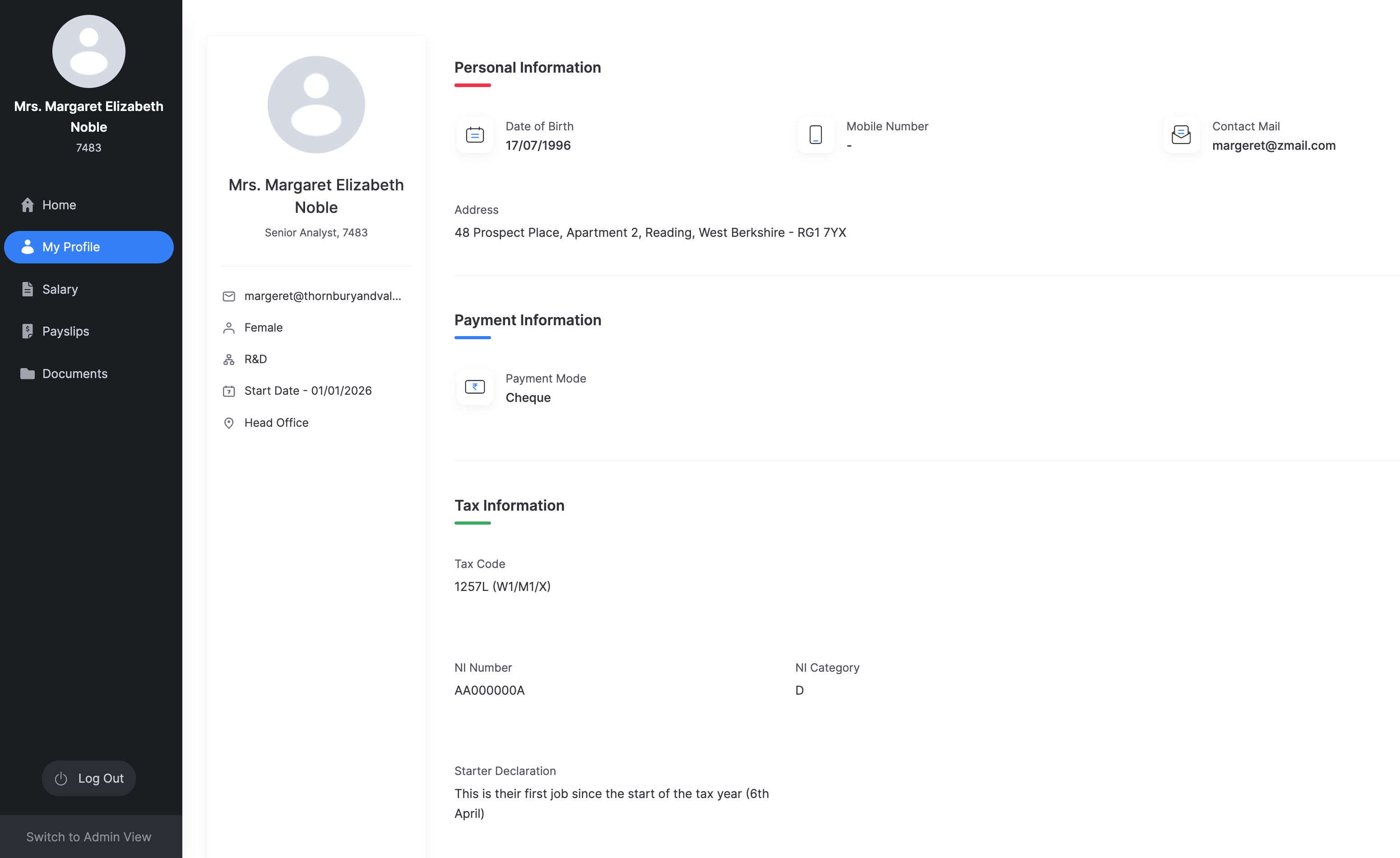
The left of the page summarises who you are: name, job title, employee ID, work email, gender, department, start date, and work location.
Personal Information
| Field | What it shows |
|---|---|
| Date of Birth | Your date of birth on record. |
| Mobile Number | Your mobile number, if your employer has added one. |
| Contact Mail | An additional email address, if one is on record. |
| Address | Your residential address. |
Payment Information
| Field | What it shows |
|---|---|
| Payment Mode | How you are paid, for example bank transfer or cheque. |
If your employer has added bank details, those appear here as well.
Tax Information
| Field | What it shows |
|---|---|
| Tax Code | The tax code HMRC has given you (for example 1257L), which payroll uses to work out Income Tax. |
| NI Number | Your National Insurance number. |
| NI Category | The letter that sets which National Insurance rates apply to you. |
| Starter Declaration | The statement your employer used when you started, for example whether this is your first job since 6 April. |