
What is Zoho Payroll?

As an employer in the UK, you must calculate pay, deduct PAYE tax and National Insurance, enrol eligible employees in a workplace pension, and report each payment to HM Revenue and Customs (HMRC) through Real Time Information (RTI).
Zoho Payroll is where you do this work. You add employees, set a pay schedule, and process a pay run for each period. Zoho Payroll calculates pay, PAYE, National Insurance, and pension contributions, prepares the Full Payment Submission (FPS) when you approve payroll, and helps you pay employees and complete remaining HMRC filings.
Employees can view payslips and year-end documents such as P60 and P11D in the Employee Portal, a self-service space where they can access their payroll information online via their browser or mobile app.
Insight: If a term is new to you, see the Payroll glossary.
How Zoho Payroll works
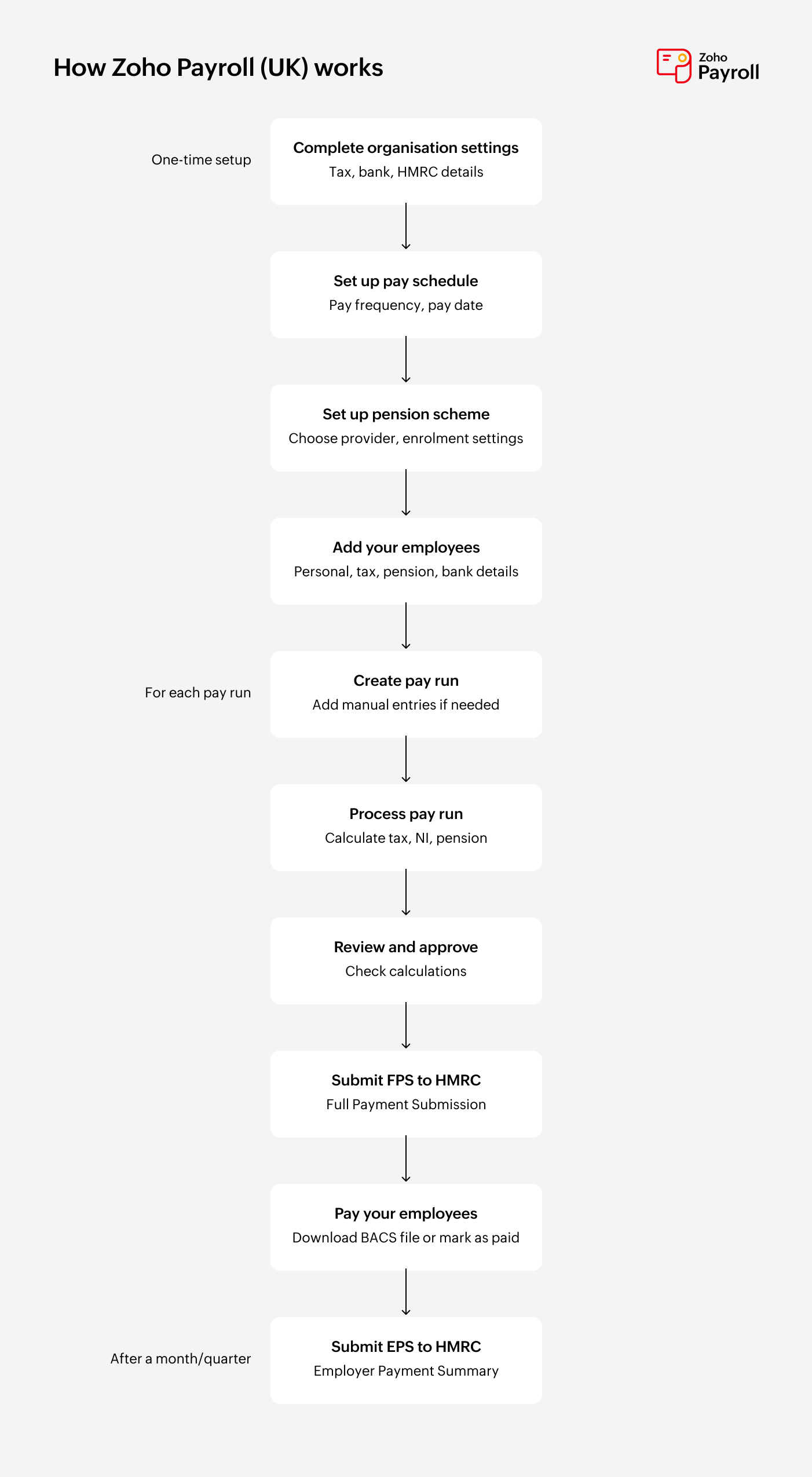
From organisation setup through each pay run, the work follows this order:
- You complete setup: organisation details, tax and National Insurance, pay schedule, pensions, and employees. Record prior payroll only if you already paid employees outside Zoho Payroll earlier in this tax year (6 April to 5 April). That keeps year-to-date pay, tax, and National Insurance accurate. Skip this if this is your first payroll of the tax year.
- Zoho Payroll generates the next regular pay run from your pay schedule.
- You review earnings, deductions, PAYE, National Insurance, and net pay, then approve the pay run.
- You submit the FPS to HMRC from Pay Runs, the module where you process payroll. Zoho Payroll prepares this from the approved pay, tax, and National Insurance amounts, so you do not enter FPS details manually.
- You pay employees by downloading a Bacs file for your bank, or by recording a payment you’ve already made. When you mark the pay run as paid, you can notify employees about their payslips via email.
- When HMRC also needs employer-level information (for example Employment Allowance, or a period with no payments), you manage that from Forms & Filing as an Employer Payment Summary (EPS). Learn more in Forms & Filing.
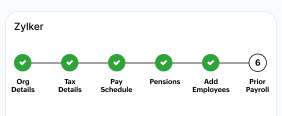
Pro Tip: The Getting Started checklist, which you complete after you create an organisation, walks you through all the steps you need to complete before your first pay run.
What you can do
Keep employee records that payroll can use
Payroll is only as accurate as the employee record behind it. In Employees, you store personal details, tax code, National Insurance number and category, salary, deductions, Benefit in Kind (a non-cash benefit such as a company car), and payment details.
You can add people one by one or import several at once, then keep salary and tax details up to date between pay runs. When someone leaves, you set a final working day and process final settlement.
Learn more in Employees and Add Employees.
Process pay runs on a fixed schedule
A pay schedule is how often you pay (every week, fortnightly, or every month) and on which day. Once you save it, Zoho Payroll generates each regular pay run on time. You review earnings, deductions, tax, National Insurance, and net pay, then approve.
Each pay run brings together earnings (including statutory payments where they apply), deductions, PAYE, National Insurance, and pension contributions, then produces net pay and payslips.
Learn more in Pay Schedule and Regular Pay Runs.
Calculate PAYE and National Insurance, and file with HMRC
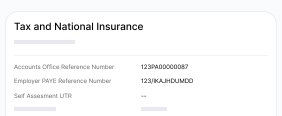
Your Tax Details hold HMRC employer references and tax preferences such as PAYE payment frequency, Employment Allowance, and Small Employers’ Relief. Zoho Payroll uses those settings, plus each employee’s tax details, to calculate:
- Income Tax (PAYE) to deduct from employees
- Employee and employer National Insurance
- Reliefs your organisation is eligible for
For every approved pay run, Zoho Payroll prepares the FPS. You submit it from Pay Runs, using the Government Gateway credentials saved in your RTI Details. EPS filings, which cover employer-level information that is not on the FPS, live in Forms & Filing.
Learn more in Tax and National Insurance and Forms & Filing.
Enrol employees in workplace pensions
Under automatic enrolment, most employers must assess their workforce and enrol eligible employees in a qualifying pension scheme. In Pensions, you record when your duties begin, connect a provider, set contribution groups, and let Zoho Payroll calculate contributions in each pay run.
You can then export contribution details to send to your provider.
Learn more in Pensions.
Pay employees and share payslips
Add your organisation’s bank account in Settings, then record salary payments against the pay run so payment status matches payroll.
When you enable the Employee Portal, employees can download payslips and open documents such as P60 and P11D, on the web or in the Zoho Payroll mobile app.
Learn more in Bank Accounts, Access Payslips, and Employee Portal Preferences.
Review payroll figures and post journals
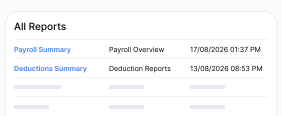
Use the Reports Centre, where you open payroll reports for a selected period, to check organisation and employee pay, statutory earnings, deductions, PAYE, National Insurance, pensions, journals, and activity. You can filter by date, schedule a report email, or export.
If you use Zoho Books, you can post payroll journal entries from Zoho Payroll. If you use Zoho Expense, you can process reimbursements alongside salary payments where the integration is enabled.
Explore help topics
Ready to dive in? Jump straight to the sections you need.
Getting Started
Set up your organisation, tax details, pay schedule, pensions, and employees so you're ready to run payroll.
Dashboard
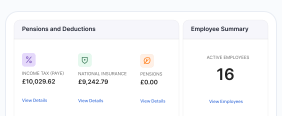
Check upcoming pay runs, payroll totals, and outstanding tasks on the home page after setup.
Tax & National Insurance
Configure HMRC employer references, PAYE payment frequency, and reliefs such as Employment Allowance.
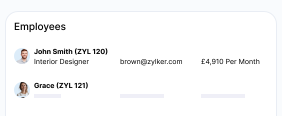
Employees
Add and manage employees, tax codes, benefits in kind, and attachment of earnings orders.
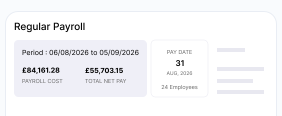
Pay Runs
Process regular and final settlement pay runs, review pay, and submit the FPS to HMRC.
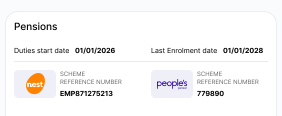
Pensions
Set up workplace pensions and manage automatic enrolment and contributions.
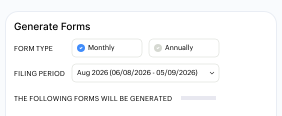
Forms & Filing
Manage your Employer Payment Summary (EPS) filings with HMRC.
Reports
Run and export UK payroll reports for pay, deductions, taxes, pensions, and more.