
Payslips

Payslips lists every payslip Zoho Payroll has generated for you. Open it from the left sidebar, or click View Payslip on Home.
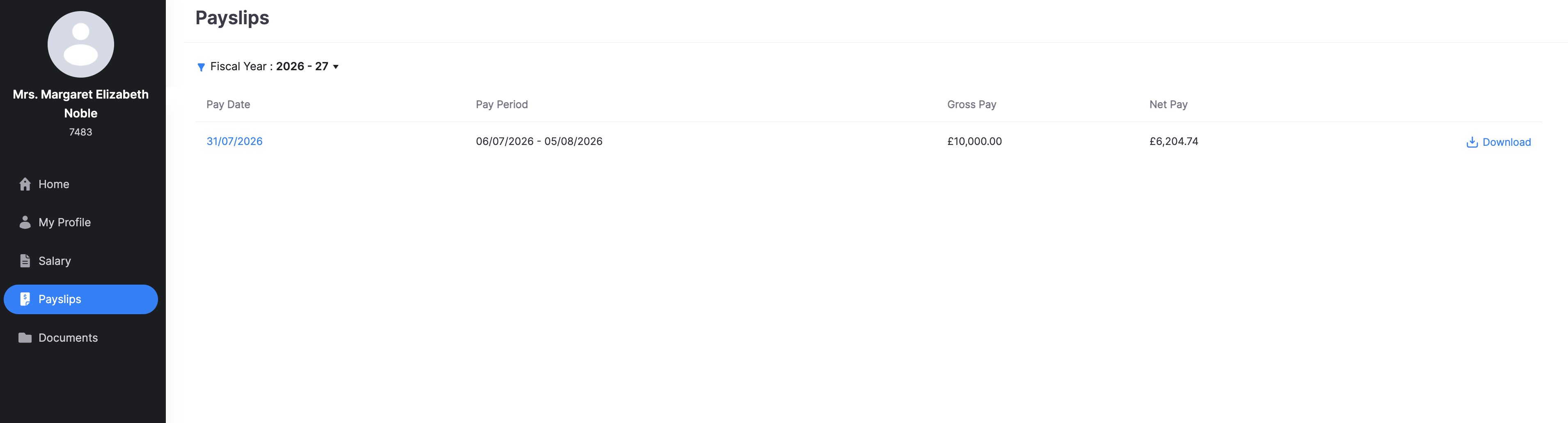
View your payslips
- Go to Payslips.
- Select the Fiscal Year you want (for example 2026 - 27).
- Review the list:
| Column | What it shows |
|---|---|
| Pay Date | The payday. Click it to open that payslip. |
| Pay Period | The start and end dates of the pay period. |
| Gross Pay | Pay before tax, National Insurance, and most deductions. |
| Net Pay | Take-home pay after those amounts are taken. |
Download a payslip
Click Download on the row for that pay date. The file is saved to your device.
Pro Tip: If the download offers Protect this file with a password, use it so only you can open the payslip.