
Forms & Filing

In the UK, payroll reporting to HM Revenue and Customs (HMRC) uses Real Time Information (RTI). For each pay run, Zoho Payroll automatically prepares a Full Payment Submission (FPS) from the approved payroll figures. You then submit that FPS to HMRC from Pay Runs. You do not need to enter the FPS details manually.
Some periods also need an Employer Payment Summary (EPS). An EPS tells HMRC about employer-level information that is not on the FPS, for example statutory pay you are reclaiming, Employment Allowance, or that you paid no employees in a tax month.
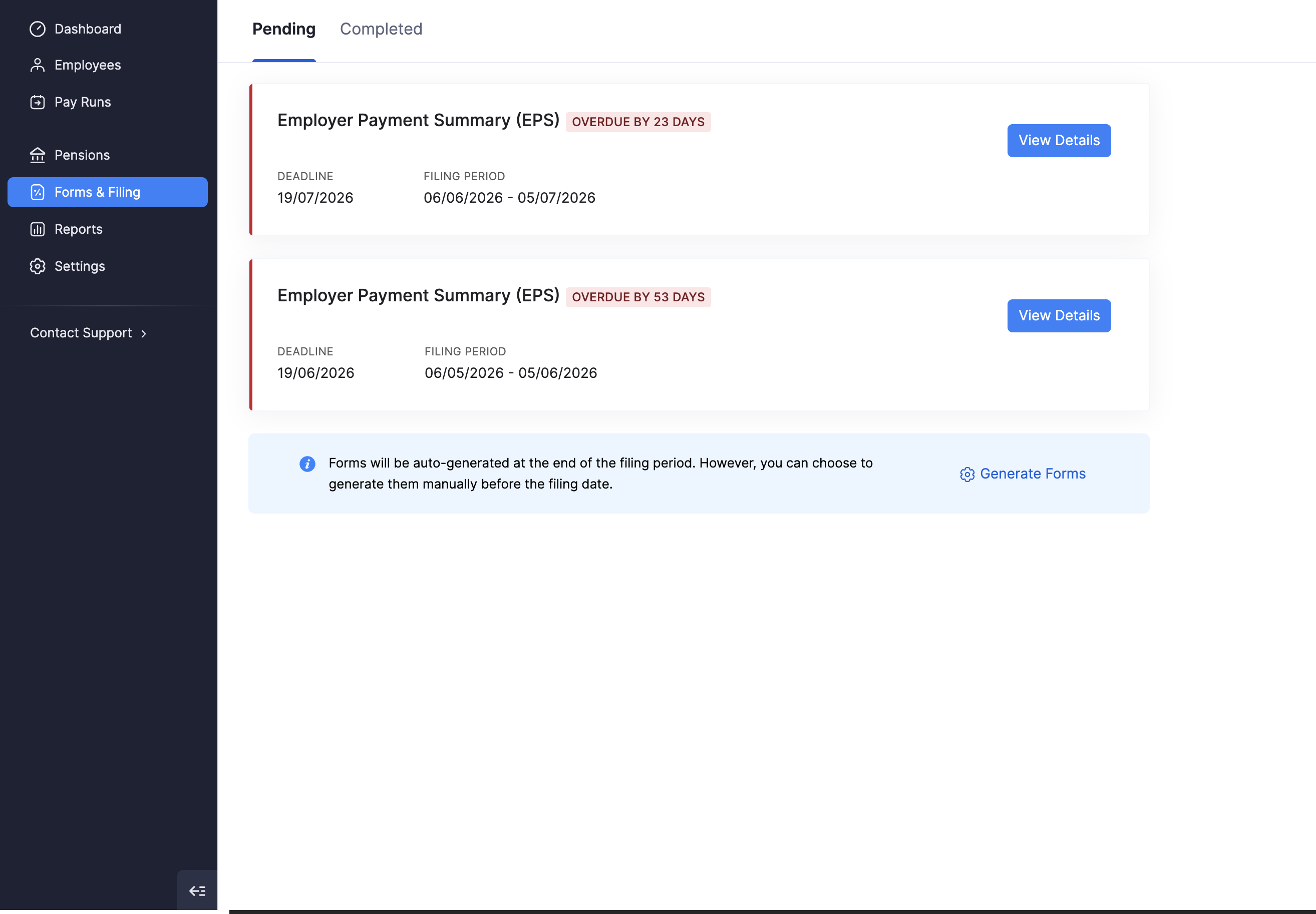
The Forms & Filing module is where you manage those EPS filings: see what is pending or overdue, open a form to review the figures, add optional declarations, and mark the form as filed when you have submitted it to HMRC.
In This Section
- Employer Payment Summary (EPS): review an EPS, add declarations, mark as filed, and undo filing.
Related setup and pay run help:
- Tax details: HMRC employer references, Small Employers’ Relief, and Employment Allowance.
- Regular pay runs: approve payroll; Zoho Payroll prepares the FPS, then you submit it to HMRC.
Pending and Completed
Forms & Filing has two tabs:
| Tab | What it shows |
|---|---|
| Pending | EPS filings that are not yet marked as filed. Overdue items show how many days past the deadline they are, with the deadline and filing period. |
| Completed | EPS filings you have already marked as filed. Filter by tax year Period (for example 2026 - 27). Each row shows the filing date, form name, filing period, and tax authority (HMRC). |
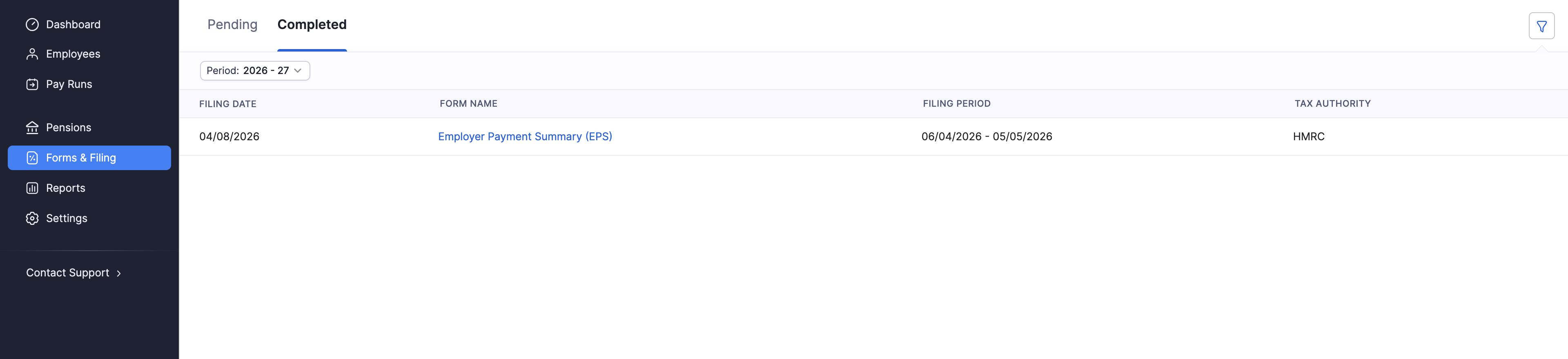
Open a pending card with View Details, or open a completed form by clicking its name.
How Forms Are Created
Zoho Payroll can create EPS forms automatically at the end of a filing period. You can also create them earlier.
On the Pending tab, a note explains that forms are auto-generated at the end of the filing period, and that you can generate them manually before the filing date. Click Generate Forms to open the dialog.
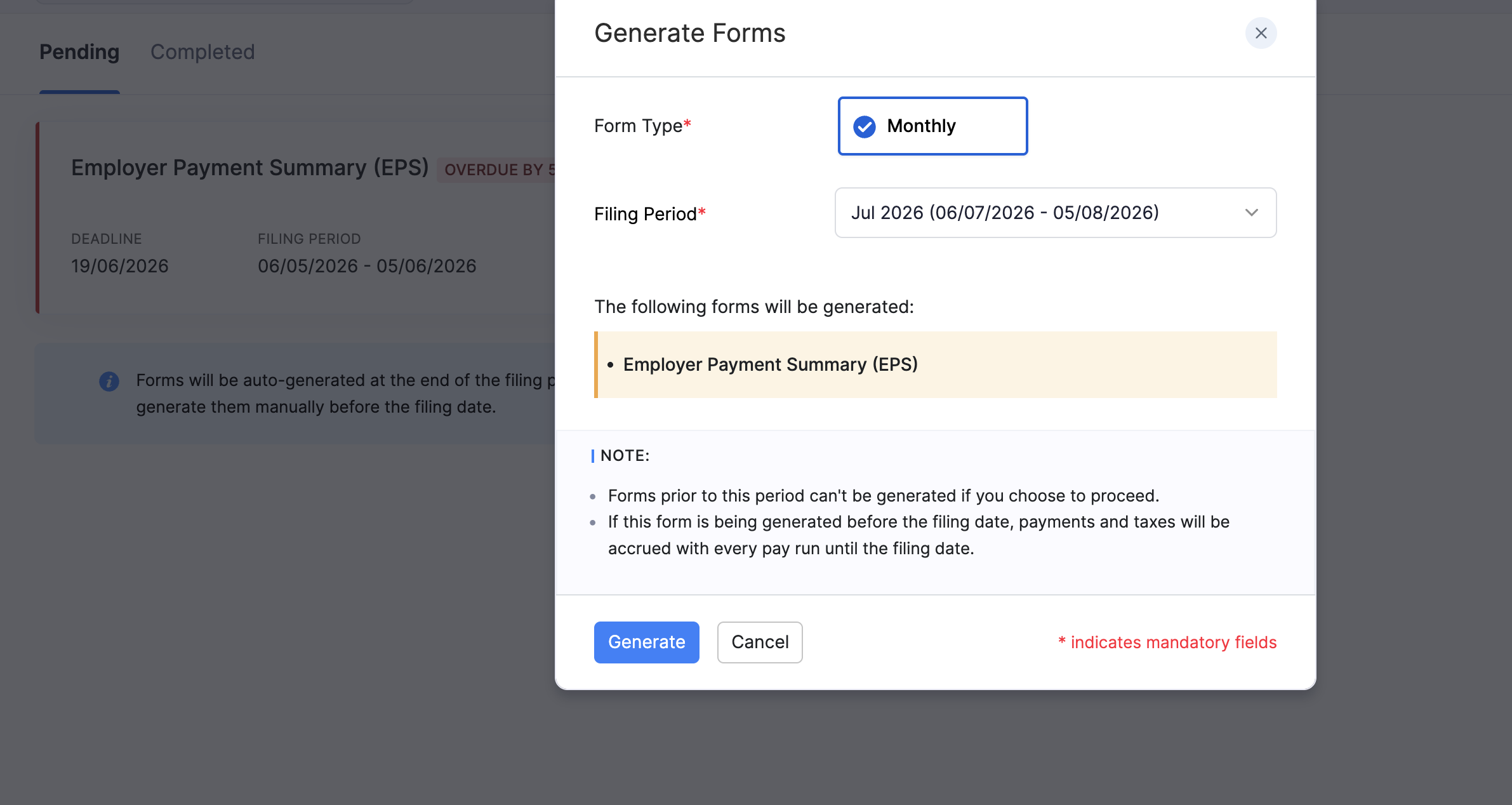
- Go to Forms & Filing.
- On the Pending tab, click Generate Forms.
- Select the Form Type (for example Monthly).
- Choose the Filing Period.
- Check which forms will be generated (for example Employer Payment Summary (EPS)).
- Click Generate.
Note:
- Forms for periods before the one you select cannot be generated after you proceed.
- If you generate a form before the filing date, payments and taxes continue to accrue with each pay run until that filing date.
EPS Deadlines
HMRC expects an EPS by the 19th of the month after the tax month it covers, when you need to report recoveries or other EPS information. A UK tax month runs from the 6th of one month to the 5th of the next.
If you have not paid any employees in a tax month, you normally send an EPS instead of an FPS for that period. Refer to Employer Payment Summary (EPS) for how to add No Payment for Period and Period of Inactivity.
For official guidance on what to report and when:
- Refer to the GOV.UK guidance on reporting to HMRC (EPS).
- Refer to the GOV.UK guidance on payroll information to report to HMRC.
- Refer to the GOV.UK guidance on PAYE for employers.