Employer Payment Summary (EPS)

An Employer Payment Summary (EPS) is an RTI report you send to HMRC about your organisation as an employer. Unlike a Full Payment Submission (FPS), it does not list each employee’s pay. You use it when you need to tell HMRC about recoveries and claims that reduce what you owe, or when you have not paid anyone in a tax month.
Typical reasons to send an EPS include:
- Reclaiming statutory parental payments (for example Statutory Maternity Pay) that you have paid to employees.
- Claiming Employment Allowance against employers’ Class 1 National Insurance.
- Telling HMRC you made no payments to employees in a tax month (instead of sending an FPS for that month).
- Reporting a future period of inactivity when you will not pay anyone for one to twelve tax months.
- Giving HMRC a bank account for refunds when reclaim amounts exceed what you owe.
For official guidance:
- Refer to the GOV.UK guidance on reporting to HMRC (EPS).
- Refer to the GOV.UK guidance on what payroll information to report to HMRC.
- Refer to the GOV.UK guidance on getting financial help with statutory pay.
Zoho Payroll prepares the FPS automatically for each pay run. You submit it from Pay Runs, not from Forms & Filing.
Open an EPS
- Go to Forms & Filing.
- On Pending, click View Details on the EPS you need, or open a form from Completed.
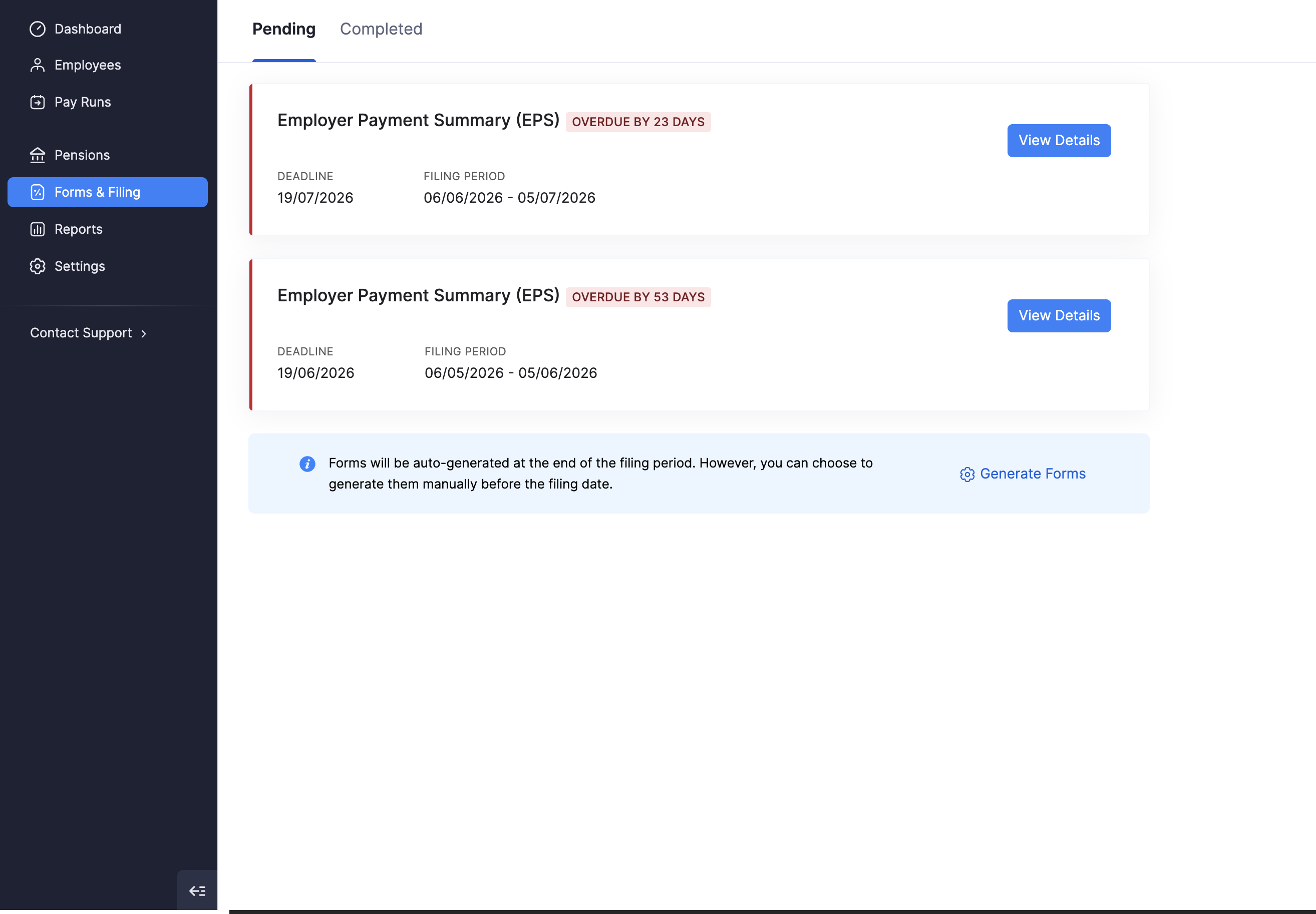
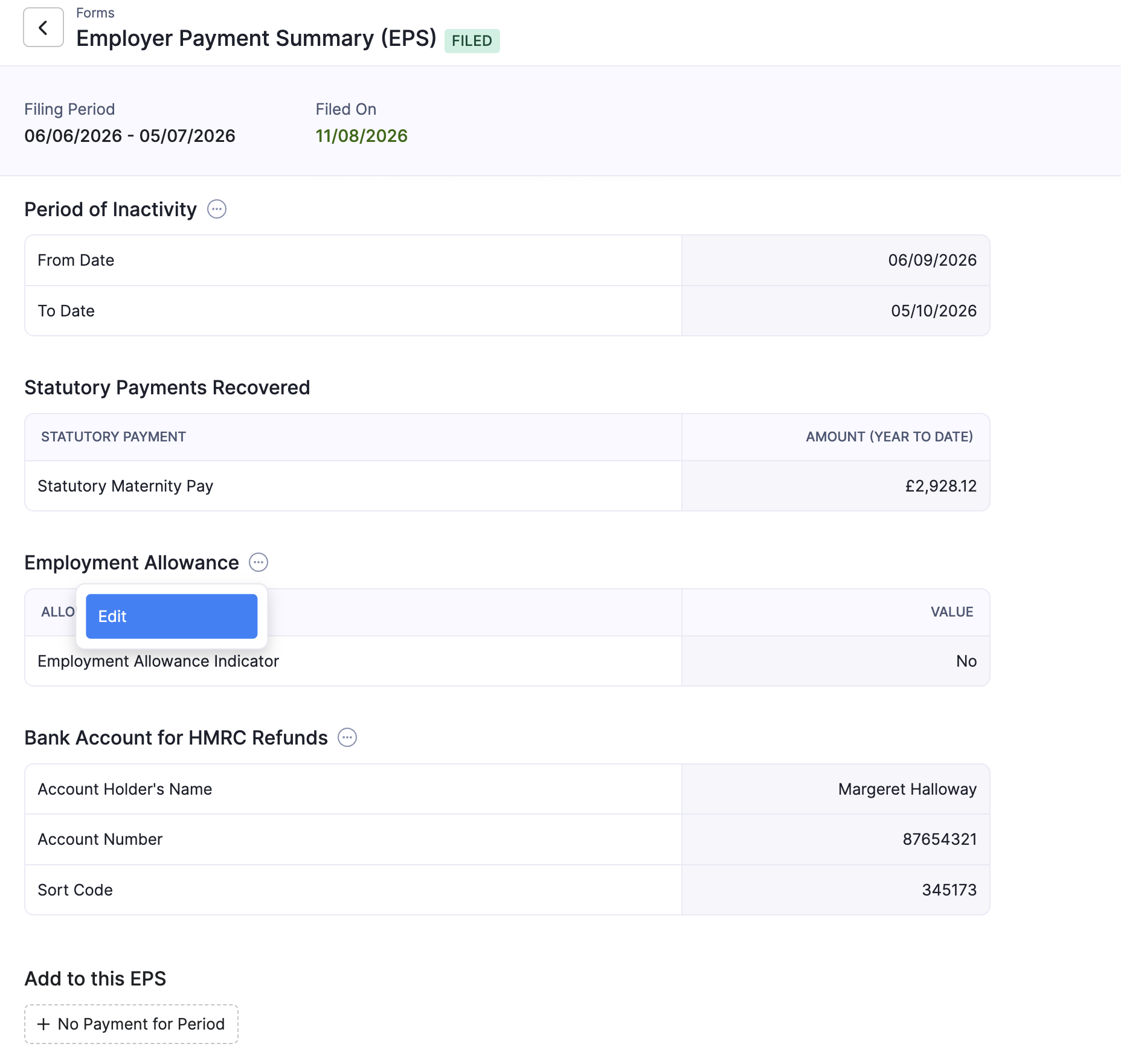
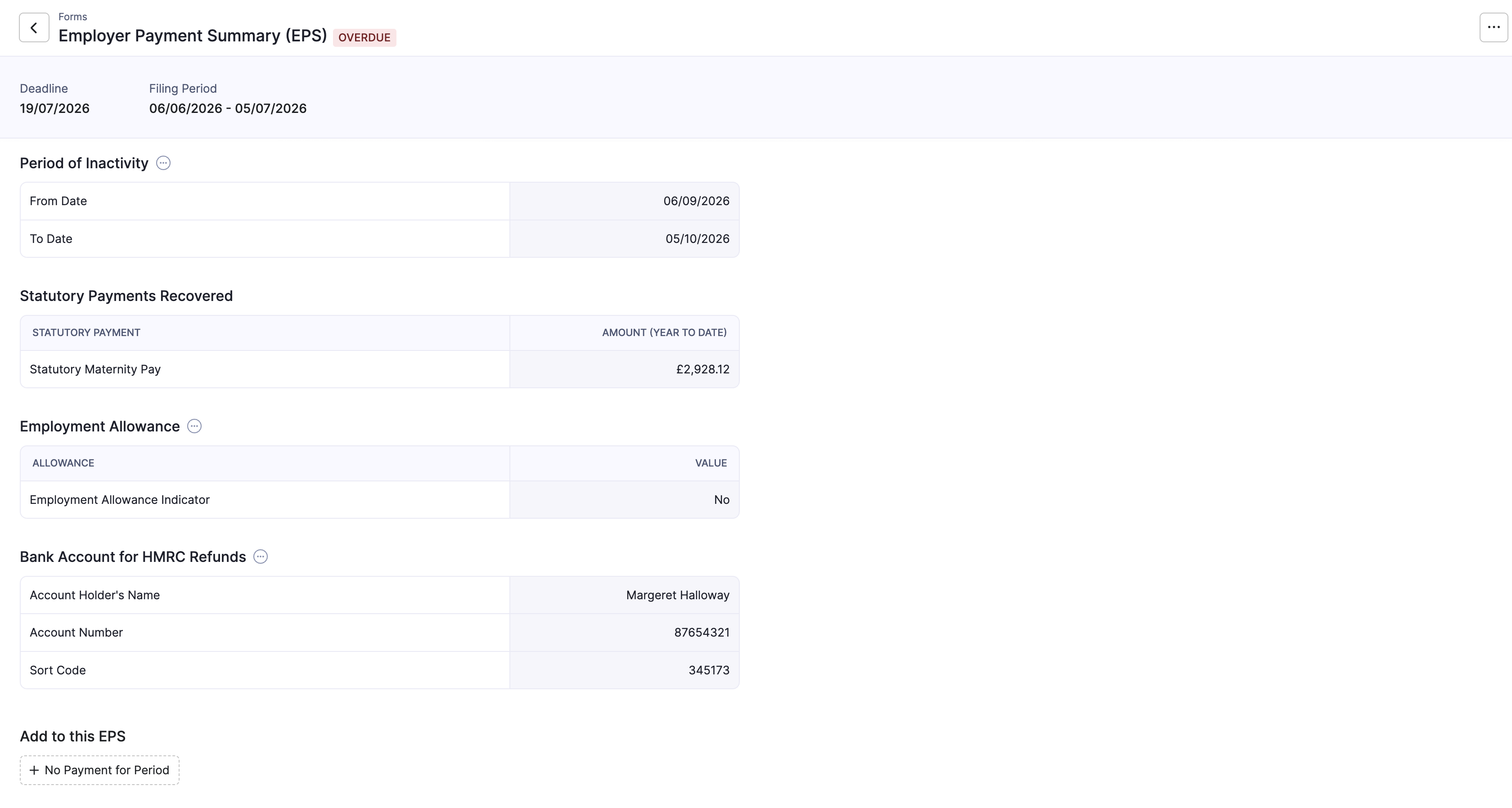
The detail page shows the status (Overdue, Filed, and similar), the deadline or filed-on date, and the filing period. Statutory recoveries appear as year-to-date amounts.
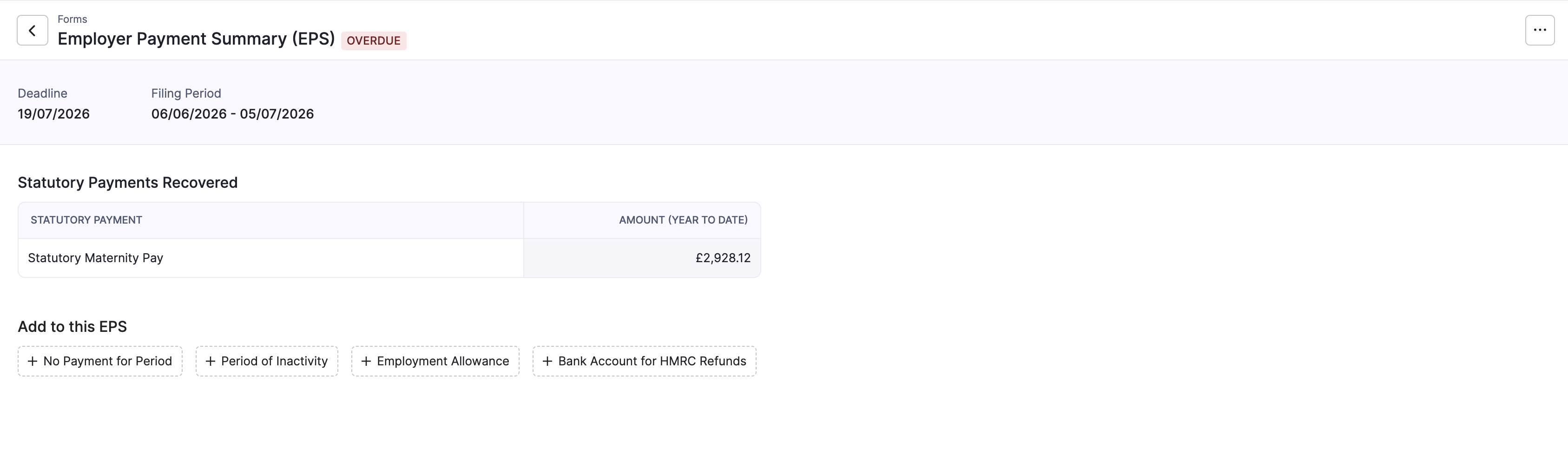
When the deadline has passed, Zoho Payroll marks the EPS as overdue so you can finish and file it promptly.
Statutory Payments Recovered
Statutory Payments Recovered lists amounts Zoho Payroll has calculated for statutory parental pay you can reclaim from HMRC for the tax year to date (for example Statutory Maternity Pay).
These figures come from pay runs where you paid those statutory amounts. How much you can reclaim depends on whether your organisation qualifies for Small Employers’ Relief. Refer to the GOV.UK guidance on reclaiming statutory pay for the latest rates and eligibility. You set that preference under Tax details.
Note: You cannot reclaim Statutory Sick Pay (SSP) in the same way as statutory parental payments. Before you rely on a figure for payment planning, refer to the GOV.UK guidance on reclaiming statutory pay.
Add Information to This EPS
Under Add to this EPS, you can attach optional declarations before you file. Use only what applies to your organisation for that period.
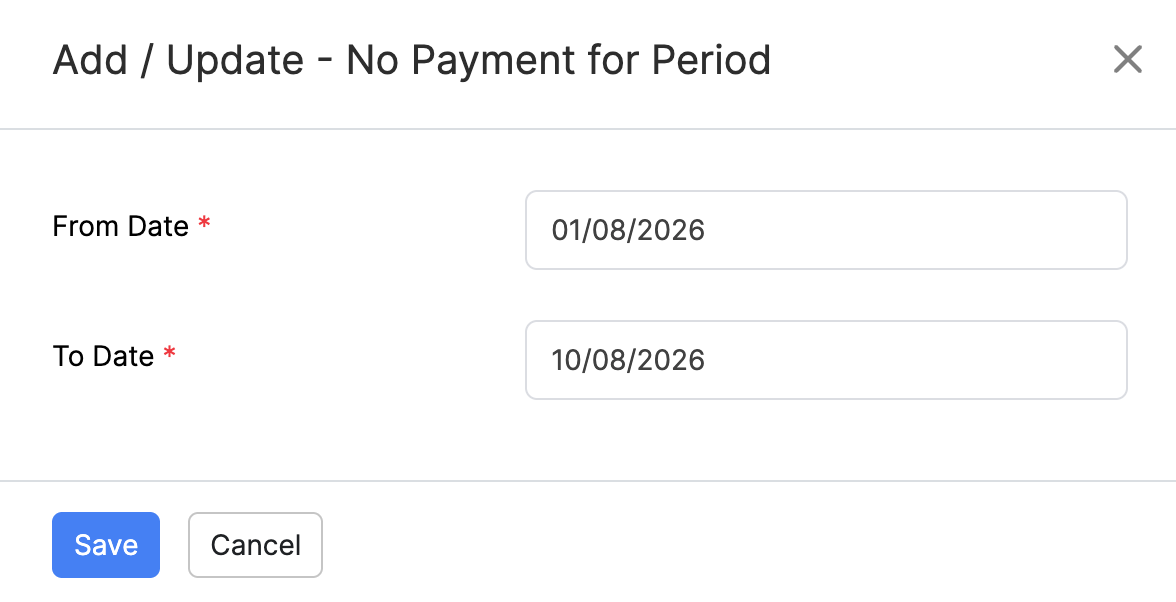
No Payment for Period
Use this when you need to tell HMRC that you made no payments to employees for a period (a nil payment for that tax month). HMRC then does not expect an FPS for that period.
- Click + No Payment for Period.
- Enter the From Date and To Date.
- Click Save.
Period of Inactivity
Use this when you know in advance that you will not pay any employees for a future stretch of one to twelve tax months. HMRC can then stop expecting FPS submissions for that window.
- Click + Period of Inactivity.
- Enter the From Date and To Date.
- Click Save.
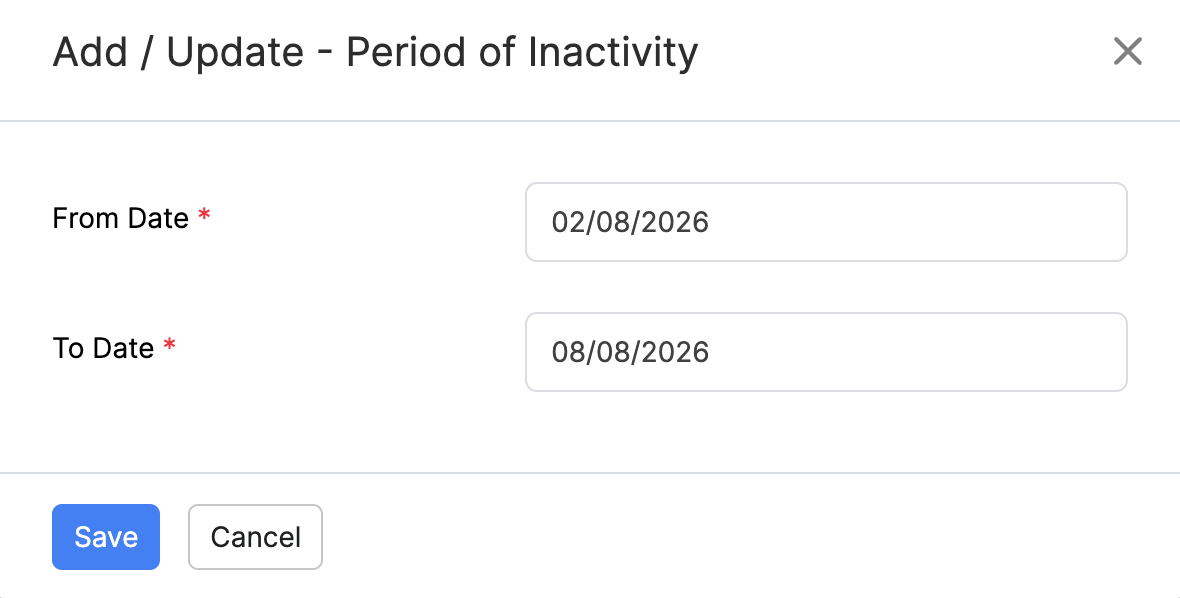
HMRC expects inactivity dates to align with tax months (from the 6th to the 5th). For the official rules, refer to the GOV.UK guidance on reporting to HMRC (EPS).
Employment Allowance
Employment Allowance reduces the employers’ Class 1 National Insurance your organisation pays to HMRC, up to the annual limit, if you are eligible.
- Click + Employment Allowance (or open the section menu and choose Edit if it is already on the EPS).
- Set the Employment Allowance indicator as appropriate for this claim.
- Save your changes.
For eligibility and how to claim, refer to the GOV.UK guidance on claiming Employment Allowance. You also configure the organisation preference under Tax details.
Bank Account for HMRC Refunds
If reclaim amounts mean HMRC owes your organisation a refund, provide the bank account where HMRC should pay it.
- Click + Bank Account for HMRC Refunds.
- Enter the Account Holder’s Name, Account Number, and Sort Code.
- Click Save.
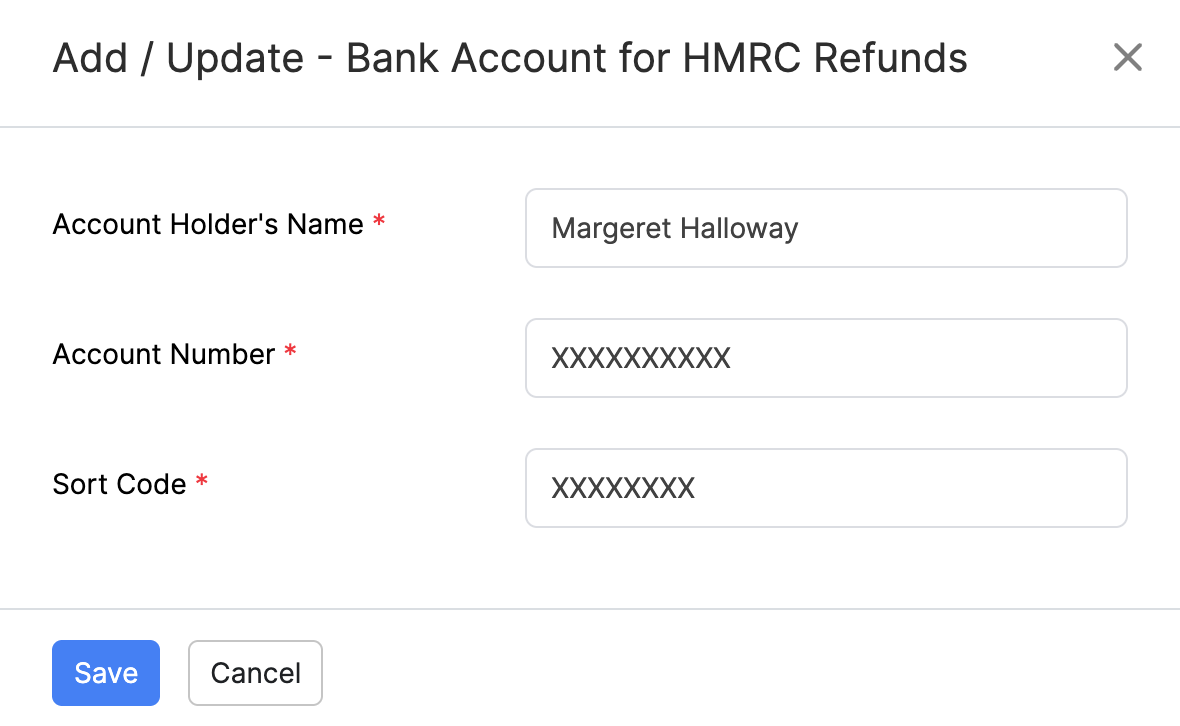
Note: Adding a bank account here does not update the employer bank accounts in Settings. It is only used for HMRC refunds on this EPS.
Review a Populated EPS
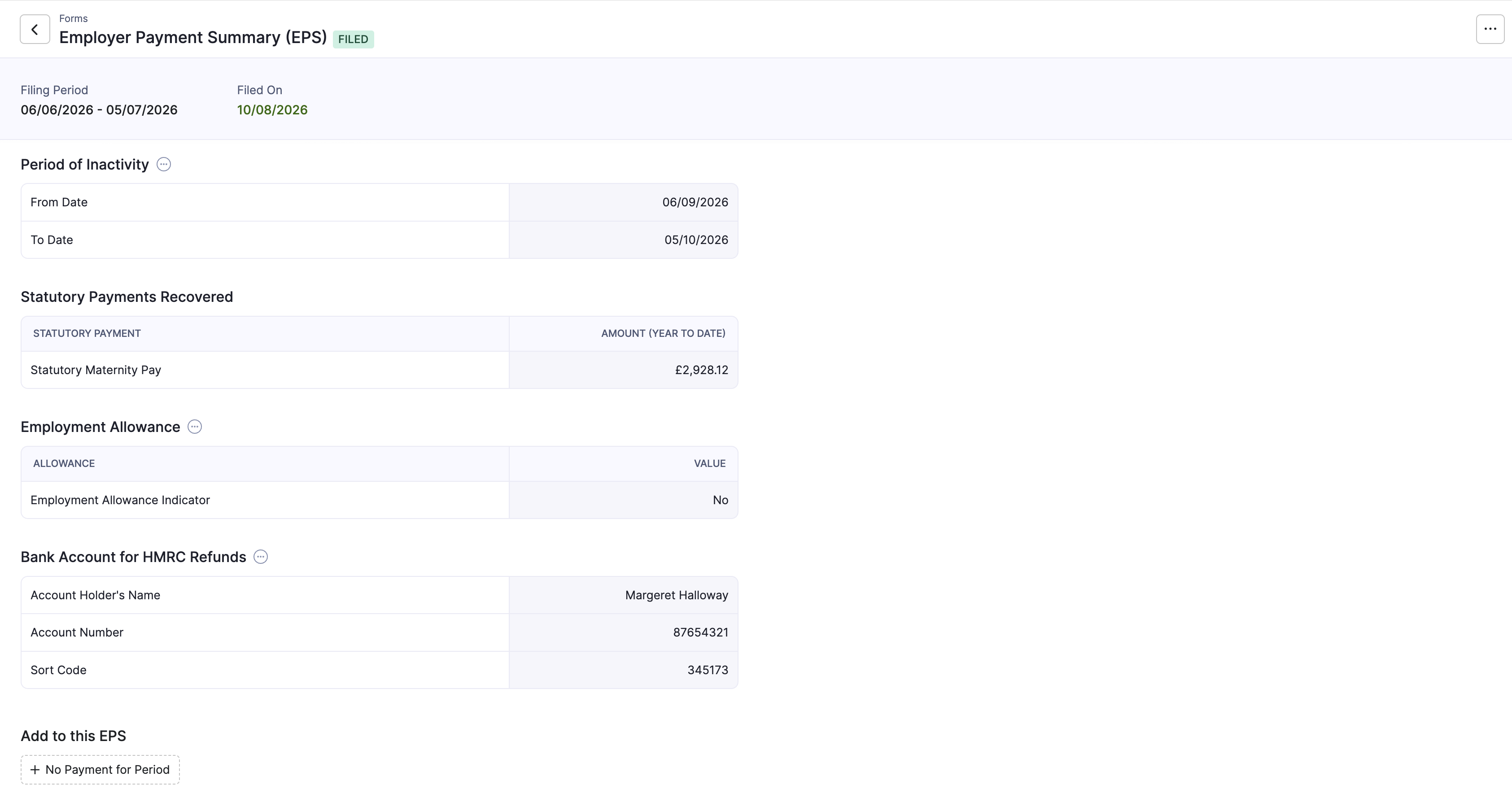
After you add declarations, the detail page shows each section you completed (for example Period of Inactivity, Employment Allowance, and bank details), with Add to this EPS still offering any options you have not used yet.
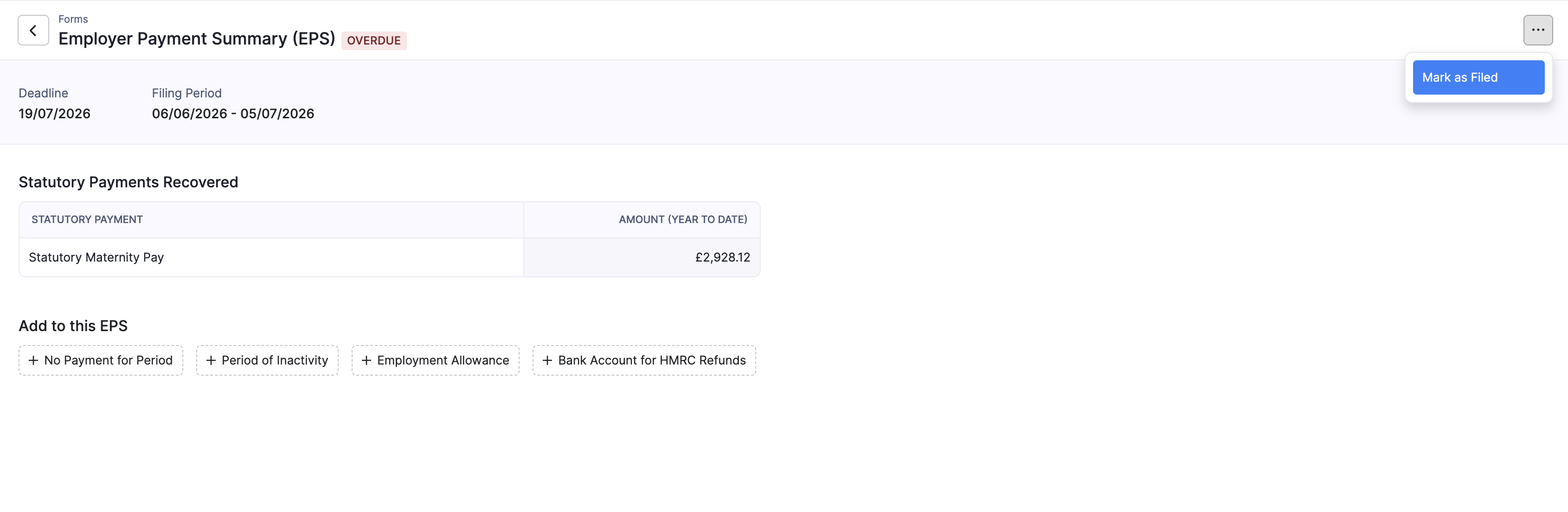
Mark as Filed
When you have submitted the EPS to HMRC (from Zoho Payroll or outside it), record that in Forms & Filing so the item moves off Pending.
- Open the pending EPS.
- Click Mark as Filed.
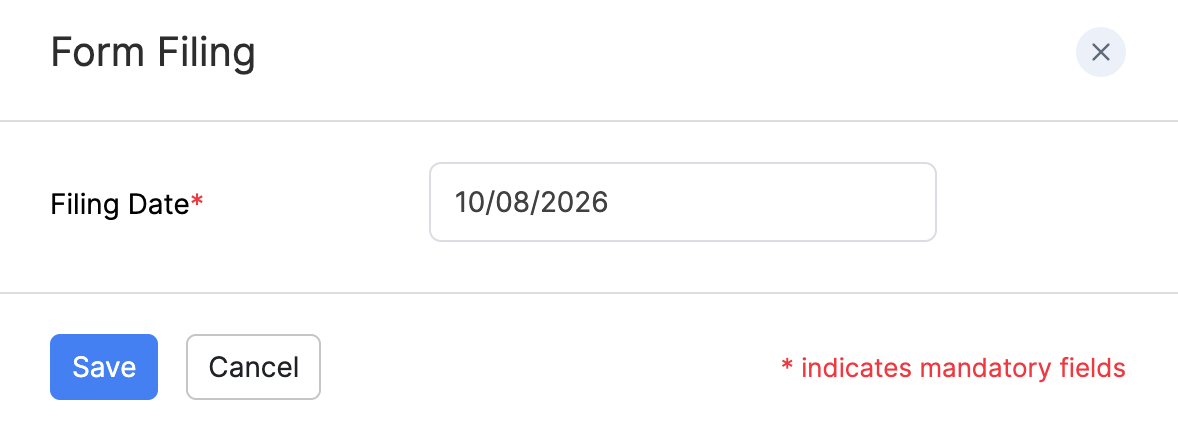
- Enter the Filing Date.
- Click Save.
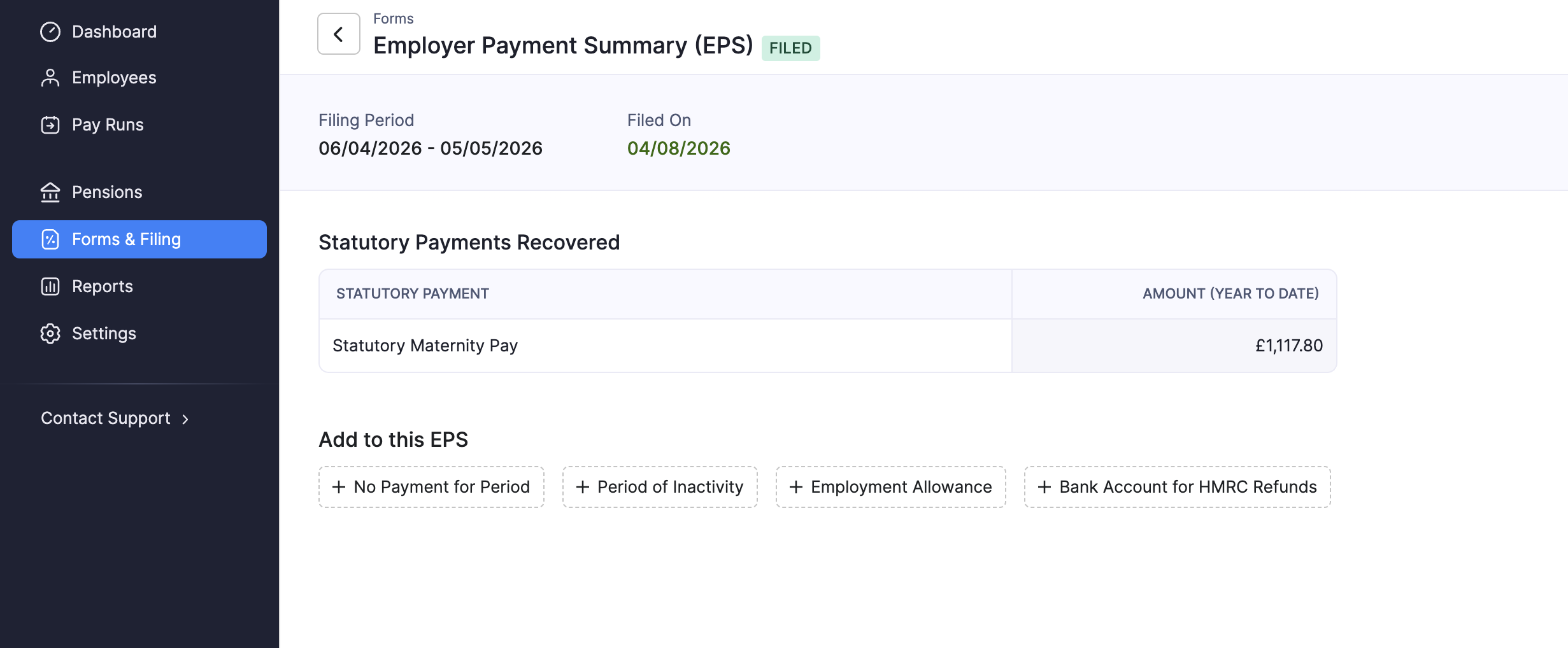
The EPS then shows as Filed, with the filed-on date. You can open it again from the Completed tab.
Note: Marking as filed updates your records in Zoho Payroll. Keep the filing date accurate so it matches what you sent to HMRC. Late EPS filings can affect how HMRC calculates what you owe. For EPS deadlines, refer to the GOV.UK guidance on reporting to HMRC (EPS).
Undo Filing
If you marked an EPS as filed by mistake, or you need to correct details before you treat it as complete in Zoho Payroll:
- Open the filed EPS from Completed (or from the form detail page).
- Click Undo Filing.
- Confirm when prompted.
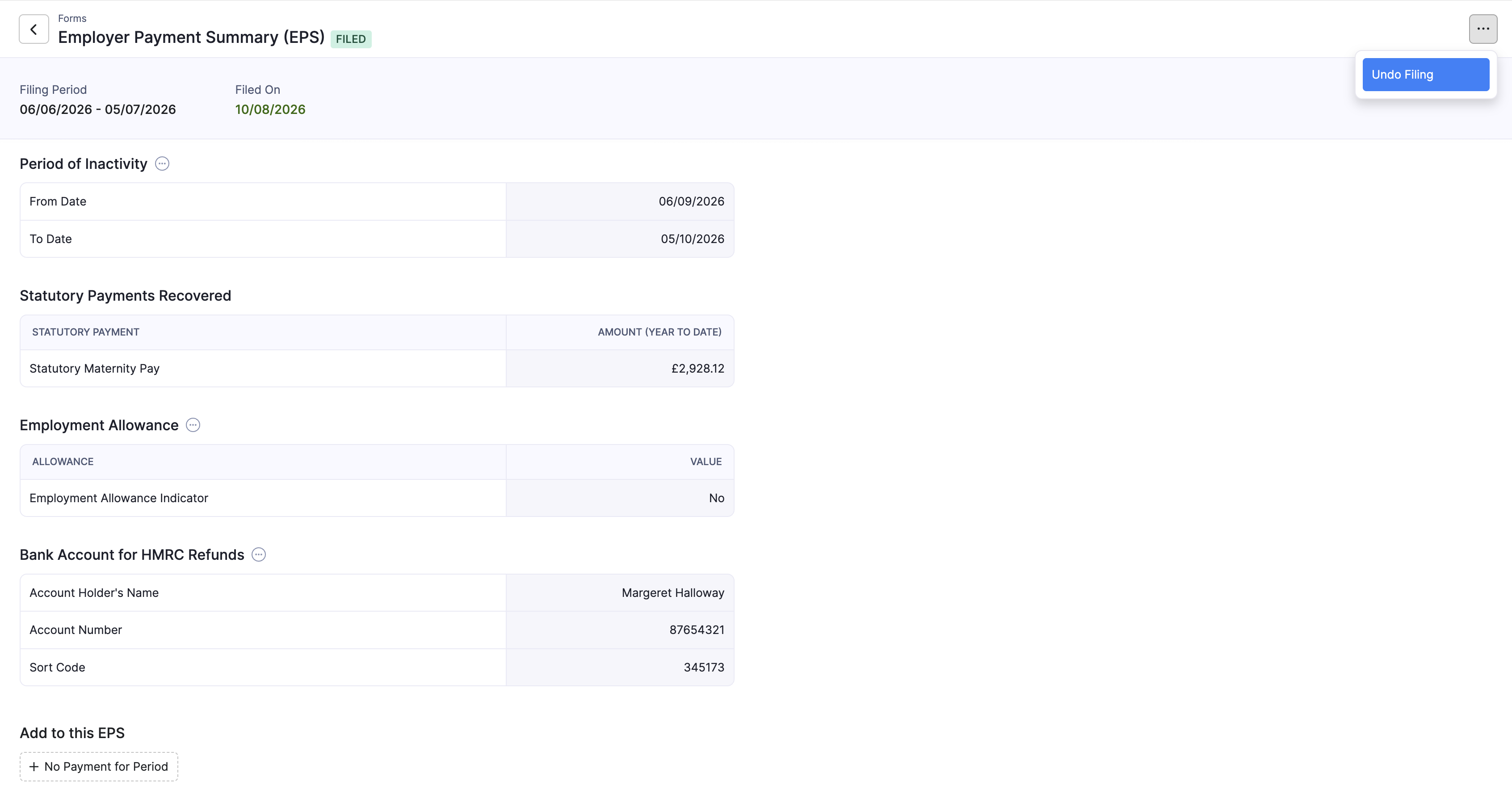
After you undo, the EPS returns to Pending so you can update declarations and mark it as filed again when ready.
Pro Tip: If HMRC has already accepted an incorrect EPS, you normally need to send a corrected EPS as well. Undo Filing only updates the status inside Zoho Payroll. For the official correction process, refer to the GOV.UK guidance on reporting to HMRC (EPS).
After You File
Once an EPS is filed:
- It appears under Completed for the relevant tax year period.
- You can still review statutory recoveries and any declarations you added.
- Paying what you owe HMRC (PAYE and National Insurance) remains a separate step. Refer to the GOV.UK guidance on paying employers’ PAYE.