Other Actions

Besides adding and editing employees, you can import or export employee data and manage Employee Portal access.
Import Employee Data
- Go to Employees.
- Click the More icon at the top right and select Import Data.
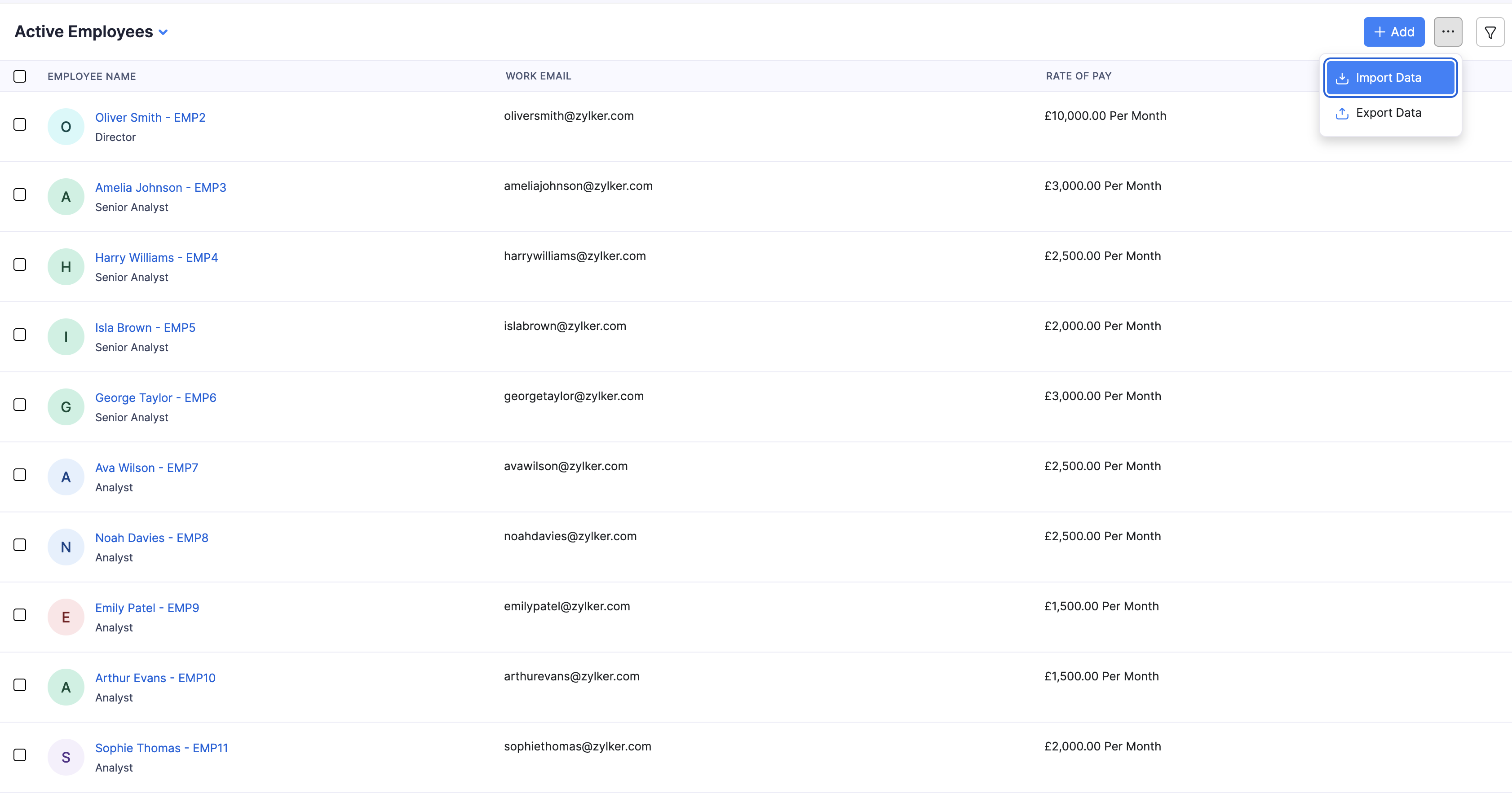
Follow the import steps to upload your file. You can also start an import from the Employees empty state when you have no employees yet.
Export Employee Data
- Go to Employees.
- Click the More icon at the top right and select Export Data.
- Choose what to export and which employees to include.
- Select the file type and click Export.
Manage Portal Access
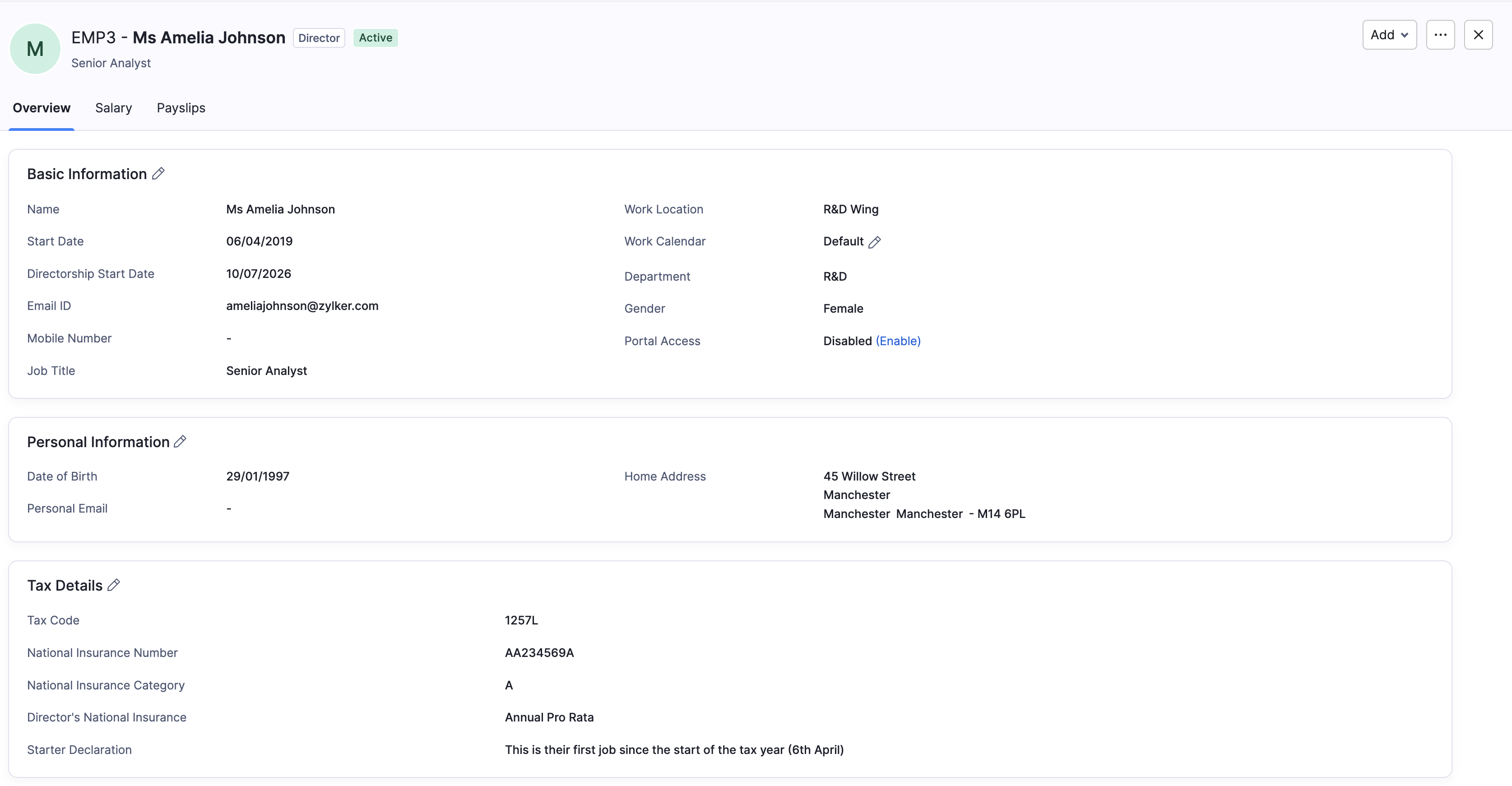
The Employee Portal lets employees view their details, payslips, P11D, and P60 online. If portal access is disabled, Zoho Payroll sends payslips and related documents to the employee’s work email instead.
Enable Portal Access
- Go to Employees and open the employee.
- On Overview, under Basic Information, click Enable next to Portal Access.
You can also enable the portal when you add the employee.
Disable Portal Access
- Open the employee.
- Edit Basic Information or use the profile actions to turn off portal access for that employee.