Pay Run History

Pay Run History lists the pay runs you have already processed. Use it to check an earlier period or to open a completed pay run again.
View Pay Run History
- Go to Pay Runs.
- Open the Pay Run History tab.
- Optionally filter by Payroll Type.
- Click a pay run to view its details.
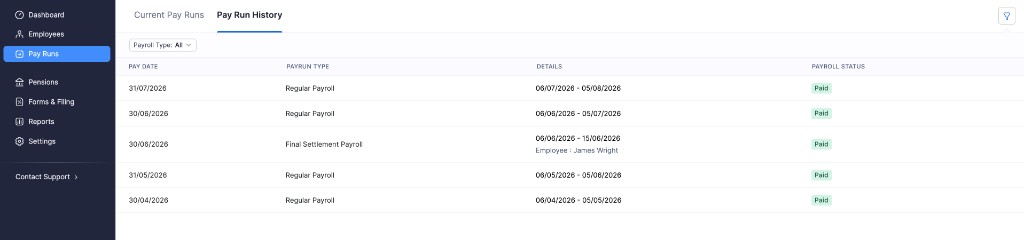
Each row in the list shows:
| Column | What it shows |
|---|---|
| Pay Date | The date employees were paid for that pay run. |
| Payrun Type | The type of pay run, such as Regular Payroll or Final Settlement Payroll. |
| Details | The pay period covered. For a final settlement, the employee name is also shown. |
| Payroll Status | The status of the pay run, such as Paid. |
Details of a Past Pay Run
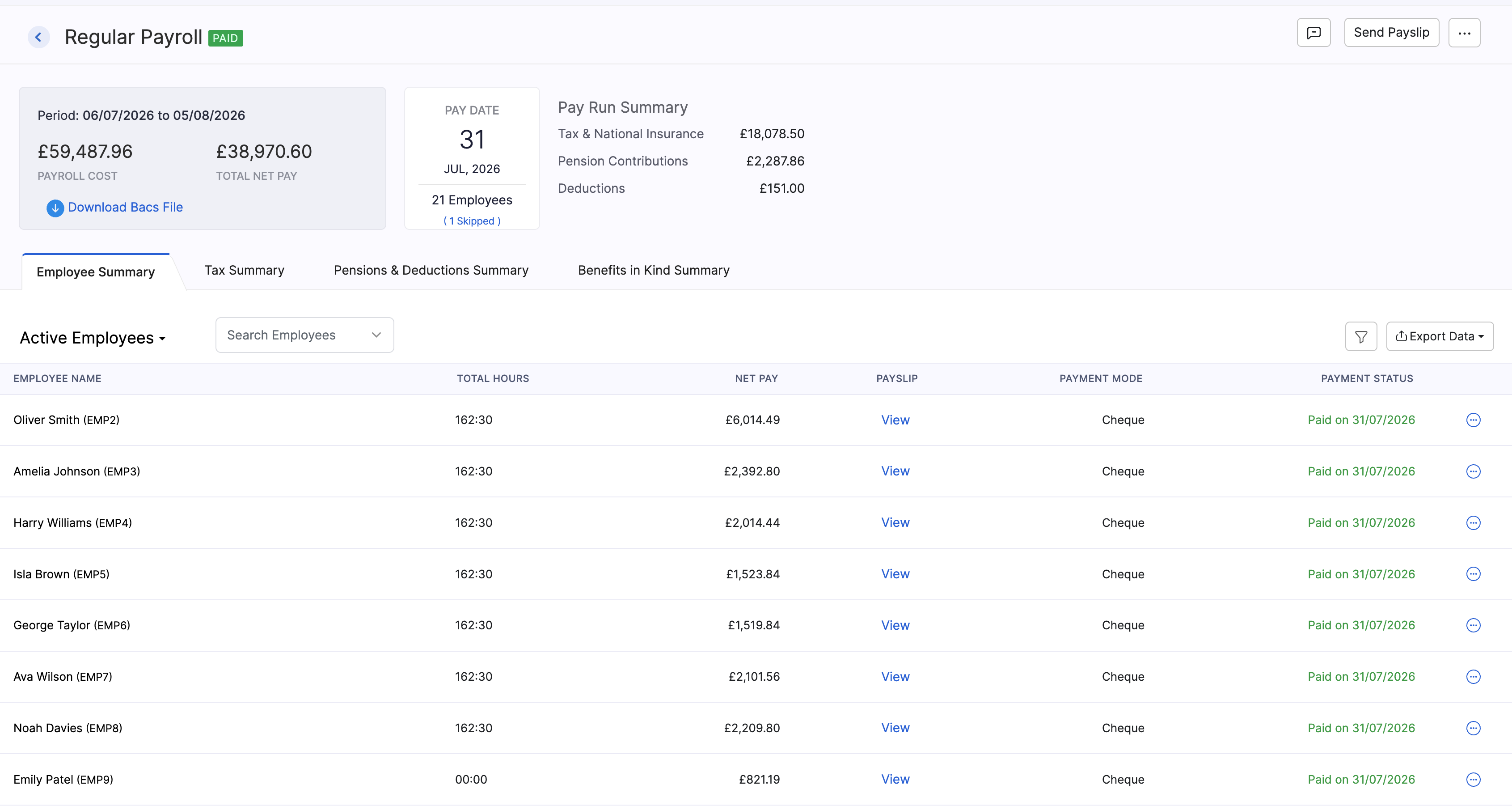
When you open a pay run from history, Zoho Payroll shows a summary for that period.
| Item | What it shows |
|---|---|
| Period | The start and end dates of the pay period. |
| Payroll Cost | The overall cost of the pay run. |
| Total Net Pay | Total take-home pay for employees in that period. |
| Pay Date | The date those employees were paid. |
| Employees | How many employees were included, and how many were skipped. |
| Tax & National Insurance | Income Tax under PAYE and National Insurance for the pay run. |
| Pension Contributions | Workplace pension contributions for the pay run. |
| Deductions | Other deductions from pay. |
| Employee Summary | Employee-level net pay, payslip, payment mode, and payment status. |
| Tax Summary | A breakdown of tax and National Insurance. |
| Pensions & Deductions Summary | Pensions and other deductions in more detail. |
| Benefits in Kind Summary | Benefits reported through the pay run, if any. |
| FPS status | Whether the Full Payment Submission was submitted to and accepted by HMRC. |
Actions on a Past Pay Run
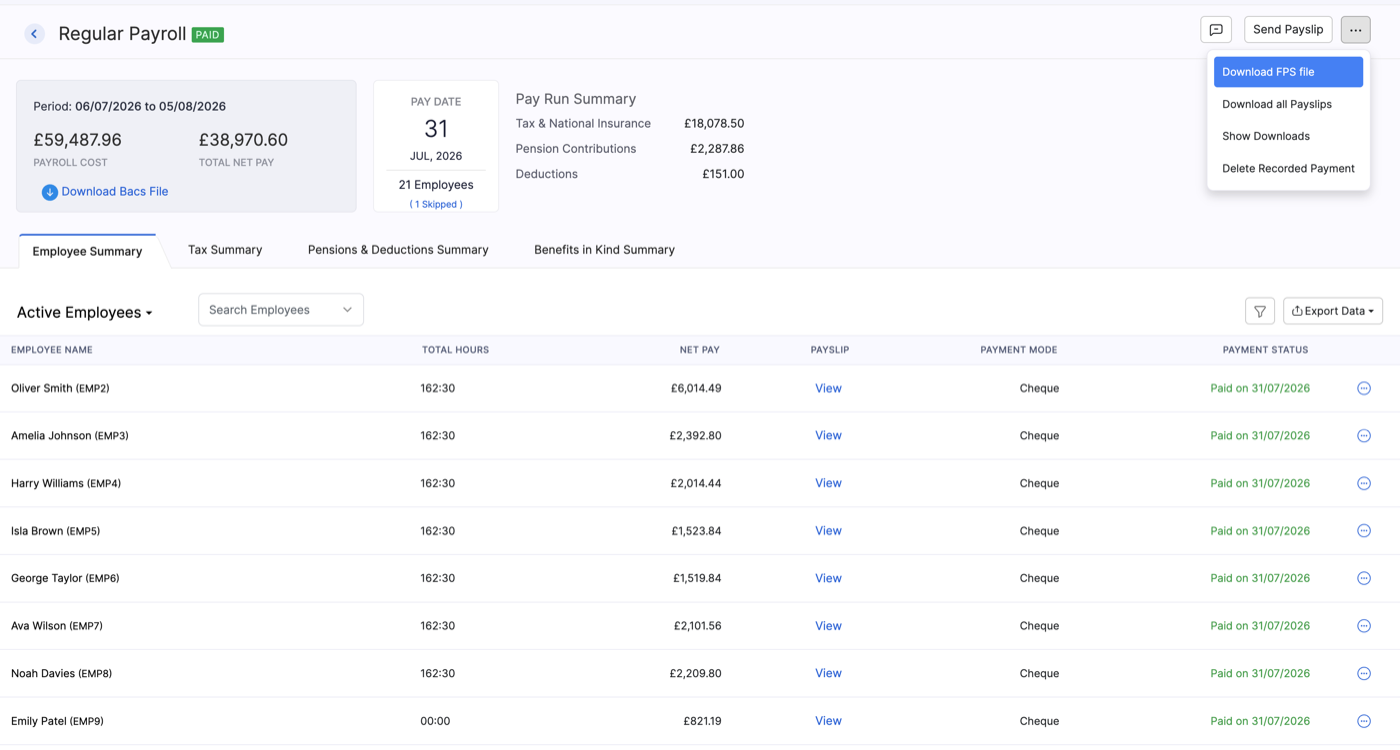
From a paid pay run you can use these actions:
| Action | What it does |
|---|---|
| Download Bacs File | Downloads a Bacs payment file for the pay run. |
| Send Payslip | Sends payslips to employees in the pay run. |
| Download FPS file | Downloads the FPS file for your records (from the More menu). |
| Download all Payslips | Downloads payslips for employees in the pay run. |
| Delete Recorded Payment | Removes the recorded payment if you need to correct it. Refer to Delete a recorded payment. |