
Contact Support

Contact Support is how you reach the Zoho Payroll team from inside the product. Use it when you need help with a payroll issue, want a product demo, or want to schedule a call. You can also email support.uk@eu.zohopayroll.com.
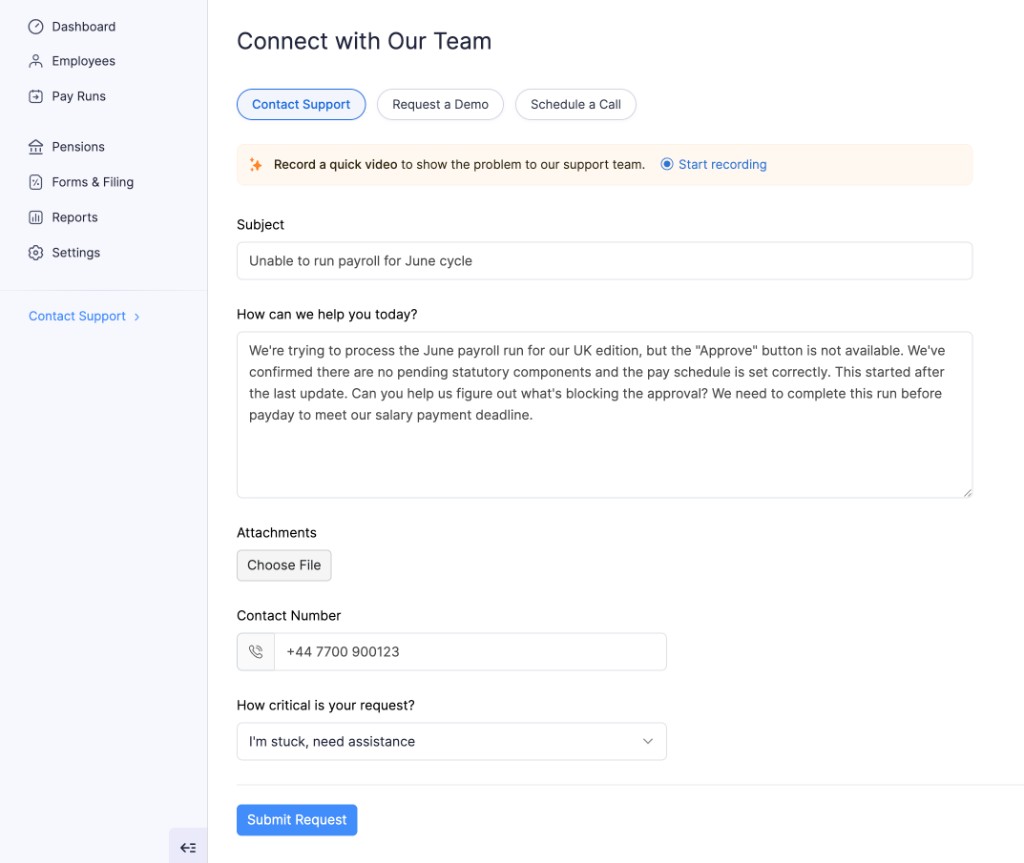
Choose one of the three options at the top:
| Option | When to use it |
|---|---|
| Contact Support | You have a question or a problem and want the support team to reply. |
| Request a Demo | You want someone to walk you through the features of Zoho Payroll. |
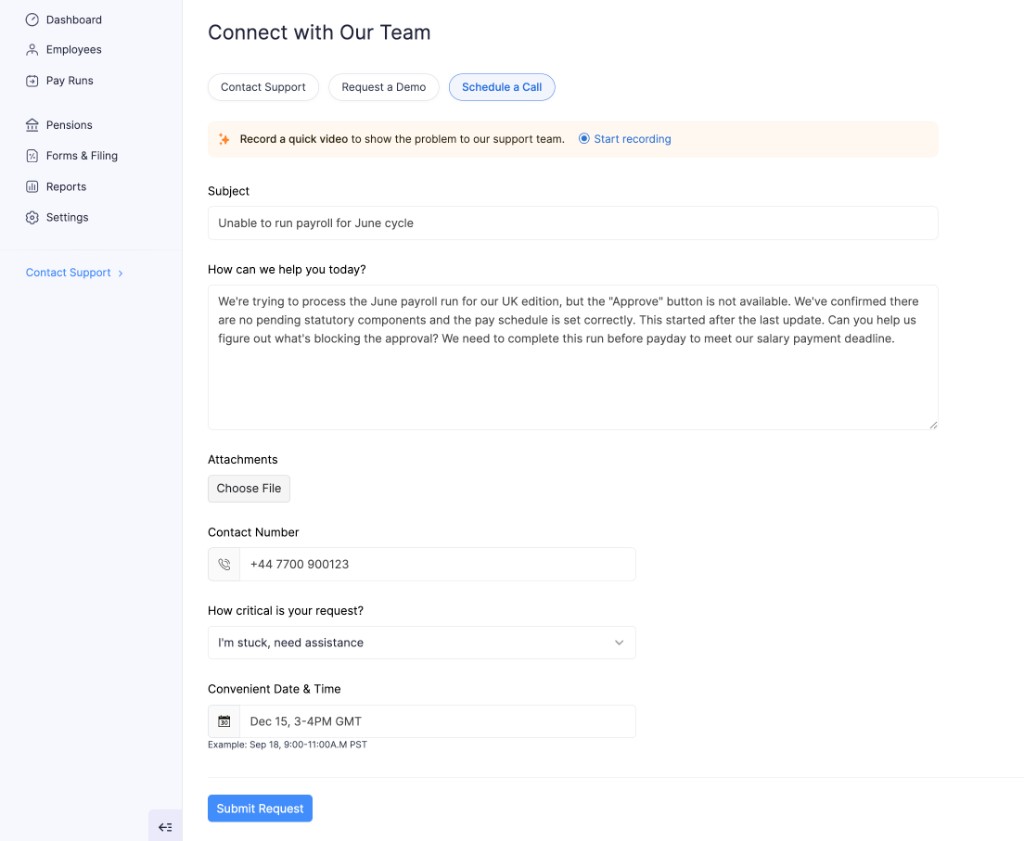
| Schedule a Call | You want a call at a time you choose. |
Contact Support
- Open Contact Support in the left sidebar.
- Stay on the Contact Support tab.
- Fill in the form:
| Field | What to enter |
|---|---|
| Subject | A short summary of the issue. |
| How can we help you today? | What happened, what you expected, and any steps you already tried. |
| Attachments | Optional. Click Choose File to add a screenshot or document. |
| Contact Number | A number the team can use to reach you. |
| How critical is your request? | How urgently you need help. |
- Click Submit Request.
Record a video of the problem
On Connect with Our Team, you can record your screen so the support team can see the issue.
- Click Start recording in the banner at the top of the form.
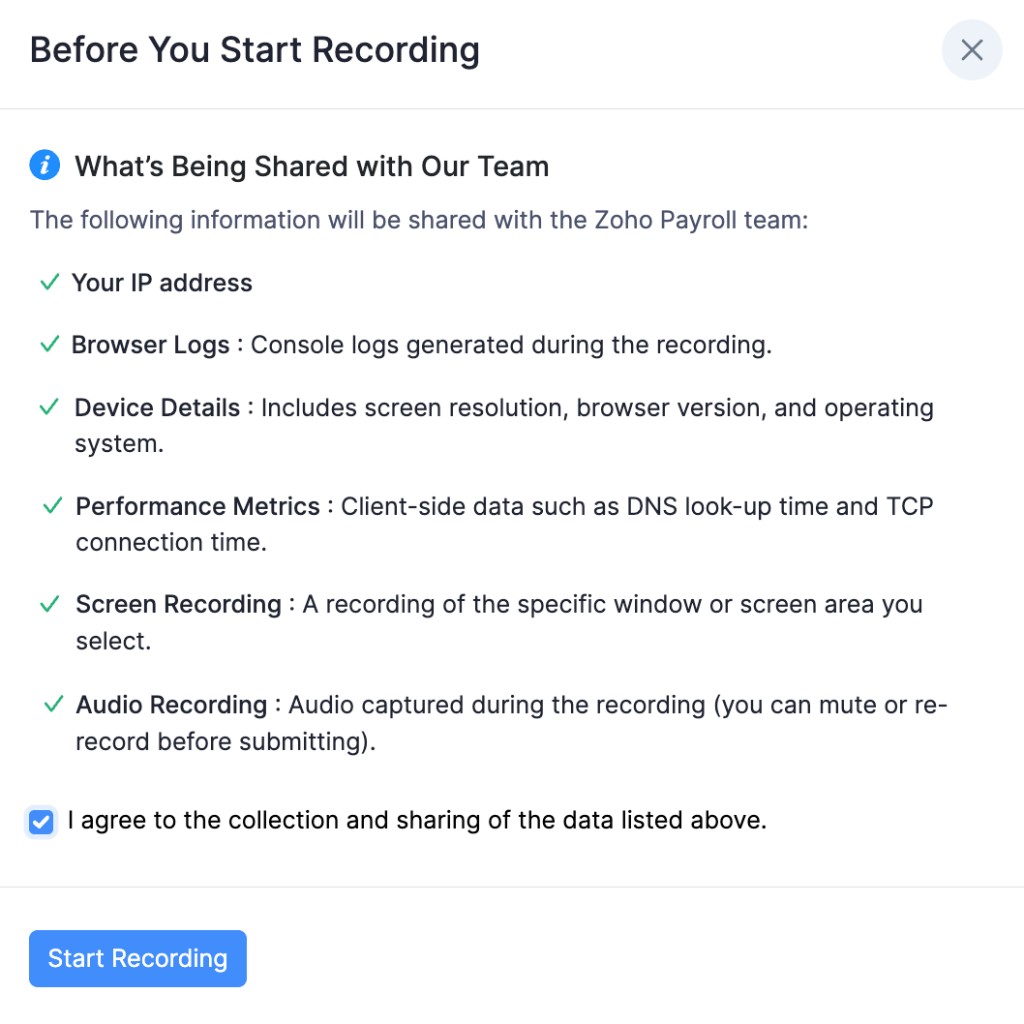
- Read Before You Start Recording. The recording can include your screen, audio, IP address, browser logs, device details, and performance metrics.
- Select I agree to the collection and sharing of the data listed above.
- Click Start Recording.
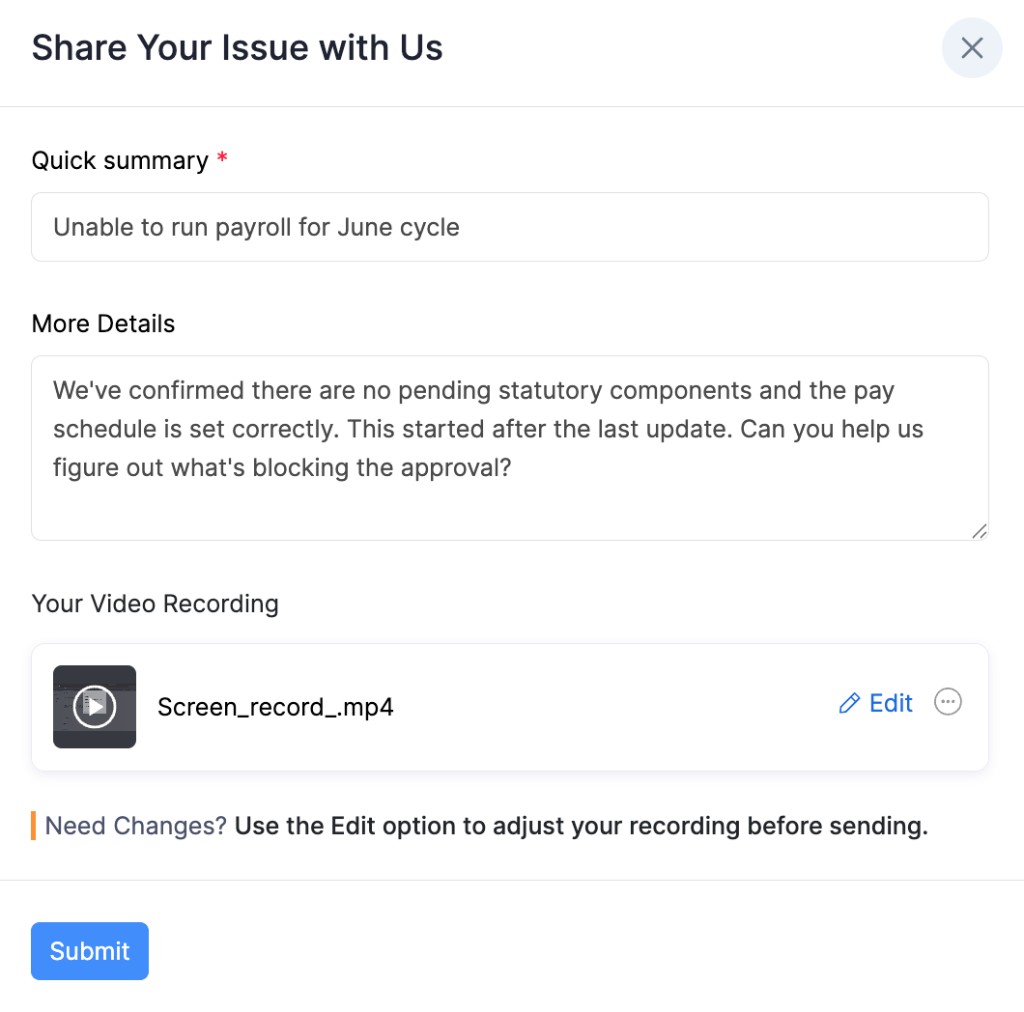
After you finish, Share Your Issue with Us opens. Enter a Quick summary and More Details, review the recording, and click Submit. Use Edit if you need to change the recording before you send it.
Request a Demo
- Open Contact Support in the left sidebar.
- Click Request a Demo.
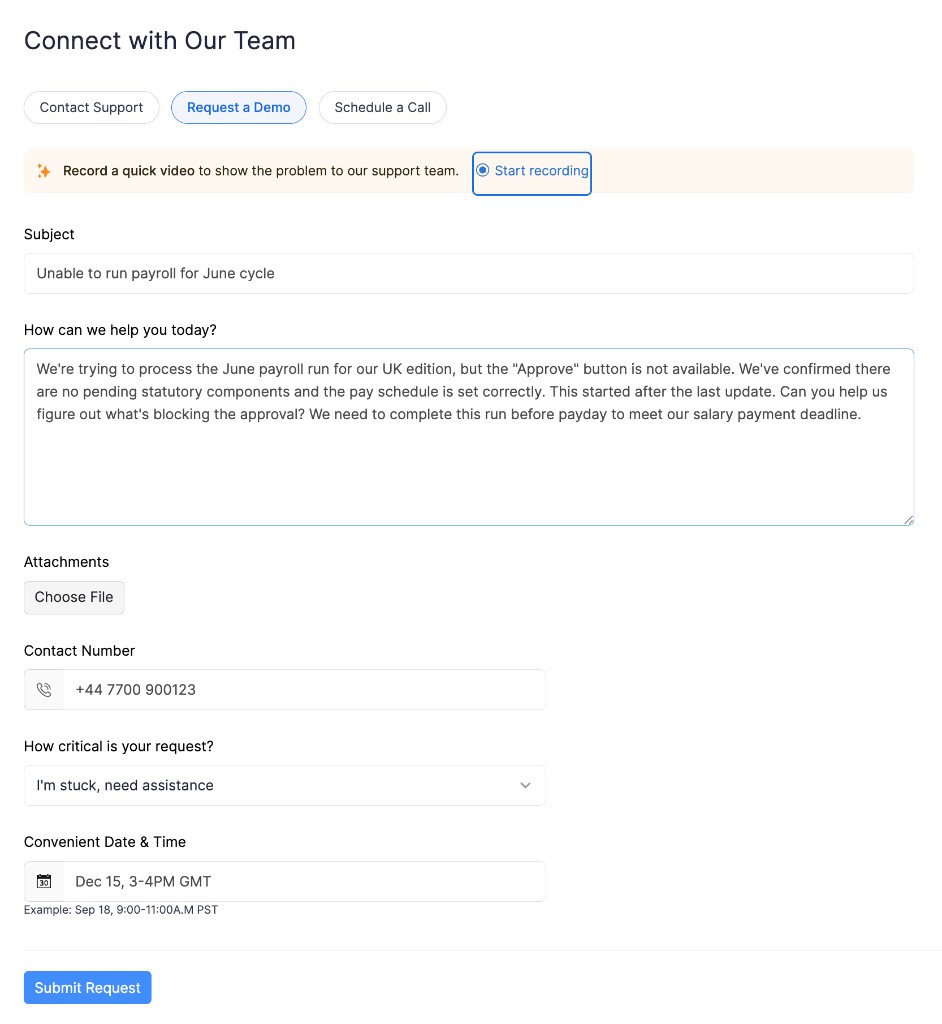
- Enter the same request details as Contact Support: subject, how we can help, attachments if needed, contact number, and how critical the request is.
- Click Submit Request.
Schedule a Call
- Open Contact Support in the left sidebar.
- Click Schedule a Call.
- Enter the request details, then choose a Convenient Date & Time.
- Click Submit Request.
To find other modules in the product, see Navigate Zoho Payroll.