
Access Payslips

Zoho Payroll generates a payslip for each employee when you process a pay run. From the employee profile you can view or download those payslips.
View a Payslip
- Go to Employees.
- Click the employee.
- Open the Payslips tab.
- Optionally filter by Fiscal Year.
- Click View for the pay period you need.
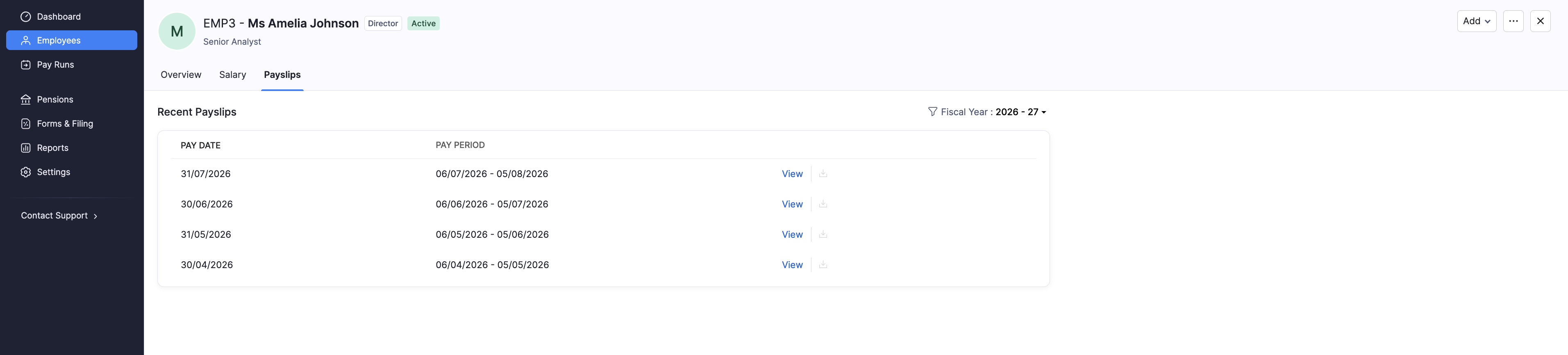
| Column | What it shows |
|---|---|
| Pay Date | The date the employee was paid for that period. |
| Pay Period | The start and end dates covered by the payslip. |
| Actions | View or Download for that payslip. |
Download a Payslip
- Go to Employees and open the employee.
- Open the Payslips tab.
- Click Download next to the pay period you need.
You can also send payslips from a paid pay run under Pay Runs.