
RTI Details

Real Time Information (RTI) is HMRC’s system for reporting payroll. Each time you run payroll, you report what you paid your employees, and what you deducted, to HMRC through RTI.
Your RTI Details hold the Government Gateway credentials and filing role that Zoho Payroll uses to send these submissions, such as the Full Payment Submission (FPS) and the Employer Payment Summary (EPS), to HMRC. You set them up once, and Zoho Payroll uses them for every RTI submission your organisation makes.
You can manage these settings under Settings > Taxes > RTI Details. This section lets you:
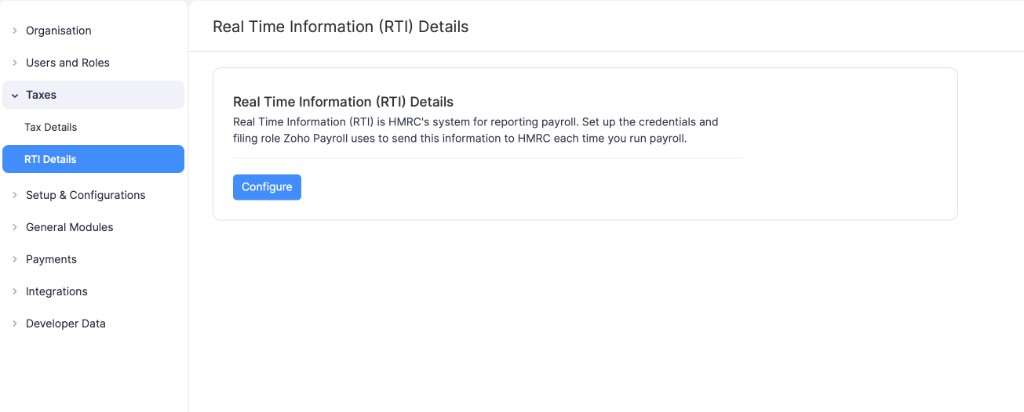
Note: Zoho Payroll stores one set of credentials per organisation. Any user who has permission to file can make RTI submissions to HMRC with these credentials.
Configure RTI Details
To configure your RTI details:
- Go to Settings and click RTI Details under Taxes.
- Click Configure.
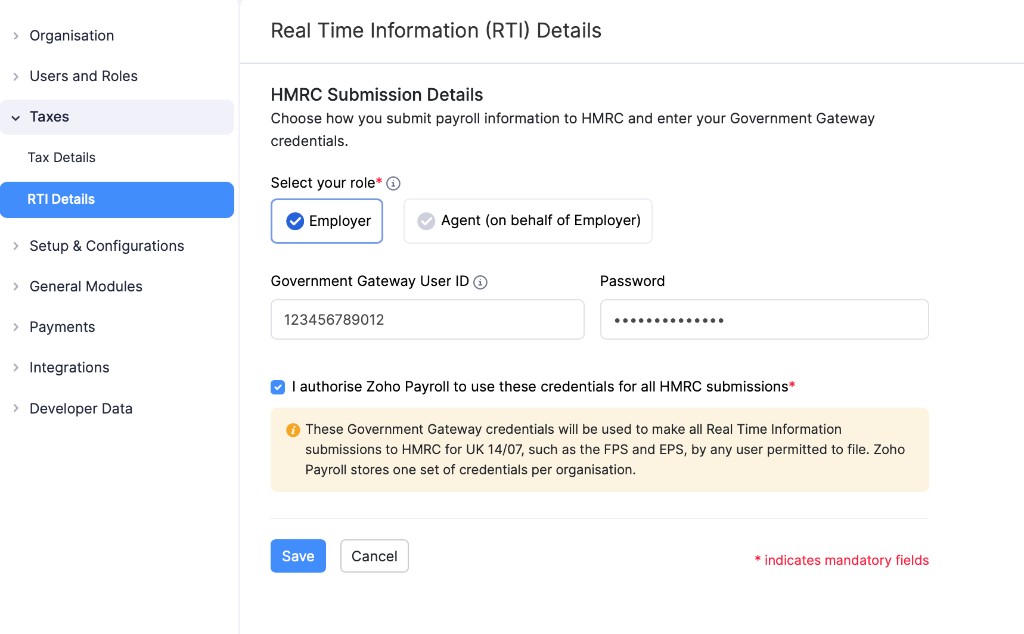
- Under Select your role, choose who submits your payroll information to HMRC:
- Employer: Select this if your organisation submits to HMRC itself.
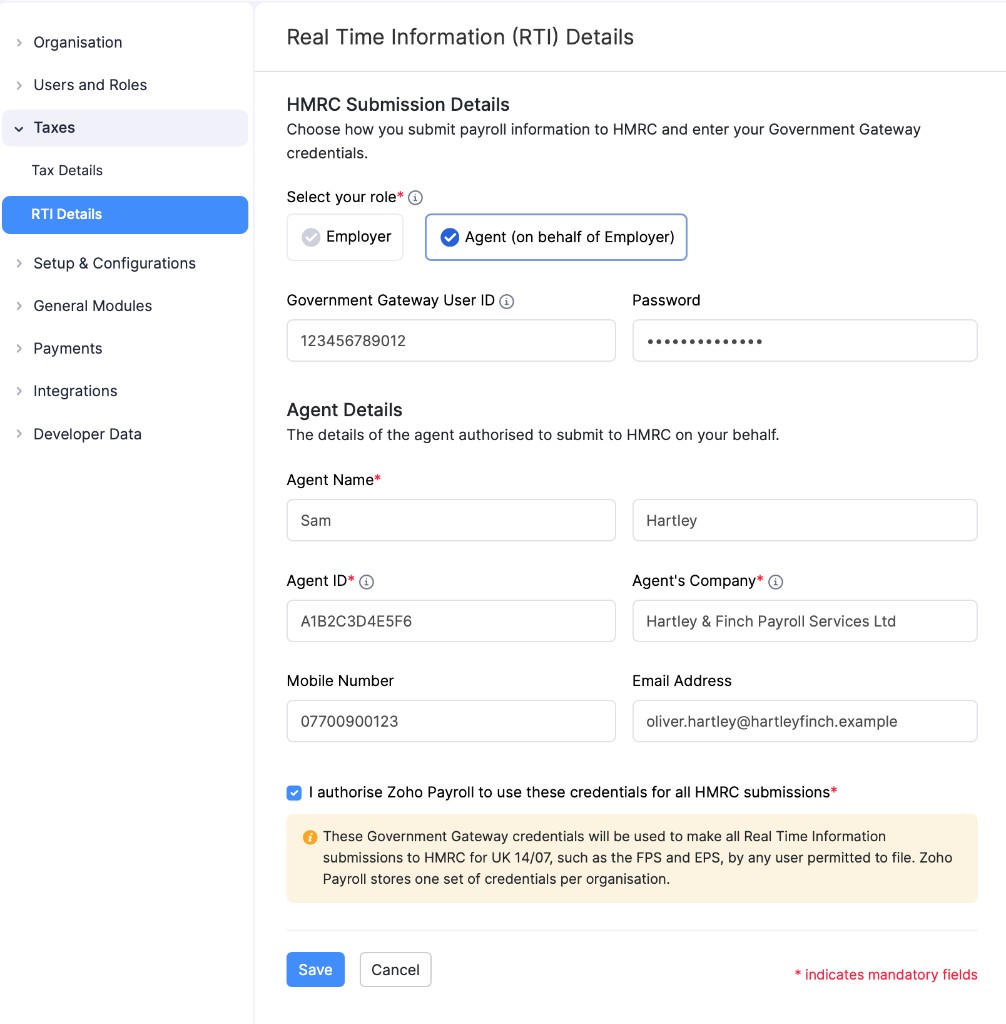
- Agent (on behalf of Employer): Select this if an agent, such as an accountant or payroll bureau, submits to HMRC on your organisation’s behalf.
- Enter the details described below.
Note: Fields marked with an asterisk (*) are mandatory.
HMRC Submission Details
| Field | Description |
|---|---|
| Government Gateway User ID | The user ID for the Government Gateway account used to sign in to HMRC online services. |
| Password | The password for that Government Gateway account. |
Agent Details
If you select Agent (on behalf of Employer), enter the details of the agent authorised to submit to HMRC on your behalf.
| Field | Description |
|---|---|
| Agent Name* | The first and last name of the agent. |
| Agent ID* | The agent’s ID. |
| Agent’s Company* | The name of the company the agent works for. |
| Mobile Number | The agent’s mobile number. |
| Email Address | The agent’s email address. |
- Select I authorise Zoho Payroll to use these credentials for all HMRC submissions.
- Click Save.
Your RTI details will be saved. The page shows your Government Gateway User ID, a masked Password, and who the submissions are Filed By.
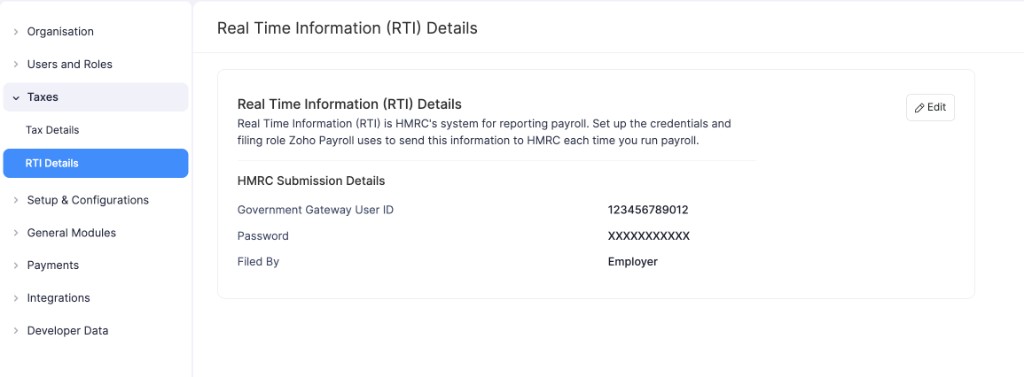
Zoho Payroll will now use these credentials when you submit the FPS to HMRC from a pay run.
Update RTI Details
You can update your RTI details whenever they change. For example, if you change your Government Gateway password, or an agent starts or stops submitting on your behalf.
To update your RTI details:
- Go to Settings and click RTI Details under Taxes.
- Click Edit.
- Update the necessary details.
- Click Save.
Warning: Keep your Government Gateway credentials up to date. If they no longer match your Government Gateway account, HMRC can reject your RTI submissions.