


Leave

Leave in Zoho Payroll covers the time off your employees take, and the pay that goes with it. There are two kinds of leave:
| Kind of leave | What it is | Before you can record it |
|---|---|---|
| Organisation leave | Leave your organisation offers, such as annual leave. You decide how much employees get and how it builds up. | Set up the leave type in Settings, then associate it with the employee. |
| Statutory leave | Leave employees are entitled to by law, such as statutory sick, paternity, adoption, or bereavement leave. Zoho Payroll uses the details you enter to work out the statutory pay. | Nothing. You can record it for an employee straight away. |
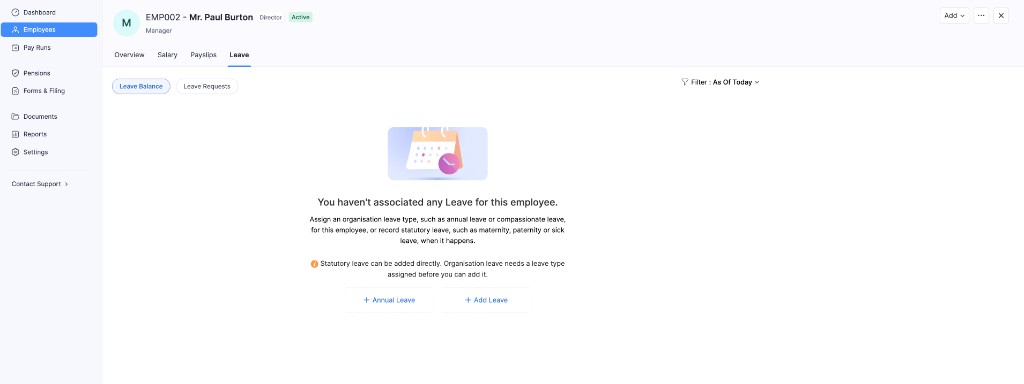
How leave works
- Set up leave types. In Settings, configure annual leave: how much employees accrue, when balances reset, how much carries forward, and the rules for leave requests. Statutory leave types are built in, so you do not need to set them up.
- Associate leave with employees. On each employee’s Leave tab, associate the leave type and enter their opening balance. You do not need to associate statutory leave.
- Record leave. Add annual leave when an employee takes it. Record statutory leave, such as sick or paternity leave, when it happens.
- Track balances. The Leave tab shows each employee’s balance, the leave they have requested, and the statutory leave they have taken.
In This Section
- Leave types: set up annual leave, accrual, resets, carry forward, and leave request rules.
- Manage employee leave: associate leave, update balances, and record annual leave for an employee.
- Statutory leave: record statutory sick, maternity, paternity, adoption, neonatal care, shared parental, and parental bereavement leave.