


Statutory Leave

Statutory leave is leave UK employees are entitled to by law, such as statutory sick leave or paternity leave. When you record it, Zoho Payroll uses the dates and earnings you enter to work out the employee’s statutory pay, such as Statutory Sick Pay (SSP) or Statutory Paternity Pay (SPP).
You do not need to set up a leave type or associate anything with the employee first. You can record statutory leave as soon as it happens.
Record statutory leave
To record statutory leave:
- Go to Employees, and select an employee.
- Click Add > Leave at the top right, or click Add Leave on the Leave tab.
- Select the statutory leave in Leave type.
- Enter the From Date and To Date of the leave.
- Enter the details for that leave type. They are listed in Details for each leave type.
- Enter the employee’s Average weekly earnings.
- Click Save.
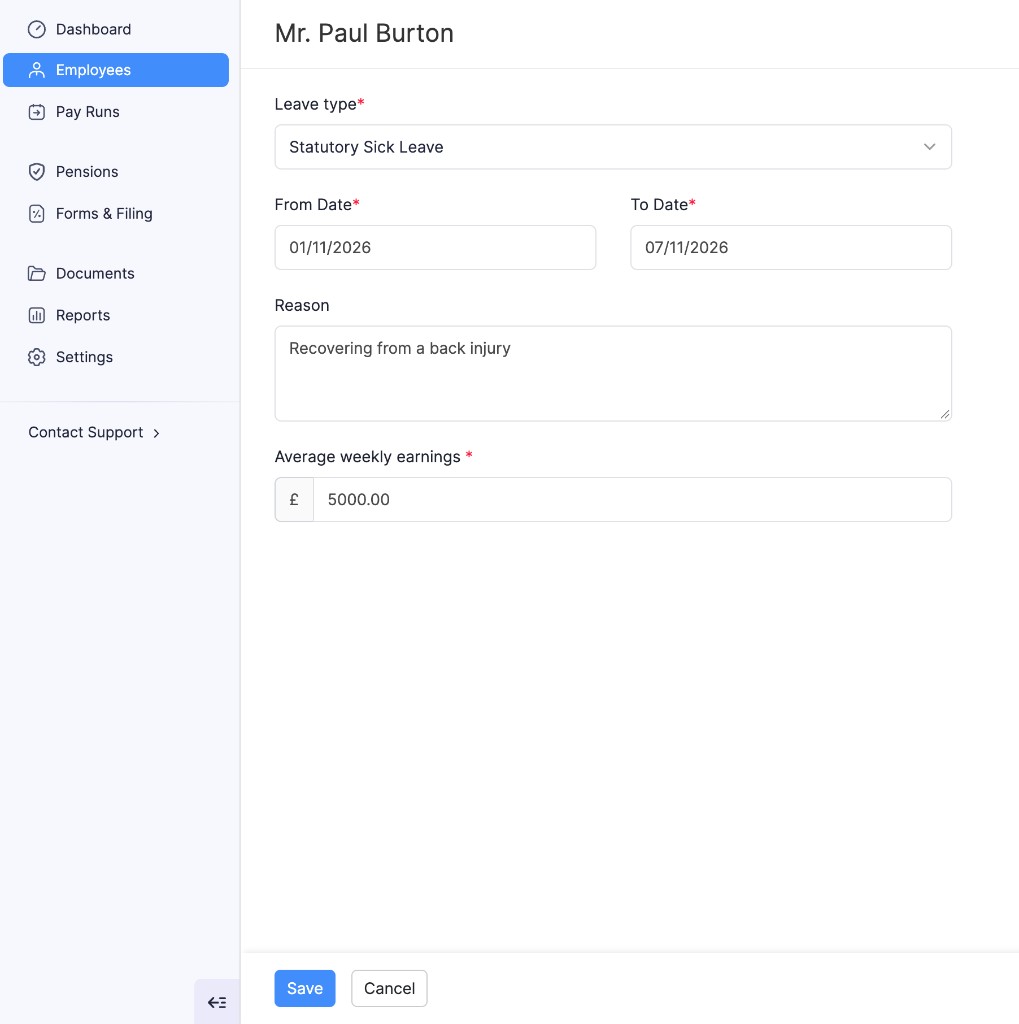
The leave then appears under Statutory Leave on the employee’s Leave tab. Learn more in Manage Employee Leave.
Note: Zoho Payroll uses Average weekly earnings to work out the employee’s statutory pay. Work it out from the employee’s earnings in the period HMRC sets for that type of leave. The GOV.UK guidance linked for each leave type below explains how.
Details for each leave type
Every statutory leave type needs the From Date, To Date, and Average weekly earnings. Most also ask for a Reason, and the dates you need depend on the reason you select.
Note: Leave type lists either Statutory Maternity Leave or Statutory Paternity Leave, based on the gender in the employee’s profile.
Statutory Sick Leave
| Field | What to enter |
|---|---|
| Reason | Optional. A short note, for example the illness or injury. |
Refer to the GOV.UK guidance on Statutory Sick Pay for employers.
Statutory Maternity Leave
| Field | What to enter |
|---|---|
| Expected date of birth | The date the baby is due. |
| Actual date of birth | The date the baby was born, if known. |
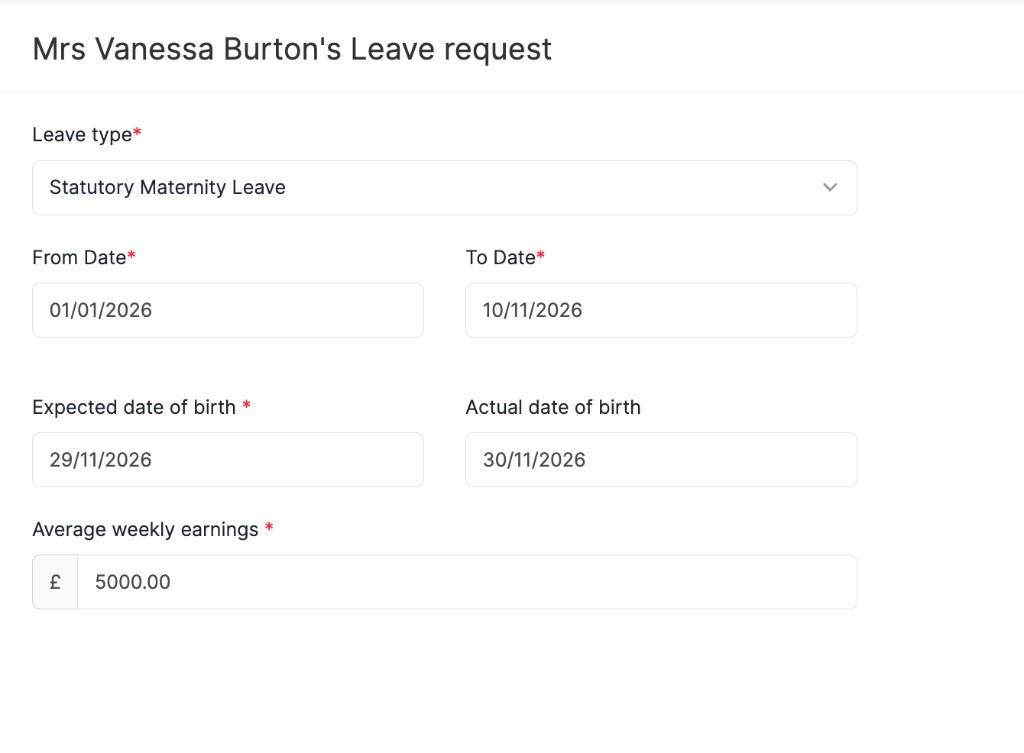
Refer to the GOV.UK guidance on Statutory Maternity Pay and Leave for employers.
Statutory Paternity Leave
| Reason | Dates to enter |
|---|---|
| Birth | Expected date of birth and Actual date of birth |
| Adoption | Matching Date and Date of Placement |
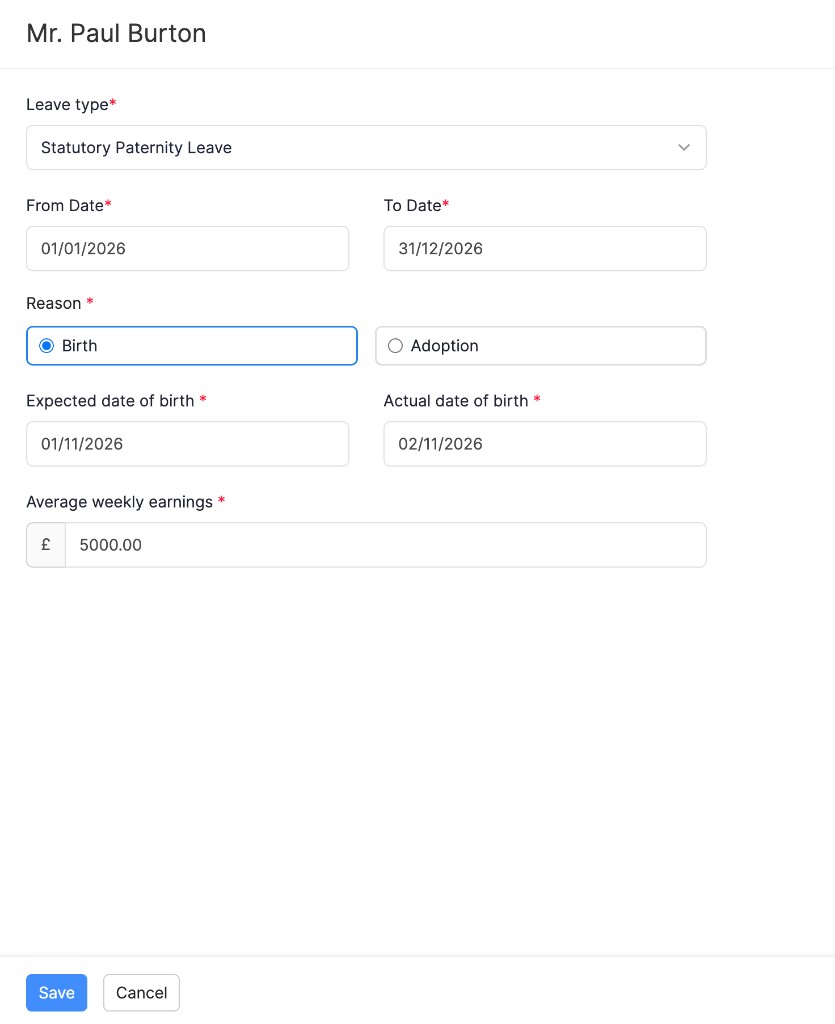
Refer to the GOV.UK guidance on Statutory Paternity Pay and Leave for employers.
Statutory Adoption Leave
| Reason | Dates to enter |
|---|---|
| Adoption | Matching Date and Date of Placement |
| Surrogacy | Expected date of birth and Actual date of birth |
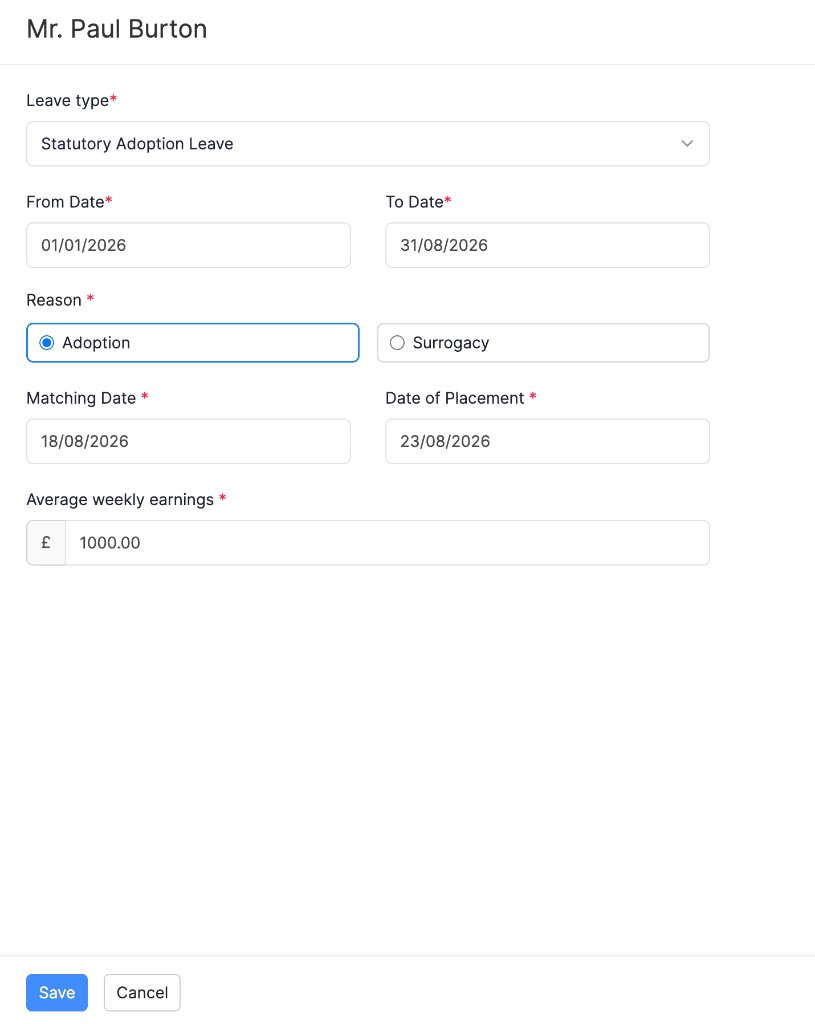
Refer to the GOV.UK guidance on Statutory Adoption Pay and Leave for employers.
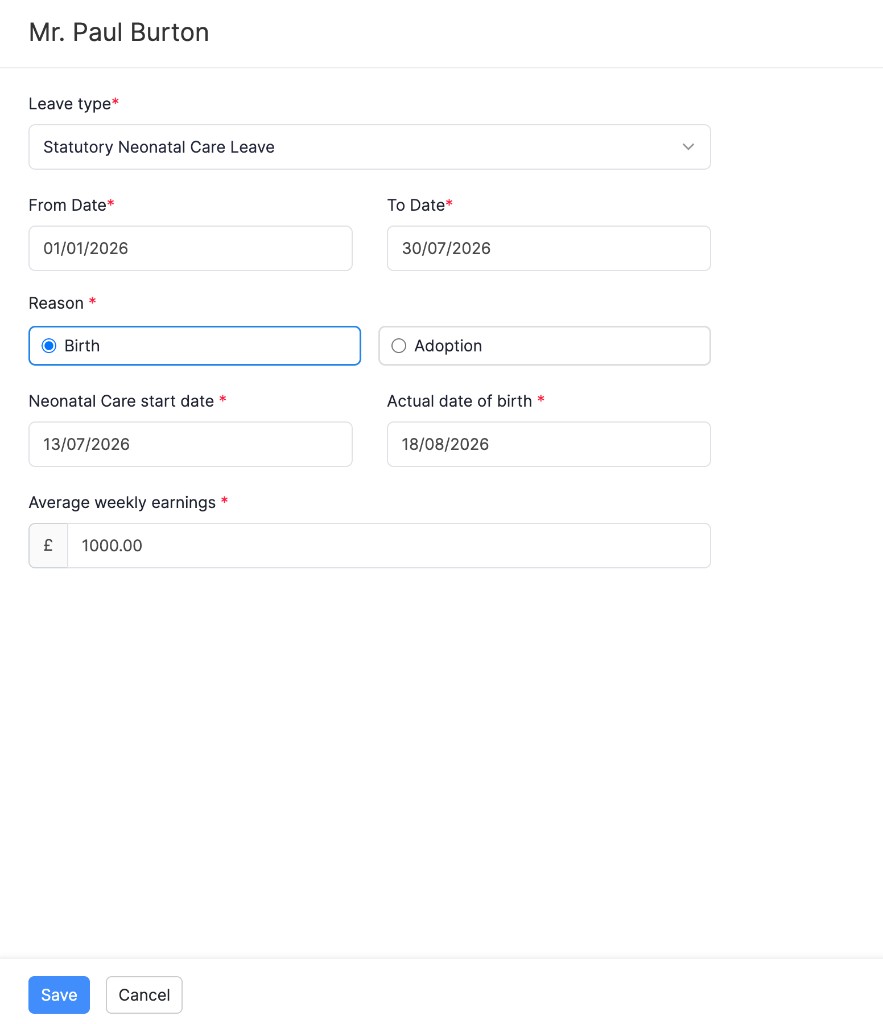
Statutory Neonatal Care Leave
| Reason | Dates to enter |
|---|---|
| Birth | Neonatal Care start date and Actual date of birth |
| Adoption | Matching Date and Date of Placement |
Statutory Shared Parental Leave
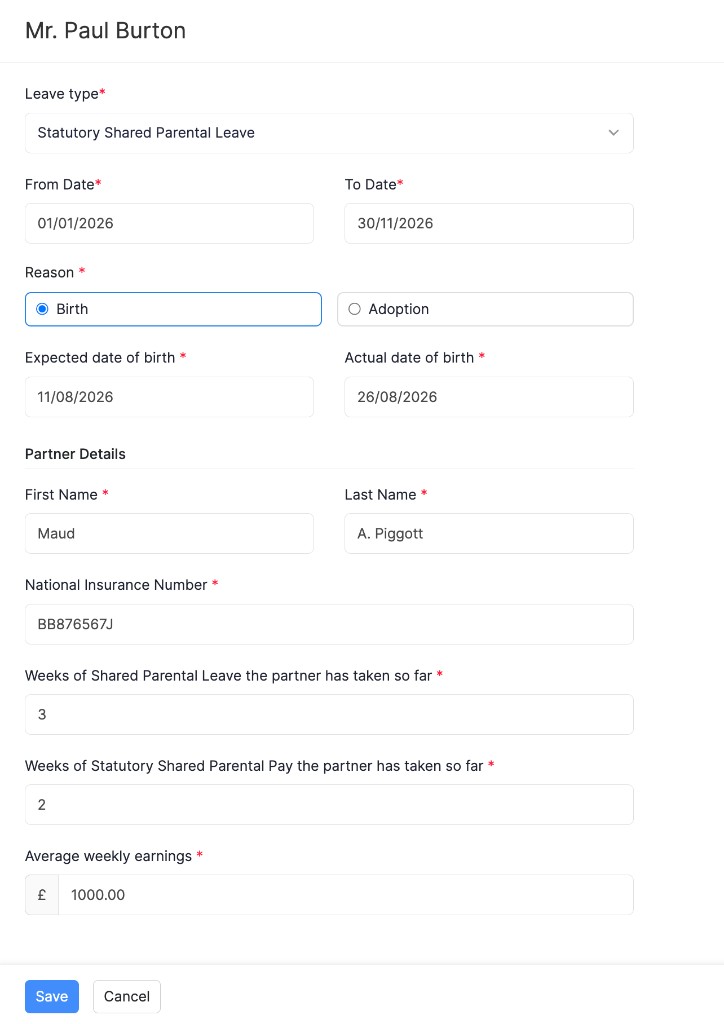
Select the Reason, Birth or Adoption. For a birth, enter the Expected date of birth and Actual date of birth.
Then enter the Partner Details:
| Field | What to enter |
|---|---|
| First Name and Last Name | The name of the employee’s partner who shares the leave. |
| National Insurance Number | The partner’s National Insurance number. |
| Weeks of Shared Parental Leave the partner has taken so far | The weeks of shared parental leave the partner has already used. |
| Weeks of Statutory Shared Parental Pay the partner has taken so far | The weeks of Statutory Shared Parental Pay the partner has already received. |
Refer to the GOV.UK employer guide to Shared Parental Leave and Pay.
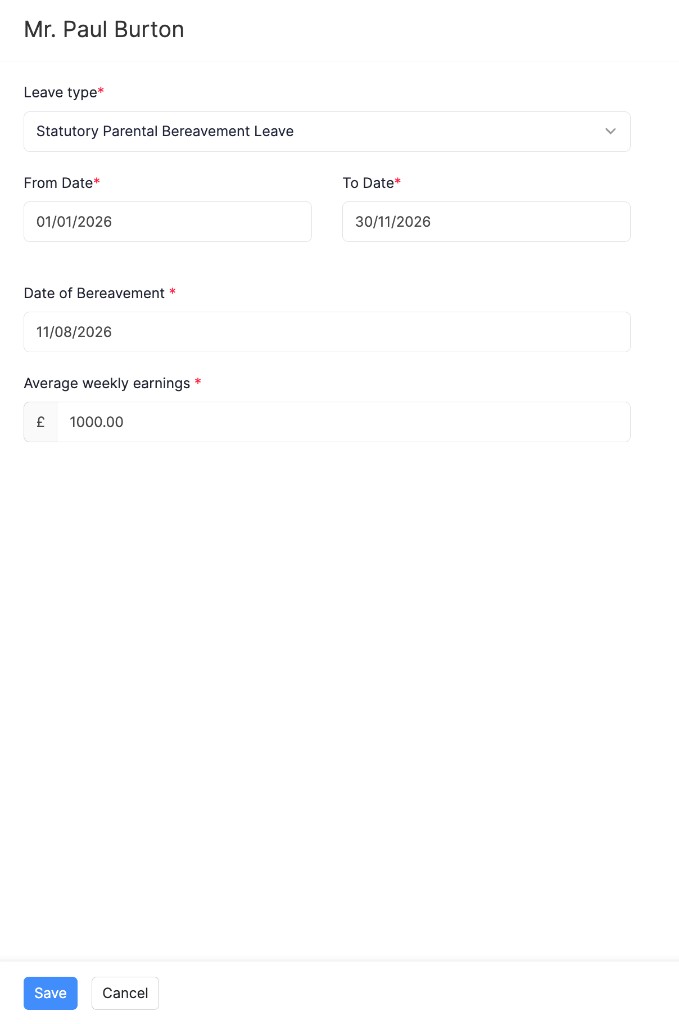
Statutory Parental Bereavement Leave
| Field | What to enter |
|---|---|
| Date of Bereavement | The date of the child’s death. |
Refer to the GOV.UK guidance on Statutory Parental Bereavement Pay and Leave for employers.
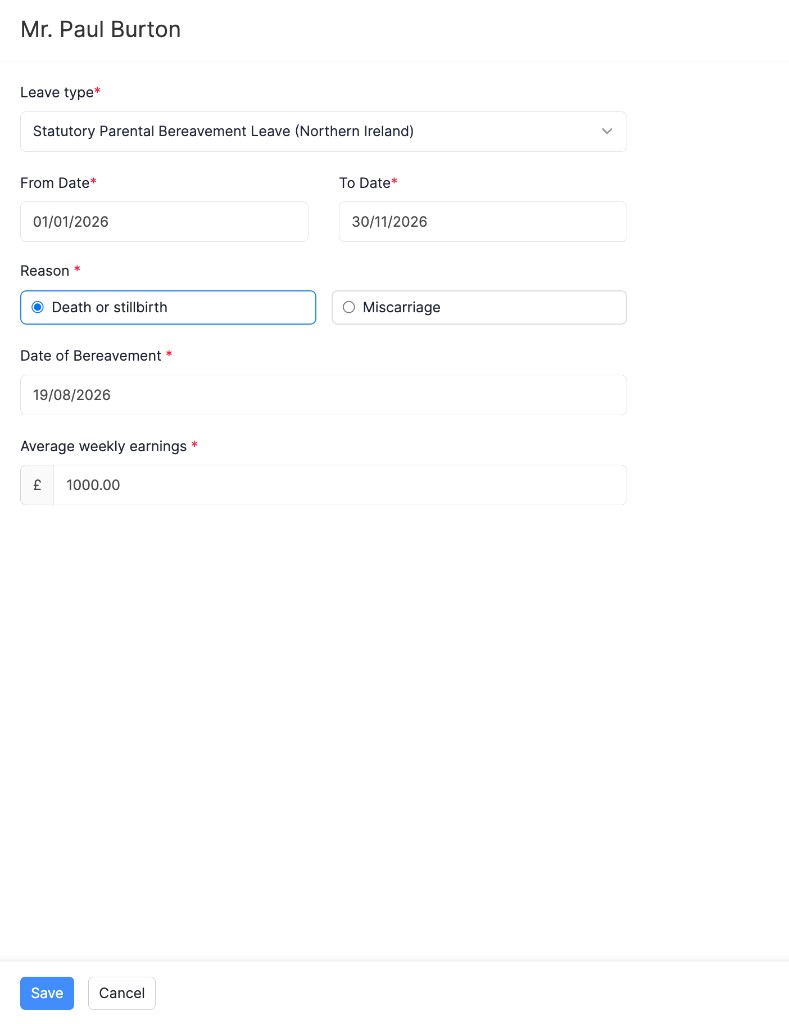
Statutory Parental Bereavement Leave (Northern Ireland)
Use this for employees in Northern Ireland.
| Field | What to enter |
|---|---|
| Reason | Death or stillbirth, or Miscarriage. |
| Date of Bereavement | The date of the death, stillbirth, or miscarriage. |
Statutory pay in pay runs and reports
Statutory pay for the leave you record is included in the employee’s pay in regular pay runs. You can review it in the Statutory Earnings Summary report.
You can reclaim statutory parental pay from HMRC on your Employer Payment Summary (EPS). Statutory Sick Pay cannot be reclaimed this way.